





SerpentDrago
Members
-
Joined
-
Last visited
-
the only way i can connect to my own server INSIDE my lan with a desktop inside the same lan and same subnet is by direct internal ip (192.168.1.x) in my case . even with host networking and editing config for direct and proxy ip to the unraid box . I have to use the internal ip , if i try my domain name or my external ip (yes i have nat reflection enabled for the rule ) i get poped back to main screen . so yeh things are weird for sure
-
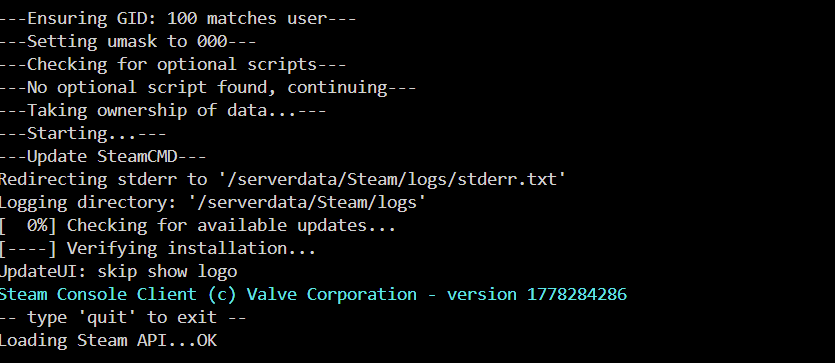
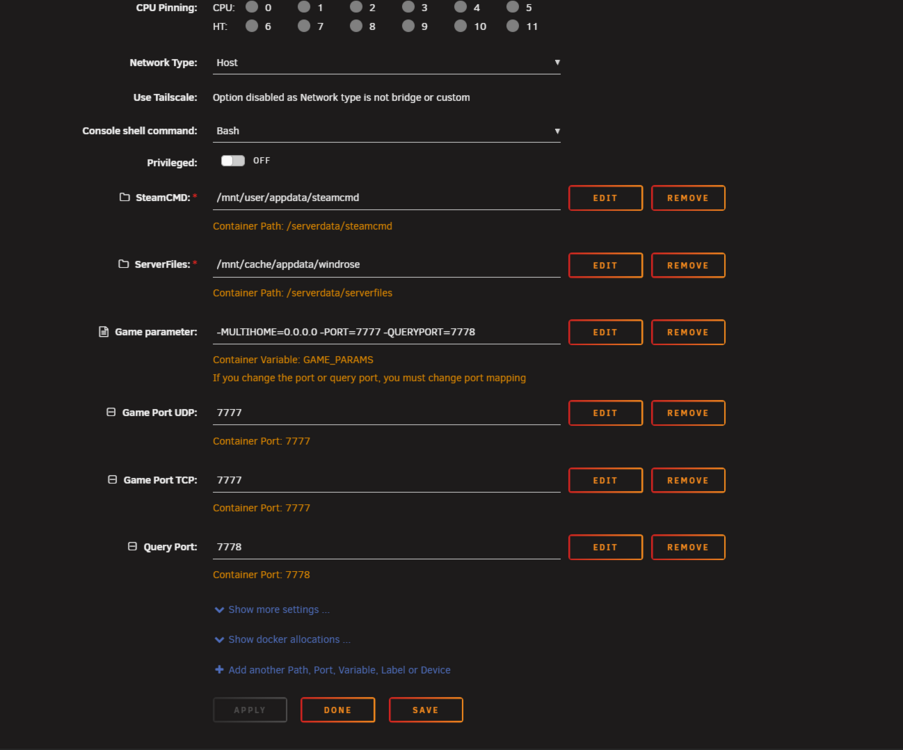
specifically talking about this logging directory mentioned in the Containers unraid log (logging directory: '/serverdata/Steam/logs') the mount for appdata/windrose is /serverdata/serverfiles , and steamcmds is /serverdata/steamcmd , so wouldn't /serverdata/Steam fall outside this mount and thus be stored in the container ? could cause issues with space . Unless i'm just being stupid , no idea what log that is . just trying to understand something more , a bit offtopic sorry
-
Yep i was just being stupid , SOOOO sorry to bother you , i thought for sure i checked under /R5 for the damn config file .. after the server was running for awhile . Well for anyone else reading this , if your log gets to this point (it will have errors/ warnings ! ) > Then your good to go , shut the container down , edit the config as in description , should be good to go . I was able to connect direct ip on my network to the server running fine . Next to forward the ports needed to access it from the Wan side . @Nodiaque so sorry for taking up your time ! one other quick thing i noticed the steam logs appear to be saved inside the container ? at least quickly looking at the logs and mappings , but i could be mistaken

-
Yeh i think i just goofed and didn't see the config file . let me cross my eyes and dot my file ;0 lol . i'll report back with results sorry
-
"There is 2 configuration file. R5/ServerDescription.json is for the server itself (how it run). After first run, you must change these: " ahhh missed it thanks , i was reading EVERYTHING on the first and 2nd post going .. i know he told us somewhere lol . going to try the "normal" windrose instead of the xvfb or beta of your docker/temp
-
i was able to get the server to start enough to find the config file made in ./R5 BUT using another's template docker https://hub.docker.com/r/jcoker85/windrose/ Maybe i should try the normal windrose and not the xvfb.... what's the difference ? there's not a clear description i can find anywhere
-
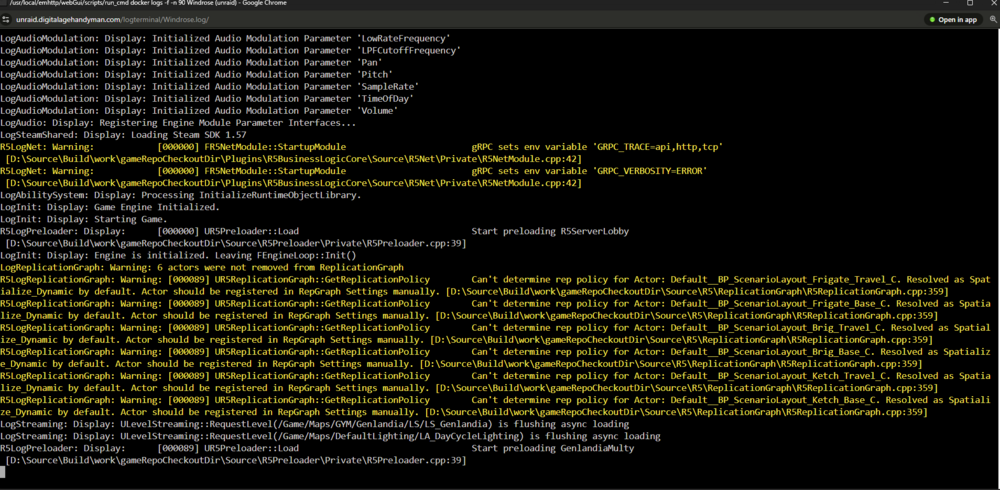
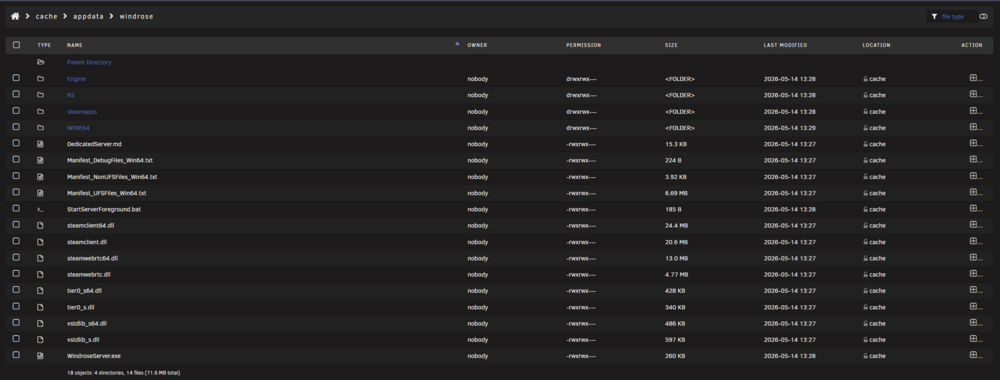
EDIT: i was just stupid and didn't see the config file created in /r5/ , dont' mind these posts skip ! Windrose , Tried both beta and xvfb (deleting steamcmd and windrose appdata folders inbetween) Can't get the server to fully start enough to even generate the config files i think .Or i'm being dumb and missed something . Where exactly are the config files stored (root?) so should be in /mnt/usar/appdata/windrose
-
Self-hosted YouTube Music downloader with automatic metadata tagging and playlist sync. Paste a link, get a properly tagged and organized library. Subscribe to playlists to keep them synced. Albums sorted by artist and year. No duplicates. Media server ready. Project Page by developer guillevc - https://github.com/guillevc/yubal Template Repo by me - https://github.com/SerpentDrago/UnraidDockerTemplates/tree/main/yubal Use this thread for Unraid Specific support , for general application support please use developers repo.
-
same issue , which docker hub one should i use ?




