





SC8198
Members
-
Joined
-
Last visited
-
I'm going to look at the mover tuning plugin next and report back. More to come.
-
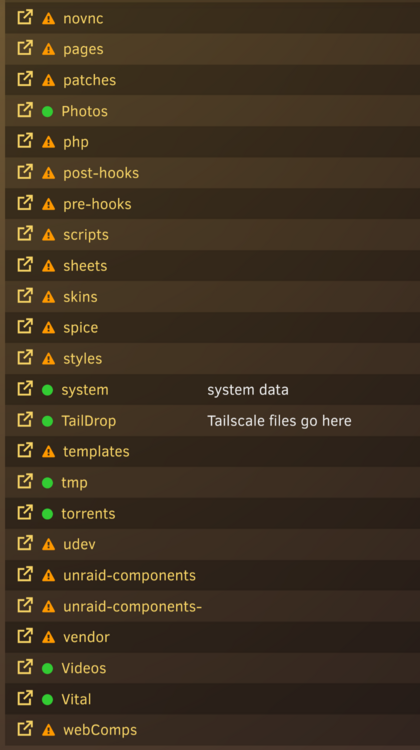
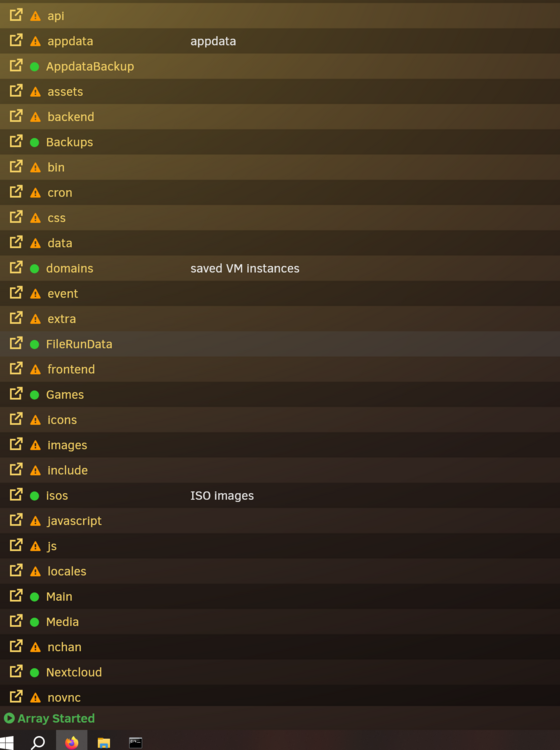
We'll see here is the thing. They are unraid files. I tried deleting them at one point and it made the webgui stop working. Then I rebooted and they showed back up. Idk what docker would be making unraid files. It leads me to think something else is happening.
-
Hello I am trying to figure out why my /mnt/user folder is now clogged up with what looks to be the os's file system. photo attached. I am on Unraid 6.12.8 any ideas what happened? and how to fix it?tower-diagnostics-20250623-1922.zip
-
Okay cool, I think I understand. Sounds good to me. I ran a parity calculation right after I messed up. I knew that data was lost. Not terribly worried. I was in the middle of a migration to a new server and that is what caused the issues.
-
Just jumping on this old thread. I did the exact same thing. I mistakenly formatted when I shouldn't have. I have a backup so I am not as worried. One question though. After formatting the drive and I am writing new data to it. Will this be corrupting the Parity?? I.e causing more damage? Or will that "NEW" data just be apart of the parity now and I can restore from my backups???
-
Thats awesome! thanks for making the plugin!
-
Quick question does this plugin run tailscale on startup of unraid? or will I need to make a script?
-
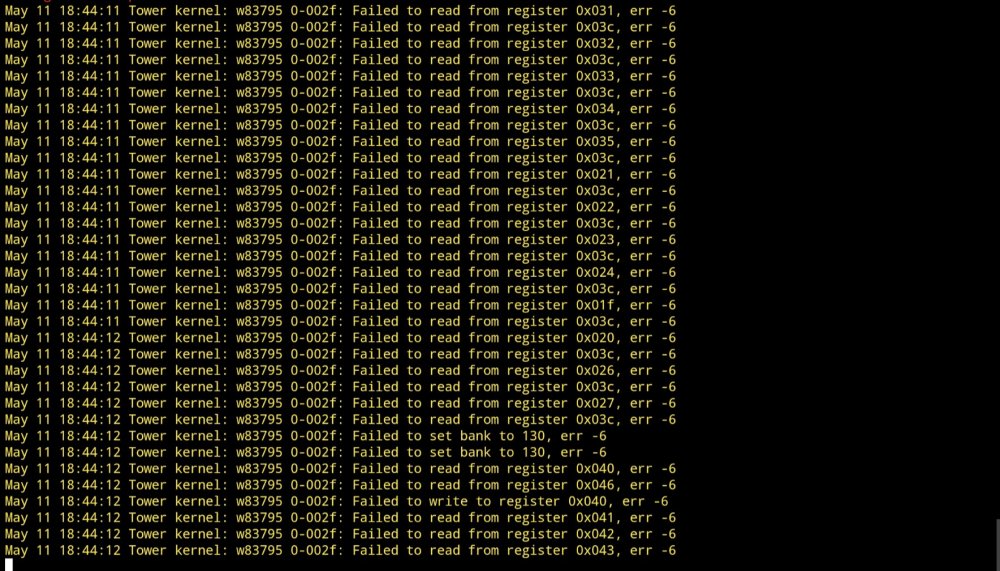
Okay, I have an X8 board. I figured out with some more research that if you use this plugin while the bios is set to smart fan control, or if the ipmi is taking control, it will corrupt the controller and hard lock the system. There are scripts that I found that can control them via python. But when I disabled the plugin and rebooted the fans were actually pretty quite. So rule of thumb if you are running into this issue, either 1. Disable all bios and ipmi control of the fans, i.e. set to full so the bios only sends one command at the beginning of boot up 2. Don't use the auto fan control plugin and let the bios or ipmi control the fans 3. Use a python script to control them but that is more involved that I wanted to get. Feel free to DM me or whatever and I can possibly help if someone is going through these issues. Edit: also the X8 boards are not supported by the ipmi plugin for fan control. Afaik
-
So I'm having an issue with my supermicro board. When I try to use the auto fan control plugin. The system crashed with this. I have been fighting this for a while but can not figure out what it causing it. Any thoughts? Edit: sorry for the screenshot, currently on my phone.
-
Okay will try tonight when I get home. Do I download the firmware from Broadcom? I haven't flashed a RAID card yet.
-
Hello all, I am having an issue where my log is getting filled with this error Nov 9 11:59:15 Tower kernel: mpt2sas_cm0: handle(0x000e), ioc_status(0x0022) failure at drivers/scsi/mpt3sas/mpt3sas_transport.c:225/_transport_set_identify()! Nov 9 11:59:15 Tower kernel: mpt2sas_cm0: failure at drivers/scsi/mpt3sas/mpt3sas_scsih.c:7315/_scsih_add_device()! I have all the drives in the machine detected and they also mounted at array start as well. This started a couple of days ago and has persisted after a couple of reboots. The webgui and my Nginx hung after a reboot this morning. Here is my diagnostics as well. Would appreciate any help I can get. tower-diagnostics-20221109-1201.zip Thanks


