





TheThingIs
Members
-
Joined
-
Last visited
-
Thanks JorgeB. I didn't want to take the array offline so I've edited the script to work, I'm in no rush
-
Hi, I'm trying to zero some drives to shrink my array using the user script (I've tried it manually from the cmds in the unraid docs) but I'm getting this error: dd: error writing '/dev/md28': No space left on device Unraid is v7.0.1 any ideas what the issue may be?
-
splitting the drives is a good idea as they are currently, apart from 2, all on one chassis. I'm open to upgrading everything, mobo, backplanes, hba cards...although it sounds like you think the mobo would be my starting point?
-
Hey peeps, I have some questions about what I can do to improve parity check speeds with my server. I'm currently running a Supermicro X9DRD-7LN4F mobo with dual xeon E5-2697 v2 and 128g ram. 2 supermicro 846 chassis, one with 24 bays and the mobo and another with 36 bays just as a jbod. Both have sas2 expanders in them and are full with 60 drives. 2 HBA sas2 2008 controllers, one internal ports and one with external ports (connected with dac cables). 30 x 4tb sata drives in the array and the rest in zfs pools. Obviously I'm limited with the sata and sas2 expanders but I'm starting to expand space with 12tb sas drives hence now seeing speed issues. Parity checks take 24hrs+ at an average of 50MB/s but never concerned me before with them being 4tb drives. Now that I'm adding in 12tb drives it's becoming an issue. Question 1: when upgrading the parity drives to 12tb I'm seeing 80MB/s during the reads of 28 4tb drives (bandwidth being the issue here see next question) but when the 4tb drives have finished and it's just doing the 8tb parity drive expansion part then I am only getting a max of 75MB/s speeds on the 2 drives, where is the bottleneck here? Question 2: with all these drives I believe I'm hitting a bandwidth issue with all array drives running and hitting a max of 2500MB/s total. What would be the best upgrade path to increase the total bandwidth available and speed up parity operations? I've attached diags to help.server-diagnostics-20250329-1056.zip Many thanks for your thoughts
-
That worked a treat, thank you DToX_
-
Last night I set the cache manually using root@Server:~# echo 64000000000 > /sys/module/zfs/parameters/zfs_arc_max and today my system is indeed using 64gb of ram! So I'll set a script to run at array start and hopefully should be good. Not an ideal solution but it works!! Big thank you to everyone involved for jumping in and helping, I really appreciate it. PS I've just had a thought that I originally installed ZFS before it was part of the OS. I vaguely remember setting a max for the arc cache via cli as I only had 64gb at the time. It could have been a SpaceInvader1 guide I followed. If that setting has persisted through to the integrated version of ZFS then how would I reverse that? PPS got it, it was in my go file!!!
-
I understand it's dynamic but it won't ever go over 32gb leaving me with 77gb unused. Most of the time it's maxed at 32gb and confusingly that is 1/4 of my ram and not 1/8th. The file is there at /boot/config/modprobe.d/ I can't physically access the machine atm so testing a spare usb stick isn't possible. It's like the file is being ignored and (or superseded) by something else setting the cache to 32gb
-
server-diagnostics-20250111-1254.zip
-
I've done that (I think). It also gets saved in the same place when editing system driver.
 I've followed the above instructions: root@Server:~# cat /proc/spl/kstat/zfs/arcstats | grep -E 'c_max|c_min' c_min 4 4223258496 c_max 4 34359738368 root@Server:~# echo 64000000000 > /sys/module/zfs/parameters/zfs_arc_max root@Server:~# cat /sys/module/zfs/parameters/zfs_arc_max 64000000000 edited, saved and rebuilt system drivers and then rebooted the server. root@Server:~# cat /proc/spl/kstat/zfs/arcstats | grep -E 'c_max|c_min' c_min 4 4223258496 c_max 4 34359738368 still no changeHey peeps. I've tried for months now to increase my ZFS cache memory usage but it's stuck at 32gb. I have 128gb in my server and want to take the cache up to atleast 64gb. I originally created the zfs.conf file manually, tweaked and messed with the file and syntax but no change. I've recently used the gui option in system drivers and no change. I've deleted the file and recreated using just the gui as one post suggested, checked for spaces etc but still no luck. Flash drive: config/modprobe.d/zfs.conf options zfs zfs_arc_max=64000000000 GUI: Tools/system drivers zfs (2.2.7-1) ZFS Custom /lib/modules/6.6.68-Unraid/extra options zfs zfs_arc_max=64000000000 Any thoughts would be appreciatedthat's the way they are set already using shutdown in the cli hung just the same and I had to cold reset. Looking at the remote console before I power cycled looked like this (if it helps): also after reboot I still can't destroy that dataset, pool is busy
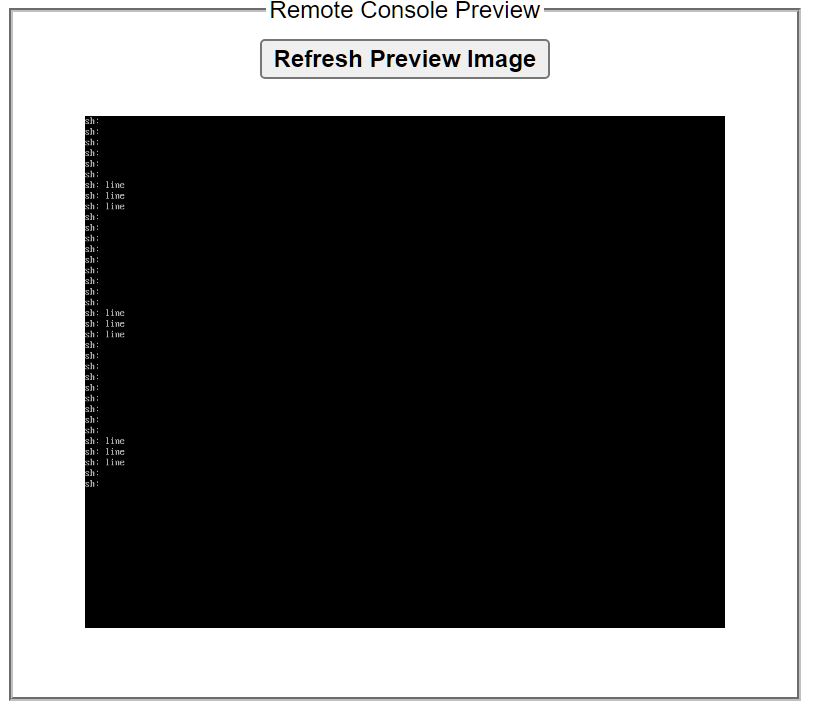 server-diagnostics-20230705-1727.zip no nothing inside the "Test 1 2 3" dataset oh and thanks JorgeB, I appreciate you taking the time to look at this with menot sure exactly what you mean but I have a dataset right now inside the appdata dataset "Test 1 2 3" which won't destroy and I can't do a clean reboot. another odd thing that is also happening is I created a pool called "paris" and moved alot of unimportant shares there. I've set the shares to be on that pool only and not use the array but files are still being created on the array. Fix common problems alerts me to the problem that it sees shares on the array which are set to pool only so I manually go and move them. This has only started happening since I set the pool as ZFS



