





vulu
Members
-
Joined
-
Last visited
-
I have two isntances of the same binex qbittorrrentvpn instances running. Today one of them does not let me get to the webui (connection timeout). I know it's working because there is a valid vpn connection. logs look flawless. what could be the issue?
-
I am trying to connect sonarr to prowlarr, and I get the following error when I try to add sonarr. I dont understand the logfile at all to be frank. Request Failed. POST /api/v3/indexer/test: Object reference not set to an instance of an object System.NullReferenceException: Object reference not set to an instance of an object at Sonarr.Http.ClientSchema.SchemaBuilder.ReadFromSchema (System.Collections.Generic.List`1[T] fields, System.Type targetType) [0x0009b] in M:\BuildAgent\work\63739567f01dbcc2\src\Sonarr.Http\ClientSchema\SchemaBuilder.cs:49 at Sonarr.Api.V3.ProviderResourceMapper`2[TProviderResource,TProviderDefinition].ToModel (TProviderResource resource) [0x000c8] in M:\BuildAgent\work\63739567f01dbcc2\src\Sonarr.Api.V3\ProviderResource.cs:65 at Sonarr.Api.V3.Indexers.IndexerResourceMapper.ToModel (Sonarr.Api.V3.Indexers.IndexerResource resource) [0x00005] in M:\BuildAgent\work\63739567f01dbcc2\src\Sonarr.Api.V3\Indexers\IndexerResource.cs:39 at Sonarr.Api.V3.ProviderModuleBase`3[TProviderResource,TProvider,TProviderDefinition].GetDefinition (TProviderResource providerResource, System.Boolean includeWarnings, System.Boolean validate) [0x00000] in M:\BuildAgent\work\63739567f01dbcc2\src\Sonarr.Api.V3\ProviderModuleBase.cs:101 at Sonarr.Api.V3.ProviderModuleBase`3[TProviderResource,TProvider,TProviderDefinition].Test (TProviderResource providerResource) [0x00000] in M:\BuildAgent\work\63739567f01dbcc2\src\Sonarr.Api.V3\ProviderModuleBase.cs:142 at Sonarr.Api.V3.ProviderModuleBase`3[TProviderResource,TProvider,TProviderDefinition].<.ctor>b__2_1 (System.Object x) [0x00000] in M:\BuildAgent\work\63739567f01dbcc2\src\Sonarr.Api.V3\ProviderModuleBase.cs:29 at Nancy.NancyModule+<>c__DisplayClass38_0`1[T].<Post>b__0 (System.Object args) [0x00047] in <prowalarrapikey>:0 at Nancy.NancyModule+<>c__DisplayClass40_0`1[T].<Post>b__0 (System.Object args, System.Threading.CancellationToken ct) [0x00047] in <prowalarrapikey>:0 at Nancy.Routing.Route`1[T].Invoke (Nancy.DynamicDictionary parameters, System.Threading.CancellationToken cancellationToken) [0x00017] in <prowalarrapikey>:0 at Nancy.Routing.DefaultRouteInvoker.Invoke (Nancy.Routing.Route route, System.Threading.CancellationToken cancellationToken, Nancy.DynamicDictionary parameters, Nancy.NancyContext context) [0x00086] in <prowalarrapikey>:0 at Nancy.Routing.DefaultRequestDispatcher.Dispatch (Nancy.NancyContext context, System.Threading.CancellationToken cancellationToken) [0x002b7] in <prowalarrapikey>:0 at Nancy.NancyEngine.InvokeRequestLifeCycle (Nancy.NancyContext context, System.Threading.CancellationToken cancellationToken, Nancy.Bootstrapper.IPipelines pipelines) [0x0011d] in <prowalarrapikey>:0 EDIT: I have found the issue. It was a simple case of an out of date docker container. Changing the repo from "arch-sonarr:v3" to "arch-sonarr:latest" upated the version number and fixed the connection.
-
@ich777 Everything works flawless, many thanks for your tutorials and your time spent on creating plugins. words of appreciation.
-
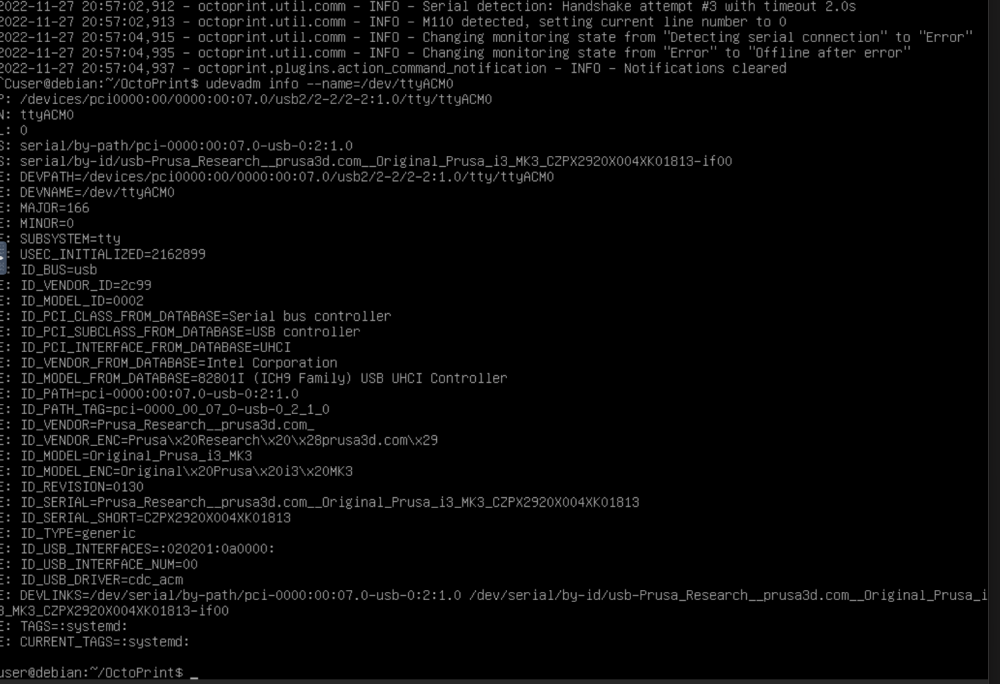
The printer is there
-
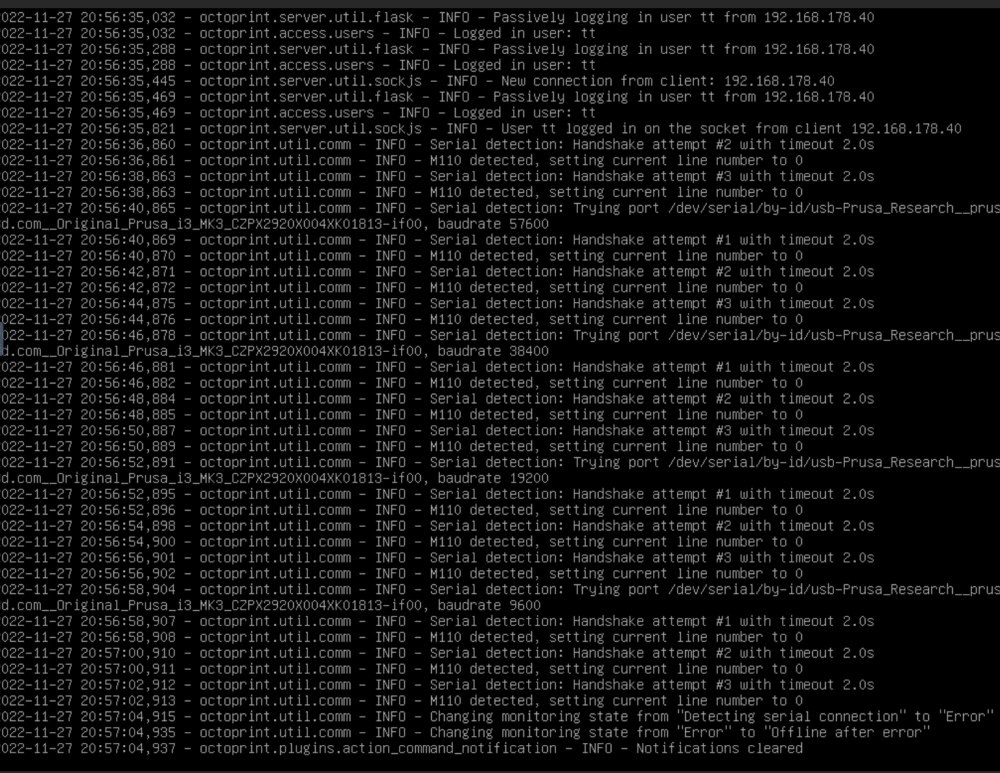
I installed Octoprint on a VM and the system does not recognize the connection. I dont think this is an issue with pants's docker image. I am leaning out of the window here but i believe to remember that the issue started after updating unraid. How do i go about troubleshooting this. I have tried nothign and i have no idea where to start. kinda lost.
-
It does show me my printer's serial ID, but the docker setup still does not recognize it as valid.


