WooyMooy
Members
-
Joined
-
Last visited
-
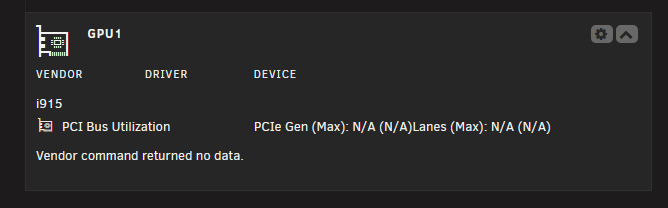
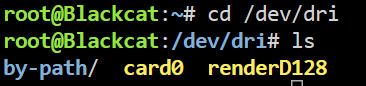
I'm having issues with transcoding on an Ultra 7 265K for Plex. I have Unraid 7.1.4 . /dev/dri/ is added I am able to see the card0 and renderd128 I am not able to see the iGPU in the gpu plug Is there something I am missing? Plex hw selection is turned on. I was able to get it working with a NVIDIA GPU but not my intel iGPU.

-
Awesome this worked! Thank you Jorge!
-
Thanks for the reply. I tried this but was given the following error. blackcat-diagnostics-20241205-0826.zip
-
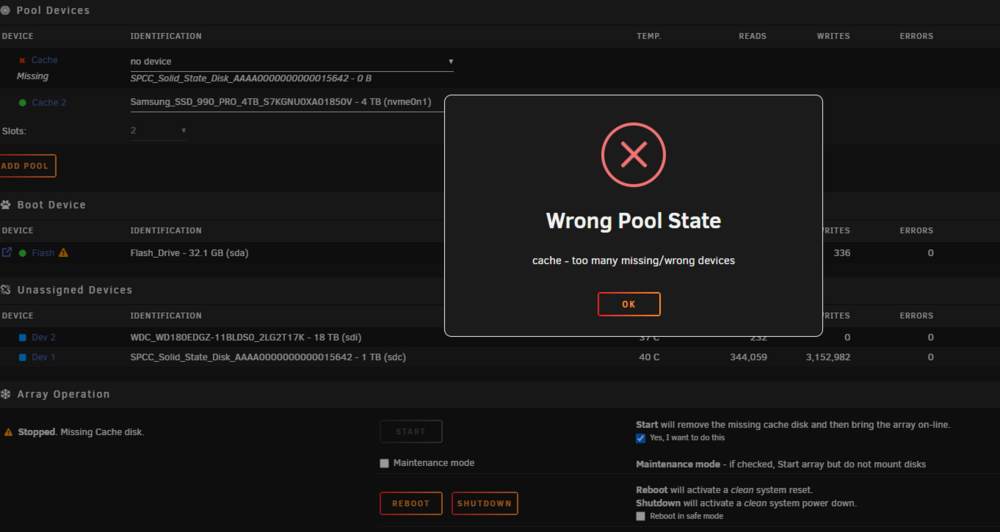
I recently installed a new 4TB cache drive and would like to remove my 1 TB cache drive from Unraid and have everything on my 4 TB. I am not sure how to do this. Would someone point me in the right direction?
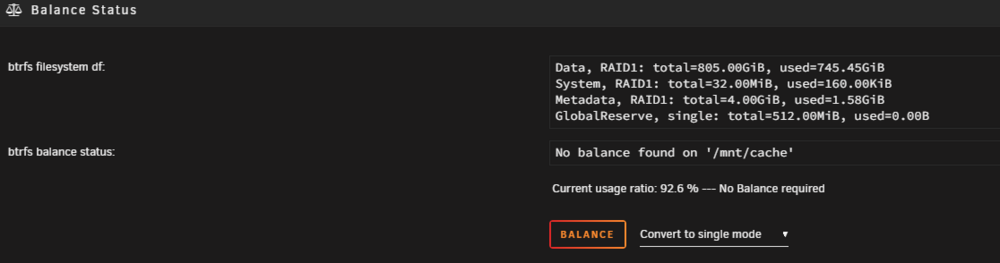

-
EDIT: Looks like I resolved it by switching the vendor in Settings > GPU statistics > Vendor to intel and then back to NVIDIA and hitting save. Thank you awesome utilitie. I'm having an issue with the GPU statistics not showing anything. It does transcode though through Plex but again it doesn't show anything on the GPU statistics. nvidia-smi -q -x -i 0 cd /usr/local/emhttp/plugins/gpustat/ && php ./gpustatus.php