





Soulkiss
Members
-
Joined
-
Last visited
Everything posted by Soulkiss
-
SOLVED! Apparently in the edit i should have set it to the cache-nvme and not to just the cache. Now the folder appears and I can manipulate the files need. Thanks for all the help
-
Still same issue -- unable to see the /mnt/user/appdata/Palworld despite everything.
-
Ohhh, will then blow it up and reattempt knowing this.
-
When you indicate like that --you mean having the arrows pointing to the left? I do have 2 VMs for gaming -- given I was not able to get the docker ARK SA or Evolved working -- placed them in VM and we launch when ready to play. Also have VM working on few other games for my husband -- but he really wants Palworld and ARK up in dockers if able. The Dockers for ARK had same issue not being redirected into the /mnt/appdata. I was informed that the cache should be moving things into the /mnt/appdata -- but I am not seeing that happen with Palworld. I am hoping once I solve this then I can get ARK up on docker too. Thank you guys for taking the time to help me out with this issue.
-
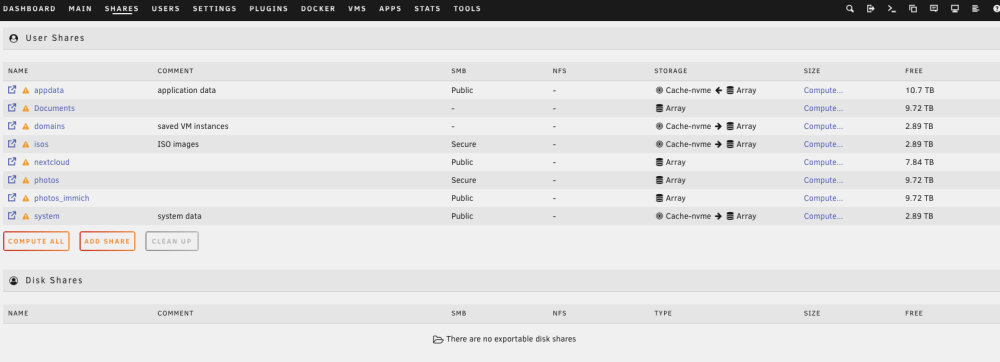
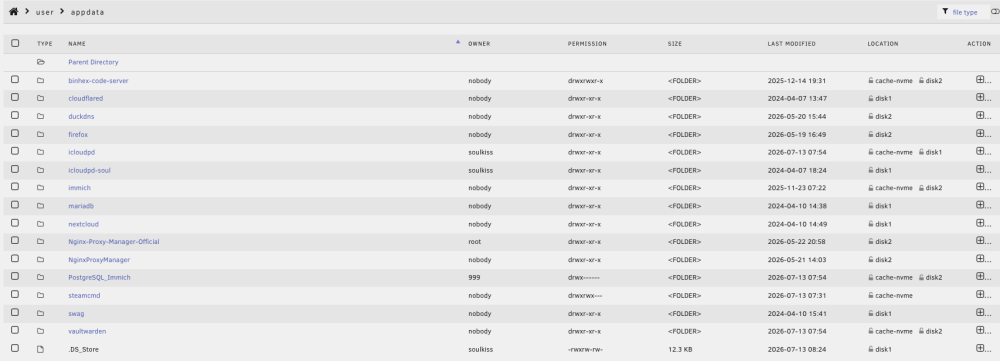
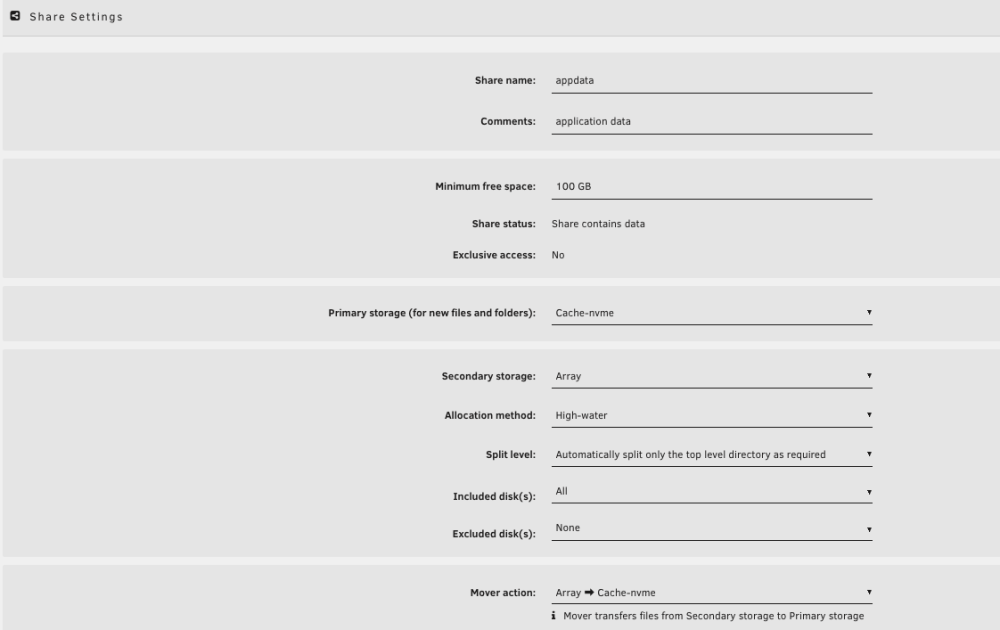
I understand. Thought I did it as the videos instructed. I did notice that on the storage of the Shares -- the arrow for the Array points back to the Cache-nvme where the other have the arrow reversed, could this be the issue?

-
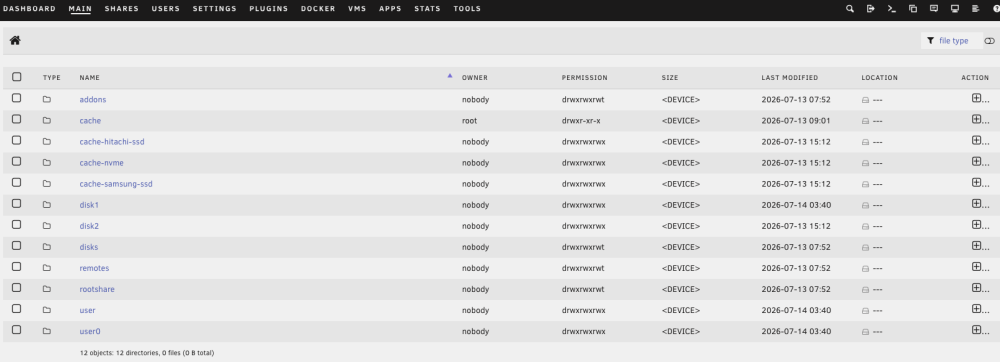
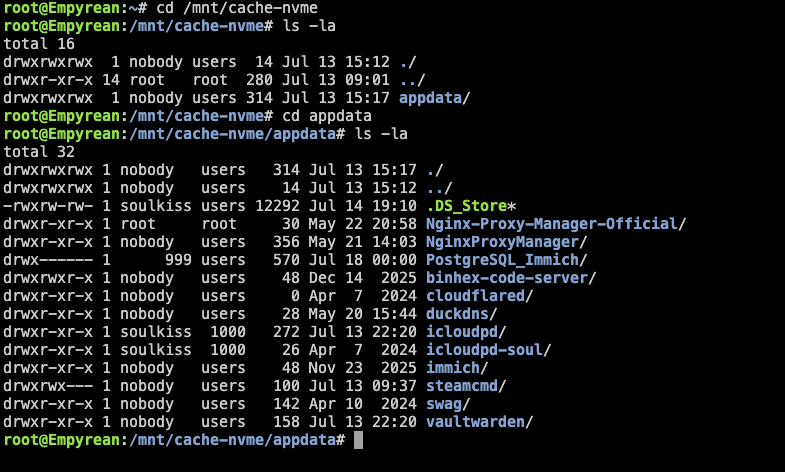
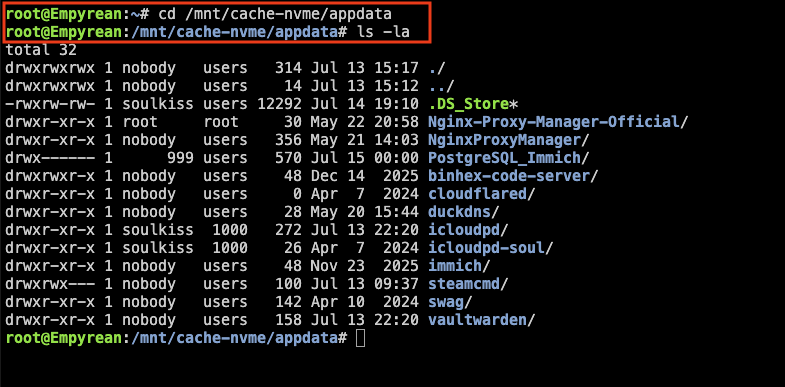
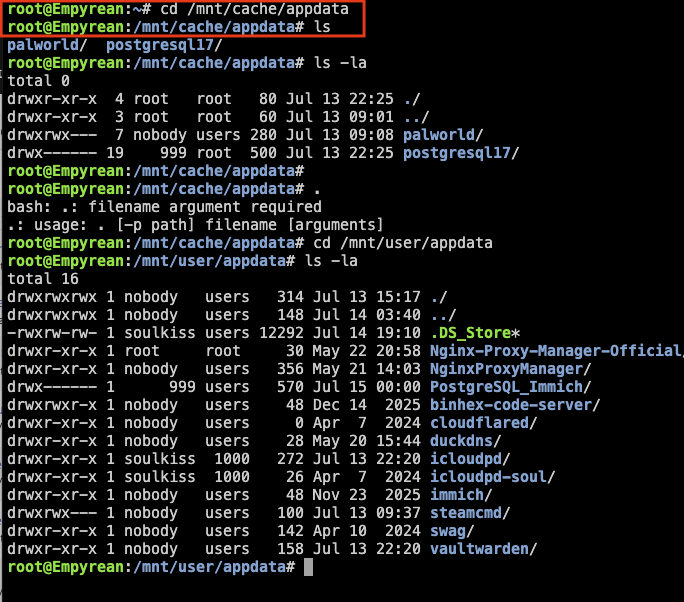
I am able to find the /mnt/cache-nvme -- in terminal but no listing of PalWorld This is why I am baffled. Should I have placed it in the /mnt/cache-nvme/appdata in the Edit of the Docker instead of what is defaulted: /mnt/cache/appdata

-
Ok, I will look into that as well. I was told to consider erasing all drives and just to reinstall Unraid after; there is not much on the system yet as I am trying to learn. But I have been puzzled as to why the cache-nvme; no option for just cache


-
In the share setting it only gives 3 options of the 3 ssds I have on the rig. I want them on the nvme ssd and it shows up as cache-nvme. Not sure about the disk/pool/array -- but I will look into it. Postgres 17 -- yes shows up in the /mnt/cache/appdata --but I followed a guide when setting up Immich. I am new to all this but learning as I go.
-
Its not showing up -- yet the docker says its running but I can not find or access the files.
-
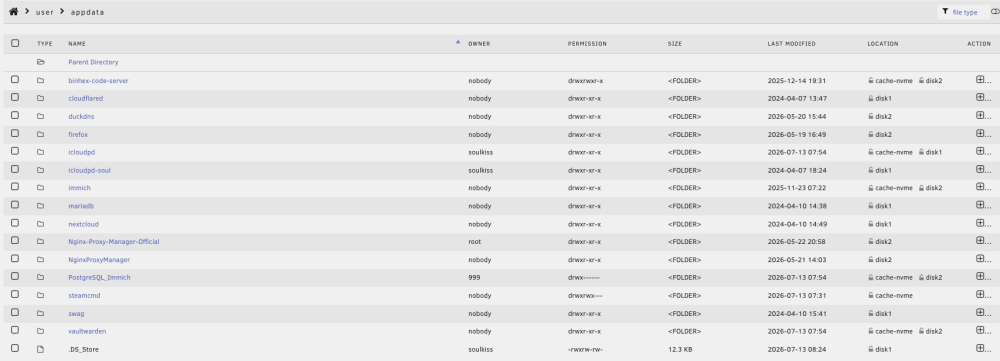
Not sure what you mean. Its my understanding that anything in the /mnt/cache gets eventually moved to the /mnt/appdata/ I had followed How to Setup a Palword Server with Unraid Guide [https://www.youtube.com/watch?v=URC_SP1TQ8I&t=17s] by SPX Labs -- and it should show up the the /mnt/appdata/ --> which is what I can not find. It why am asking the question.
-
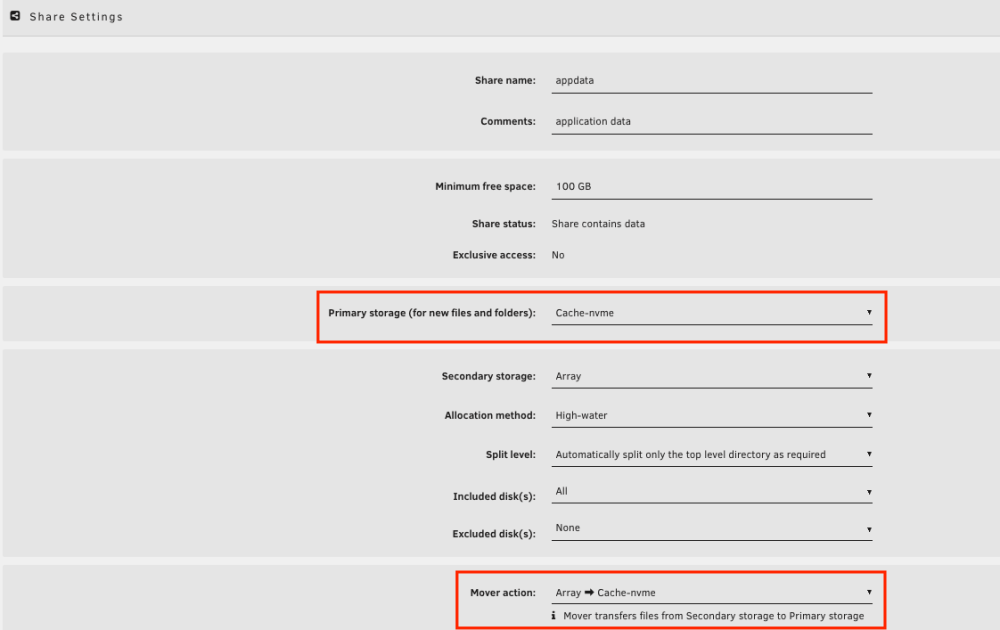
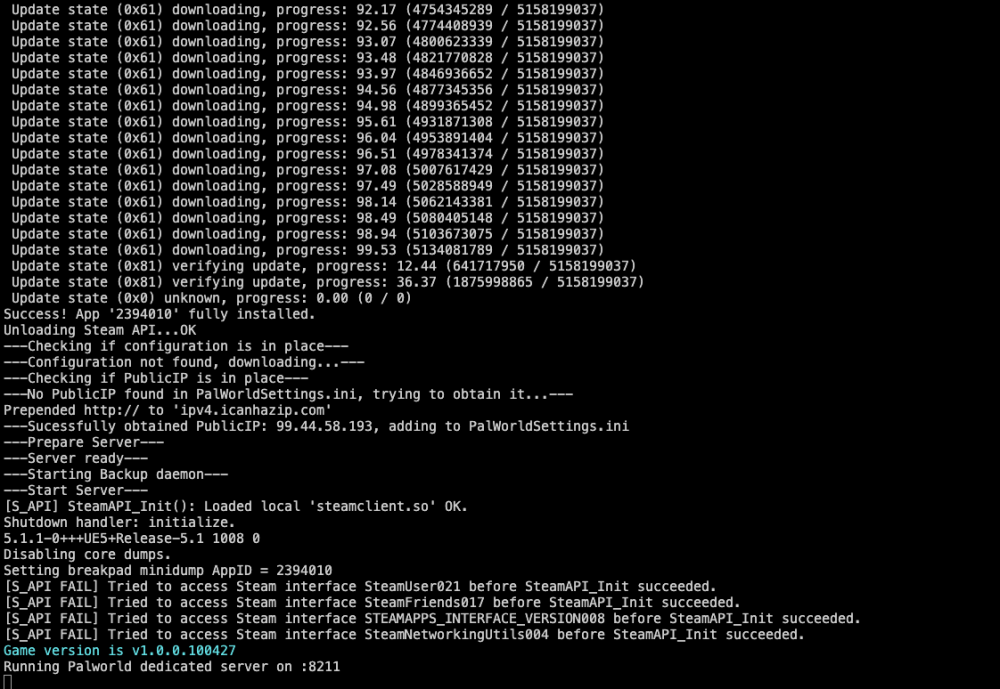
Originally posted in support ich777 - Gamesrver Seeking your guidance. I have downloaded Palword from Apps with no modifications. Gave it time to download and watched it in the logs -- no issues. The Docker is up and running. I have stopped it to change the ini files: hoping to change the Server Name, Password, Admin Password -- then planned on logging in. Well, I went to where the files should be and I am baffled. /mnt/cache/appdata/palworld I cannot seem to find this folder. I do fave the shares set for primary storage to Cache-nvme -- and other apps do appear here get moved appropriately, I think. Secondary storage is set to Array Mover action is set to Array -> Cache-nvme Yet for the life of me I can not find my Pal I have removed it and have reinstalled and continue to have the same issue, cant seem to find the folder so I can access the ini file. Its been a few day so I have been trying to figure this out but not sure how or why it occurred. I did originally notice this in early version 6 of Unraid — when I was trying to do Dedicated ARK server — same thing shows listed to show in /mnt/cache/appdata/ but when I go to find the files — no ARK; did not purse it then as I was too busy. SO I believe what ever occurred has been an issue but I do have a few other files that do show up correctly which is why this troubles me. Appreciate any help you can give.
-
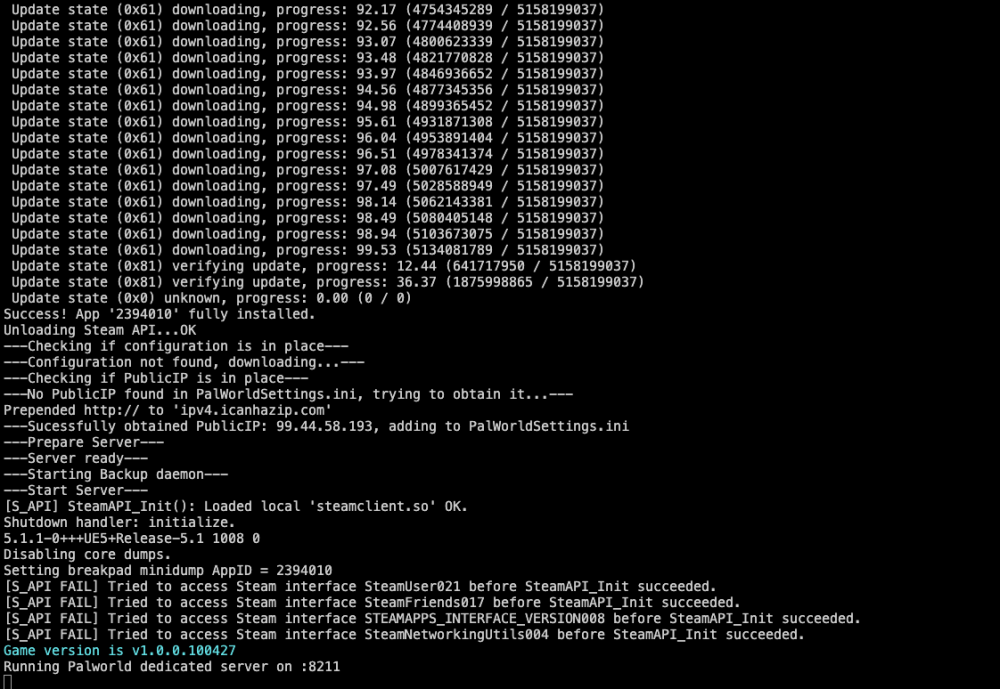
Seeking your guidance. I have downloaded Palword from Apps with no modifications. Gave it time to download and watched it in the logs -- no issues. The Docker is up and running. I have stopped it to change the ini files: hoping to change teh Server Name, Password, Admin Password -- then planned on logging in. Well, I went to where the files should be and I am baffled. /mnt/cache/appdata/palworld I can not seem to find this folder. I do fave the shares set for primary storage to Cache-nvme -- and other apps do appear here get moved appropriately, I think. Secondary storage is set to Array Mover action is set to Array -> Cache-nvme Yet for the life of me I can not find my Pal I have removed it and have reinstalled and continue to have the same issue, cant seem to find the folder so I can access the ini file. Appreciate any help you can give.
-
Just an update. Unraid -- still having issues getting the gpu passthrough but the advice I have received has been great. Discord has bee a great help too. I am getting my containers up and running as I continue to make the transition. Now beginning to suspect the hdmi ->DVI cable I am using might be an issues so tried another hdmi to hdmi from gpu to monitor so I can try each port -- but had to stop my test -- do to life issues. I am carving time out this weekend to give it another go. Also have another gpu to passthrough but was holding off till I got the windows for gaming up and running. Ultimate goal is windows on one gpu and Mac on another.
-
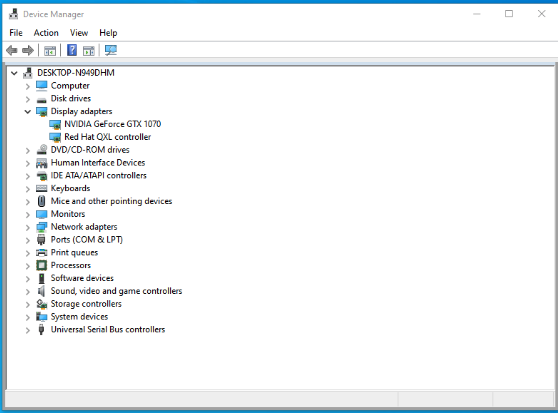
Thank You for your reply. I am able to remote in with nomachine on the local network with the VNC. When I removed VNC graphic and go with just the gpu -- its not picking up or recognizing the gpu. I connect but the resolution is like 800x600 or something. When I go to Device Manager -- nothing is listed for Display Adapter. I will give this a go and see by using the four ports available. I even tried using a different vbios to see but still no luck. At least I know on remote log I am able to connect -- just gotta get the drivers on figure out which hdmi port to use.
-
did you every find a solution. Having similar issue with gtx 1070
-
Having similar problem. Wondering if you found a solution. My gpu is gtx 1070
-
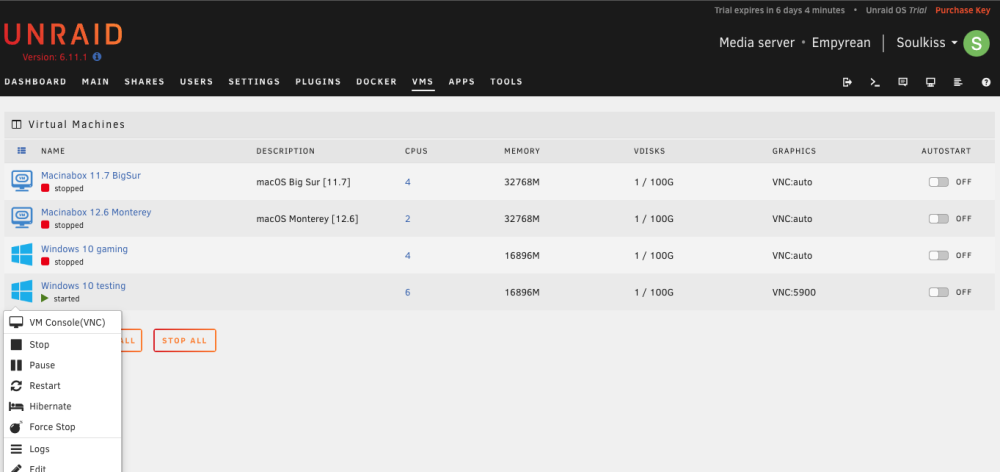
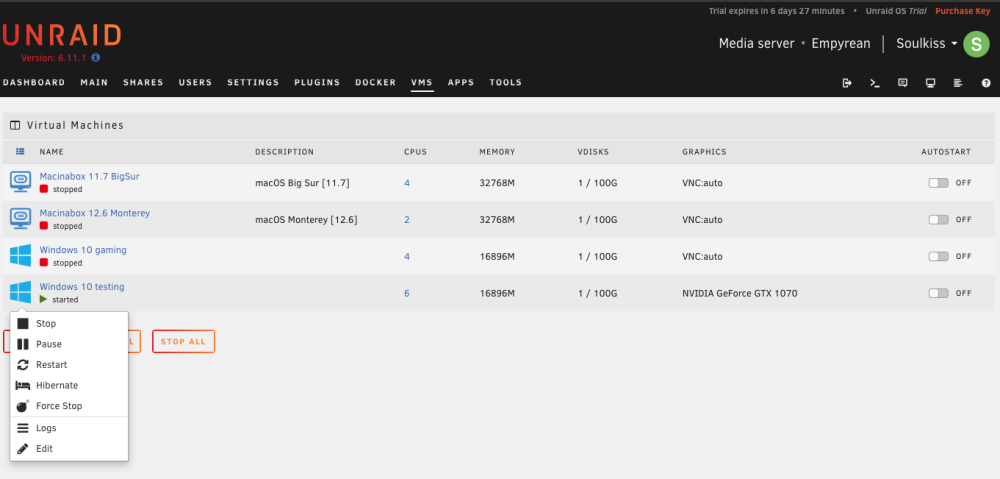
On the new VM I created this time it automatically installed the NVIDIA drivers so I was hopeful but when I remove the VNC from the number one spot -- and make another attempt to connect as you can see I do not get an option to connect to the VM but the GPU show up under the graphics.
-
I have tried creating a new VM with OVMF & SeaBIOS -- with no change. I even tried setting MOBO to internal graphics so the GPU is not in use -- and still nothing, but I am not sure. The VNC Console is visable when using the graphics with VNC but its not present when only with gpu and still says start. I am on another computer on the network and able to log in and see the Unraid but I am not able to access. I have been searching high and low for answer but unsure if this is expected as none of the videos I watched indicated. One of the reasons looking to go with Unraid is the easy use for newbies. Prior I was using Linux Arch with BareMetal Windows and macOS as I migrate to having one system to do many things. I game on windows and do everything else on Linux and macOS.
-
Hello all, let me start out by saying thank you for the support provided here. I have looked up many things to learn. I am no IT expert and have limited knowledge but love learning what I need to learn and keep detail notes of what has worked and I have managed to fix things. For the last week I have been struggling to get my GTX 1070 to passthrough on a windows VM Many say its simple -- I keep hitting a road block. Ohhh and thank you SpaceInvaderOne for the videos -- I watch I mimic and I learn. Love tinkering!! And yes I have tried all his tips on the passthrough -- with no luck. I can get the VM to work with VNC and as the gtx1070 as the second graphics card. It was suggest to download and install the drivers manually -- i have done that and still issues when I remove the VNC and make the gpu primary. They show up in the xml with the dumped rom I made. I am still baffled as to why. The logs gives this: -device '{"driver":"vfio-pci","host":"0000:02:00.0","id":"hostdev0","bus":"pci.3","addr":"0x0","romfile":"/mnt/disk1/isos/vbios/NVIDIA.GTX1070.8192.160520.rom"}' \ -device '{"driver":"vfio-pci","host":"0000:02:00.1","id":"hostdev1","bus":"pci.4","addr":"0x0"}' \ -sandbox on,obsolete=deny,elevateprivileges=deny,spawn=deny,resourcecontrol=deny \ At first I thought its the dumped rom, so I did it again and even tried one from techpowerup and still have the same issue. I have tried to look up the issue but find limited information Any help will be gladly appreciated


