RaidUnnewb
Members
-
Joined
-
Last visited
Everything posted by RaidUnnewb
-
So pulled the plug Thanksgiving and restarted it in safe mode. It took till today for it to mess up. Was no longer able to log in via name.local. Moved a monitor cable to it, manually typed in the IPv4 address and was able to log into it that way. Still running, but the name.local doesnt work. Note: Was fine earlier today, decided to check just now and couldnt. Every time in the past I even touched any network settings, it immediately stopped working. Still dont know which commonly used plugin was creating all the bad juju up top. Would like to start adding them back if possible. Edit: Decided to do a reboot into regular Unraid (nonsafe) now that I am able to hook up a monitor and see what it does next time it goes wonky. The IP address is the same, but now name.local works again... /shrug Another edit: Just logged into my modem and reserved the Unraid server's IP to its current one. Hopefully this fixes that one.
-
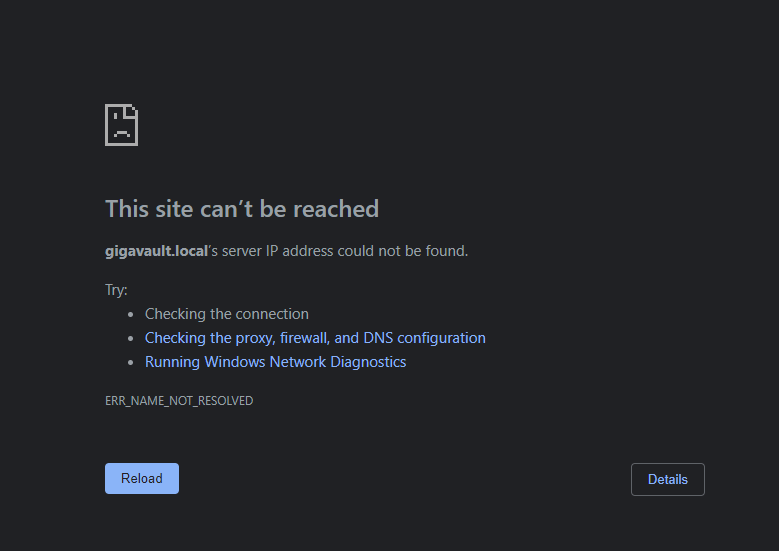
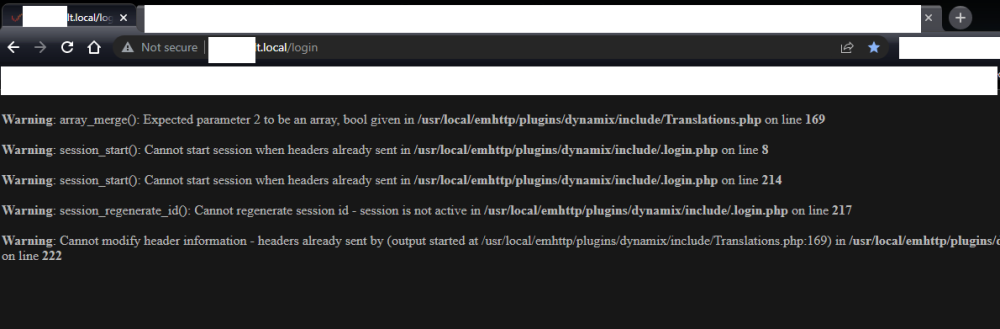
The diagnostics are on the first post. I cant type anything in the console because I cant login the web gui since I got back from holiday. Got a new UPS to install, but I need to pull the plug to do so... Would like to somehow turn the server off so I dont spend the next 6 days doing parity checks if possible lol. Any ideas? This is what I get when I try to log in to the server:
-
Pulled the plug so it would do the parity check over thanksgiving. I get back home after a few days and now legit just cannot connect via web terminal. Ideas on how to make it respond without unplugging it yet again (and waiting another 3 days for parity check, then a 3 day parity check because I have monthly checks set to go at the end of the month)? No idea why Unraid works so well for all of you and just completely does not work for me. Ive literally done nothing but install it, set up shares, add a gig or two, some stuff that youtube videos and guides say to install, then just back to back to back problems. Hope you are having a better holiday lol!
-
I havent done safe mode. Was waiting to see how long it takes to go screwy. About a month it turns out. But even then I dont know because ive had a power outage in between. Right now, its so borked I cant even restart without pulling the plug.
-
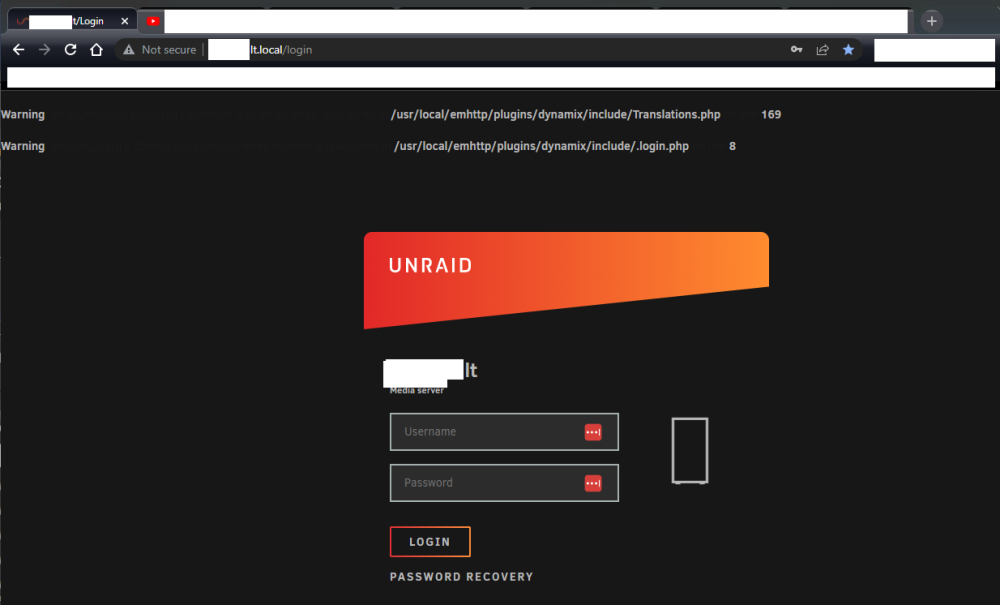
Any way to restart unraid without a hard reset (pull power plug) and wait two days for a parity check? I am getting this page with errors at the top for login screen, then the 2nd picture after logging into server this morning. Unknown where to click to shut it down.. After shutting down, and starting in safe mode to check, how long should I run it to determine plugins are the problem? It lasted almost a month until it happened again with another parity check, and a power outage in between.. Im running zero dockers or VM's. Im baredly using the server at all. I need to actually trust it before loading it up lol. Thank you! -----------------------------------------------------------------
-
When I restart everything's fixed until it happens again anyway. Can I run in safe mode long term to check, or is it meant to be a failsafe way to start up and try and fix things? Thanks!
-
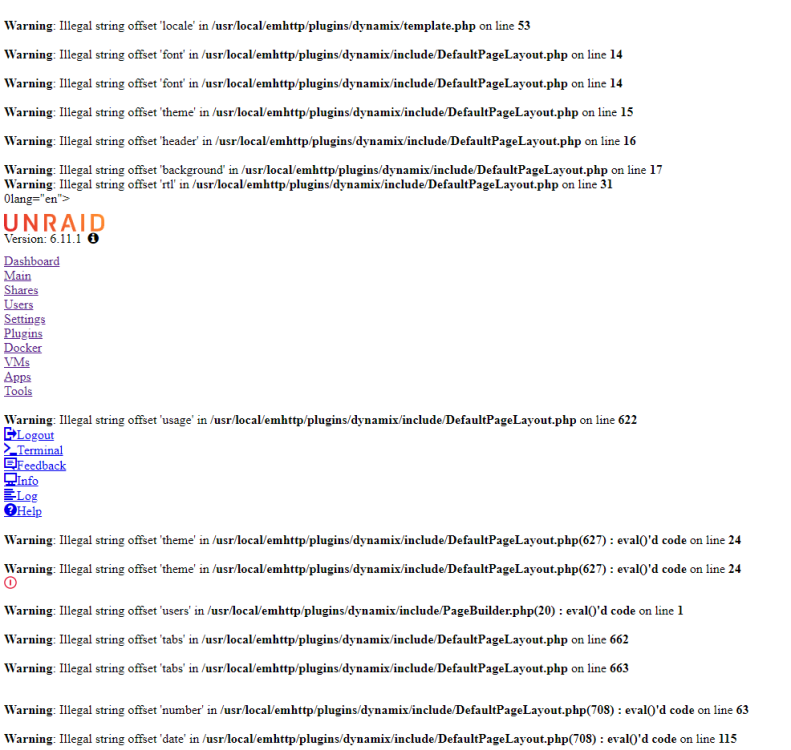
Good afternoon, Been a few times getting something similar where the webgui errors out until I reboot the server (at this point cant go a day without having to reboot the server, and I just have it on, doing nothing..) This is the current one, and the worst so far. I click through the dashboard, main, shares, ect and its all this. Googling has brought me to unraid support where people are told to delete smart files, but I dont know how to do that yet. Going through the syslog file from diagnostics, started throwing these codes yesterday morning: segfault at 0 ip 0000000000000000 sp 00007fff81442c68 error 14 in smartctl[400000+4000] Then this morning, started throwing this or similar: Illegal string offset 'date' in /usr/local/emhttp/plugins/dynamix/include/Helpers.php on line 4 And about an hour ago started throwing these, didnt know any of this until I checked pretty recently and am unable to even log in with another browser. php-fpm[6069]: [WARNING] [pool www] child 17047 exited on signal 6 (SIGABRT) after 11.255864 seconds from start The second ones with the /php files is the one causing my webgui problems I think. gigavault-diagnostics-20221027-1238.zip I'm just glad the random internet disconnectivity stopped. (That was my main problem before today because the trial wont even allow an array to start without internet).
-
I dont really care if copies of the keys are everywhere. Unraid being encrpyted is simply so if I have to RMA a drive or something, or someone comes in and swipes a drive (no clue why anyone would) then it doesnt have all my banking info, pron, whatever just sitting there. Im not fooling myself into attempting to keep the NSA out of my files.
-
I am using windows. Unraid is running on another computer. I simply dragged the folders I want copied onto the network shares. It didnt copy, it Moved. I am assuming this is a windows thing, since I am new to this version of windows too.
-
Thanks. I was thinking that in the case of a single disk info plus parity being a mirror, since parity can only be done when the array is mounted and decrypted, then the parity would just be the data itself, not encrypted. Thank you for your time, nuking the server /sigh..... Can delete this entire thread since no issues were actually solved, just a circle of frustrations
-
Yeah true. Was just hoping that since I was using such little space (1TB total) on a 16TB parity drive, there was a chance that the parity drive could be read since if its a 1, itll be a 1 (if that makes sense). Ill wait an hour and just completely nuke the server. Start a new trial ect, since the past 10 days have been over 8 just writing parityies every time I screw up or the server refuses to speak. This will give me a chance to take out the HDD cache and only use 1 directory to keep it simpler. For future knowledge: is there a way to keep unraid (maybe this is just windows 11, first weeks of using this too) from MOVING when I meant to COPY? Default settings, ect? Thank you for all your help, even if it was ultimately .....
-
Fck..... New problem.... Gotta love Move defaults instead of Copy defaults.... I restarted my server today, and cant decrypt the drives due to the encryption key being moved to my backup folder inside the vault..... I didnt realize until this second that when I dragged the folder to the drive, it CUT and Pasted instead of simply copying it. Its happened before but I thought I must have accidentally held shift or something. Is there any way to decrypt, or did I lose a few gigs of data over the years permanently? (I have my diagnostics file I took originally if its in there) Thank you!
-
I would be happy to post diagnostics, if it didnt contain a bunch of personal data, file structures, filenames, ect. Is there a way to scrub that, or delete the old one and make a new one now that I have mover logging disabled? Thanks!
-
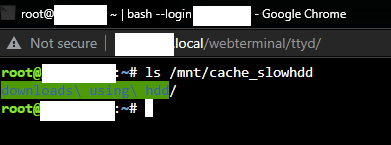
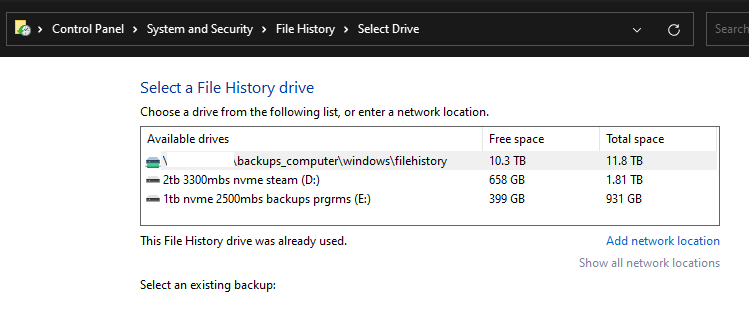
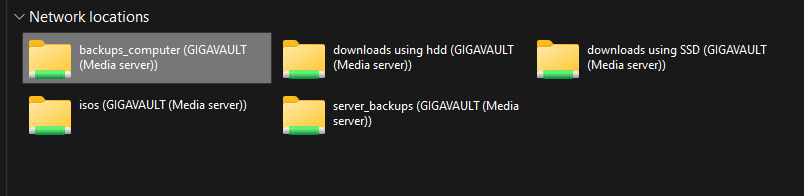
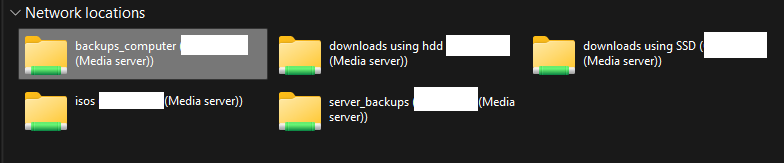
Also, after the hard reboot, it decided to work last night. And now my cache is empty like it should be. Will test tonight by throwing stuff on there. Its been a week now so I don't remember which video. But I am using File History, which I guess is from windows 7 but is still in current windows. I've set every share to only be accessible via a user, so isn't it already using user shares? Tried adding a regular network location after deleting my shared drives. Still appears to work, and also still appears to show drive icon within File History. Also, am I being dumb by deleting the name of my server in msPaint each screenshot? Thank you for your patience. Am well aware of the potential frustration saying the same thing 40 times a day, every day
-
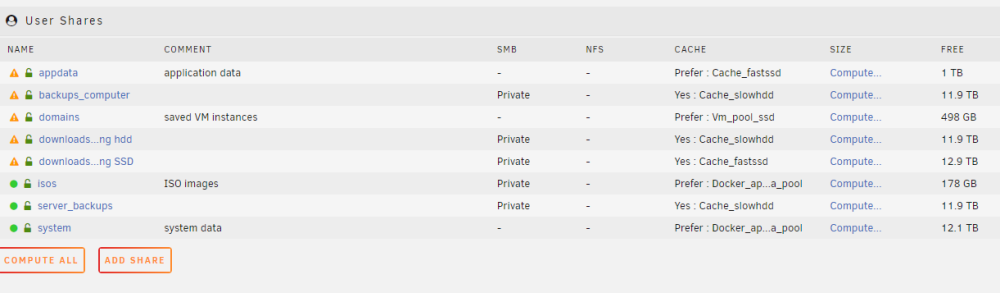
/sigh Right after posting the last reply, the server window refused to communicate again. Hard to do a hard reboot. Now Its checking Parity for another 2 days.... Heres the folder structure inside the cache drive thats not working: Heres the index for the backups share: And the index for the downloads share using the HDD: Is the fact that the top one doesnt have /user/ the issue? Thank you!



-
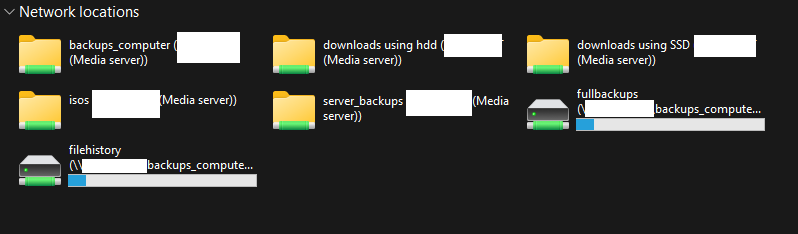
Thinking about just scrapping the entire HDD cache and moving it to my main computer for temp storage. Dont really like having to split up my shares based on which cache to use. Heres all my network drives. I was following youtube tutorials that said I have to map em ;/ Needed the drives themselves so I could use Windows backups. Everything else I use the folders for, one for each share. Do you think using Windows writing to network drives is the reason its all messed up?
-
Woot, finally got the diagnostics!!! Now, hmm. How to share without giving personal info away? Anonymize didnt seem to work, probably because I enabled mover logging a while ago to try and troubleshoot. Turned it off, but still have my computer name, username, file names, ect. Heres a list of errors I was getting in the syslog.txt file: btrfs_print_data_csum_error: 697 callbacks suppressed BTRFS warning (device dm-4): csum failed root 5 ino 84018 off 447078400 csum 0x6b8931dd expected csum 0xae5354a1 mirror 1 /usr/local/sbin/mover &> /dev/null & shfs: copy_file: //..p/... /mnt/disk3/backups_computer/windows/fullbackups/DT-43420/Backup Set 2022-10-09 191436/Backup Files 2022-10-11 161052/Backup files 320.zip.partial (5) Input/output error BTRFS error (device dm-4): bdev /dev/mapper/sde1 errs: wr 0, rd 0, flush 0, corrupt 149052, gen 0 create_parent: /mnt/cache_slowhdd/backups_computer/2021 old c drive backup/Prusa3D/PrusaSlicer/resources/profiles/Creality error: Inappropriate ioctl for device Oct 13 16:01:26 <name of my unraid server> move: file: //..l/... Rest of errors are multiples of those with different files. Chronological order. Running Unraid 6.11.1. Willing to DM the zip, or if anyone can show me how to delete all the personal info before posting on internet, id appreciate it Thank you!
-
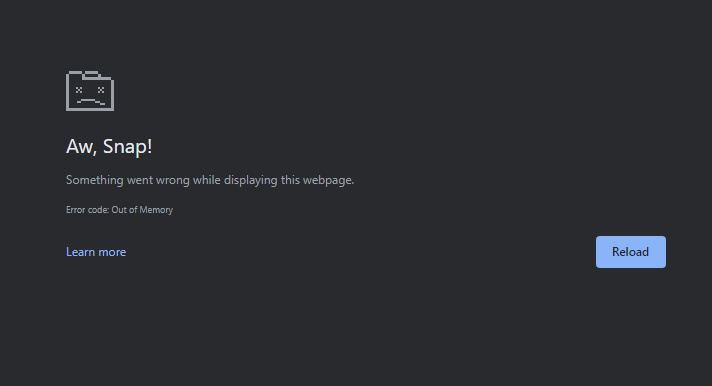
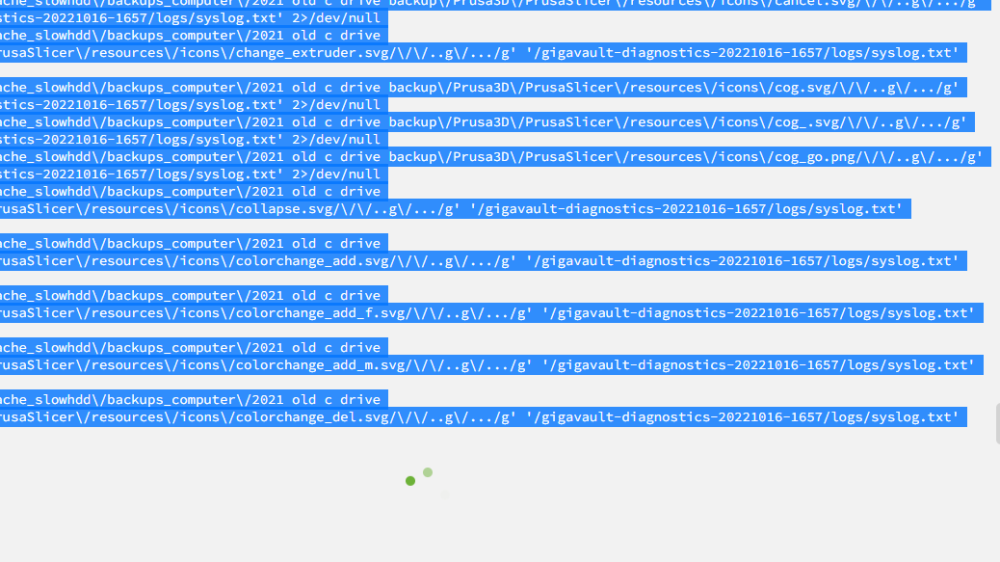
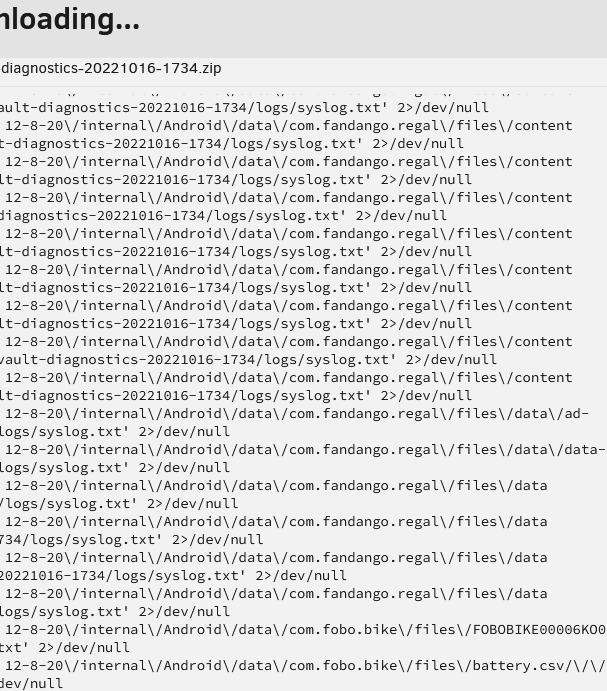
Thank you for responding Here are the files it posts, every single one in my shares lol. Dont know why it needs to look at my PrusaSlicer folders Could be top level. I guess I dont know what that means. I have a user share called "backups_computer" using a HDD cache set to Yes. I drag my files into the network mapped drive onto the share. Its my understanding that the files goto the cache, then mover supposed to move them to array. Buttt, that doesnt really matter anyway since: This is what happenes every time I try to take a diagnostic. 32GB ram.... On Unraid and main comp both.. ;/ Tried using firefox instead of chrome, came back and took this partway through.... (The only tab open is the diagnostics running) And its still looking at every file and folder I have saved... Now its scanning my android phone backup saves. Needs to know I use Fandango and Fobo Bike tire pressure monitoring apps

-
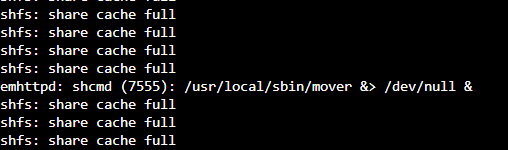
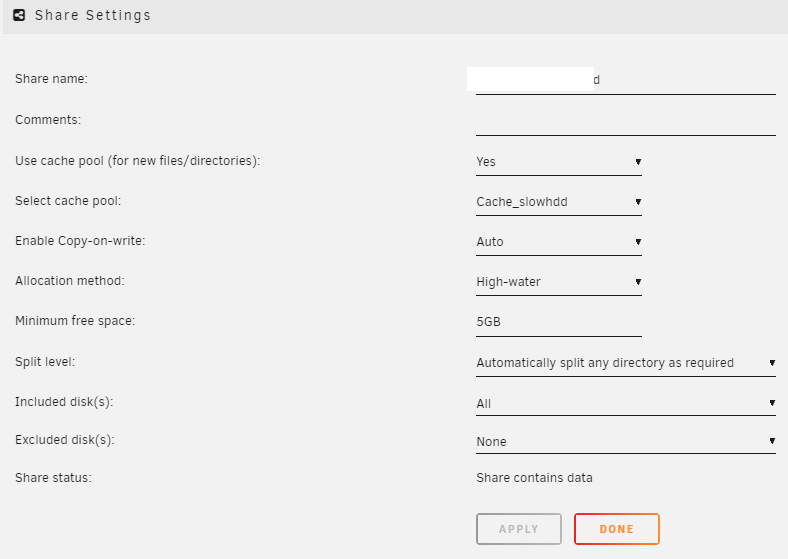
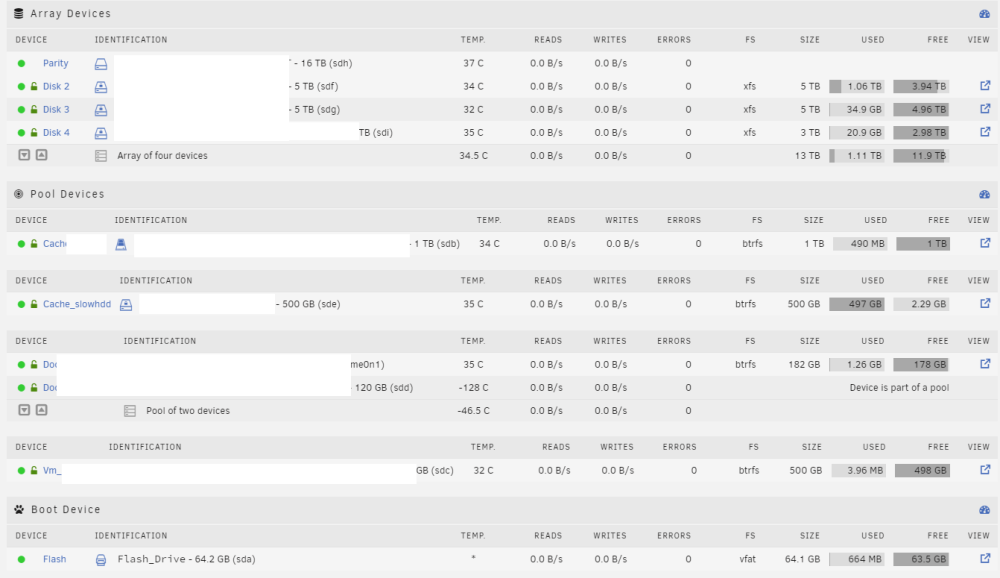
Hello. I started my trial of Unraid and I just cannot get this thing working. Set up a few shares, using SSD and a HDD cache depending on what I want to happen. Havent tested the SSD's yet, but the mover just refuses to move from the HDD cache. Share settings are Yes, not prefer. Tried Mover Tuning plugin, still didnt work. Deleted that, still doesnt work. Cache is completely full right now and getting errors and this in the log file when I manually click move. Ive had to delete everyhting a few times trying to set it up again in case I made a wrong error. Tired of running day and a half long parity checks every time I wipe the server... I tried creating a diagnostic log file under tools, but it was taking forever and looked like it was logging every file I had, not something I want to share. Unless it just looks like its logging every single music folder, looking for .cfg's? Can I turn that part off? Thank you!