unread
Members
-
Joined
-
Last visited
-
everything should be in background. I dont even know why they cant load the site INSTANT and then piece by piece add the information... we can dream...
-
yeah seems like
-
Hi, i would like to use Swap (swap it to cache drive) there is probably a way to do it with user scripts, but i would like to be possible with unraid itself. (so it wont break when update)
-
and while were at it, you annoy us with useless notifications like parity after restart, what about annoy us when programs get closed by OOM? I think the problem is paperless, this program (one of there co programs) is using 11gb RAM randomly. freezing the whole server. Ill add limits to docker config, but i would have known that... maybe 6 months earlier if that great product unraid would communicate with me.
-
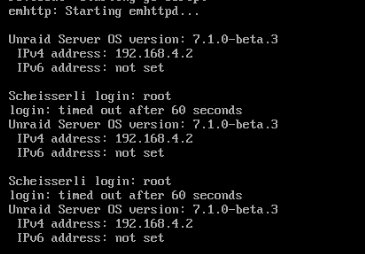
I think i found one reason for freezing. Full of "something" i just connected to our unraid server browsed between main and plugins and looked at the usb sticks content /logs/ ... suddenly unrepsonsive. I cant connect via VGA because of "login timed out after 60s". I cant connect via HTTP or anything. My best guess is, that something somehow used all space (like memory). But, im no linux guru, shouldnt unraid be stable enough to survive it? Like seperate OS from rest? (with no write access to the OS itself?) Problem is, if i restart, everyhting is back to nromal, so i cant see what exactly the problem is... genius. Yeah so my suggestion is that some clever linux gurus think about a way to stop this, because its very hard to diagnose now what exaclty th eproblem is.... u should be atleast able to login via MONITOR, even if everything is FULL. I also thought when ram is full it should swap? Screenshot from Monitor: (after entering root ENTER there is no way to enter a PW, it just waits 60s)
-
Hi, anyone know whats wrong with rustdesk? Was working fine for a long time now, but now it says "schlüssel stimmen nicht überein" "keys dont match" - what keys? Internet said, update client, which we did, nothing changed...? edit: we found the problem, we had to enter the public key (found under logs when server starts) into every client under security "Key:" Was never needed... i dont know.
-
So ive tried enabling IOMMU, selected GPU and Sound as VFIO, removed VNC and set graphic card, but it wont work. VM starts without problem, but i cant connect to it via anydesk, if i select VNC, it works, if i select VNC and GPU, it works... sometimes while one GPU is selected it shows just one picture and "freezes" or it just streight is stuck at "try to connect. creating image" (anydesk) ... any idea?
-
So there are 1000s of threads about this, but they seem outdated. Whats the correct way? Latest unraid. Do i need to enable IOMMU in bios? I cant select anything in vm template. M/B:Micro-Star International Co., Ltd. B560M PRO-VDH (MS-7D18) Version 1.0 - s/n: 07D1810_LC1E745631 BIOS:American Megatrends International, LLC. Version 1.60. Dated: 07/14/2022 CPU:11th Gen Intel® Core™ i5-11400 @ 2.60GHz HVM:Enabled IOMMU:Disabled
-
It should be consistent across the board.
-
oh, thats very unintuitive... Thanks.
-
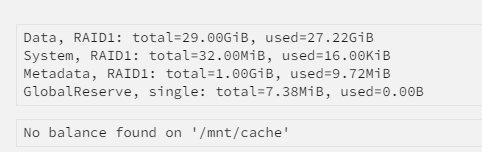
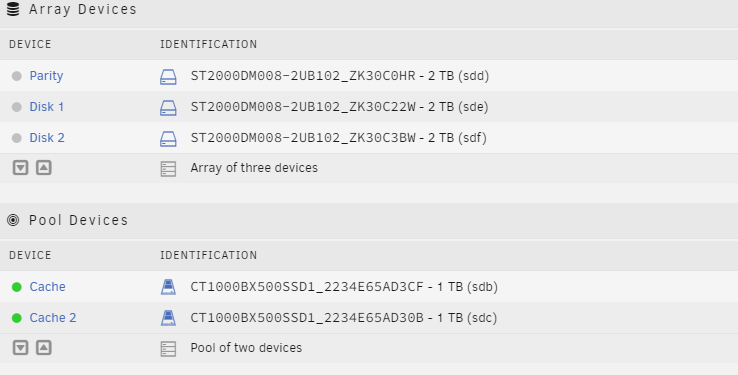
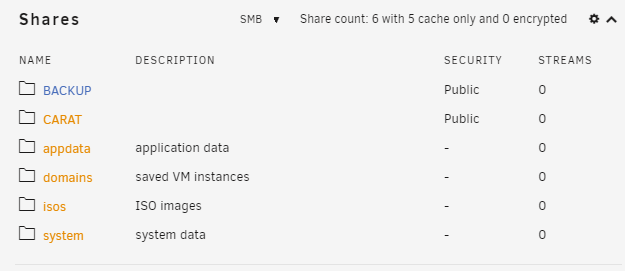
Hi, i have 2 SSDs (raid 1) But it still shows the folders as unprotected...? usually this should happen when th ere are still files left on mnt disk 1 or disk2, but there isnt root@XXX:~# ls /mnt/disk1 BACKUP/ root@XXX:~# ls /mnt/disk2 root@XXX:~# root@XXX:~# ls /mnt/cache/ CARAT/ appdata/ domains/ isos/ system/