




Skip to content
View in the app

A better way to browse. Learn more.

Unraid

A full-screen app on your home screen with push notifications, badges and more.

To install this app on iOS and iPadOS
  1. Tap the Share icon in Safari
  2. Scroll the menu and tap Add to Home Screen.
  3. Tap Add in the top-right corner.
To install this app on Android
  1. Tap the 3-dot menu (⋮) in the top-right corner of the browser.
  2. Tap Add to Home screen or Install app.
  3. Confirm by tapping Install.

dbuchber

Members
  • Joined

  • Last visited

  1. Thank you so much for the link. I nearly freaked out after searching for solutions for over three hours because of the missing option "app passwords".
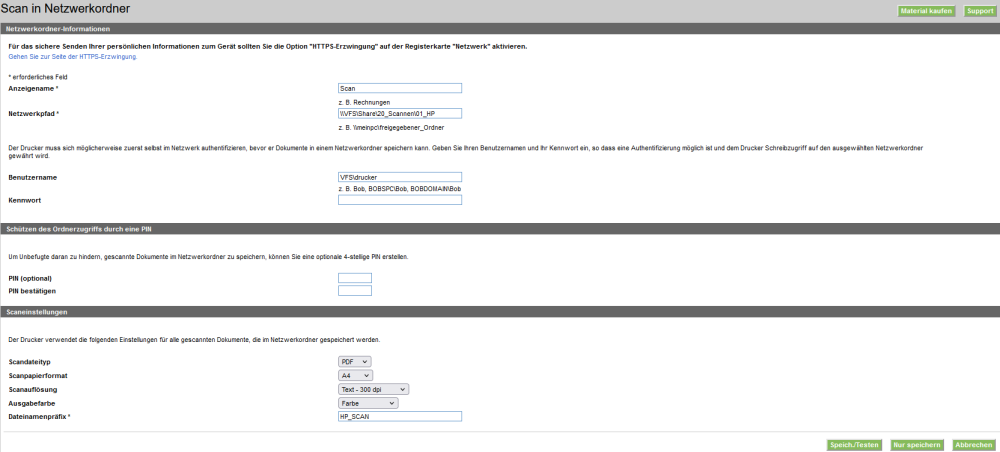
  2. Same problme here. I am in the mid of moving all features and folders from an Windows 10 PC used as NAS to an Unraid Server. The printer/scanner/... is a HP MFP M4777dn The server is a DELL T320 If anyone has solved this problem since the last poste, I would be very grateful if this person shares its knowledge with us

Account

Navigation

Search

Search

Configure browser push notifications

Chrome (Android)
  1. Tap the lock icon next to the address bar.
  2. Tap Permissions → Notifications.
  3. Adjust your preference.
Chrome (Desktop)
  1. Click the padlock icon in the address bar.
  2. Select Site settings.
  3. Find Notifications and adjust your preference.