



Skip to content
View in the app

A better way to browse. Learn more.

Unraid

A full-screen app on your home screen with push notifications, badges and more.

To install this app on iOS and iPadOS
  1. Tap the Share icon in Safari
  2. Scroll the menu and tap Add to Home Screen.
  3. Tap Add in the top-right corner.
To install this app on Android
  1. Tap the 3-dot menu (⋮) in the top-right corner of the browser.
  2. Tap Add to Home screen or Install app.
  3. Confirm by tapping Install.

air1kdf

Members
  • Joined

  • Last visited

  1. You may want to consider putting this in the install guide, as this was a requirement for mine to work. Thank you for your work.
  2. air1kdf replied to DanielPT's topic in Lounge
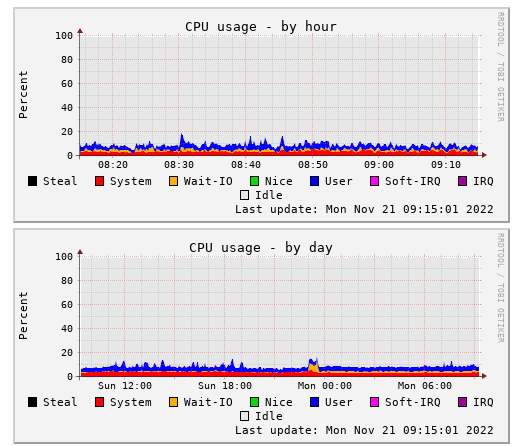
    I wanted to put this out there since coral is very hard to get, and impossible at retail price today. This is my current server CPU usage (not using unRaid yet). i5-8400, 4k cameras x2, and 1080p camera x1, running frigate, home assistant, and a dozen other things. I will eventually get the coral, only because it will save me money in the long run. I used to run blue iris. For my use case I LOVE frigate, and home assistant. Having tried both ways... It is also my opinion that docker/bare metal is much preferred over a vm.
Account

Navigation

Search

Search

Configure browser push notifications

Chrome (Android)
  1. Tap the lock icon next to the address bar.
  2. Tap Permissions → Notifications.
  3. Adjust your preference.
Chrome (Desktop)
  1. Click the padlock icon in the address bar.
  2. Select Site settings.
  3. Find Notifications and adjust your preference.

