Quadrupole
Members
-
Joined
-
Last visited
Everything posted by Quadrupole
-
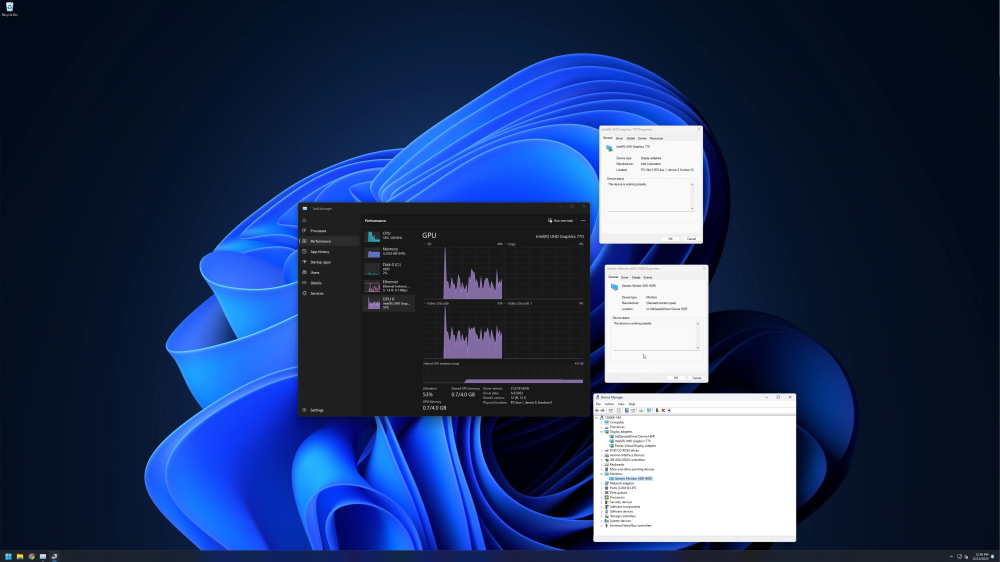
So I was at the exact point you were at last night. I googled a bit more, and I came across this post by scoops22 on reddit (attached to this reply). Using the older intel driver and the virtual display from MikeTheTech worked! I can now use Sunshine to stream from my 12600k iGPU. Thank you everyone involved in making this work!
-
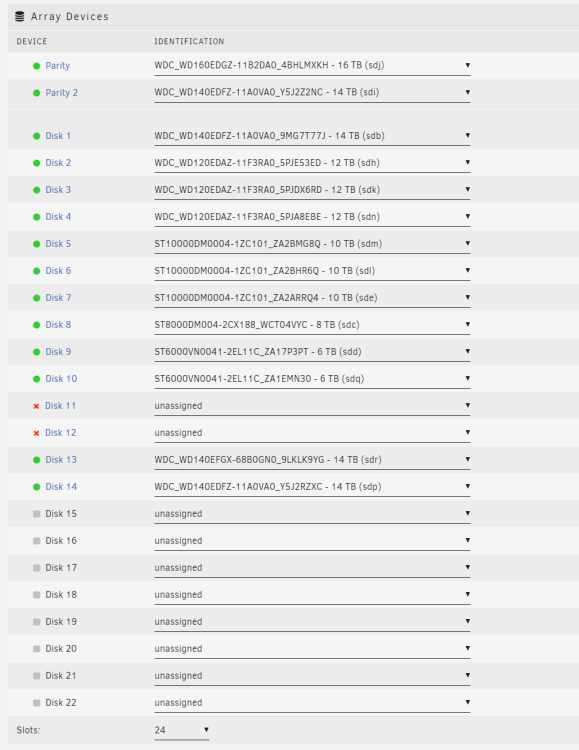
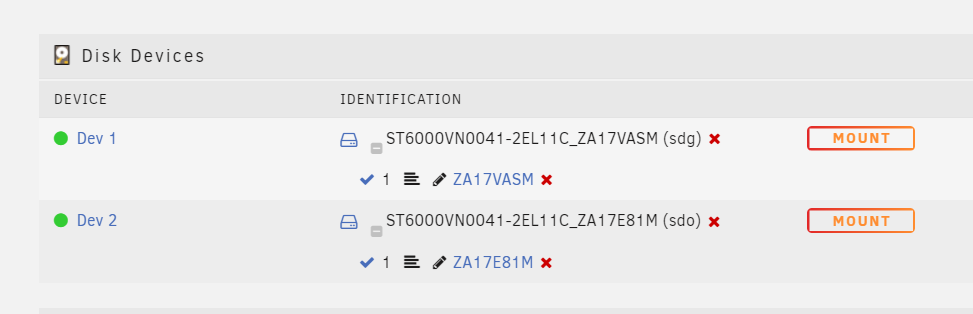
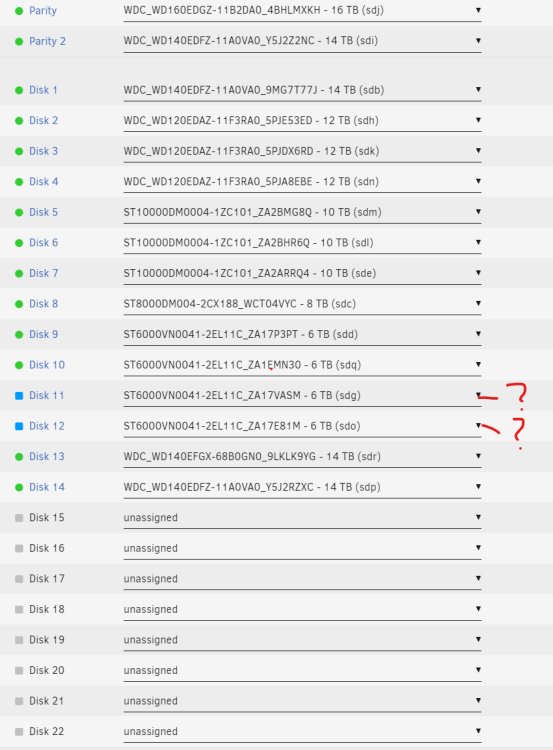
Okay, Bigger problem now. I decided to just start the rebuild. When I started the rebuild, unraid instantly spat out that parity 2 had an error and now the status shows that "Parity device is disabled". I checked it, it was a SMART error UDMA CRC error count with error value of 8. I read the forums, replugged everything in, clicked the error icon so that it looks healthy now, but the parity drive is still disabled. The error count hasn't gone any higher It looks like I can still see all of my data, I'm backing it up now... but is there a way to fix this??? Rebuilding parity is throwing out a lot of errors, but it seems I can still access most if not all of my data. I've attached the diagnostics below. ------ original post -------------- I'm upgrading my backup server with new hardware to be my new main server. I forgot to backup homeassistant before unplugging everything and swapping out the power supply. Long story short, I ran out of SATA power, but I just needed to get the backup and impatience got the better of me since amazon said it was gonna take 2 days for the splitter to get here. I booted the system up, started the array, started VM (VM share is only on nvme cache pool and not on array so I thought no data would be written to array). I shutdown everything after I got the backup. Now that I have the sata splitters cables, when I power on all the drives, it shows the 2 drives I previously didn't plug in as "new devices" when I add them to the array ( forgot to take a picture of previous drive config... I know stupid. I wouldn't have done the psu swap if I didn't know I couldn't run the two serves at the same time). Any way to re-integrate them into parity without rebuilding both drives? My server is setup with 2 parity drives with the new server with 98% backed up. I'm guessing I'll probably have to rebuild parity, but I'm just hoping to avoid if possible. Thanks for any help tower-diagnostics-20231204-0004.zip
-
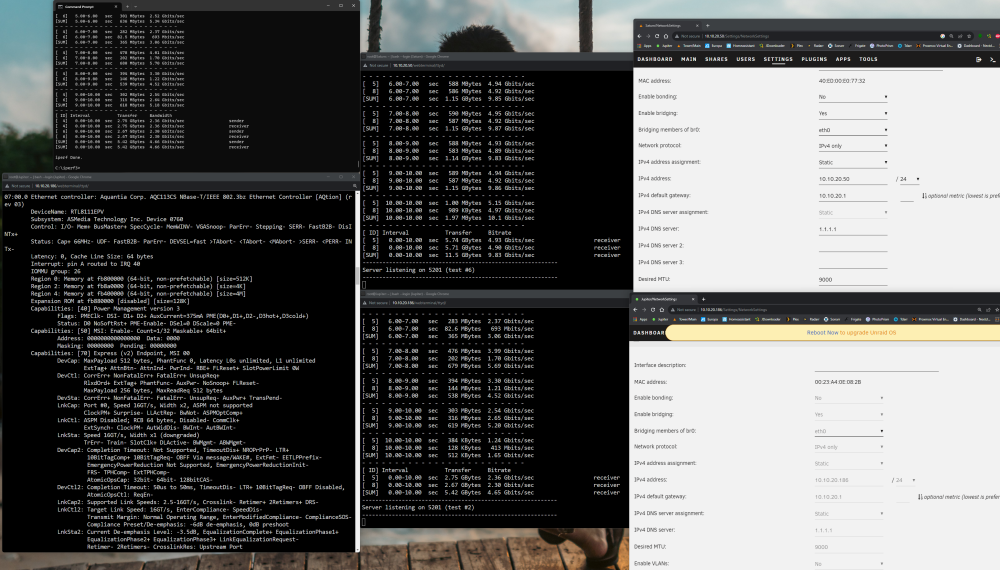
1. Without jumbo frames, the "bad" server only get 1.5 - 2 gigabit speeds on iperf3. The "good" server still has 10Gbe with a MTU of 1500 but it seems to affect the "bad" server. 2. I have a managed 10gbe switch. The description on the tips and tweaks plugin suggests turning it on on the switch. Should it turn them on only for the 2.5gbe ports or only the 10gbe ports? or all? 3. Cabling is fine. They're all brand new. I already bought the switch and NICs which are all rj45... too steep of an investment to switch to sfp+ after buying all this gear 4. Intel NICs are great, but the only reasonably affordable ones are older gen and only support PCIE 2.0 x8. Like I said, the only reason I went with the OWC 10Gbe ethernet card is for the X1 slot compatibility. Switching to a server motherboard and cpu would be another large investment. I'm just wondering if there's anything I'm missing to cause the speed to be so slow or is it just the Aquantia 113 chipset? Does the unraid drivers support the 113 chipset?
-
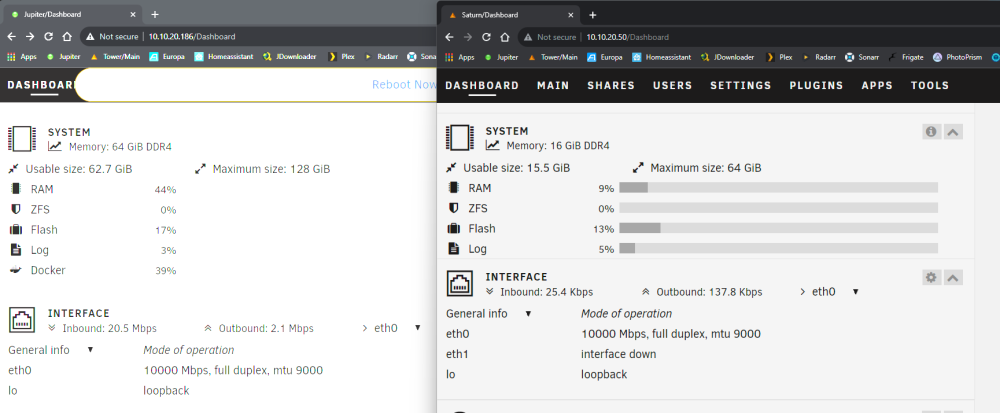
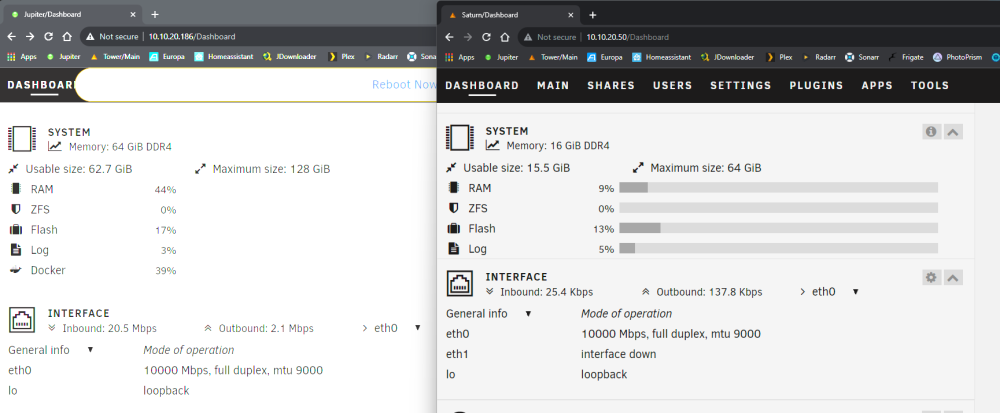
Hi, I have 2 Unraid Pro servers. I put a TP Link Tx401 in one (10.10.20.50) and it runs at the 10Gbe Speeds to my desktop, which also uses an Aquantia aqc107 (Z690 Aorus Master). My main server (10.10.20.186) has both pcie x16 slots full, so I had to use the OWC 10G Ethernet PCIe Network Adapter Card since it an X2 card and can use PCIE 4.0 x1 with the Aquantia aqc113cs chipset. The switch is set to MTU 9022. My windows desktop wont connect to either of my server's webGUI if the switch MTU is lower than 9018. The only jumbo frame option for the desktop is 4088 or 9014. I'm using 9014 for the destop MTU Network settings are the same for both servers I've tested multiple MTU configurations and nothing really changes for the OWC 10GBe card. I've seen it go to 7 gigabits, but nothing close to 9. My desktop is able to ping the offending server at 8972 bytes, but not at 9000 bytes without fragmenting... not sure if that's relevant. The CPU on the offending server is a 3900x. No cores are pinned to 100% during iperf testing. The "good" server with the tx401 is a 6600k and handles the full 10gbe no problem. I've attached diagnostics as well as lspci -vv showing that the OWC card is linked at 16GT/s as well as some iperf3 tests. It does say downgraded, but I'm not sure if that is causing the problem. The card can run PCIE 3.0 x2 or PCIE 4.0 x1, and I'm doing the latter. The offending server is connected to the switch with a Cable Matters 25ft CAT6A cable and the "good" server is connected to the switch with the included 1.5m CAT6A cable that came with the TX401. Any help would be greatly appreciated. jupiter-diagnostics-20230912-0018.zip
-
I can't stop my array. I'm currently in the process of replacing my Parity drive with a larger drive. I'm trying to stop the array so I can change the parity drives, but the array won't stop. The logs says that disk1 is preventing the array from stopping saying the target is busy. (see pictures attached) I tried to use lsof | grep /mnt/disk1 to find out what's causing it, but it doesn't show anything (see pictures attached) I've also attached the diagnostics. Any help would be greatly appreciated. Thank you Edit: I don't have terminal open, and there's no ssh windows open jupiter-diagnostics-20230730-1045.zip
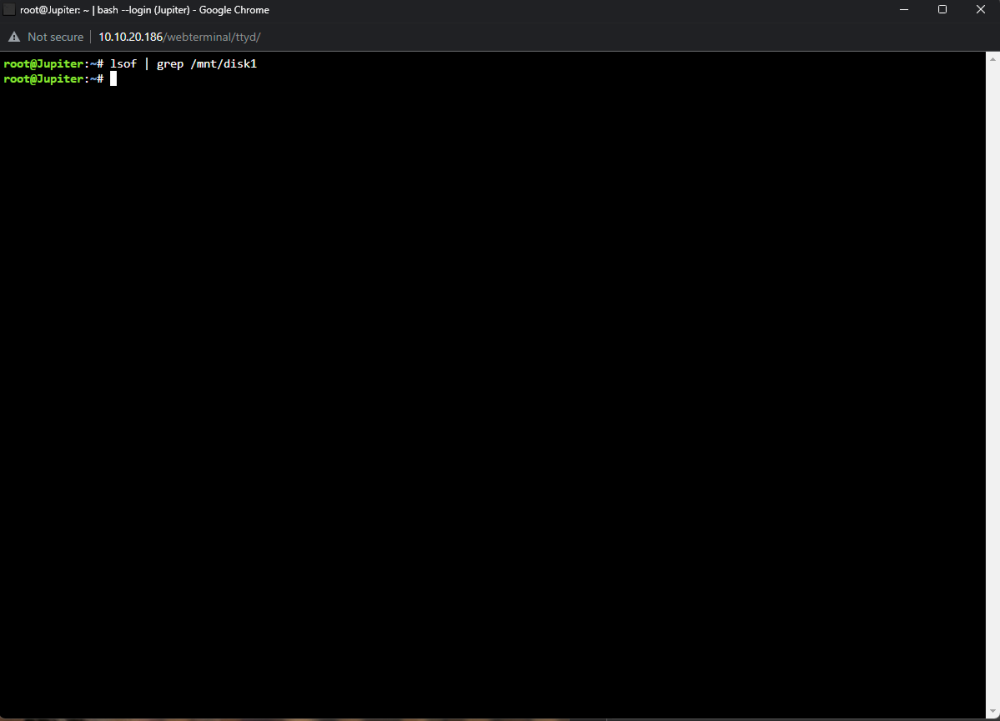
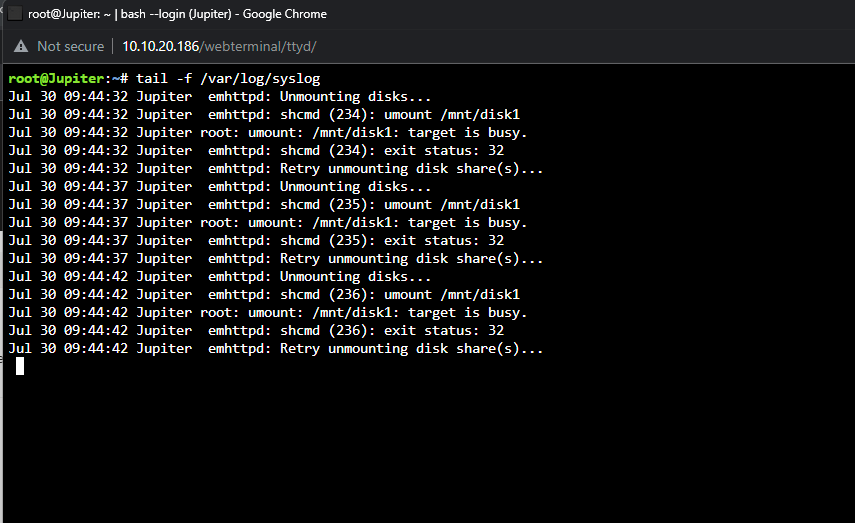
-
Everything works now! Thank you very much for the quick help!
-
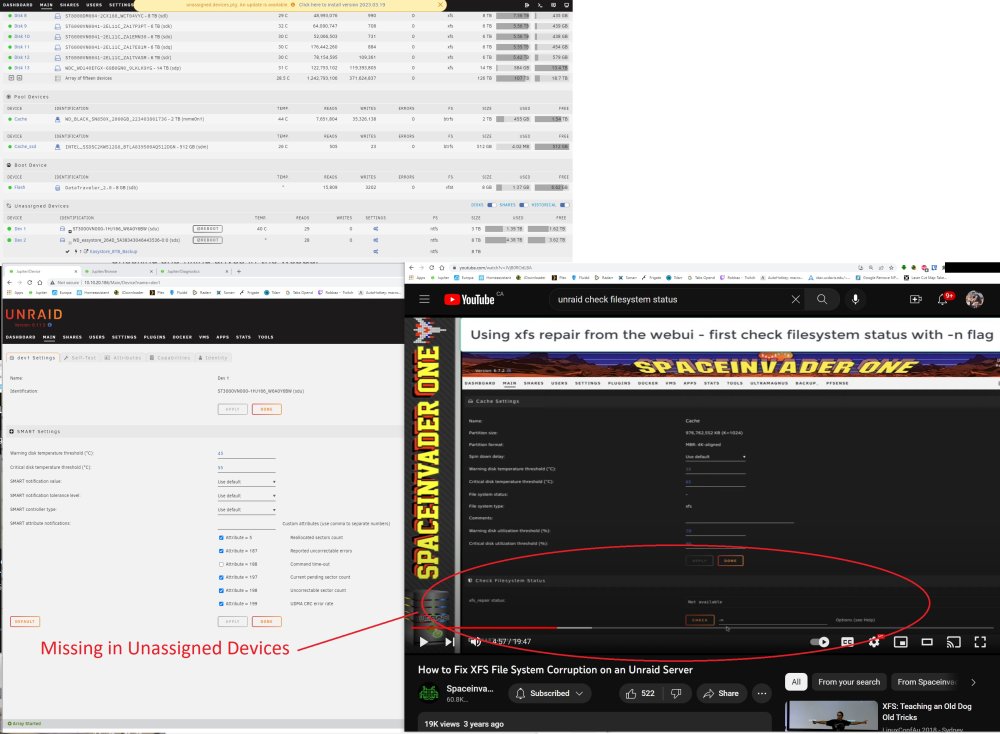
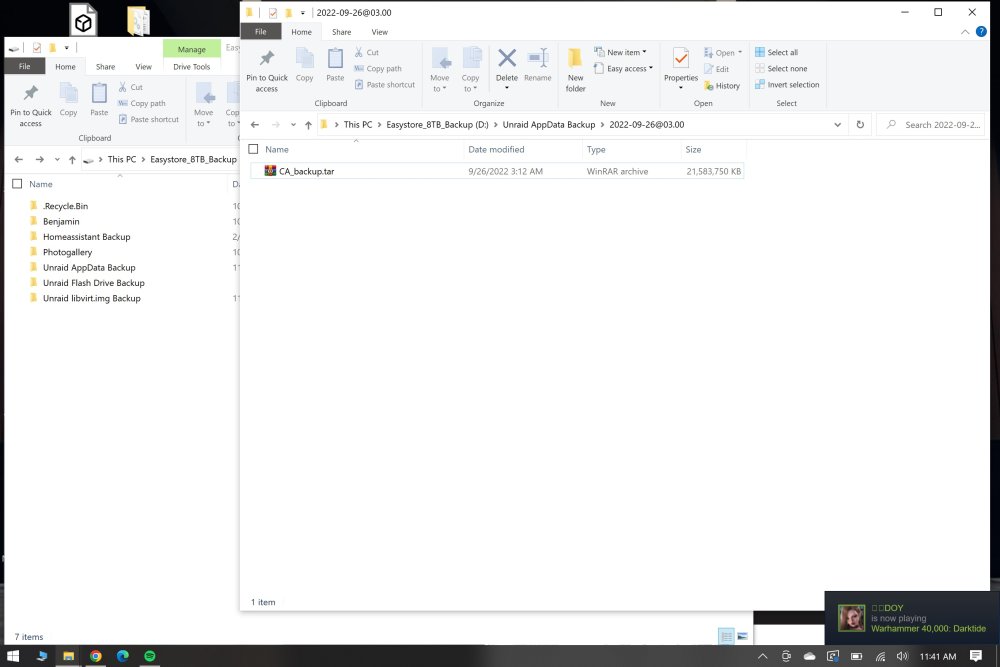
It looks like both my USB disks that I've attached to my Unraid NAS are corrupted... Anyway to fix this? I tried to follow the Check disk filesystem on Unraid FAQ, but I don't see the Check filesystem status because this is not the array and part of unassigned disks. Diagnostics attached I have no trouble accessing the files on my windows computer as the drives are formatted to NTFS (screenshot attached) Thank you for any help! jupiter-diagnostics-20230325-1118.zip