





Lordbye
Members
-
Joined
-
Last visited
Everything posted by Lordbye
-
hi, here diagnotic file no priority or important data on the disk (film etc..) nothing i can get again, but anyway, is better not loose data. lordbyenas-diagnostics-20250626-1257.zip
-
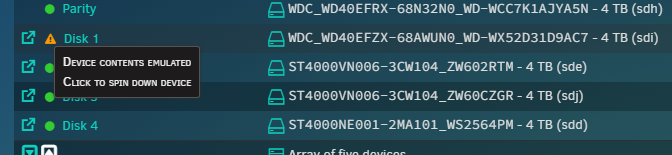
hi, my disk has problem, but only UDMA CRC error count, i have replaced cable, now i want to format disk 1 and rebuild data. How can i format the disk in unraid? thanks
-
My unraid 7.1.0-rc.1 doesn't load any dashboard i tried different browser and i tried also in safe mode lordbyenas-diagnostics-20250416-1831.zip
-
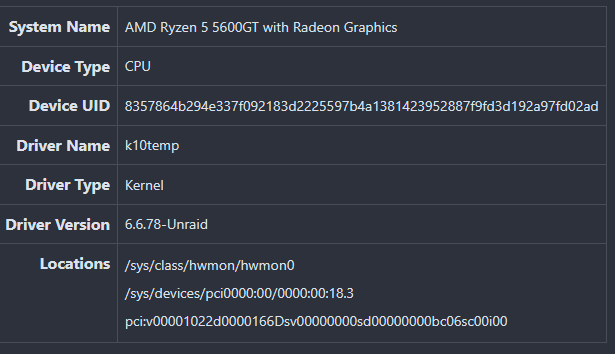
ecco il mio sistema MyNas: 7.0.1 rilasciato • Case: Sharkoon 2Xu2 • MB: B550M DS3H AC • CPU: Ryzen 5 5600GT@ 3.60GHz • Dissipatore: upHere pk5 • PSU: Koolink Classi power 600W • RAM: 48GB (2x16GB + 2x8GB) DDR4 • Parità: 1 WB Red 4 TB • Archiviazione dati: 4 WB Red - 16TB totali (ZFS) • Scheda video: PNY QUADRO T400 2GB • Cache: 3 SSD 888 GB (totale) • Disco VM: 1 SSD 120GB kingstone. Changing with new path (/sys/class/hwmon) is ok for me
-
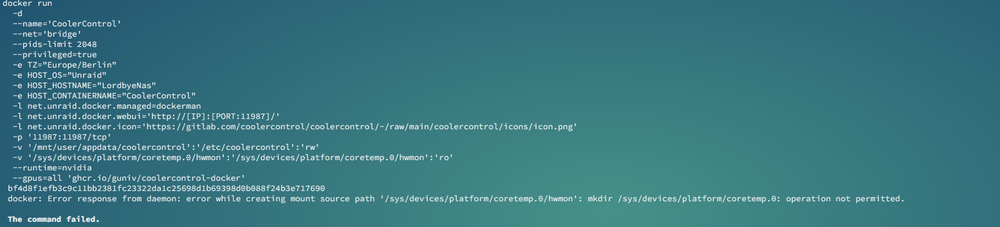
i have the same problem docker: Error response from daemon: error while creating mount source path '/sys/devices/platform/coretemp.0/hwmon': mkdir /sys/devices/platform/coretemp.0: operation not permitted.
-
hmhm ok, i have 16 tb (data+parity) Secondo pool i need 2 disk of 8tb...

-
a second pool? or modify my pool? Is possibile to "compress" data on a second pool and use rsync or other app to copy/backup data?
-
Does anyone have a link to a guide for creating a backup of my array so I can format without problems? a second pool in raid with the first? or any other kind of solution
-
yesterday i have recovered (hope all data or anyway most of all) with ufs explorer and now i'm formatting disk3. Then i'll go to copy recovered data onarray
-
thanks, i'll try it cause ufs today is stucked on loading
-
, i have to put it again in pc:... , 25 hours of check...and hope it copy data (waiting for an answer) do you know other similar programs?
-
it finish now and in the disk if i try scrub, i can't because it is greyed


-
i tried but i'm still waiting an answer
-
ok so try to chek disk with xfs_repair /dev/sdj (disk3) or xfs_repair -v /dev/sdj
-
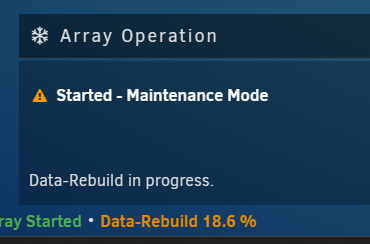
/dev/sdj was disk3 now system is "rebuilding" data on disk3...hope after it will be ok...

-
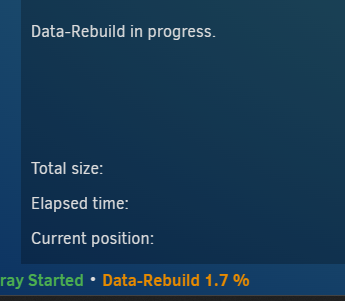
I start in maintenance mode and tried to mount as unassigned device..no luck. i put it back and now i'm in that Hope to recover data...

-
now disk 1 is rebuilding correctly..or it seems Disk3 i'm trying like this..



-
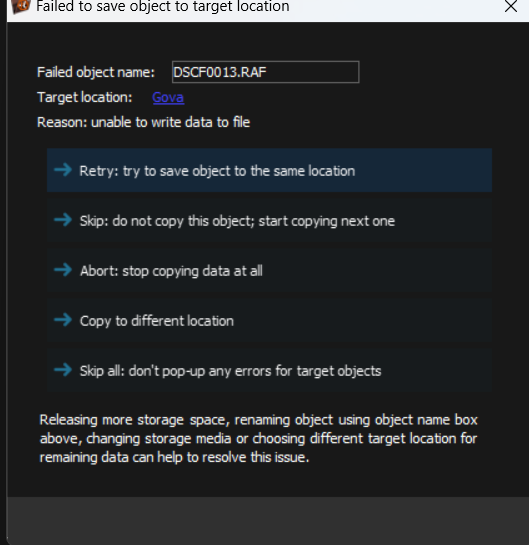
i have finish scan, but it doesn't copy files to my disk on pc disk i have enough space for files
-
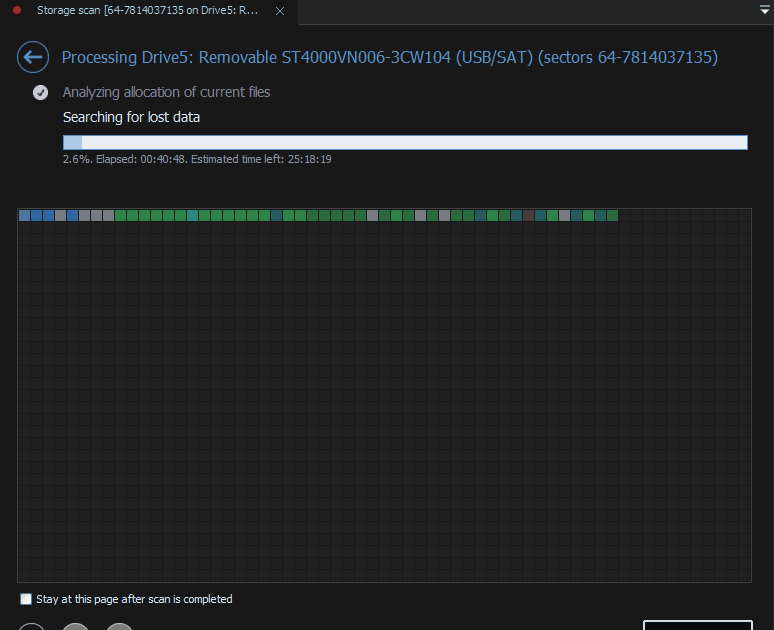
about disk1 why is it emulated? how to rebuild disk1? is better to wait that disk3 is ok? I have no backup, it is a nas for film so i have no enough pace on pc. meanwhile i'm trying to recover with ufs
-
which backup? i use unraid to store data..i can 't reconstruct data with parity disk? use app UFS explorer, do ypu mean connect to another pc and try to recover data? now i have also that

-
i try command but report same error: root@LordbyeNas:~# zpool import -o readonly=on disk3 cannot import 'disk3': I/O error Destroy and re-create the pool from a backup source.
-
i see also in disk spec and that what i see: Dec 3 11:58:38 LordbyeNas kernel: ata34: SATA max UDMA/133 abar m131072@0xfc780000 port 0xfc780180 irq 72 Dec 3 11:58:38 LordbyeNas kernel: ata34: SATA link up 3.0 Gbps (SStatus 123 SControl 300) Dec 3 11:58:38 LordbyeNas kernel: ata34.00: ATA-10: ST4000VN006-3CW104, SC60, max UDMA/133 Dec 3 11:58:38 LordbyeNas kernel: ata34.00: 7814037168 sectors, multi 16: LBA48 NCQ (depth 32), AA Dec 3 11:58:38 LordbyeNas kernel: ata34.00: configured for UDMA/133 Dec 3 11:58:38 LordbyeNas kernel: sd 34:0:0:0: [sdi] 7814037168 512-byte logical blocks: (4.00 TB/3.64 TiB) Dec 3 11:58:38 LordbyeNas kernel: sd 34:0:0:0: [sdi] 4096-byte physical blocks Dec 3 11:58:38 LordbyeNas kernel: sd 34:0:0:0: [sdi] Write Protect is off Dec 3 11:58:38 LordbyeNas kernel: sd 34:0:0:0: [sdi] Mode Sense: 00 3a 00 00 Dec 3 11:58:38 LordbyeNas kernel: sd 34:0:0:0: [sdi] Write cache: enabled, read cache: enabled, doesn't support DPO or FUA Dec 3 11:58:38 LordbyeNas kernel: sd 34:0:0:0: [sdi] Preferred minimum I/O size 4096 bytes Dec 3 11:58:38 LordbyeNas kernel: sdi: sdi1 Dec 3 11:58:38 LordbyeNas kernel: sd 34:0:0:0: [sdi] Attached SCSI disk Dec 3 11:59:47 LordbyeNas emhttpd: online: ST4000VN006-3CW104_ZW60CZGR (sdi) 512 7814037168 Dec 3 11:59:47 LordbyeNas kernel: mdcmd (4): import 3 sdi 64 3907018532 0 ST4000VN006-3CW104_ZW60CZGR Dec 3 11:59:47 LordbyeNas kernel: md: import disk3: (sdi) ST4000VN006-3CW104_ZW60CZGR size: 3907018532 Dec 3 11:59:48 LordbyeNas emhttpd: read SMART /dev/sdi Dec 3 12:25:17 LordbyeNas emhttpd: spinning down /dev/sdi ** Press ANY KEY to close this window ** and also there are no error in SMART self test or extended test
-
zpool import disk3 cannot import 'disk3': error Destroy and re-create the pool from a backup source. i tried also with zpool import 6922932914696885556 cannot import 'disk3': I/O error Destroy and re-create the pool from a backup source. two different error ...a general error and I/O error Could be the cable?
-
pool: disk3 id: 6922932914696885556 state: ONLINE status: Some supported features are not enabled on the pool. (Note that they may be intentionally disabled if the 'compatibility' property is set.) action: The pool can be imported using its name or numeric identifier, though some features will not be available without an explicit 'zpool upgrade'. config: disk3 ONLINE md3p1 ONLINE
-
Hi, untill this mornig was all ok. I had upgrade my system from 7.0Beta4 to 7 RC1 and now i have this error Disk 3 ----Unmountable: wrong or no file system how can i solve, without any data loss? thanks lordbyenas-diagnostics-20241203-1105.zip






