





Syrincs
Members
-
Joined
-
Last visited
Everything posted by Syrincs
-
Kdenlive und manchmal Handbrake Gesendet von iPhone mit Tapatalk
-
War schon installiert [emoji28] Dank euch erst mal. Mit die Treiber müsste ich nur mal weiter kommen [emoji37] Gesendet von iPhone mit Tapatalk
-
Wo find ich das? Unter Apps habe ich es nicht gefunden. Gesendet von iPhone mit Tapatalk
-
scaling_governor auf performance macht bei mir 4 -5 W
-
So Leute musste nicht ins BIOS, hab den scaling_governor von powersave auf performance gestellt. damit hab ich 4350Mhz anliegen und das rendern funktioniert mit 330 - 360 fps "geile" mal schauen wenn der Server ne weile in die ruhe gegangen ist was der verbrauch sagt. Ansonsten hätte ich nen Wunsch. Ein button mit dem man das im Webinterface einfach umstellen kann.
-
Angefangen hab ich mit dem AS Rock J5040 ( 60-70 fps ) der Ryzen 7700 hat mit 260 fps und der 8600G macht die 80 - 90 fps beim rendern. Alle diese cpus haben doch eine GPU mit drin oder hab ich das falsch verstanden?
-
So also mit Filme Rendern mit 80 fps mit dem 8600G zu 260 fps mit 7700 ist dann schon gewaltig. mein alter server hat auch 69 fps geschafft. So kann das nicht bleiben. Nun muss ich noch mal in den BIOS Einstellungen schauen was ich da alles verstellt hab
-
ja zum Filme bearbeiten, muss noch prüfen wie der unterschied zum 7700 ist.
-
Hab gerade festgestellt das ich irgendwas so verstellt hab das die CPU nur noch 1600Mhz macht. das ist natürlich sparsam aber es fehlt auch echt was an Performanz.
-
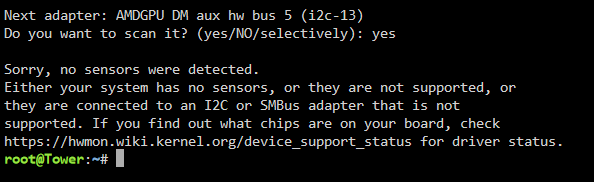
Hallo Leute der neue Prozessor ist da. nur noch ca.25 W im idle und noch mal paar sachen gibts hierfür schon treiber?

-
Danke nochmal für die vielen Rückmeldungen. Der Sever läuft jetzt erstmal mit den Lüftern über die BIOS Einstellungen. Hab jetzt noch mal nen anderen Prozessor ( 8600G) bestellt um den Stromverbrauch vielleicht doch noch unter die 40W zu bekommen. Kann mir vielleicht einer helfen was man im BIOS einstellen muss da sind so viele Einstellungen da war das beim alten J5040 alles bissel übersichtlicher. https://www.bedienungsanleitu.ng/asus/tuf-gaming-a620-pro-wifi/anleitung?p=9
-
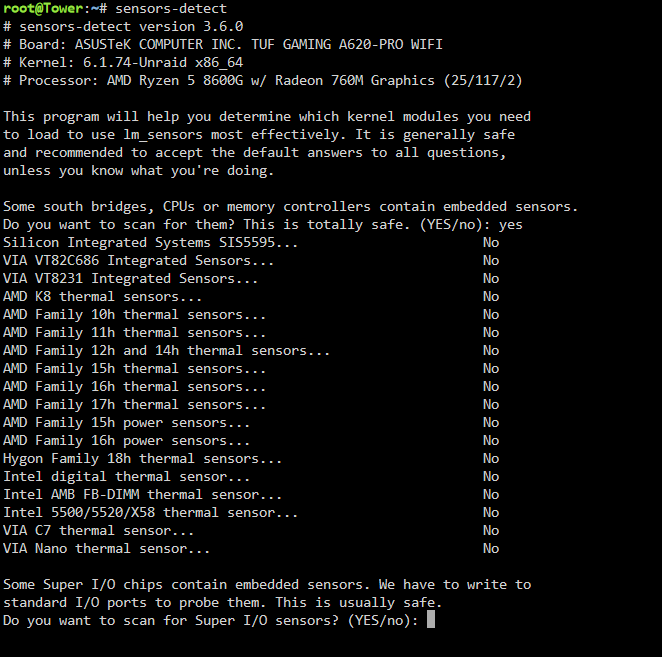
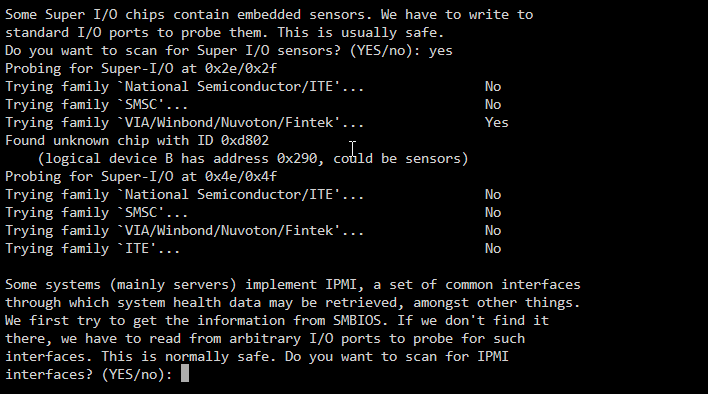
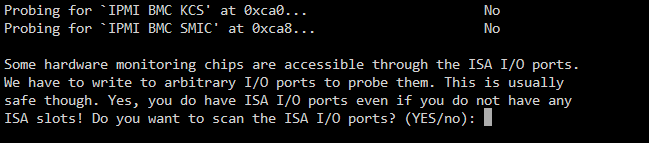
was gibts den schon für treiber die ich ausprobieren kann. hab noch nichts über die sensoren rausgefunden.
-
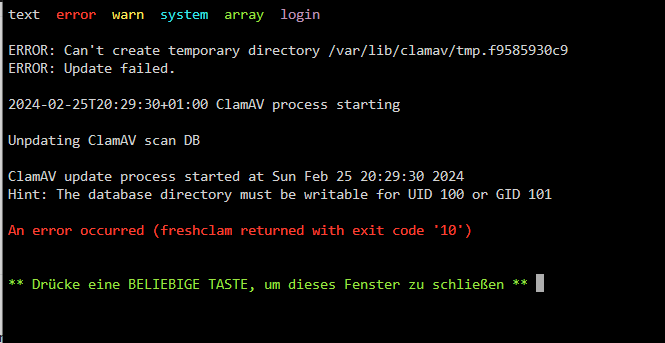
So: Da ClamAV nicht lief, da es irgendwie in den Ordnern die schreib und lese rechte verstellt hat und ich dies nun geändert habe geht auch das Webinterface wieder richtig. Muss ich nicht verstehen funktioniert aber Jetzt mal schauen wie ich die Lüfter und die Temperratur noch ins System zaubern kann. Wie kann ich den rausfinden welche sensoren mein Mainboard hat?
-
Ja aber von soviel bin ich nicht ausgegangen. Wäre denn der 8700G ne bessere Wahl? fürs filme rendern und schneiden nach nem kurzen test ist schon schön die geschwindigkeit aber den mehrverbrauch zu meinem vorgänger dann eigentlich nicht wirklich wert.
-
wie der bond dort rein kommt keine ahnung ging mit dem altensystem einfach. Ist nun raus. ja das mit den go sachensollte zum stromsparen sein hab ich erst wieder rein gemacht hatte ich schon mal weg mach ich aber auch wieder weil eh kein effekt da ist,
-
- Sorry das hab ich noch nicht geschafft aber die hab ich jetzt die Diagnose daten. - ITE oder Nuvotech hab ich beide schon probiert ohne erfolg. - Webinterface in Englisc ist auch keine Besserung der ladezeit zu merken / anderer Browswer das gleiche. tower-diagnostics-20240225-1947.zip
-
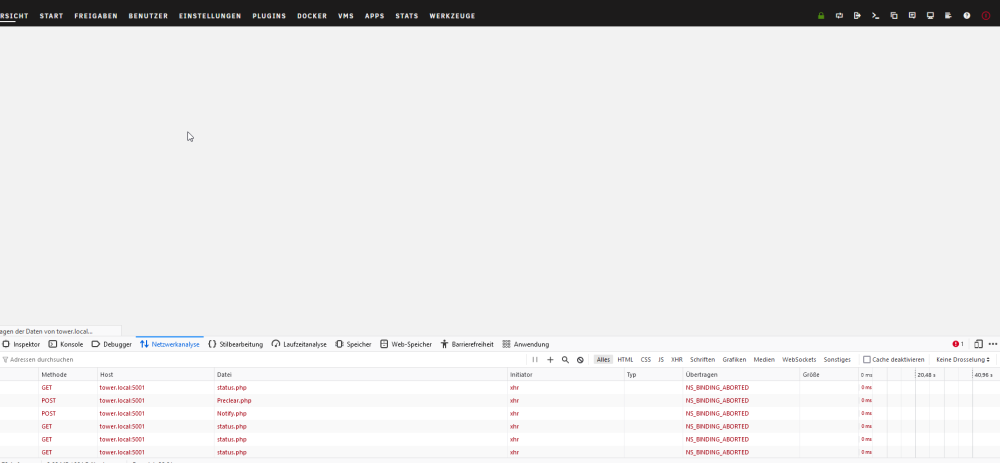
Dann hab ich das Problem das die übersicht im webinterface einfach nicht lädt oder nur sehr langsam. die anderen reiter funktionieren recht zügig.
-
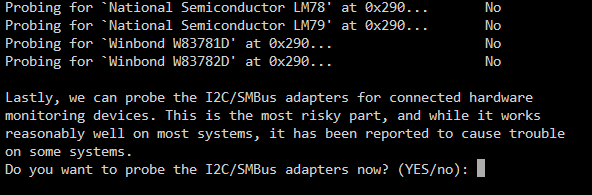
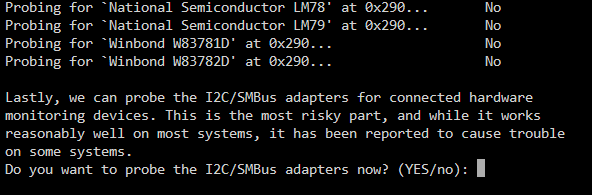
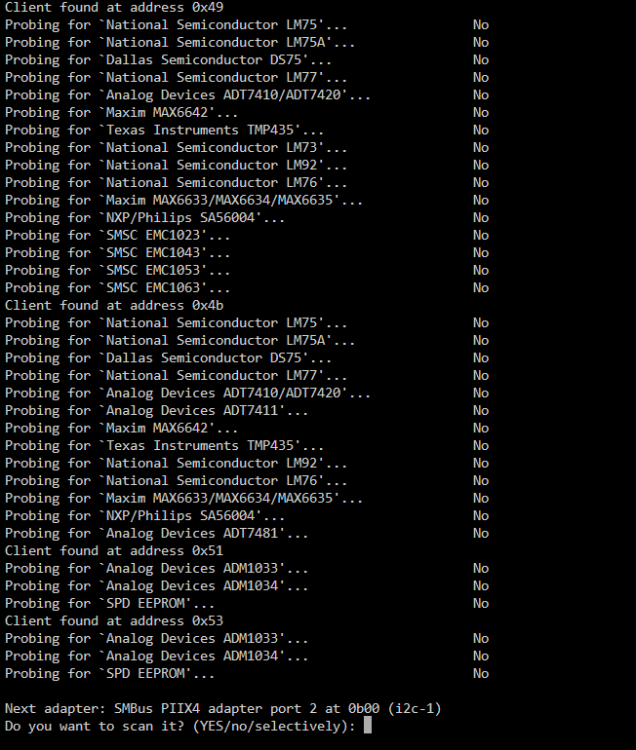
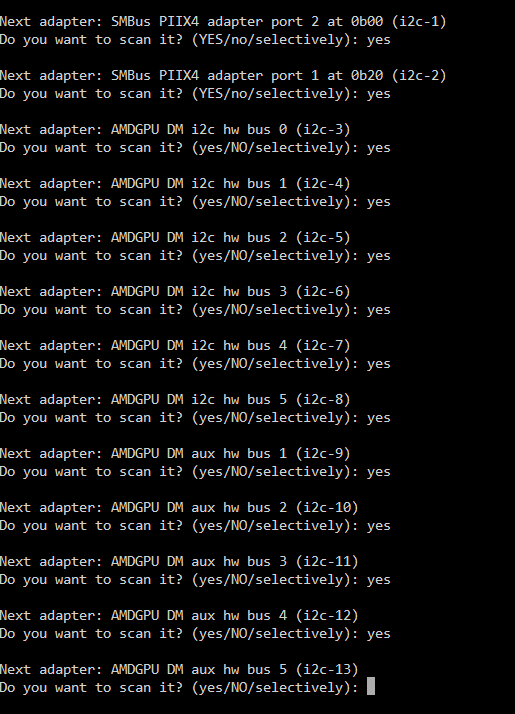
so ich hab hier mal das, wieso findet er keinerlei sachen? root@Tower:~# sensors-detect # sensors-detect version 3.6.0 # Board: ASUSTeK COMPUTER INC. TUF GAMING A620-PRO WIFI # Kernel: 6.1.74-Unraid x86_64 # Processor: AMD Ryzen 7 7700 8-Core Processor (25/97/2) This program will help you determine which kernel modules you need to load to use lm_sensors most effectively. It is generally safe and recommended to accept the default answers to all questions, unless you know what you're doing. Some south bridges, CPUs or memory controllers contain embedded sensors. Do you want to scan for them? This is totally safe. (YES/no): yes Silicon Integrated Systems SIS5595... No VIA VT82C686 Integrated Sensors... No VIA VT8231 Integrated Sensors... No AMD K8 thermal sensors... No AMD Family 10h thermal sensors... No AMD Family 11h thermal sensors... No AMD Family 12h and 14h thermal sensors... No AMD Family 15h thermal sensors... No AMD Family 16h thermal sensors... No AMD Family 17h thermal sensors... No AMD Family 15h power sensors... No AMD Family 16h power sensors... No Hygon Family 18h thermal sensors... No Intel digital thermal sensor... No Intel AMB FB-DIMM thermal sensor... No Intel 5500/5520/X58 thermal sensor... No VIA C7 thermal sensor... No VIA Nano thermal sensor... No Some Super I/O chips contain embedded sensors. We have to write to standard I/O ports to probe them. This is usually safe. Do you want to scan for Super I/O sensors? (YES/no): yes Probing for Super-I/O at 0x2e/0x2f Trying family `National Semiconductor/ITE'... No Trying family `SMSC'... No Trying family `VIA/Winbond/Nuvoton/Fintek'... Yes Found unknown chip with ID 0xd802 (logical device B has address 0x290, could be sensors) Probing for Super-I/O at 0x4e/0x4f Trying family `National Semiconductor/ITE'... No Trying family `SMSC'... No Trying family `VIA/Winbond/Nuvoton/Fintek'... No Trying family `ITE'... No Some systems (mainly servers) implement IPMI, a set of common interfaces through which system health data may be retrieved, amongst other things. We first try to get the information from SMBIOS. If we don't find it there, we have to read from arbitrary I/O ports to probe for such interfaces. This is normally safe. Do you want to scan for IPMI interfaces? (YES/no): yes Probing for `IPMI BMC KCS' at 0xca0... No Probing for `IPMI BMC SMIC' at 0xca8... No Some hardware monitoring chips are accessible through the ISA I/O ports. We have to write to arbitrary I/O ports to probe them. This is usually safe though. Yes, you do have ISA I/O ports even if you do not have any ISA slots! Do you want to scan the ISA I/O ports? (YES/no): yes Probing for `National Semiconductor LM78' at 0x290... No Probing for `National Semiconductor LM79' at 0x290... No Probing for `Winbond W83781D' at 0x290... No Probing for `Winbond W83782D' at 0x290... No Lastly, we can probe the I2C/SMBus adapters for connected hardware monitoring devices. This is the most risky part, and while it works reasonably well on most systems, it has been reported to cause trouble on some systems. Do you want to probe the I2C/SMBus adapters now? (YES/no): yes Using driver `i2c-piix4' for device 0000:00:14.0: AMD KERNCZ SMBus Module i2c-dev loaded successfully. Next adapter: SMBus PIIX4 adapter port 0 at 0b00 (i2c-0) Do you want to scan it? (YES/no/selectively): yes Client found at address 0x49 Probing for `National Semiconductor LM75'... No Probing for `National Semiconductor LM75A'... No Probing for `Dallas Semiconductor DS75'... No Probing for `National Semiconductor LM77'... No Probing for `Analog Devices ADT7410/ADT7420'... No Probing for `Maxim MAX6642'... No Probing for `Texas Instruments TMP435'... No Probing for `National Semiconductor LM73'... No Probing for `National Semiconductor LM92'... No Probing for `National Semiconductor LM76'... No Probing for `Maxim MAX6633/MAX6634/MAX6635'... No Probing for `NXP/Philips SA56004'... No Probing for `SMSC EMC1023'... No Probing for `SMSC EMC1043'... No Probing for `SMSC EMC1053'... No Probing for `SMSC EMC1063'... No Client found at address 0x4b Probing for `National Semiconductor LM75'... No Probing for `National Semiconductor LM75A'... No Probing for `Dallas Semiconductor DS75'... No Probing for `National Semiconductor LM77'... No Probing for `Analog Devices ADT7410/ADT7420'... No Probing for `Analog Devices ADT7411'... No Probing for `Maxim MAX6642'... No Probing for `Texas Instruments TMP435'... No Probing for `National Semiconductor LM92'... No Probing for `National Semiconductor LM76'... No Probing for `Maxim MAX6633/MAX6634/MAX6635'... No Probing for `NXP/Philips SA56004'... No Probing for `Analog Devices ADT7481'... No Client found at address 0x51 Probing for `Analog Devices ADM1033'... No Probing for `Analog Devices ADM1034'... No Probing for `SPD EEPROM'... No Client found at address 0x53 Probing for `Analog Devices ADM1033'... No Probing for `Analog Devices ADM1034'... No Probing for `SPD EEPROM'... No Next adapter: SMBus PIIX4 adapter port 2 at 0b00 (i2c-1) Do you want to scan it? (YES/no/selectively): yes Next adapter: SMBus PIIX4 adapter port 1 at 0b20 (i2c-2) Do you want to scan it? (YES/no/selectively): yes Next adapter: AMDGPU DM i2c hw bus 0 (i2c-3) Do you want to scan it? (yes/NO/selectively): yes Next adapter: AMDGPU DM i2c hw bus 1 (i2c-4) Do you want to scan it? (yes/NO/selectively): yes Next adapter: AMDGPU DM aux hw bus 1 (i2c-5) Do you want to scan it? (yes/NO/selectively): yes Sorry, no sensors were detected. Either your system has no sensors, or they are not supported, or they are connected to an I2C or SMBus adapter that is not supported. If you find out what chips are on your board, check https://hwmon.wiki.kernel.org/device_support_status for driver status.
-
Hallo, ich weiß ich hab nicht das optimale gekauft zum Strom sparen. Ja Powertop war installiert musste ich erst mal löschen weil was nicht lief. Problem war das die ssd (alt) mit so einer Karte im pcie Stellplatz die Daten per mover gefühlt garnicht oder sehr sehr langsam lief. War danach auch noch so. Die HDs ist sogar eingeschlafen. Hab dann festgestellt das der mover nur lief solange ich auf der gui was also im browser immer wieder auf aktualisieren gedrückt hab. So haben die 200gb 10 Stunden gebraucht bis sie auf der HDD waren. Die zwei neuen ssd die direkt auf dem Board sind haben dann die Daten in kurzer Zeit per mover aufgenommen. Ich denke mal es gibt noch ein Problem mit dem pcie Stellplatz. Problem ist in diesem BIOS von dem Board sehe ich nicht durch. Ansonsten ist der Server zum Filme schneiden und soll auch neben bei 2-3 hd streams übertragen können. Dann läuft noch Home Assistant und eine Windows vm soll in Zukunft auch noch laufen. Jetzt wo alles auf den ssd auf dem Board liegt gehen die hdd schlafen. Aber der verbrauch schwankt immer noch zwischen 35-40W Gesendet von iPhone mit Tapatalk
-
Na ja ich dachte an so 20W aber nicht das es 40 sind [emoji28] Gesendet von iPhone mit Tapatalk
-
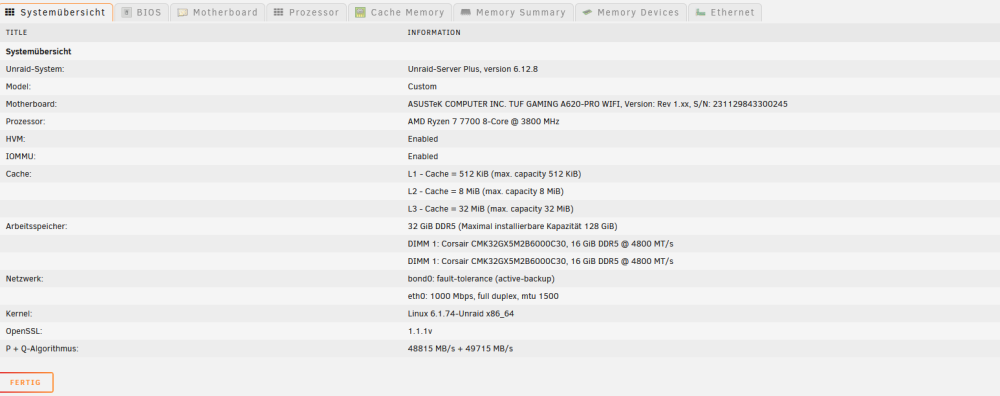
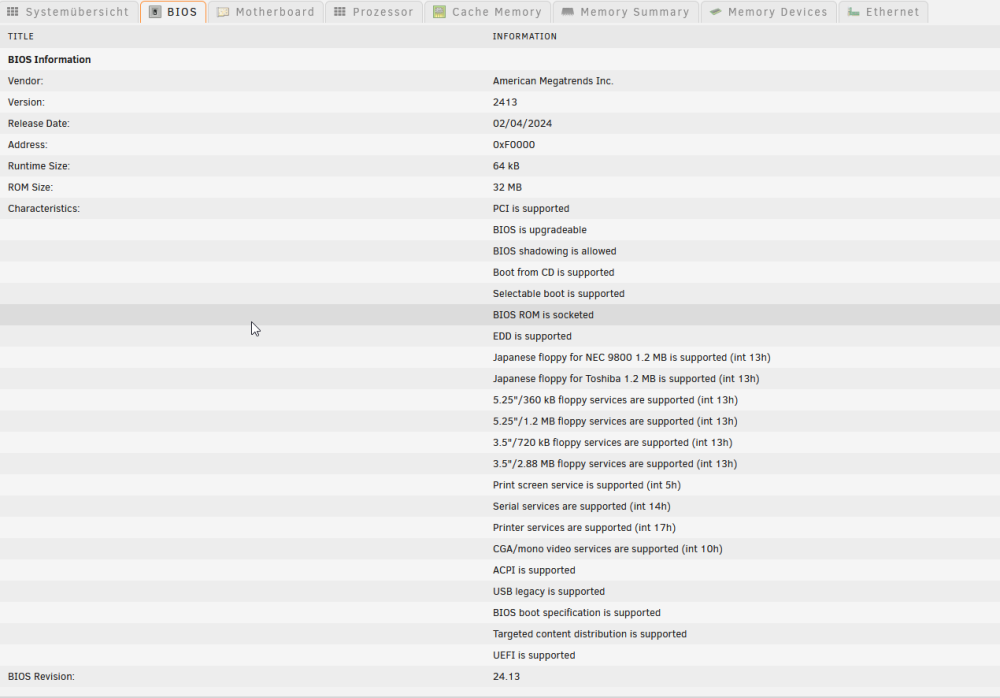
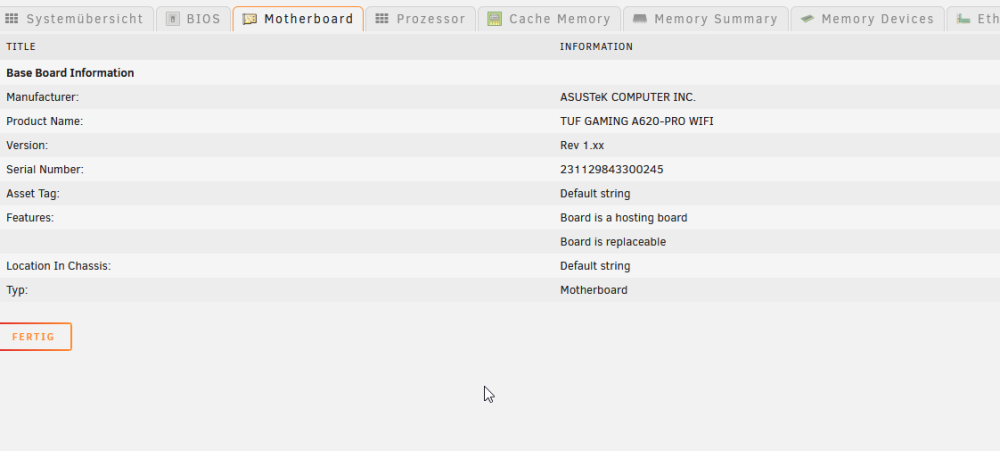
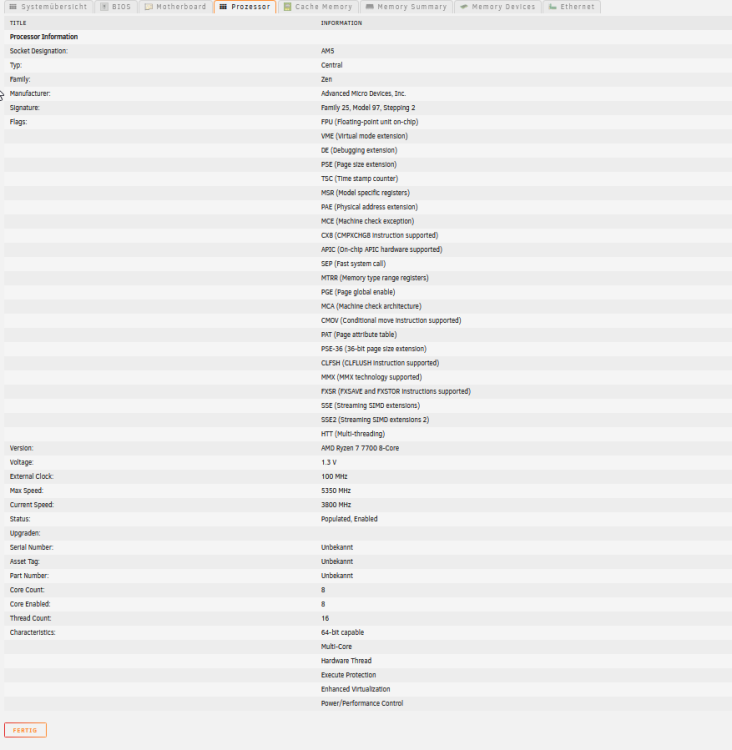
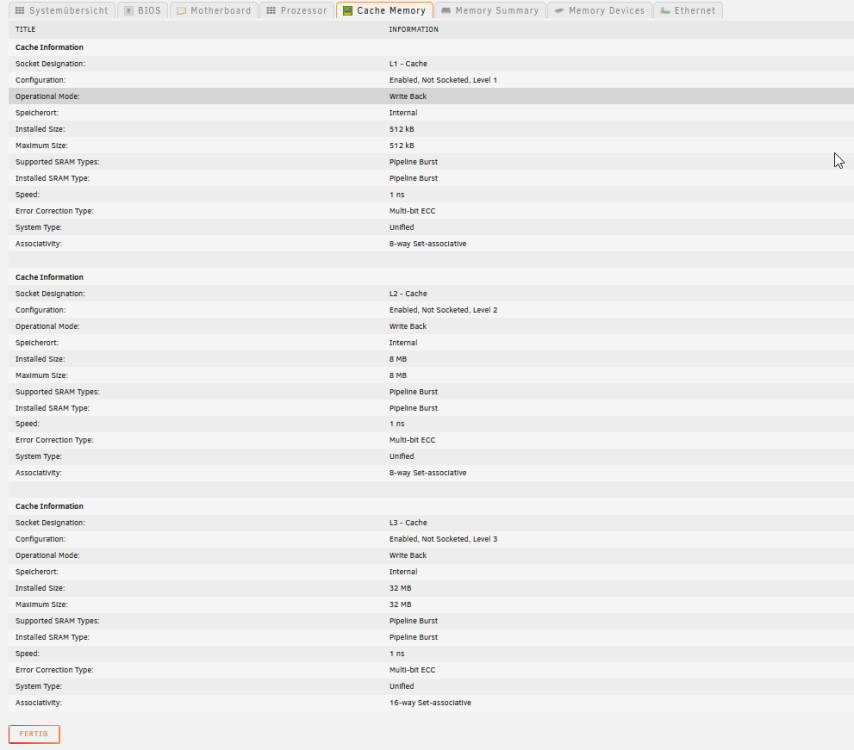
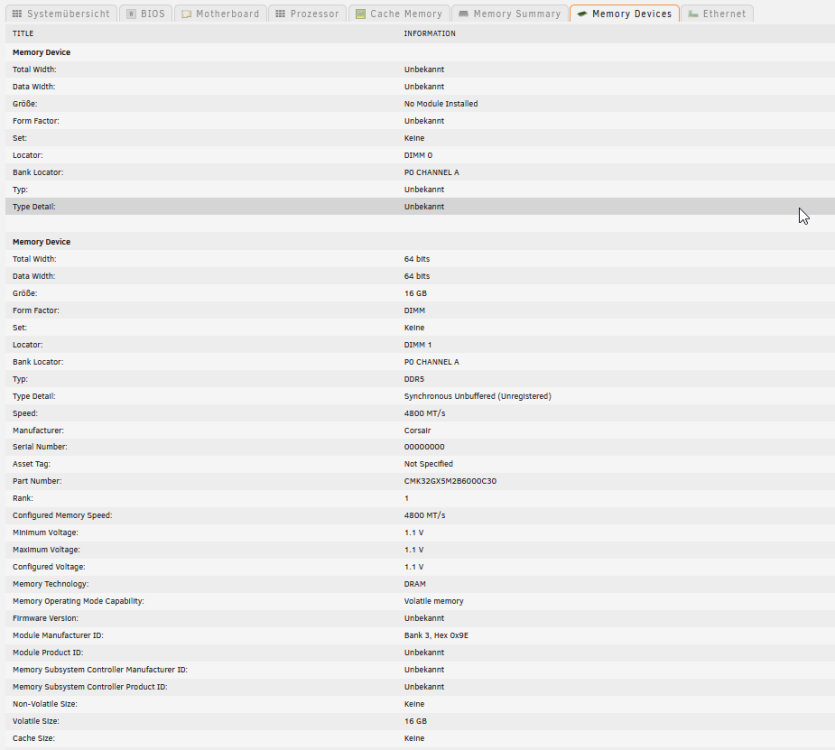
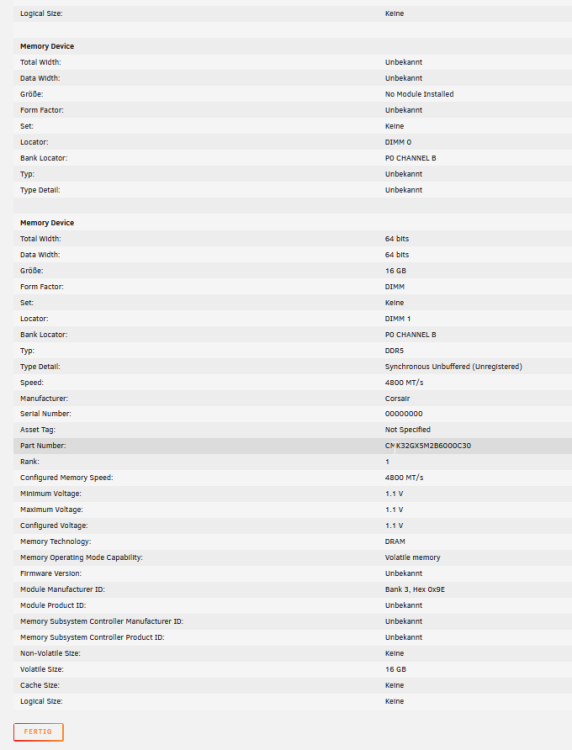
Hallo Leute ich hab mir meinem Server neue Hardware gegönnt. Unraid läuft so weit. Nur der stromverrauch ist ne Katastrophe. und die Anzeige der Temperatur und die Lüftersteuerung funktioniert nicht. Die web GUI ist teilweise echt langsam. Ich bin wie immer für jegliche hilfe dankbar. Hier nur noch alles über mein System. Wenn noch was benötigt wird wie syslog kann ich den natürlich schicken. Weißnicht wie ich die in eine Date bekomme , hier nur mal paar Zeilen. Feb 23 19:34:32 Tower kernel: nvme nvme1: controller is down; will reset: CSTS=0x3, PCI_STATUS=0x10 Feb 23 19:34:32 Tower kernel: nvme1n1: I/O Cmd(0x2) @ LBA 2176, 8 blocks, I/O Error (sct 0x3 / sc 0x71) Feb 23 19:34:32 Tower kernel: I/O error, dev nvme1n1, sector 2176 op 0x0:(READ) flags 0x80700 phys_seg 1 prio class 2 Feb 23 19:34:32 Tower kernel: nvme1n1: I/O Cmd(0x2) @ LBA 1953524992, 8 blocks, I/O Error (sct 0x3 / sc 0x71) Feb 23 19:34:32 Tower kernel: I/O error, dev nvme1n1, sector 1953524992 op 0x0:(READ) flags 0x80700 phys_seg 1 prio class 2 Feb 23 19:34:32 Tower kernel: nvme nvme1: 8/0/0 default/read/poll queues Feb 23 19:34:32 Tower kernel: nvme nvme1: Ignoring bogus Namespace Identifiers Feb 23 19:35:05 Tower kernel: nvme nvme1: controller is down; will reset: CSTS=0x3, PCI_STATUS=0x10 Feb 23 19:35:05 Tower kernel: nvme1n1: I/O Cmd(0x2) @ LBA 1953524992, 8 blocks, I/O Error (sct 0x3 / sc 0x71) Feb 23 19:35:05 Tower kernel: I/O error, dev nvme1n1, sector 1953524992 op 0x0:(READ) flags 0x80700 phys_seg 1 prio class 2 Feb 23 19:35:05 Tower kernel: nvme nvme1: 8/0/0 default/read/poll queues
-
kommt aus dem ganzen Gehäuse. aber ich hab mir erstmal andere Probleme geschaffen
-
Also die Festplatte von Toshiba MG09 ist schon ganz schön hörbar wenn sie anläuft da schalt sie im Gehäuse klingt wie ein dumpfes schlagen. Und das obwohl ich eigentlich ein angeblich gedämmtes Gehäuse gekauft hab. (be quiet! Pure Base 600 gedämmt). Die Kinder haben gedacht wir haben Ratten auf dem Boden
-
Na ja in den RAM wäre auch kein Problem ist ja nur das die Festplatten sich wieder schlafen legen und nicht immer wieder derbe lärm machen sonnst muss ich den server doch noch in den Keller stellen, was ich nicht unbedingt möchte.
-
Hallo Leute, gibt es eine Möglichkeit, einen Film, wenn man ihn auf Plex schaut automatisch in den Cache schieben zu lassen damit die Array Festplatte wieder in den Standby gehen kann?



