





DIgitalOSH
Members
-
Joined
-
Last visited
-
OK, no problem and thanks for your hard work with me.
-
Just tested this. People outside my network were able to connect. As far as I know there are no geoblocking rules.
-
I was able to, yes
-
OK. The only strand left I can tug on here is that I can't connect to it with anything if the -crossplay argument is issued. What changes when that happens, and how do I investigate that further?
-
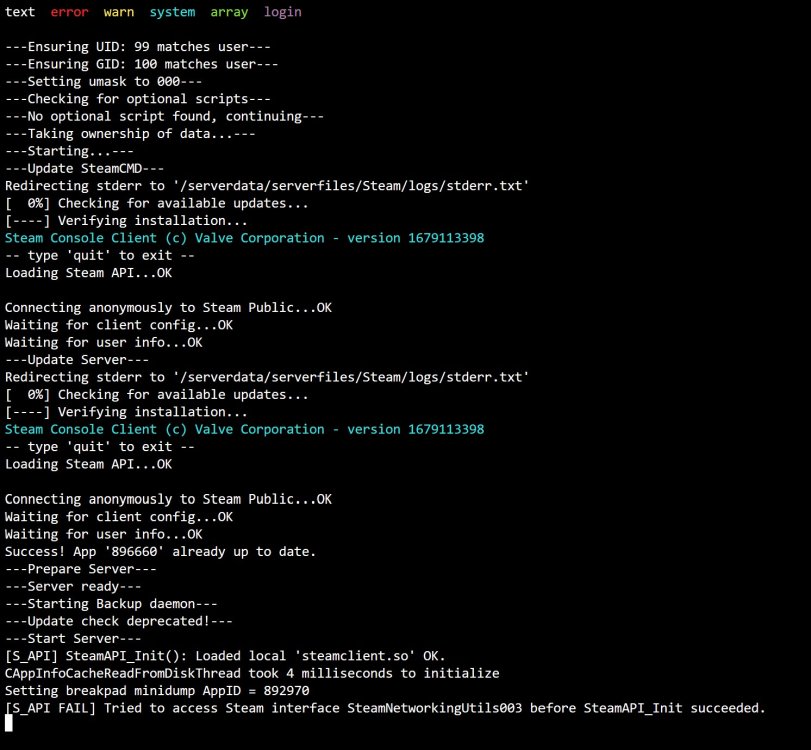
Attached. looks like something failed. Just in an attempt at troubleshooting. I will change it back to UDP only.
-
Interesting. That may be possible, however it doesn't show up anywhere. Either with or without the crossplay flag enabled. Feel free to search for it yourself, name is "AD87 Mordor" I think the server may be failing to start up when the -crossplay flag is enabled. How can I see the appropriate logs for that, to share? @Spectral Force I believe so, as I was able to connect to it via global IP when the -crossplay flag was not present. I have forwarded port 2456. both UDP and TCP.
-
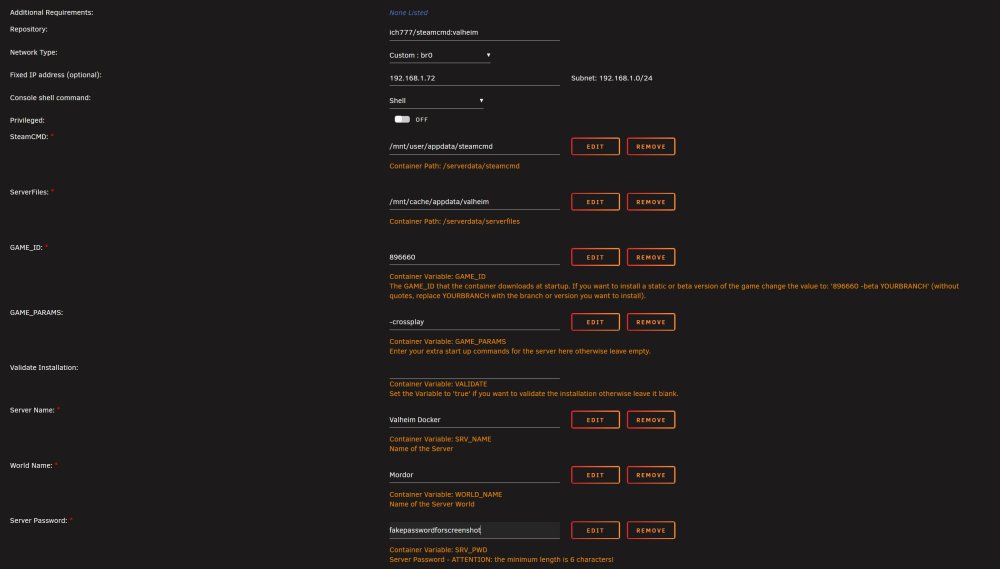
Sorry, I meant my own server. I was able to connect to yours with xbox but not steam deck. I was not able to connect to MY server with either device, on either local or global IP. When I remove the -crossplay argument and change nothing else, I can connect with my steam deck, but not my xbox (expected behaviour) In case you understood what I meant, I will now try doing name lookup for my own server. I can confirm the password is 6 characters and has no special characters.
-
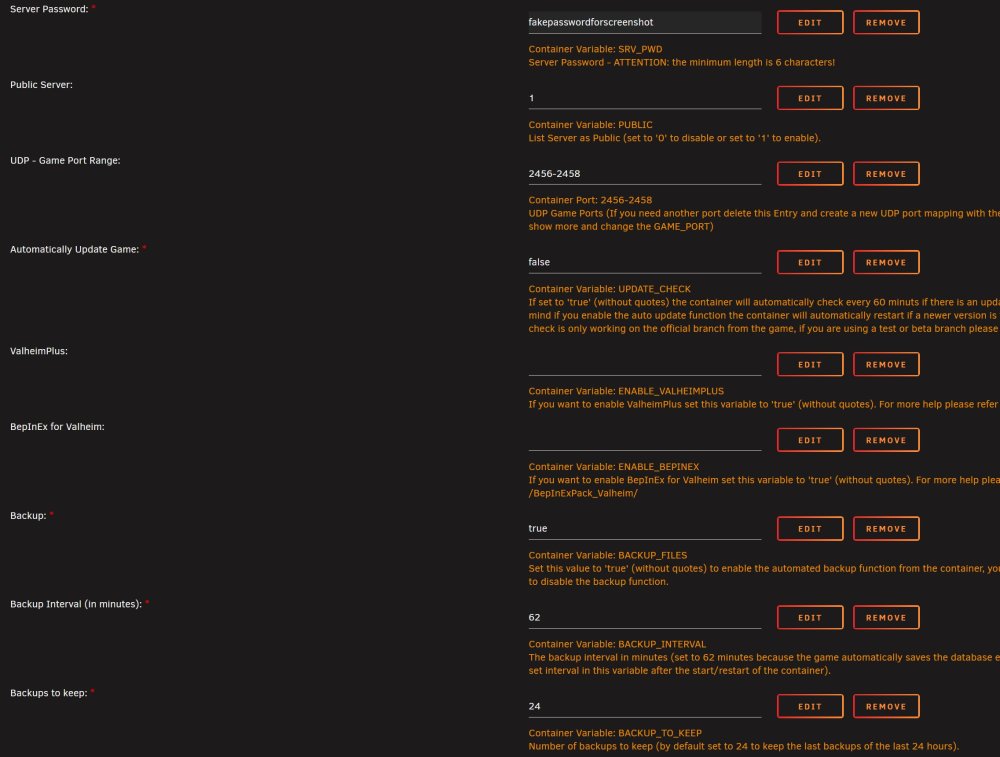
Interestingly, I was able to connect to your server with my xbox, but not my steam deck. I then tested with my server, using both the internal IP and the global IP, and neither steam deck nor xbox was able to connect. Attached is my config:
-
Sounds good. Please let me know what I can share to help the process. I can tell you the following: - Container works fine for steam users without the '-crossplay' parameter - Container does not work for anyone, including steam users when the '-crossplay' parameter is added - I am using the most up to date unRaid version of your docker as of yesterday afternoon
-
I am having the same issue. Server works great without -crossplay parameter but doesn't work when -crossplay is added. I was able to confirm that someone else in the Valheim discord had the same issue. Seems like it's unique to this particular docker.



