





Wittytut
Members
-
Joined
-
Last visited
-
bless you! worked great
-
I installed a 1 TB ssd yesterday to use as my cache but the cache size is 1.1GB and I can't seem to find out how to expand that? I found a command on a different post btrfs fi resize 1:max /mnt/cache Still the same after I rebooted. I am still very new to unraid. Thank you for any help. wittytutmedia-diagnostics-20231229-1259.zip
-
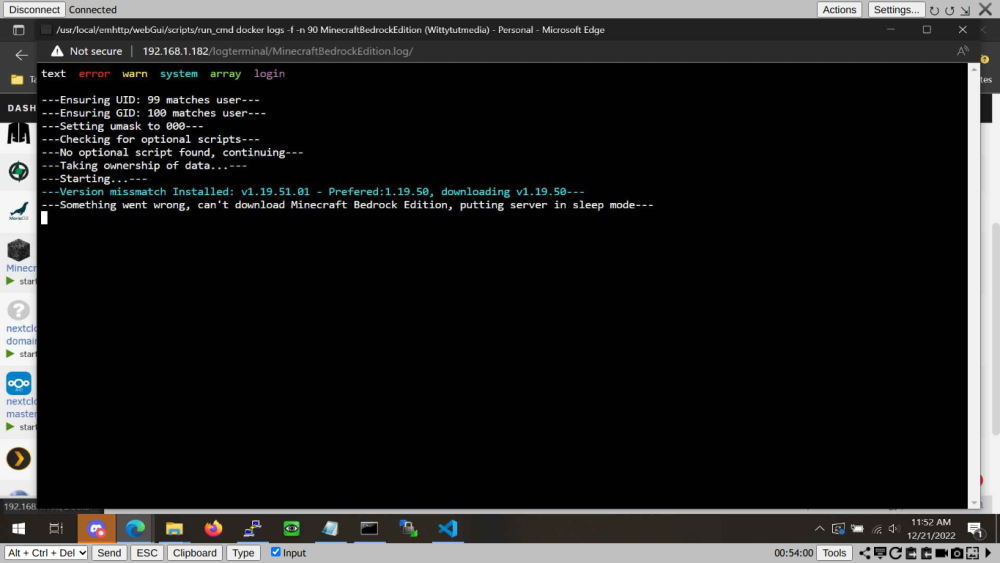
this was correct. Can you tell me how you gotten that information? I tired 1.19.50.01. I was not sure where to get the version or how to write it out. THANK YOU!!!!
-
Unable to get minecraft bedrock to pull a specific version. 1.19.50.
-
THAT WORKED! Thank you for your help
-
Done, restarted, still no docker service. New file wittytutmedia-diagnostics-20221205-1136.zip
-
wittytutmedia-diagnostics-20221205-1053.zip
-
Thank you for that information! I had indeed not formatted any drive and now the vm service starts but docker service still fails to start.
-
I've never used unRAID or anything like it. So bear with me. I just installed it on a PC i put a bunch of spare HD's in. Before it finished the Parity check both the docker and Libvirt service failed. I thought I might need to wait till that was done for them to work. That seems to not be the case. I have rebooted twice to see if that would help. That is all I know to do. Thank you for any help beforehand. wittytutmedia-diagnostics-20221205-0745.zip

