





wizkid941
Members
-
Joined
-
Last visited
-
Okay thanks, I’ve just used the same usb stick, i have a spare of the same drive if it becomes an issue. The usb stick im using was on an “approved” list i saw a few moons ago and tbh it’s the only one that’s constant long term basis. All the other sticks I’ve used over the years have failed in not long.
-
I’ve done as you suggest, server seems to be back up a functional. Is there anything i need to look out for or would have changed since i done this? Or should the server be just how it was but on an updated version?
-
Here’s the pic as requested IMG_5399.dng
-
As the title says. system will no longer boot, im unsure on how i can provide the diagnostics? i have backed up the usb stick and as far as i can tell it cannot enumerate the usb stick? ive tried different ports etc to no avail. i don't wanna touch anything until and expert can advise, ive had so many issues with usb sticks over the last few years that im scared lol Thankssyslog
-
ST4000VN006-3CW104_ZW60YYBE-20250721-0056.txt done a long test, no errors, completed parity check with no issue. Think I'm safe to follow your instructions right??
-
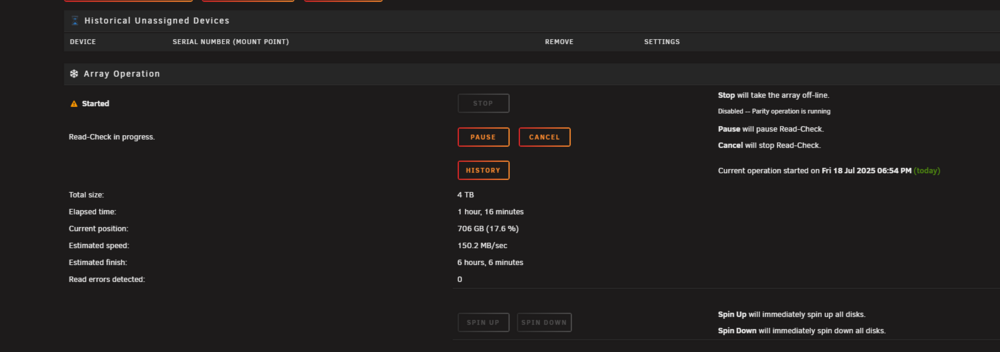
okay, think its all good now. pushover is also saying that the array turned good so how can i re enable disk 6? zeus-diagnostics-20250718-2014.zip
-
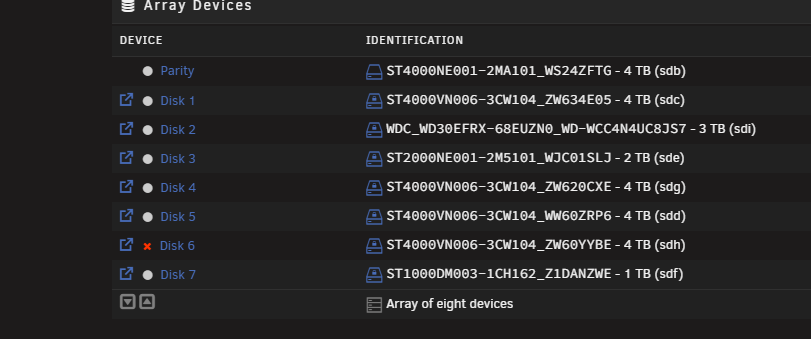
okay will try that, what should i do about disk 6? and when you say both cables do you mean power to? or just sata
-
i was just adding them as you posted lol
-
no, no power splitters in use, disk 6 is now being emulated and showing 1151 errors, am i potentially going to loose data as i don't have a current up to date parity check zeus-diagnostics-20250718-1145.zip
-
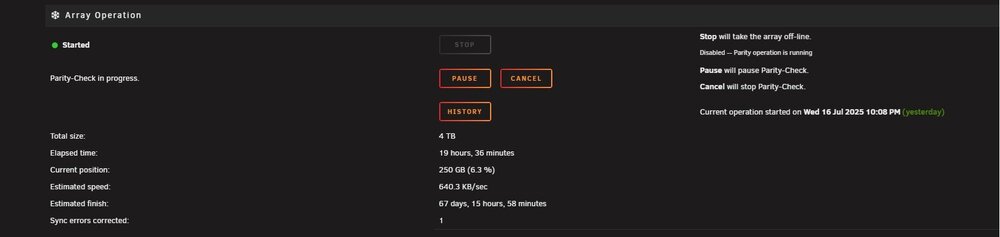
Unfortunately its not fixed the issue as i first thought it did after changing both sata cables. Both of the hdd mentioned are not connected to the hba, and its still just as slow and now my hba/hdd is making a strange noise, ONLY when running this parity check which is weird and is a new issue, i guess the drive is failing? here is a link to the clip of said sound. www.youtube.com/shorts/F2JIHr8i1F4?si=jHXf-PZuTrM1jFNN thanks again. zeus-diagnostics-20250717-1745.zip
-
That appears to have fixed the issue, thanks alot! will report back if it goes down the drain again
-
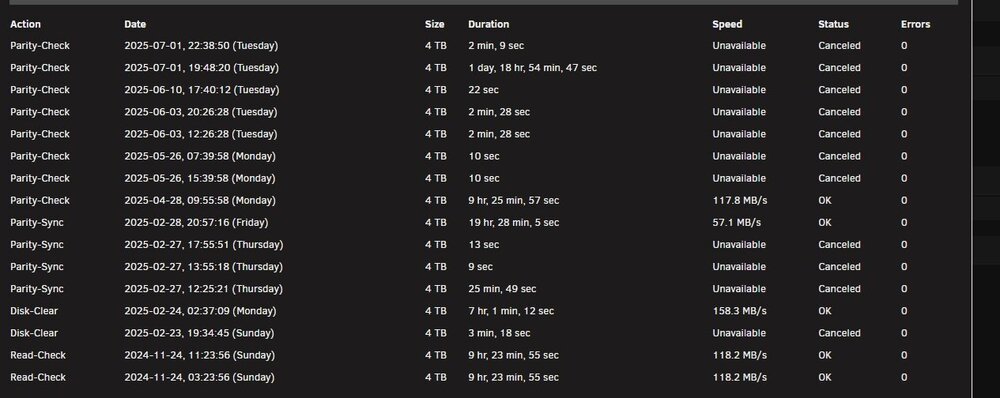
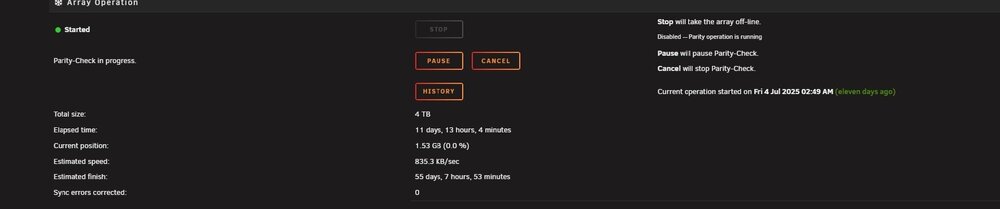
Hey guys and girls, so ive been trying to do my bi monthly parity check and its now expected to take 55 days to complete a 4tb check. I cant figure out why its now expected to take so long and why its so slow, it used to average around 110/130mbps and around 12-16 hours to complete but at this rate im effectively unable to run parity check, any ideas on why, randomly, its so slow?? some drives are connected to a HBA, some to motherboard but again, its been fine for the last year or so like that, ive checked cables, changed sata cables etc and its made no difference so I'm stuck. thanks again for any advice . zeus-diagnostics-20250715-1546.zip
-
Updated to 7.0.1, still running into the same issue is there really no other option other than to roll back like it has to be something stupid surely?
-
Okay thank you, will take a look now I’ve got it all set up. Just need more storage, as always! thanks
-
Don’t worry I’ve now solved the issue. Thanks!




