





Schwifty Rick
Members
-
Joined
-
Last visited
-
so making the appdata share on disk 1 didn't work either. i don't know what i did to misconfigure it but it would appear that is what i have done. thank you for all your help. i will wipe my drives and try again another time.
-
yeah i dont have a cashe. i have another m.2 installed that i could use but the disk 1 is a m.2 so i thought i was good.
-
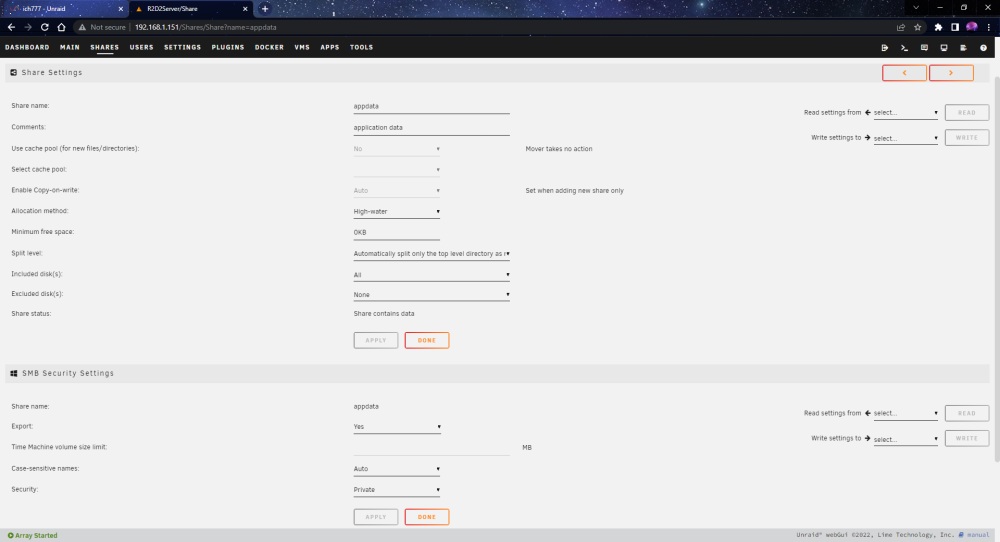
thats the appdata i didn't change anything in the share settings i only changed the smb settings
 i dumbi accessed my server thru my file share and found the location the user.cfg file needed to be. then i right clicked and created a txt document. i renamed it and edited then saved it. im not sure of another way to do that. i don't believe i used sftp or the other one you mentioned.I reset the server again and followed a different guide this time and made the file how it said to but to no avail. i am fully aware that it is working for other people and it just happens to be fit with my luck that nothing ever works out for me. yes im using the correct steamid. On windows server to obtain admin i would just input ownerid ******************* "Rick" into the server console and finish with write.cfg i just don't understand how i am able to add files like mods to the plugin folder and they show up on the server when i join. so why can the server see these files but not the user.cfg file
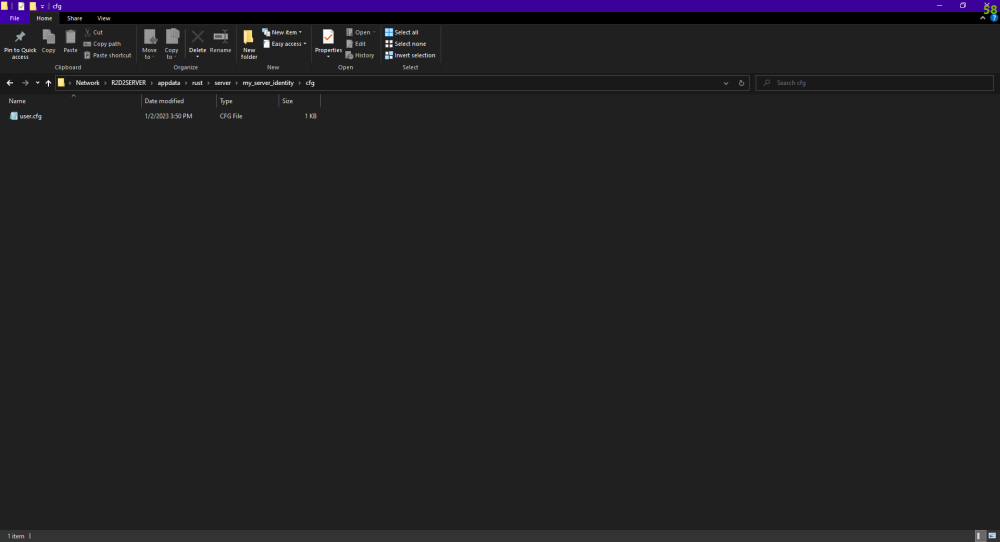 so i just tried to delete a file from my server and it told me i didn;t have permissions to do so. said i need to use the root user but when i made a new user on unraid (Rick) i gave it read/write on all of the iso, domains, appdata, share. i didn;t do the system folder because the manual i looked at didn't cover that folder.yeah im on windows and i used notepad. i was wondering if it could have to do with my security settings inside unraid. i have my appdata iso domains and my share all set on private. idk if that would matter or not but other than that im at a loss. i might have to just go back to windows servers.What program should i use to make the file. i just used the text document. I made the file extensions visible and it did end in a .txt so i just removed that and saved it.Im trying to make myself the admin on my Rust server. So i created the user.cfg file in the directory /mnt/user/appdata/rust/server/my_server_identity/cfg but it doesn't make me the server owner. Yes i used the correct steamID i create a txt file ownerid (steamid) "theadmin". is there anyone that can help me or tell me what im doing wrong.I configured my array using my hdd as my disk 1 drive and my m.2 as disk 2. I would like to switch these because the loadup on my server is so much faster using the m.2. i just started the array and have nothing im willing to lose. I searched but came up empty on solutions. Aside from getting another flash drive (which im willing to do) and start over... im not sure i will be able to reformat the drives again to start fresh. My bios didn't even list my hdd in the secure erase option so i would like some help if anyone can.


