german_plz
Members
-
Joined
-
Last visited
Everything posted by german_plz
-
Checked the SATA-connectors, and now the two drives are not recognized anymore: Tried a few times but no luck. They Sounds and feel like they have power... I ordered a new mSAS to SATA Cabel. Hopefully that will fix it. Not for these drives, but I use a Molex adapter. Since they seem like they have power, I don't think that's the issue.
-
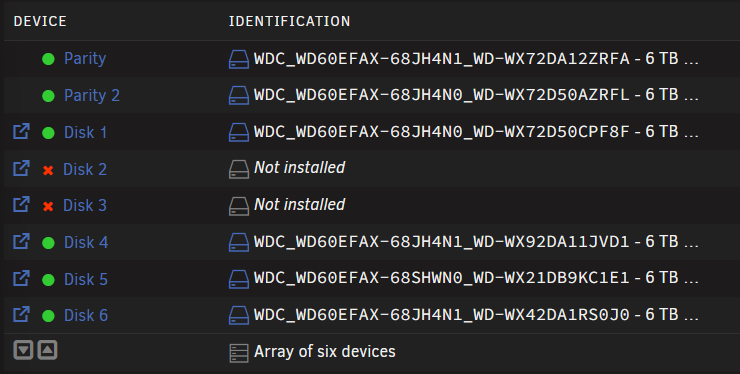
Can someone tell why, once or twice a year, one or more disks randomly decide to be error disabled? Most of the time I unassigned those and reassigned them to activate them, and that's it. Sometimes, like now, that does not help. Either while the data rebuild is running or after the rebuild is done, the disk will go into the error state again. That's what happened again: Disk 2 error disabled -> reassigned -> rebuild failed -> reassigned -> rebuild successful -> a few hours later, error disabled again... A few days after, Disk 3 also wants to be in an error state. Does anyone have an idea why this keeps happening? I'm tried of worrying about my data. Are the drives the issue here? Unraid does not recommend you use SMR drives but they should work: https://unraidcalculator.com/drive-recommendations.html The SMART data looks fine. In the last thread I made the conclusion was a Hardware issue. Maybe there still is and I'm not seeing it? biggie-diagnostics-20260719-1330.zip
-
OK, the array looks good now. Hopefully the data fine. Thx for the help.

-
biggie-diagnostics-20251124-1116.zip
-
Yes, but they do need a rebuild - I had to rebuild those before, and when I started it, disk 5 instantly became error disabled. It finished with 794882269 errors. The content on disk 5 looks fine. Which is why I don't get why I can't just enable the drive again. So in my head, if I can turn disk 5 active again and run a correcting parity check, there will be no data loss / corruption at all. For clarity's sake, I do think the firmware on my SMR drives is to blame for the repeated read errors that come up out of nowhere, even though the SMART statistics look fine...
-
biggie-diagnostics-20251123-1131.zip
-
Sorry for the late replay. There is no usable data on Disk 4 and 6. To prevent data loss, is there a way to enable disk 5 without reinitializing it?
-
There are 3 SATA power connectors on the PSU cable, and with a few adapters, you can make it work. It's not smart, I know, but I don't want to mix or buy other third-party cables. Because even the same manufacturer can have a different connector (on the PSU side) on the different models: https://www.youtube.com/watch?v=SDsC_PNo84I&t=35s I will buy a new PSU and check if the issue still occurs, and if it does, I will change out the data SATA cables. Do you think after a parity check all data will be restored with no errors? Thank you for the help ❤️
-
All 8 HDDs and 8 SATA SSDs are on one 6-pin on the PSU. Bought the PSU secondhand, and I don't have any cable for it. (seasonic prime titanium 650w) You think this is a Problem?
-
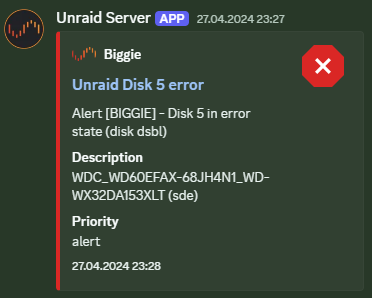
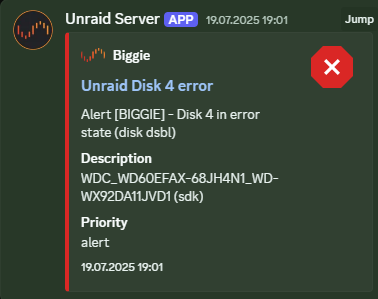
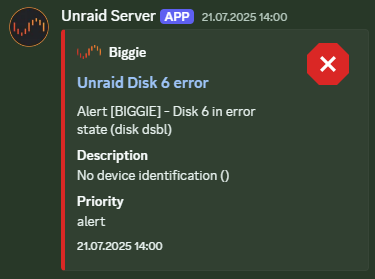
Yes, Disk 4 and 6. It took about 18 hr and 35 min, about the usual time to complete. I have not touched the server in a long time, but I will check the connection. Now that you mention this, it's always disks 4, 5 and 6. This time, all three at once. You are probably right with cables being the issue. In the server is an LSI SAS 9207-8i; to be sure, I will buy new mSAS to SATA cables. The SMART attributes always looked good; that's why I never changed the drives. I had these issues in the past; that's why I unassigned those and reassigned them immediately, and it always solved the issue:
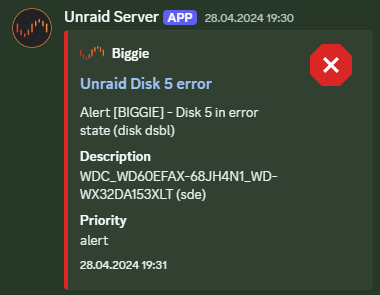
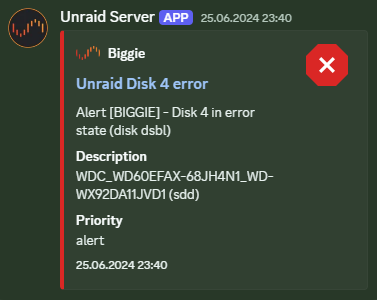
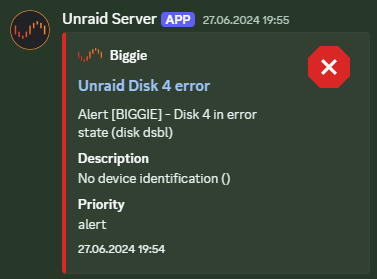
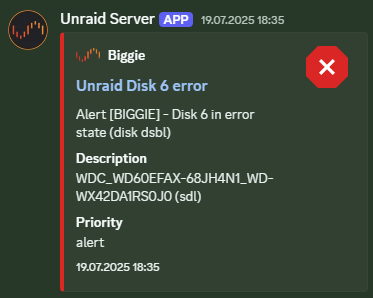
-
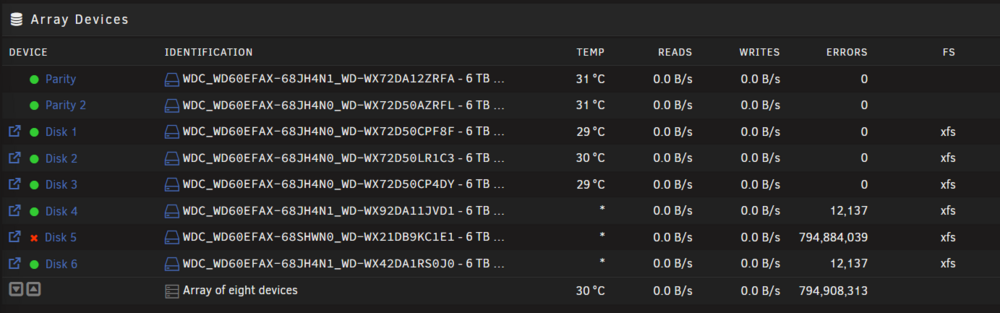
I have 6 data disks and 2 parity drives. 2 of the data disks were error disabled, so I unassigned those and reassigned them to activate them. While the rebuilding was in place, a third disk began to give read errors. --> "Data-Rebuild finished (794882269 errors)" What would be the best steps to verify what data is lost or corrupted? The diagnostics File: biggie-diagnostics-20251019-1530.zip
-
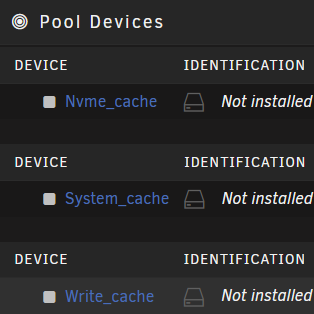
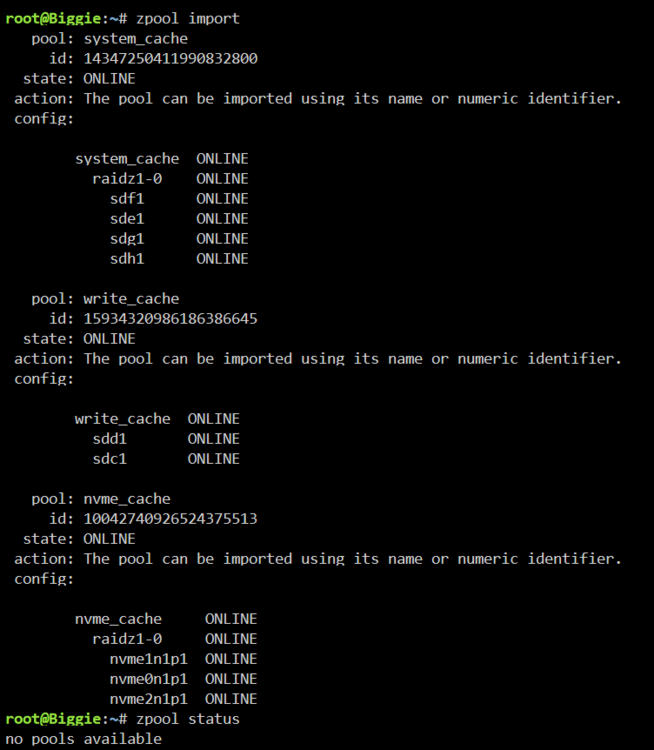
I had a Hardware failure recently where my CPU or Board died, since then I replaced both. Now the problem is that all my pool devices are unassigned: What would be the best way to restore the pools without losing data? The diagnostics File: biggie-diagnostics-20241124-1110.zip The zpools look fine: Can I import the zpools and Unraid will detect them as the right pools and assign the devices accordingly? I would import them with: zpool import -a Any help is appreciated! I may be a bit overly cautious since I do not want to lose any data...
-
I tested the GPU in a Windows system and it works fine. Booted from an Ubuntu live stick with no drives connected (no SAS-Card ether) and the system still crashes. So you are right that it is either the CPU or board. I remounted the CPU and cooler because I heard the TR4 Socket can be finicky. Didn't fix it. I will buy a used motherboard / CPU combo on marketplace to replace and test my current hardware. Strange that server just killed itself My PC died a few days after, not the best timing… Thank you @JorgeB for the troubleshooting help! Really didn't think it was a hardware problem at first because it ran fine before.
-
OK, I think RAM is not the issue. I tried both pairs three times, but the server crashed every time (always at a different point) Also tried completely different RAM, just one stick, and the server crashed with that RAM too. Can a GPU or SAS-Card also create these crashes? That's the only other components in there, except the Drives. I'll be able to try a different mainboard and CPU combo tomorrow to see if that's the problem. Can I just switch out the components, or does unraid have a problem with that?
-
I have now installed just 2 out of 4 Sticks and Memtest is running again. Will run both pairs for 24h and see if errors occur. In my BIOS there are no settings for the C-States and other Power Control settings or similar. The BIOS is on the newest version. The RAM is not over overclocked, running at its native speed 2133MHz.
-
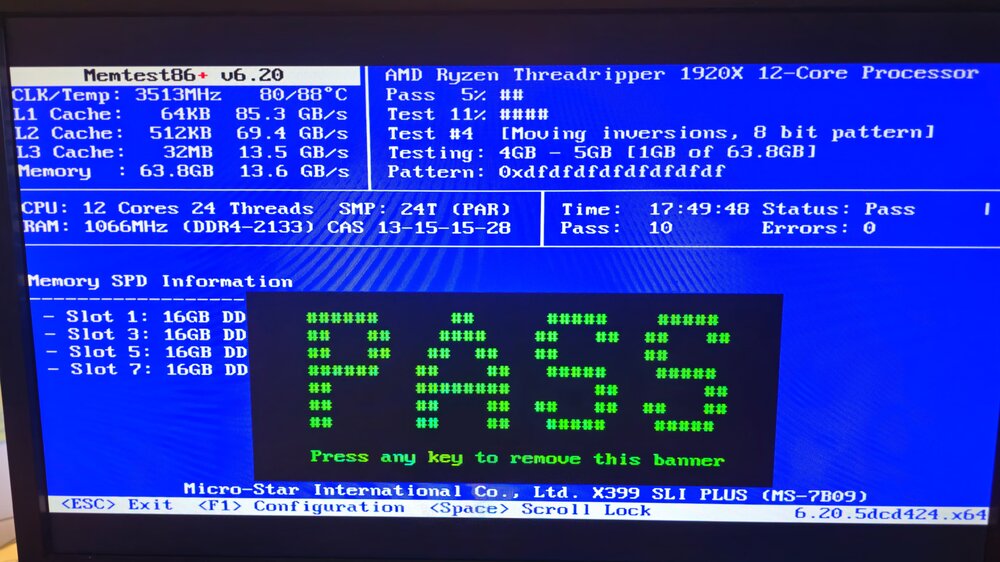
I ran Memtest last night for a sanity check because of the hardware errors:
-
Thx for the replay! Does the md driver crashing indicate that a drive has faild? Or just a general hardware error? I'm having a hard time finding any devices that are not showing up in the current stat of the server.
-
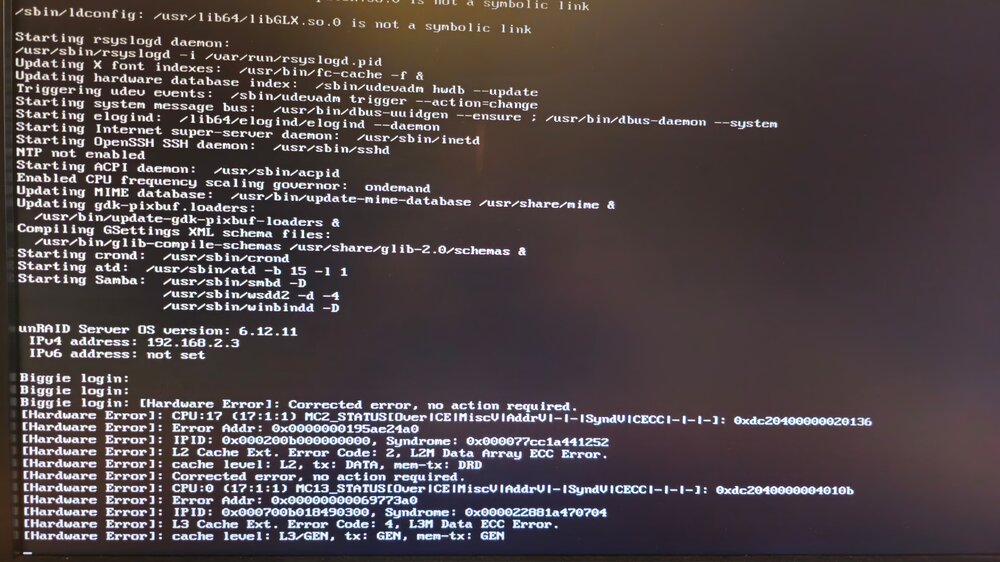
I had the Problem that my server crashes a short time after it booted. Because of that, I had to do a few unclean shutdowns. The Server now runs again, but has Problems. I don't know if the crashes are fix. I can access my Shares. The Problems are: Date And Time Incorrect (can't change it, doesn't allow me to safe it.) Parity-Check is really slow @ 273.1 KB/sec (tried to cancel it and now is stuck) / also fund a Sync error Can't mount any of my 10 Pool Devices - they are Unassigned ("Device '/dev/xxx' failed to mount. Check the syslog for details." Syslog: "Error: Device '/dev/sdm1' mount point 'system_cache' - name is reserved, used in the array or a pool, or by an unassigned device." ) Any tips on what I should do now? Need Help! Also did a Memtest and it passed (18h / 10 passes). Also included: biggie-diagnostics-20240920-1402.zip &Biggie-Syslog.txt Some Errors I saw before the server crashes. Not always happening. I don't know if that means anything:
-
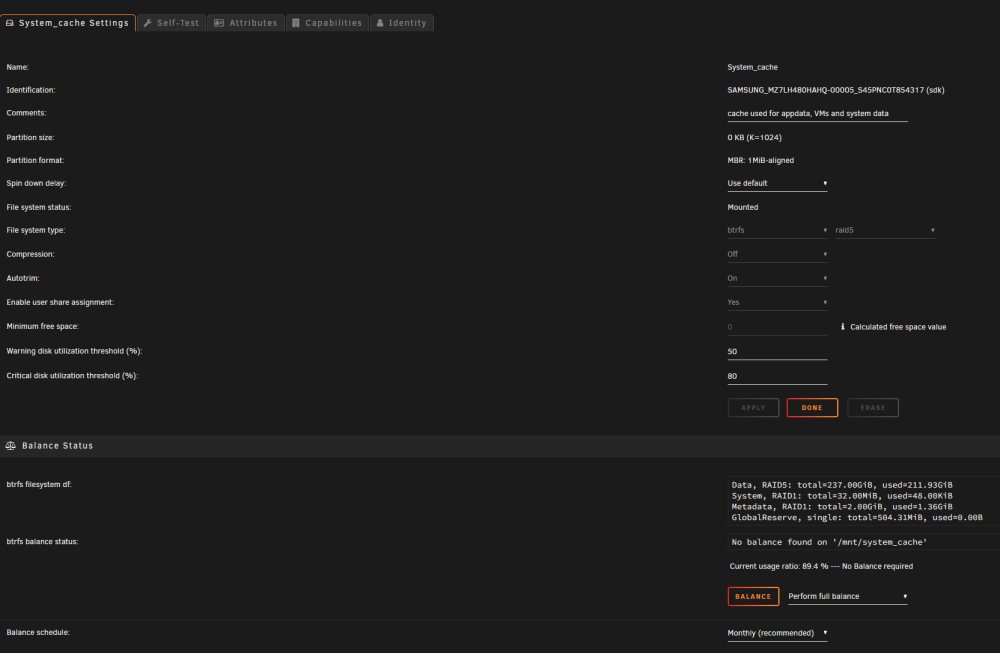
Thank you! Makes sense, before I had used about 230gb in addition to 500gb for the parity disk which translates to the 730gb used space being reported! Wasn't really intuitive for me. Great Info! Thx Will also make the change to ZFS later.
-
biggie-diagnostics-20240310-1323.zip Here are the diagnostics. (sorry forgot)
-
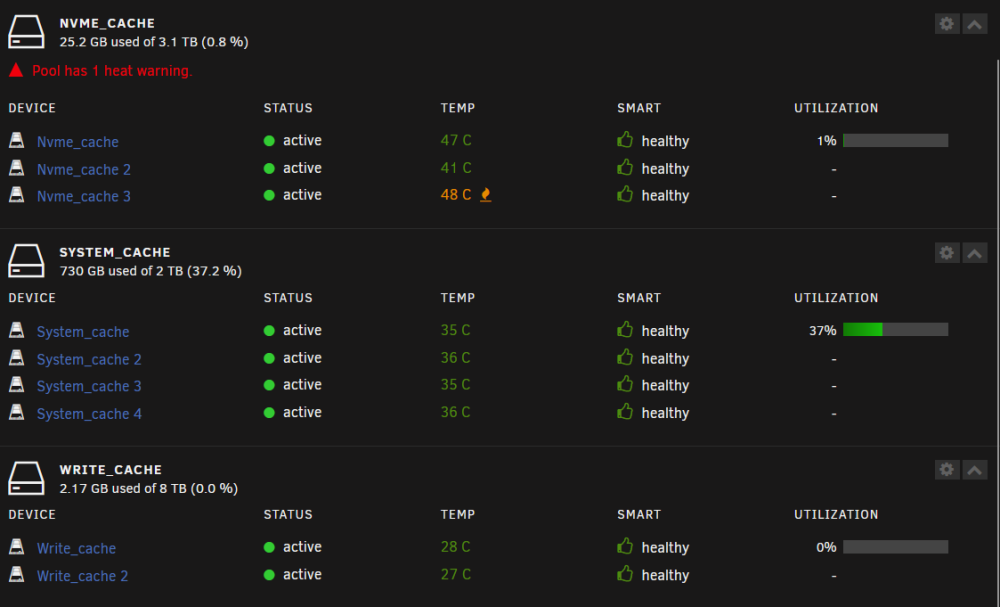
I may have a problem with one of my Pool or maybe I don't understand something? I upgraded my system and used 2x 480gb Drives from my old Write_cache to upgrade my System_chache. (deleted the write_cache and added the 2 devices to my existing system_chache) Then I change RAID 1 to RAID 5 and now shows a 2TB Capacity, but shouldn't it be 1.5TB? Any Idea what I should do? My plan is to copy every thing to the array and create a new Pool after formatting all SSDs. But that's a lot of work and I don't know if it fixes my issue... My Pools: Pool Settings for "system_cache": The System_chache has now 2x 480GB and 2x 500GB SSD in it.