HIGHFLIII
Members
-
Joined
-
Last visited
-
Here is the file...zenithicus-diagnostics-20260412-0102.zip
-
I will check for a bios update and get back on how it went
-
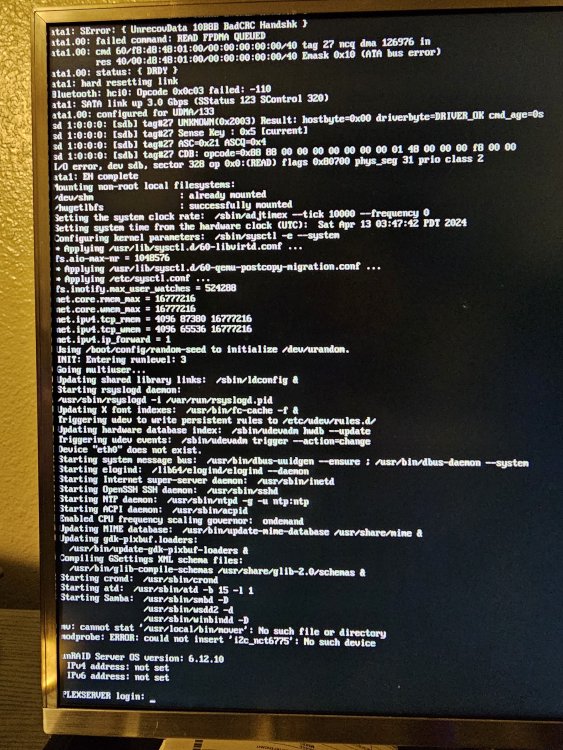
long story short my server will stop all operations and i cant access the server locally. even if i try to initiate a clean shutdown by pressing the shutdown button, itll stay on. i cant see in the log about system or hardware failures. any ideas? syslog-previous
-
I am currently running 206 TB Unraid mainly for PLEX. I know about Turbo Write reconstruct and believe it is enabled. I am currently going through a parity check, but it has been going for 4 days now, and is only at 20 percent. Speed is currently 17.5 MBps. This is my current drive setup: Parity: 20 TB EXOS Data: 9x 20TB IRONWOLF PRO 1x 10TB BARRACUDA PRO 1x 8TB BARRACUDA 3.5 1x 8TB FIRECUDA 3,5 I am wondering if my parity check is running at max speed. If it is not, what is causing the bottleneck performance? Any ideas? Any help is much appreciated... Side note: i am looking to expand my group of PLEX friends. Any takers? :) zenithicus-diagnostics-20260203-2116.zip
-
I downloaded the docker so I still have to use it. Are their no more tools to accomplish the same task?
-
is that an app in community apps?
-
is there a way to test all components for performance issues? it seems my unraid of 120tb is not writing as fast these days and its causing unresposive network errors when transferring files through hardlined computers.
-
laptop is wifi unraid is wired i main 3 shares use a 1tb pool with mover every 3 hours
-
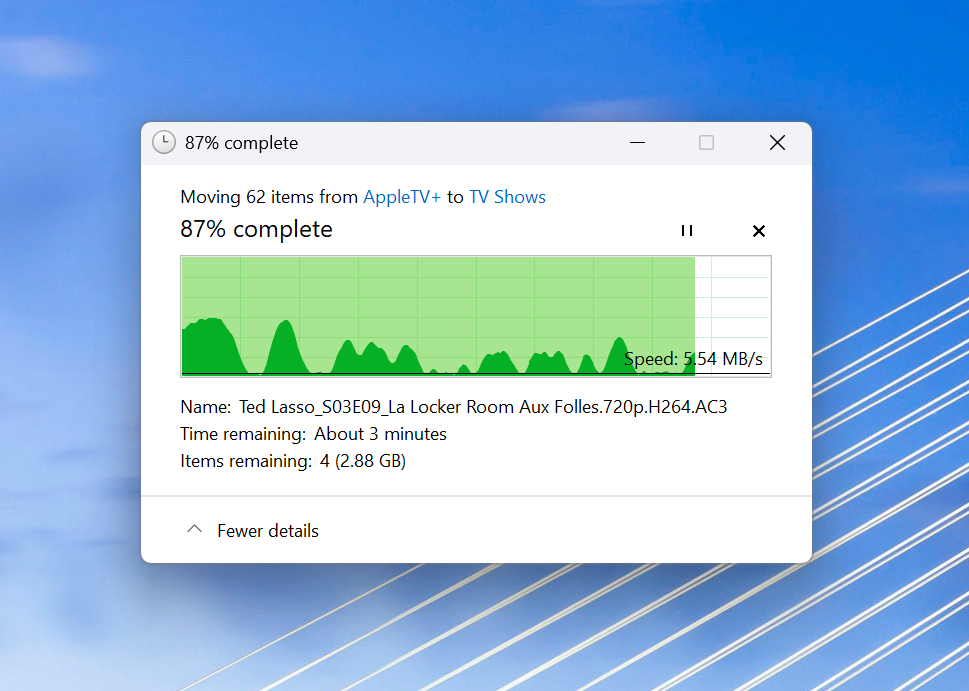
its transferring from my laptop (high performance) and into the share designation. so far it is still happening. Goes from 50 mb transfer speed for about 5 seconds then dips to approx 5 to 0 mb
-
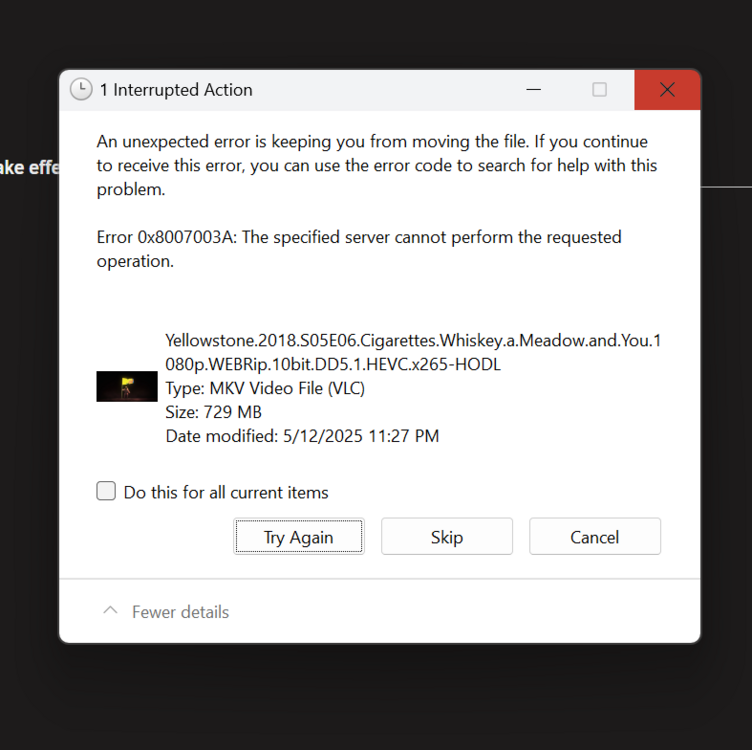
Below is a file transfer between shares too. i can only think the speed stayed at 0 for too long and triggered this error.
-
I am trying to improve transfer speeds between external computers and my unraid. i feel as if the speed dropped after the new update. The screenshot shows the transfer speed between my laptop on wifi and my unraid through hardline. I can deal with maybe 5 MB/s of transfer speed but it will periodically drop to 0. when it first starts it ramps up as you can see. The transfer was approx 20GB over 30 minutes. Any tips would be appreciated. zenithicus-diagnostics-20250512-2315.zip
-
Good news! I found a temporary solution. I reformatted my original usb and used the most recent beta OS. I booted the usb using my laptop and installed all 4 plugins for realtek NIC drivers. After install, I booted my new setup with the same usb and now it provided a valid ipv4 address! I still can't get the boot gui up but progress!!!
-
How do you install the plug in? Do I have to take the USB into a different computer and drag and drop the plug in into a folder onto the usb?
-
I am currently trying to upgrade my motherboard and processor because my last motherboard is now unresponsive. I first tried using my USB from the previous motherboard which it froze after the boot screen countdown. I then erased the USB and fresh installed Unraid onto it resulting in no netwrok connectivity (IP showed "not set" for both selections). I tried booting to GUI which resulted in a black screen with a cursor at the top blinking. I do not know tech scripts real well and im fairly noobish but I have built computers for awhile now. I was able to generate a diagnostic file and will post that too. my set up is: Motherboard: ASRock Z890I Nova WiFi LGA 1851 Mini ITX PRocessor: Intel Core Ultra 7 265K - arrow lake 20-core - BX80768265K Ram: Team T-Force Delta RGB 32gb (2x16) 288-pin ddr5 6400 SSD: Crucial T700 GEN5 NMVE M.2 1tb PCIe 5.0 My goal is to get my network driver working (assuming that is the problem) and reinstating my old set up unraid from my old motherboard to my new motherboard. Any suggestions? zenithicus-diagnostics-20241217-1410.zip
-
I deleted two pages files and two folder in the plug in folder on a separate computer without going through the gui. I restarted the system and it came back doing the same thing.