





nigelt
Members
-
Joined
-
Last visited
-
Greetings, Is there any chance of making the initial display of historical devices optional? So that it doesn't show by default at startup? Thanks
-
After rebooting, I couldn't get 6.12.10 to work, however, 6.12.10-rc1 appears to be working. Stay posted.
-
6.12.9
-
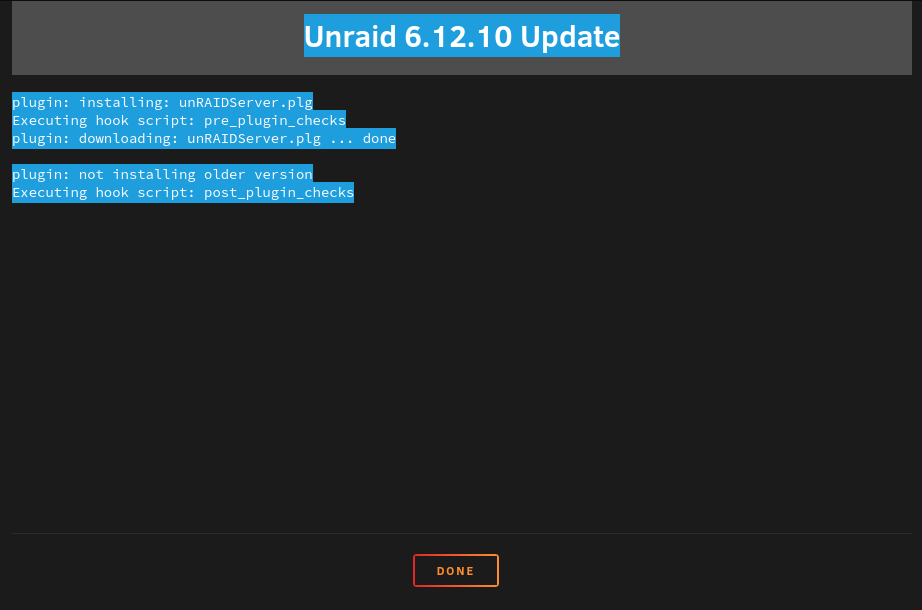
When I try to upgrade, I go through all the steps, but get the following: Unraid 6.12.10 Update plugin: installing: unRAIDServer.plg Executing hook script: pre_plugin_checks plugin: downloading: unRAIDServer.plg ... done plugin: not installing older version Executing hook script: post_plugin_checks and as seen in the pic below: Any ideas? Thanks in advance.:
-
OK - fixed it, found and deleted all references and files in appdata, an din user/appdata. Reinstalled, now working OK
-
Greetings, I have been unable to find a solution to this issue. Since I rebuilt my unraid server, I have been unable to use DirSyncPro docker. I have deleted and reinstalled countless times. Every time I try to configure a Job, I get a problem where it is unable to write to a logfile. I have tried various paths, ensured write access to those folders. the log from starting DirSyncPro is as follows: lease read the 'License.txt' file accompanying this program. ERROR: Log file '//DirSyncPro.log' could not be created. ERROR: Log file '//DirSyncProJobset.log' could not be created. Exception in thread "main" java.lang.Error: java.lang.NullPointerException at dirsyncpro.tools.Log.writeLog(Unknown Source) at dirsyncpro.tools.Log.writeToAllLogs(Unknown Source) at dirsyncpro.tools.Log.print(Unknown Source) at dirsyncpro.tools.Log.printMinimal(Unknown Source) at dirsyncpro.gui.mainframe.MainFrame.initConfig(Unknown Source) at dirsyncpro.DirSyncPro.main(Unknown Source) Caused by: java.lang.NullPointerException ... 6 more Unraid 6.12.8 Anyone have any thoughts? NIgel
