





Roncore
Members
-
Joined
-
Last visited
-
I am actually at work, but I was able to reboot the array again and it fixed the issue! I feel like I have to do this after updates a lot, and I keep forgetting how I fix it. Time to write this down!
-
Is anybody else having issues accessing SMB shares from Windows 11 after the update to 7.3.4? Using Tailscale as always, nothing has changed on my end. I can still access and log into my server remotely using the same address, but my shares are X'd out and giving me the "Network name already in use" error. I've restarted, but nothing is fixing this. I'm about to enable Netbios in the SMB settings on Unraid to see if that changes anything since it's set to "No" right now, but I did not change anything at all, just pushed the upgrade.
-
Thank you for this! I wonder how different this will be now that 3.0 is out? I haven't started installing yet.
-
Having the same issue with 7.0.0! Started today. Version 2025.12.15.2141
-
Thank you so much! That did it.
-
Absolutely! Thank you! I feel like I'm taking crazy pills!
-
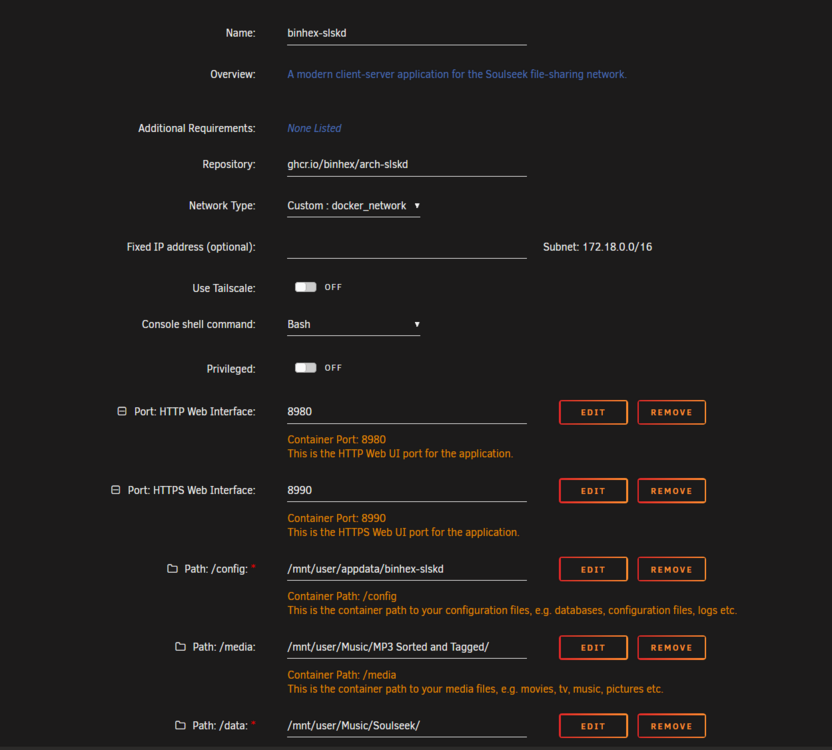
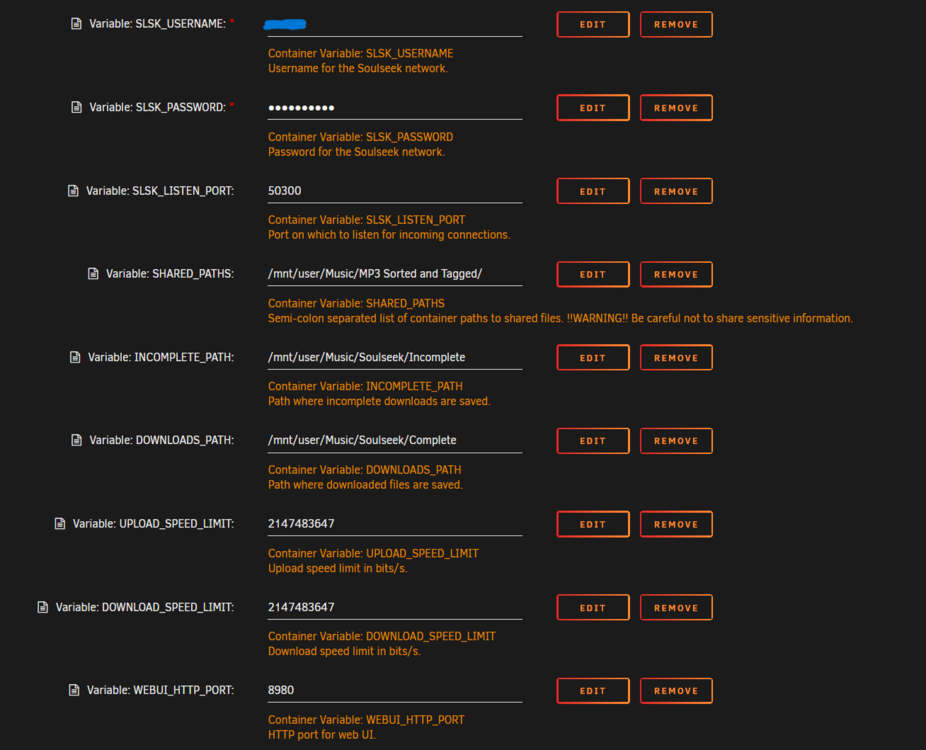
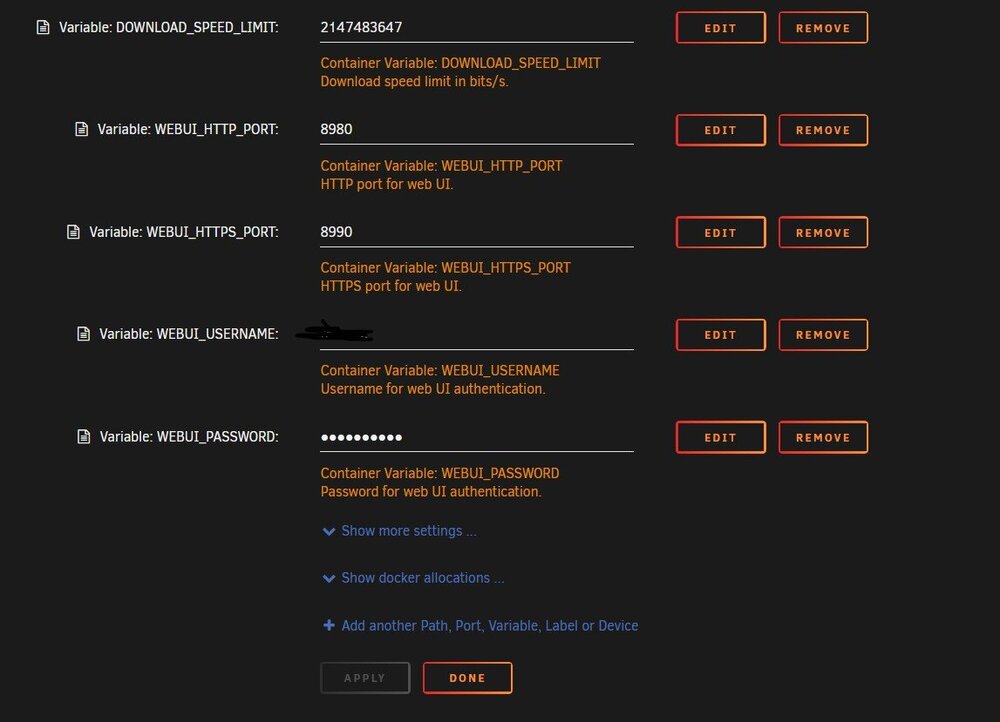
Slskdlog < - Log file I'm having really strange errors with this one and I'm not quite sure what is going on. I'm sure it's something dumb, but I've been setting up binhex docker for years and can't figure this out! I'm getting cannot create directory 'mnt/user' and non-existent directory errors, as well as "2025-11-12 10:07:01,290 DEBG fd 9 closed, stopped monitoring <POutputDispatcher at 22931012608288 for <Subprocess at 22931012600224 with name start-script in state RUNNING> (stdout)> 2025-11-12 10:07:01,290 DEBG fd 11 closed, stopped monitoring <POutputDispatcher at 22931012281488 for <Subprocess at 22931012600224 with name start-script in state RUNNING> (stderr)> 2025-11-12 10:07:01,291 INFO exited: start-script (exit status 0; expected) 2025-11-12 10:07:01,291 DEBG received SIGCHLD indicating a child quit" The directories are correct, with correct permissions, I've created and re-created them several times within Unraid gui, root owner with read and write. The same parent directories are shares used with Radarr/Sonarr etc so I know that's correct. I'm attaching a masked log. I've tried so many things and it always returns with the same logs.
-
It absolutely broke my existing Tailscale, all of my remote access and shares died upon the first boot after upgrading to 7.
-
What's the easiest way to downgrade back to 4.x? I went through the whole fiasco of the username and pass, was able to get into it by turning the VPN in the Qbit docker settings, got everything changed, added my vpn network/subnet to the settings, and still can't get in unless I turn the vpn setting off.
-
This is amazing, thank you so much! I will switch over to the plugin next week and hope for the best!! Somebody should sticky this post.
-
Yes! Any advantage to using the plugin? Honestly I had no idea there was one, I've always ran the docker.
-
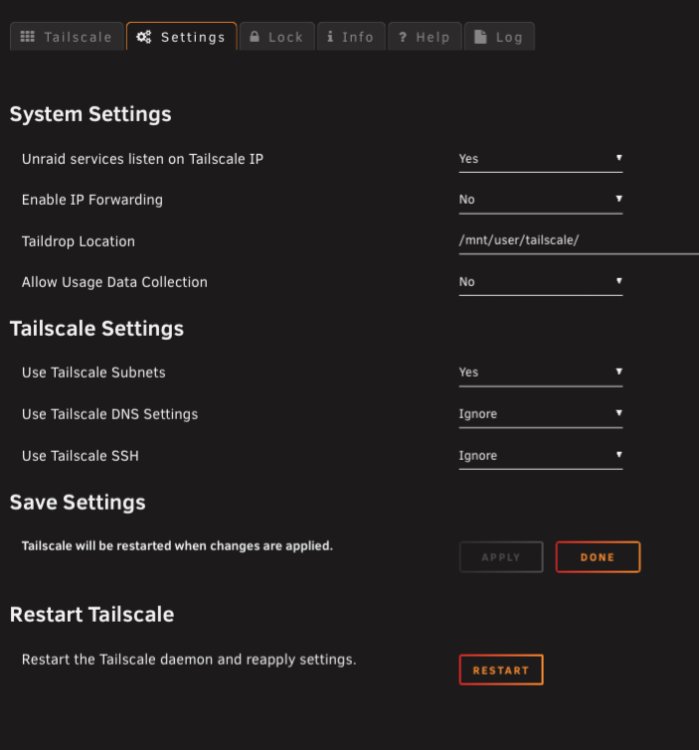
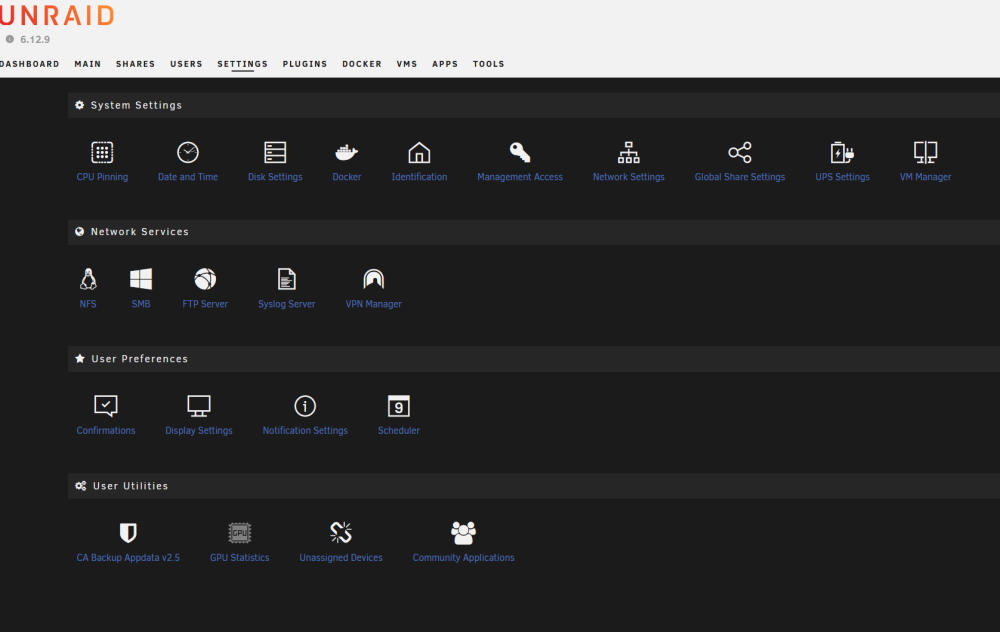
Quick, and probably a dumb question. I see people posting their Tailscale settings from within Unraid, and I do not see this option under settings, nor under settings/Network Settings. I thought it was because I was running 6.12.5, but I went ahead and upgraded to 6.12.9 this morning, and I still do not have tailscale settings anywhere in the Unraid Gui. Any ideas? First screenshot is a picture on this thread, second screenshot is a picture from my Unraid.
-
SOLVED!: For future reference,I just had to generate a new wg0.conf. I should have tried that from the start lol. Hello! As of a docker restart today, I am unable to access the webui. The reason for the docker restart is that I've noticed the past few weeks my downloads/uploads will randomly stall out, and restarting the docker always fixes this. The only warning I see in the logs is "Warning: `/config/wireguard/wg0.conf' is world accessible", but to my knowledge, it's been like that since day 1. I'm using Mullvad wireguard config. I'm fairly new to Unraid in general, but it's been running great for the past 2-3 months that I've had it, minus the little hiccups of stalling out on this docker. Any ideas? I can provide logs. EDIT 1: After about 10-15 minutes the webui will come back up, but logs show "Couldn't download IP geolocation database file. Reason: The remote host name was not found (invalid hostname)". I unchecked the peer resolve in advanced settings, no change. I can add torrents, but they start at stalled and never actually begin downloading. EDIT 2: Rebooted the server about...20 minutes ago, docker is started but no WebUI again. No logs since I added my last torrent maybe 30 minutes ago. EDIT 3: Something wacky def going on, Web UI finally came back up, yet still nothing will download. No errors that I am seeing. EDIT 4: Looks DNS related, nothing has changed on my end. 2023-04-25 15:51:28,036 DEBG 'watchdog-script' stdout output: [info] DNS failure, creating file '/tmp/dnsfailure' to indicate failure... 2023-04-25 15:51:28,919 DEBG 'start-script' stdout output: [info] DNS failure, creating file '/tmp/dnsfailure' to indicate failure... 2023-04-25 15:51:28,920 DEBG 'start-script' stdout output: [info] Attempting to get external IP using 'http://checkip.amazonaws.com'... 2023-04-25 15:51:38,923 DEBG 'start-script' stdout output: [info] Failed on last attempt, attempting to get external IP using 'http://whatismyip.akamai.com'... 2023-04-25 15:51:48,927 DEBG 'start-script' stdout output: [info] Failed on last attempt, attempting to get external IP using 'https://ifconfig.co/ip'... 2023-04-25 15:51:58,930 DEBG 'start-script' stdout output: [info] Failed on last attempt, attempting to get external IP using 'https://showextip.azurewebsites.net'...
-
I set it up to my network for the first time a few hours ago (from my work network), and now on my home network, it seems way more responsive since I made this post. Any idea why it would do that
-
abyss-diagnostics-20230224-2138.zip Let me add, the server has a 2.6gb nic, and the UDM pro of course has 1gb connections. Plex works fine, literally just SMB



