





mittygritty
Members
-
Joined
-
Last visited
Everything posted by mittygritty
-
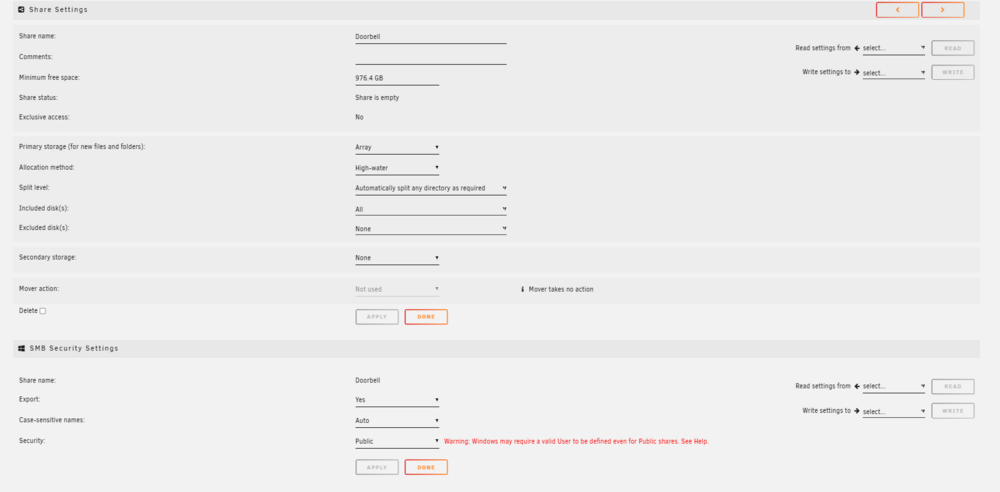
113 is a different share that I left unmounted (not using this share for this) This is the phone app for the doorbell (not an app inside Unraid). Sorry I should have clarified. The fix did not solve the issue unfortunately. Here is my snapshot:
-
I got this: Processing: /mnt/user/Doorbell ... chmod -R u-x,go-rwx,go+u,ugo+X /mnt/user/Doorbell ... chown -R nobody:users /mnt/user/Doorbell ... sync Completed, elapsed time: 00:00:00
-
Bump
-
Thank you for the reply, in the diagnostic I didn’t have export set to yes but I did try again and still no luck
-
Hi team, I have been trying nonstop but I can't seem to get a NAS share to show up in the Aqara doorbell app (its the app that allows you to select a storage device). Currently its set to SD card, but it lets to choose a NAS option. I can see my laptop (this is not where I have unraid running), yet when I set up a SMB share on unraid, I can't get it to show up. I've tried creating it a public and provite windows share, and then I wanted the ability to limit how much space the doorbell folder takes up given it will just rewrite old data so I also had set up the share as Time Machine. I did enable NetBIOS and WSB in the settings but still no luck. Any help is much appreciated mtower-diagnostics-20250125-1730.zip
-
Thanks @itimpi and @trurl . I figured after reading that its best to let Unraid do the balancing, just sucks that one drive is completely loaded versus spread out. I do have the dynamic plugin but I'll need to play around more if the subfolders on some directors are split up.
-
Okay thank you. Im trying to the move as we speak. I was reading that balancing should be left alone to unraid, is there a safe way to move files from one disk to another? Then I can try emptying disk 2 a bit.
-
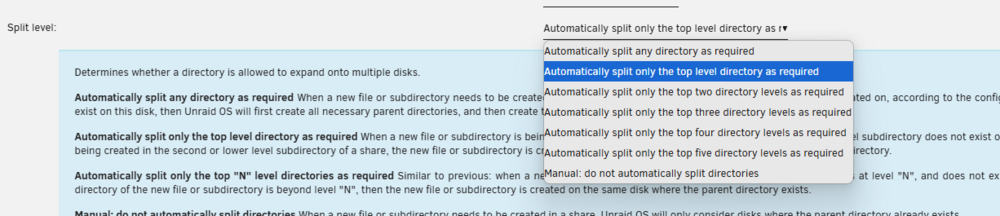
Oh okay in that case should I choose split any directory as required and then invoke the move manually?
-
Hi @JorgeB I am here but unsure which option to choose. Ideally I'd prefer the subfolders stay in the parent folder that stays on a single disk (just incase drives have issues, then the files in a parent directory are together). Is there an option I should choose for this or is this not possible?
-
Attached are my diags. Effectively anything in the cache drive in folders cache>data>media should be moving mtower-diagnostics-20241225-0909.zip
-
hi @JorgeB Got it working with internet, just had to change DNS. Now only issue is my cache drive is not moving the files after the cache drive loads up. My schedule is to run everyday once at 3AM, but even when I try to click Move, it doesn't move the files. Would you be able to help with that?
-
hi @JorgeB I was able to successfully swap the failed disk as you mentioned, and now this problem is resolved! Thank you so much. Now I can't connect to the internet, should I start a new thread for that?
-
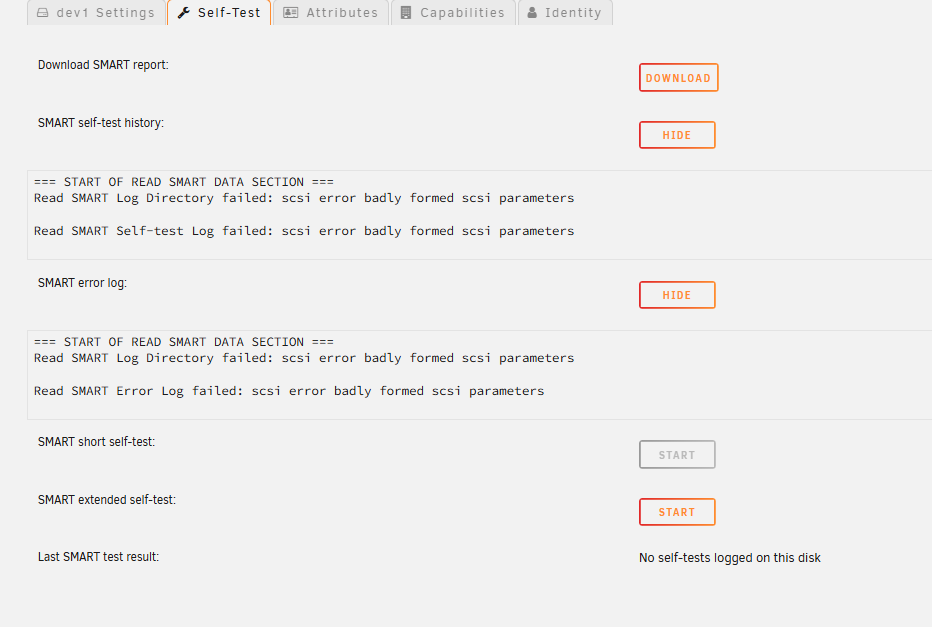
Also, when trying to do the smart extended test, I can't even run it. I get this:
-
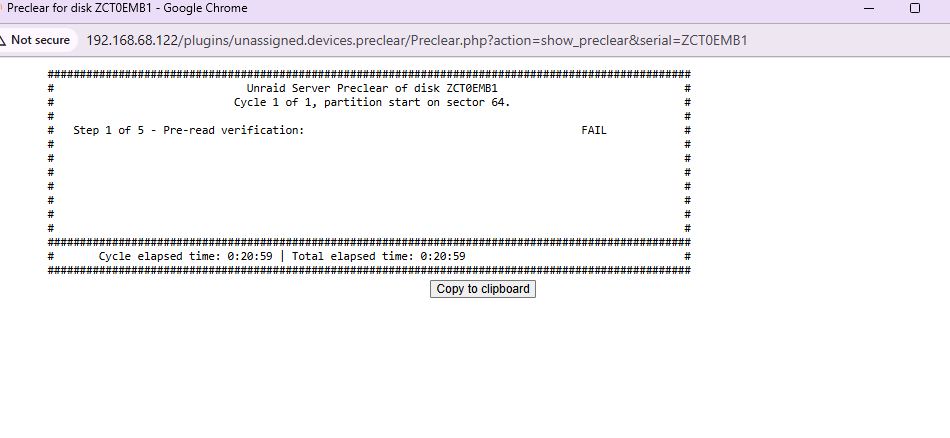
I clicked PreClear, and it failed. Below is a photo of the progress window, and then log is attached. What do you think? preclear_disk_ZCT0EMB1_1379.txt
-
It showed up with an error originally and hence was removed from the array. I was thinking to format to see if I can bring it back and do a health check before disposing it (I assume it’s bad at this point).
-
I believe it was old disk3.
-
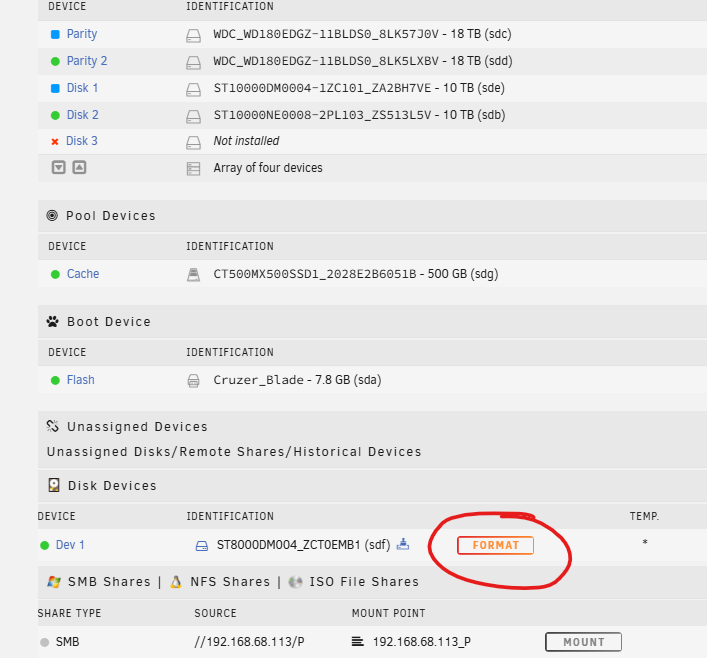
I try and click on what I circled in red, and it says error see system log. Currently im in the process of swapping parity drives so that both my parity drives are the 18TB, and then Disk 1 (which used to be a parity drive) is back into the disk array (Disk 1).
-
Hi @JorgeB Thank you for this, this led me into looking at 3.3V issues with the drives I used (Western Digital) which have an additional 3.3V. I've resolved this so that both by new WD drives are now detected. Now I have 5 drives back online. It was the 8tb that originally was causing me issues. I was going to add new drives to replace this, but given they were larger than my parity, I wanted to swap out the parity drive. I first added a 2nd party drive which successfully was added (i.e I now have 2 parity drives). So in my array, I have Parity (original) and Parity 2. Under disks, I have Disk 2 online, and disk 1 and 3 missing. I have one brand new WD drive which I can easily add. But the existing 8tb drive, that I have now brought online, when I try to format it gives me an error. Attached are the logs, it is Dev 1 - sdf if this helps. I cannot get it to format to try and add it to the disk array. mtower-diagnostics-20241205-1214.zip
-
Hi @JorgeB I got stuck overseas and then moved homes. Finally got this back online. Somehow I suddenly am able to log in. I replaced one of the 8tb drives that had issues. The other one I’m trying to replace but it won’t recognize my 2nd new drive (both are the same drive type). I did try swapping drive to a known good cable. It still wont see the drive. i then connected the drive to my Windows machine and it was fine. not sure maybe its a license or software issue? or something else? mtower-diagnostics-20241205-1214.zip
-
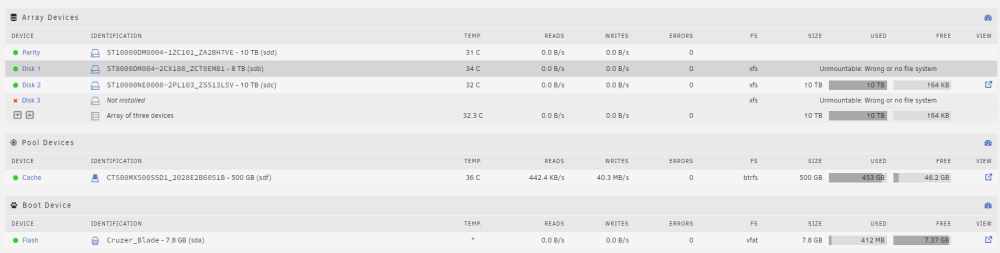
Yes just bought a spare. I took the array offline, ensured Disk 3 said unassigned, and then took the array back online. The photo is what my Main tab looks like and then I ran diagnostics again. mtower-diagnostics-20240329-0852.zip
-
Hey everyone, just wanted to check in if theres an update on this.
-
Thanks trurl. Parity check done and no errors. Attached is the diagnostics now that the check is complete. mtower-diagnostics-20240324-1305.zip
-
hi @JorgeB Good call, I was able to boot in safe mode fine. Right now I'm in maintenance mode, and doing a check to see if there's any issues. Do you recommend anything else to prevent? I haven't put the array on line yet as the check is still going on but once the check is done, is there anything else I should do before trying to put the array online again?
-
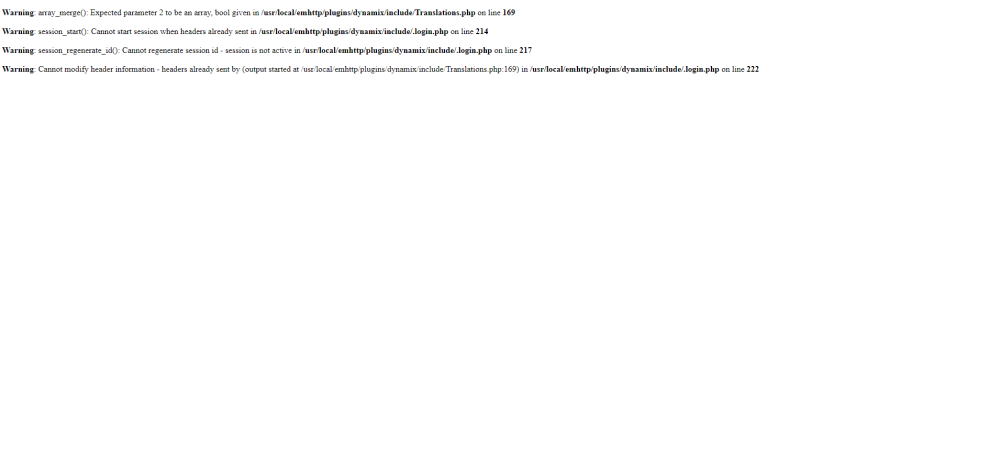
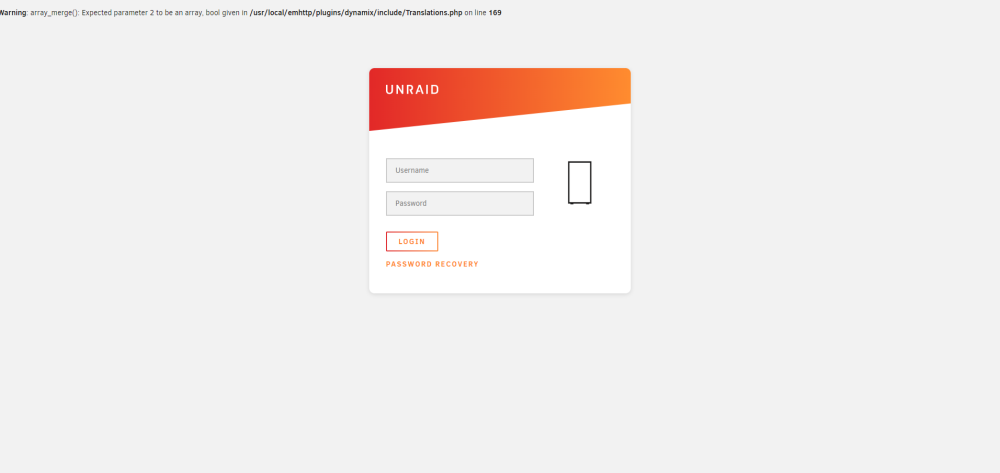
Hi Team, A few days ago we had a power outtage, and although I had a battery backup, seems the backup also has failed for whatever reason, and how I cannot log into my server. I did notice at one point a hard drive had died, and was waiting to order a replacement but now I can't even login. This is the screen I'm getting (see attached). At this point unless I can log in and replace the hard drive and all that, what would be the best way to repair? First screen shot is the log in screen, second is when I try and log in.
-
Thanks JorgeB. How do I know if the contents are actually copied (asking because of the message that says ‘contents are emulated). Once I confirm that I’ll look up setting up new config and making sure I don’t break anything


