





hecky
Members
-
Joined
-
Last visited
Everything posted by hecky
-
The link to the how-to-steps did the job. Thanks alot
-
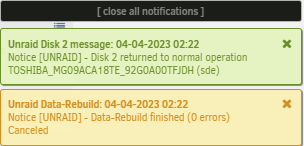
Hey and thanks for the replied. Sadly i was realy busy I tried to move the most important data from my server. I want to rebuild disk 2. At the moment it is spun down. I am zeroing a disk of the same type just in case of emergency. Sadly the following page is not accessable for me https://wiki.unraid.net/Troubleshooting#Re-enable_the_drive unraid-diagnostics-20230403-1048.zip
-
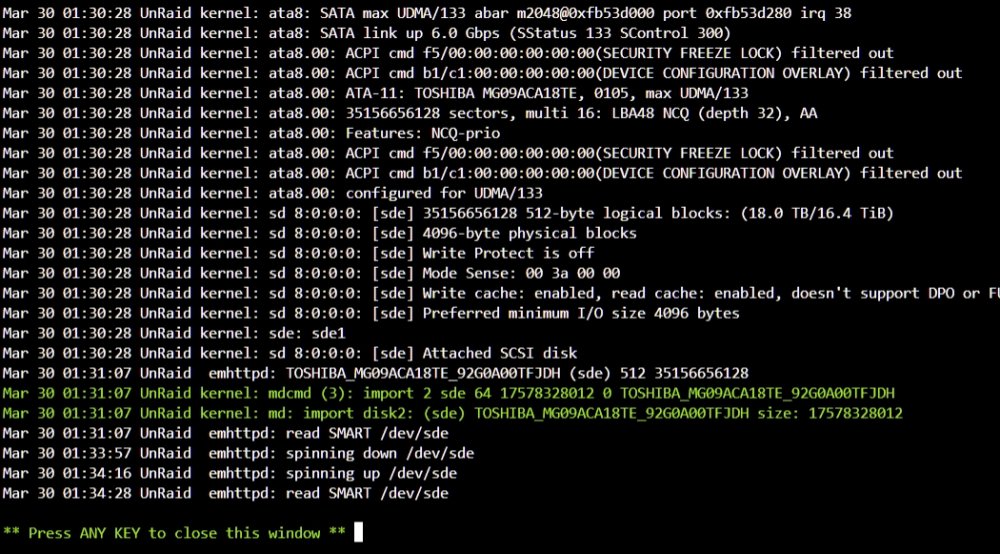
Hi after nearly finishing the transfer from one to another server (truenas > unraid) i got some squeeking noise out of one of drives. I spun all drives down and did a reboot. Now one of discs says "Device is Disabled Contents Emulated". What are my options? Does a simple parity-check do the trick or do i have to rebuild the one drive (unassign > erase > preclear > re-assign > reconstruct) TOSHIBA_MG09ACA18TE-20230330-0205.txt
-
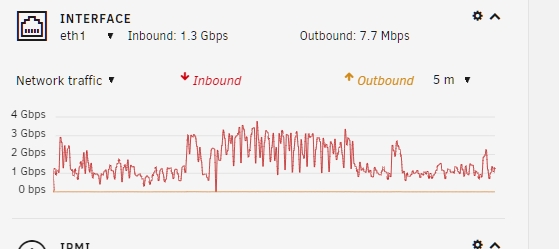
Switched to single port (instead of bonding) and got these results (pic attached) In Krusader and on the dashboard-page its alternating between 90 .. 400 mb/sek - also und the unraid-dashboard-tab. On the main-tab its relativly constant.

-
In my opinion it has to be something with the disks. Using the onboard nic and an windows pc conectet via a switch and smb-share it also drops from constant 100mb to ~70mb. Sry to bother u JorgeB but sadly i am not able to find icon u marked Is this an aditional plugin u use?

-
Does the log-file-creator care when i am creating log? I am shure that i created the logs when the transfer-rate was dropping to ~120-130 mb/sec. Changed an i7 6-core > E5 10-core and RAM from 32 > 48. Still not ideal Does it make a difference when using different bondig-modes for my transfer-problem? At the moment I am using "Mode 4 (802.3ad)" (Unraid) and "Link Aggregation (LACP)" with the Truenas-Server.
-
Enabebling TurboWrite an setting MTU to 9000 results in max. of ~320mb/sek. But its alternating drasticly - down to ~93mb/sek. The attachted file was created during a file-transfer. Or should I download it after the transfer finished? unraid-diagnostics-20230320-1540.zip
-
unraid-diagnostics-20230320-1333.zip
-
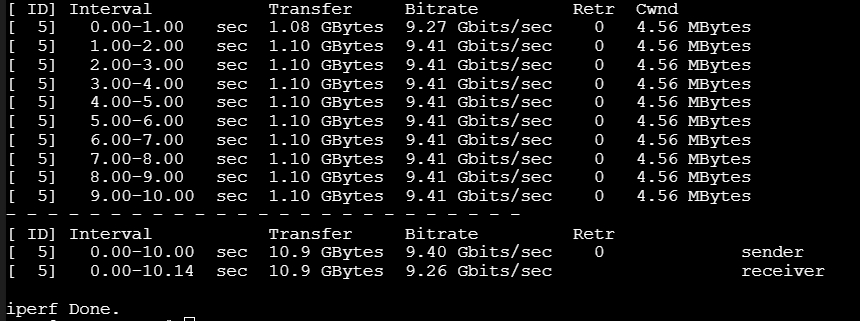
The picture i think u refer to was between 2 clients with 1GBe Using iperf3 ovia direct connection (2x2 SFT+ via fibre and LAGG/LACP) shows the following: Seems fine to me. When writing from Unraid to ZFS1-Raid i get a constant ~255 MB/sec. Writing the other way it starts with ~500 and decreasing constantly to 70 an fluctuating curve. At the end after moving ~70gigs it middles at arround 134MB/sec.
 Things i tried. Setting the MTU 1500>9000. Enabled turbo write. Using the internal 1GBE-BaseT instead of the 10GBE-SFP+ interface. Using other motherboard (supermicro > asus) CPU(Xeon > i5-5820k) - allways ~16gig RAM. Using other connections to disks - 1: SATA-ports on motherboard | 2: LSI-Raid SAS/SATA raid-controller (IT-mode)) Using windows-file-explorer (SMB: network routing client1>switch>router>switch>router>client2) using krusader (SMB: direct connection between 2 nas-servers). When writing to the unraid-server its allways dropping from "max thruput" (Network or Disk) to ~70MB/s (picture from 1GBE-connection attached). Nothing is changing the drop to 70 MB/sec, when using parity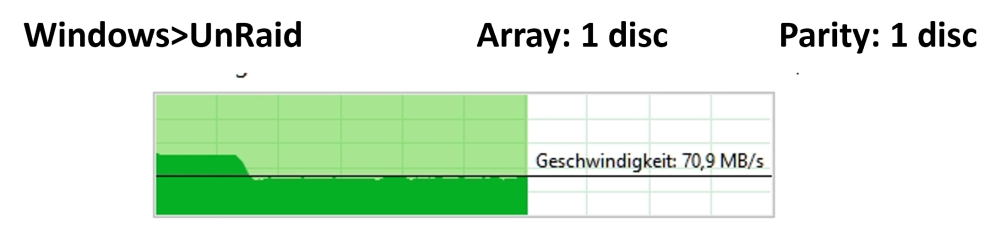

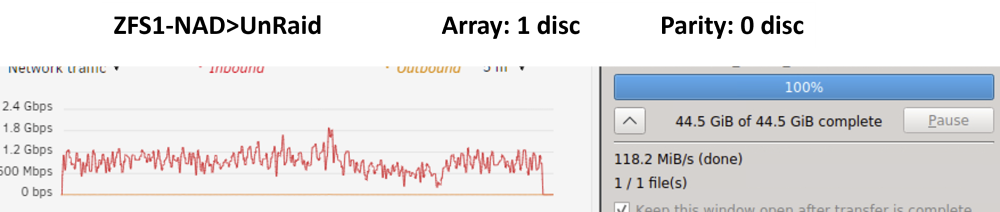 Hi there, i am setting up a new server - it my unraid-1st-time I am comming from an True-Nas 4-Disk-ZFS1-pool. At the moment i am disapointet and try to find the weak link and trying different comibations of parity/FS-setups comparing ingoing and outgoing transfer-speeds. Setup: Supermicro X10SLH-F 32gig of ram HP 10gb SFP+ single link direct connection. Same card on the truenas-server. writing speed starts ~220mb/sec an shortly decreases to ~70mb/sec thanks in regard



