secretstorage
Members
-
Joined
-
Last visited
Everything posted by secretstorage
-
If reboot is what it wants, a reboot is what it is going to get! I am very impatient, but this time will have to wait for the parity check to complete considering an unclean shutdown last night.... This said, I think I'll remove the plugin, restart and install it once more, which hopefully will resolve both any remaining hanging folder issues and permissions. Please let me know if you agree.
-
@Rysz Making progress, one step at a time: Network UPS Tools - UPS driver controller 2.8.0 Network UPS Tools - Generic Q* USB/Serial driver 0.32 (2.8.0) USB communication driver (libusb 1.0) 0.43 Can't chdir to /var/state/ups: Permission denied Driver failed to start (exit status=1) Now stuck with an actual permissions issue – found this from millennia ago https://alioth-lists.debian.net/pipermail/nut-upsuser/2010-September/006223.html though may be complete irrelevant by now. EDIT: Found this as well and it seems to indicate this directory is not created unless some services are enabled in NUT https://bugzilla.redhat.com/show_bug.cgi?id=1187286
-
I just installed it without a server reboot, and it seems that my case falls under the 'it's not going to work without a restart' category because I am getting some presumable permissions issue: Can't open /etc/ups/ups.conf: Can't open /etc/ups/ups.conf: No such file or directory This is while the conf file is clearly present and editable from their GUI, as well as it's modified in real time by GUI changes. Would you consider it a restart based issue, or something more sinister? BTW, thank you for a crystal clear explanation of the versioning and the plan moving forward! I would love it if many paid-for-services had such a level of 'support' let alone just a bunch of people helping each other out in their free time!
-
Thank you very much for the info. I must admit I am really confused by the versioning, since the plugin installed seemed to have a lot of recent work, so I had no clue what is considered 'latest'. I am currently running a parity check, so can't restart the server. Would you recommend waiting until tomorrow for it to finish and then restart, or is it 'safe' to try installing 2.8.0 without a restart in between. The versioning in the NUT server plug available in the Apps menu is in the 2023.07.XX, while this branch is using the original 2.X.X version scheme. Does this mean there are two different maintainers of NUT for UNRAID and at some point some PRs will work in one but not the other branch? Thank you again!!
-
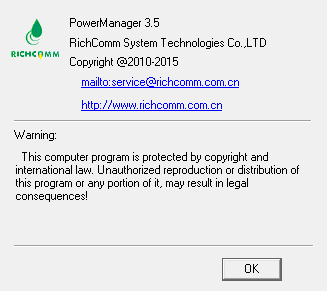
Hi all, I must admit I am not sure where to put this question up for consideration, but I've been trying to integrate an `Armac` UPS which is a subdriver of `nutdrv_qx`. It doesn't seem to work with generic UPS UNRAID integration, indicating Lost Connection. This is while on NUT I get between a rock and a hard place with one driver `nutdrv_qx` not having the `armac` subdriver available and the `richcomm_usb` failing to connect. Important to note, though, that a piece of archaic Windows software written by the Richcomm company `Power Manager II` is able to read all the values from it, so it's not the cable or the UPS itself. Here is what I have so far, https://github.com/networkupstools/nut/issues/1978 and have been told by the NUT maintainers it should be mostly OK from their side and this should be a release onto UNRAID issue. I guess it's some combination of official NUT being ahead in some PRs to UNRAID, or a branching issue? Any chance you could have a look @SimonF? I am hoping to liaise as best I can between the two maintainer groups, though that's probably where my technical capabilities end. Thank you in advance!!