earthyinsightpuppy
Members
-
Joined
-
Last visited
-
Did anyone end up figuring this one out? Happened for the first time to me the other day.
-
It’s a plug-in called Docker Folder by GuildDarts. I know Sycotix did a video on it at some point but I can’t remember when
-
Hey All, Does anyone have much experience with Plex Trakt Sync? I followed IBRACORP's guide online, but I'm encountering an issue where the sync keeps timing out ReadTimeout: HTTPSConnectionPool(host='[IP].plex.direct', port=32400): Read timed out. (read timeout=30) Error: Error running sync command: HTTPSConnectionPool(host='[IP].plex.direct', port=32400): Read timed out. (read timeout=30) I have tried modifying the config.yml to have plex: timeout: 300 but that doesn't seem to change anything. Any suggestions anyone has would be greatly appreciated!
-
Late to the party, but yeah I'm also having this issue
-
@dopeytree did you ever get the "block mapping start" error stuff sorted? I'm running into that issue now.
-
Super late entry into this conversation, but does that mean that there is no way to change ports when using the NordLynx container? Is there any sort of work around that (in the end) still routes all the traffic through the nordlynx VPN?
-
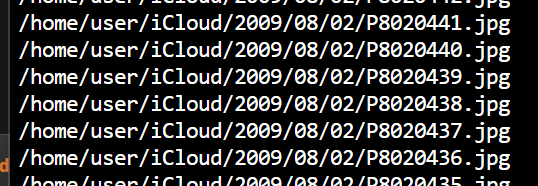
How long (in general) would you expect photos to start showing up in the share I created? I checked the log for icloudpd and am seeing stuff like this but I'm not actually sure where these are being created. I have created a bind mount for /home/user/iCloud to /mnt/user/iCloud/ but there isn't any data actually showing up there. Is that normal? The docker has been running for about 20 minutes now -- is is actually downloading files at this point, or is it indexing everything prior to downloading? Update: I guess it was just indexing! About an hour after it started, files started showing up in the share