





neba
Members
-
Joined
-
Last visited
Everything posted by neba
-
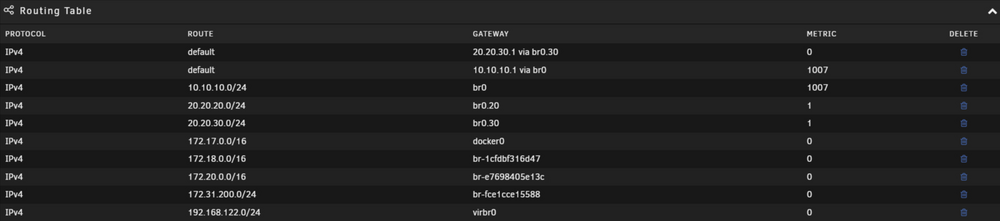
When I want to enter a new gateway this way and press ADD, nothing happens And when I click on the trash icon, nothing happens. How to change the Metric value, when "20.20.30.1 via br0.30" is already set to "0"

-
Where do I do that, to remove the USB and then on another computer or ... I thought it could be done through the GUI. thanks, i'll try it.
-
I don't know how to return it to the default gateway 10.10.10.1 via br0. Currently, all of my Internet traffic with Unraid goes through the wrong VLAN (20.20.30.1)
-
Watched and read a lot. The general conclusion is that the Unraid server is not rooted (that it is not in any vlan). I left the Unraid server (or any other server, NAS) in the subnet where my pfsense LAN port, AP, managed switch is. I'm slowly getting into the world of pfsens, networking and everything else. I'm going step by step. I agree with you that no one is answering what seems to me to be a very simple question. Although everyone has their own opinion.
-
-
I have a network organized around pfSens with several VLANs. I also have a UniFi AP. I don't know where and how to connect the Unraid server. Should it be in a separate VLAN or should it not be routed at all. I don't know which port in the managed switch TPLink tl-sg108e and which settings to turn on (Tag or Untag). Should it be in the same subnet as the AP and switch. Some basic things would mean to me. In which case I can VMs and containers put in individual vlans (i.e. put Jellyfin on the IoT network so the clients don't have to traverse pfsense to reach it). Thanks in advance.
-
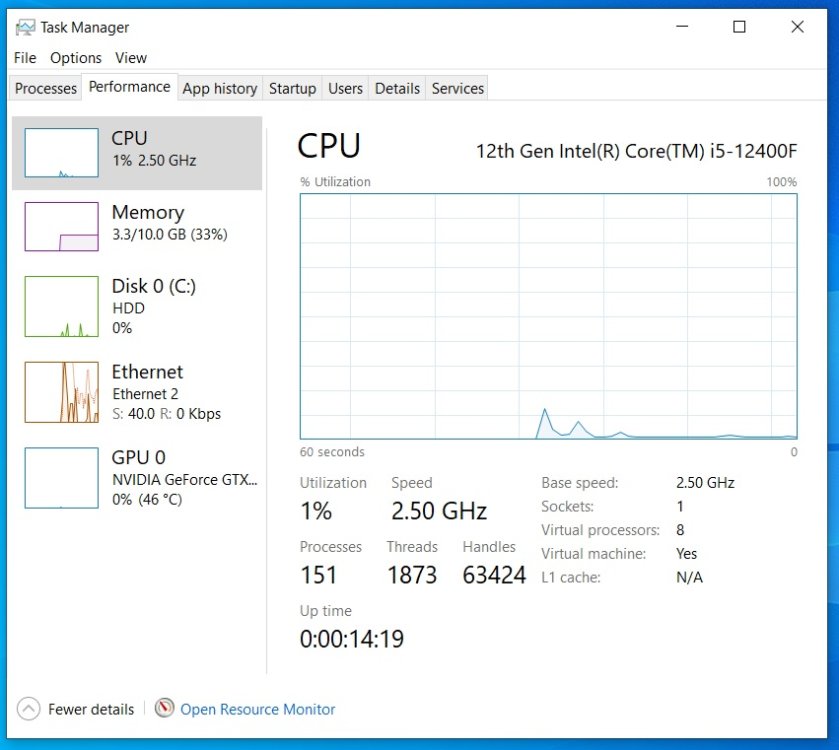
Congratulations on your observation. I pressing ctrl+alt+del and got the task manager from the laptop. This is the task manager from VM. Thx
-
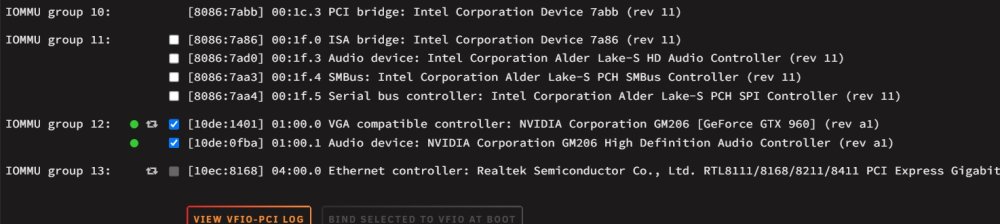
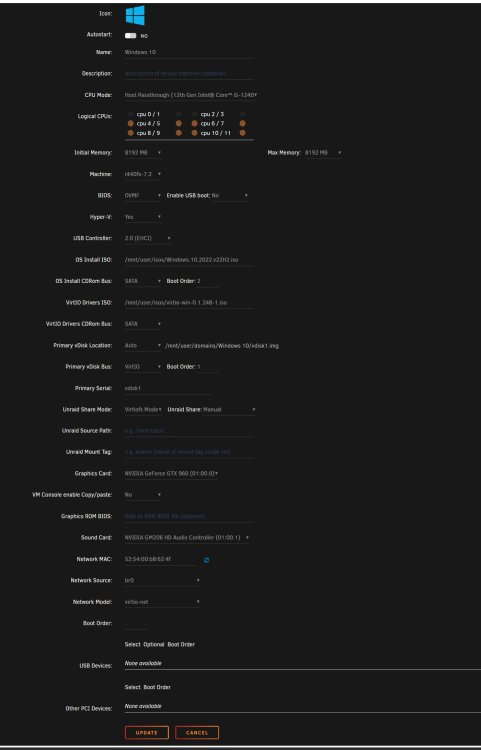
I have Unraid 6.12.8, Gpu NVIDIA GeForce GTX 960, I install Windows 10, follow SpaceInvaders tutorial. I access the VM through Remote Desktop Connection. And now I don't know if GPU Passthrough works for me.
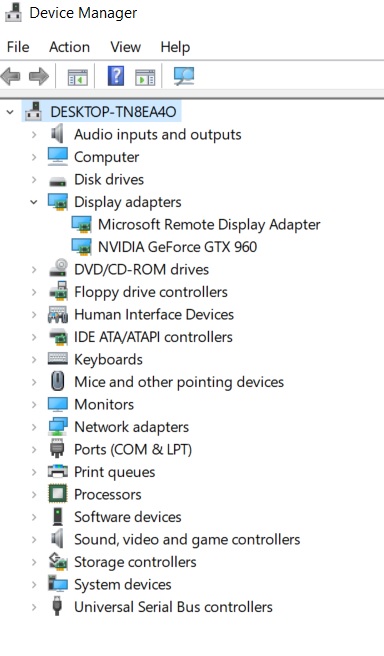
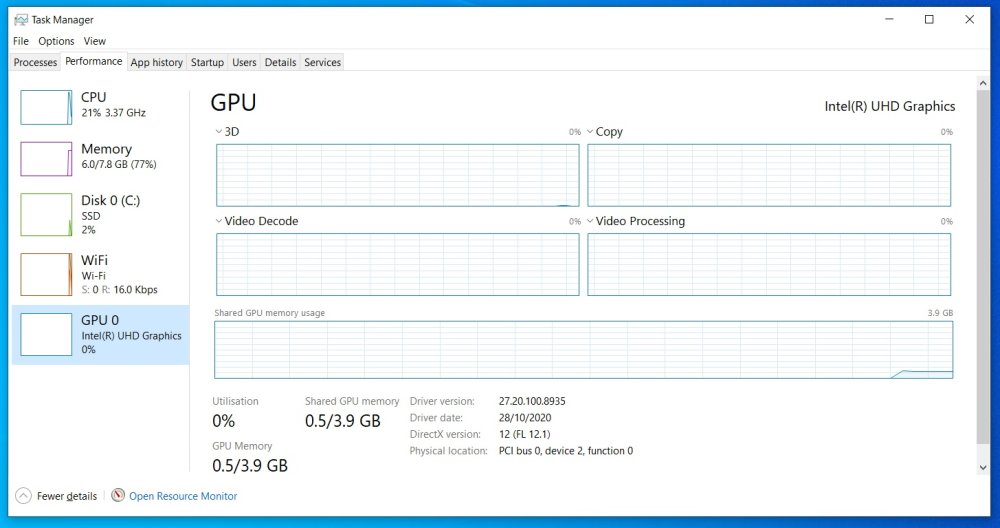
-
Is there a way to access it Debrid Media Manager, to access files via Jellyfin or Plex servers. I found Zurg and rclone but I don't know how to do use on Unraid. Is there any other way?
-
What do you think of 9th generation Intel Core Processor (i7 9700K or i5 9400) and m/b with z390 chipset?
-
Thanks, I'll check again.
-
I have unraid 6.11.5 installed on Maximus III Formula (Intel P55 chipset), CPU Intel® Core™ i7 870 and NVIDIA GeForce GTX 960. Under System Information - IOMMU:Disabled. When i want to install VM under Graphics Card: I have only Virtual. Is the problem only with the m/b (bios), not sure if the m/b supports IOMMU or something else.





