





MarcusCST
Members
-
Joined
-
I couldn't solve my problem here by changing the network model type. Here is a failed message, I am not sure if this is directly related.
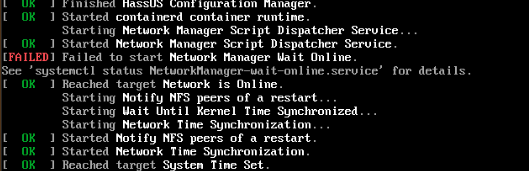
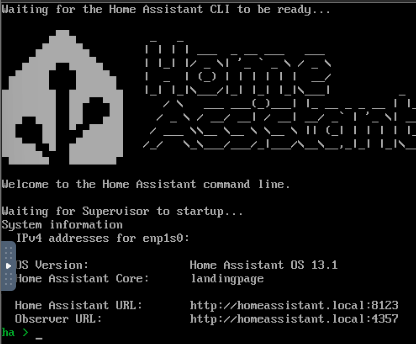
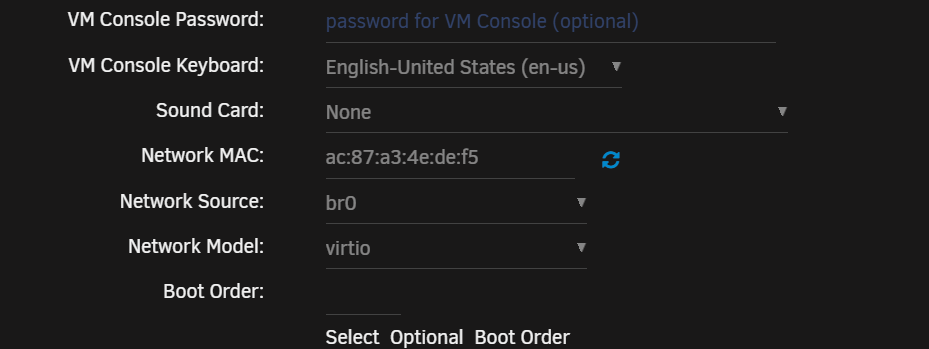
-
獲得回應了! 不知道他們實際怎麼解決的, 我收到一個0元的activation redeem code, 順利套用了 從我的iPhone使用Tapatalk 發送
-
感謝回應,我10/31有開ticket過去,得到一次回覆說有看到我舊的license key, 不過我回覆有問題的是新的支付、沒收到新的key, 就沒再收到回應了… 從我的iPhone使用Tapatalk 發送
-
您好,我從免費試用版中購買許可證時,使用支付寶付款後沒收到許可證密鑰,請問該怎麼做才能夠解決這個問題?
-
i don't think so, here's the result root@Unraid4770:~# cpsumoncli /dev/ttyUSB0 bash: cpsumoncli: command not found root@Unraid4770:~#
-
Hi, it's included in the attachment, as the other encountered, I can have the reading of 12v occasionally. but not consistantly after reboot. unraid4770-diagnostics-20230728-1337.zip
-
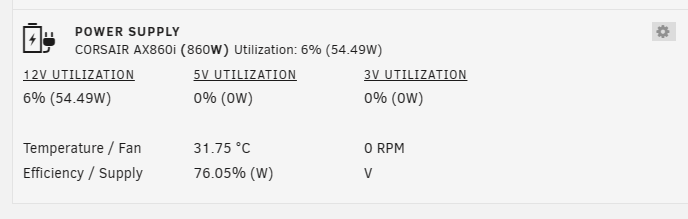
i got this response, is there anything wrong with my installation process? I removed that USB dongle before typing this in command line. besides, I can have the reading correctly now.

-
Yes, I do have that wireless USB dongle for my mouse. But I also have a USB dongle for my AX860i, is there any way to enable it or make it identified?
-
@giganode Thanks for your efforts. I got an unexpected device code: 1b1c:1b66, and my PSU is AX860i.


