Skip to content
View in the app

A better way to browse. Learn more.

Unraid

A full-screen app on your home screen with push notifications, badges and more.

To install this app on iOS and iPadOS
  1. Tap the Share icon in Safari
  2. Scroll the menu and tap Add to Home Screen.
  3. Tap Add in the top-right corner.
To install this app on Android
  1. Tap the 3-dot menu (⋮) in the top-right corner of the browser.
  2. Tap Add to Home screen or Install app.
  3. Confirm by tapping Install.

s890214

Members
  • Joined

  • Last visited

Everything posted by s890214

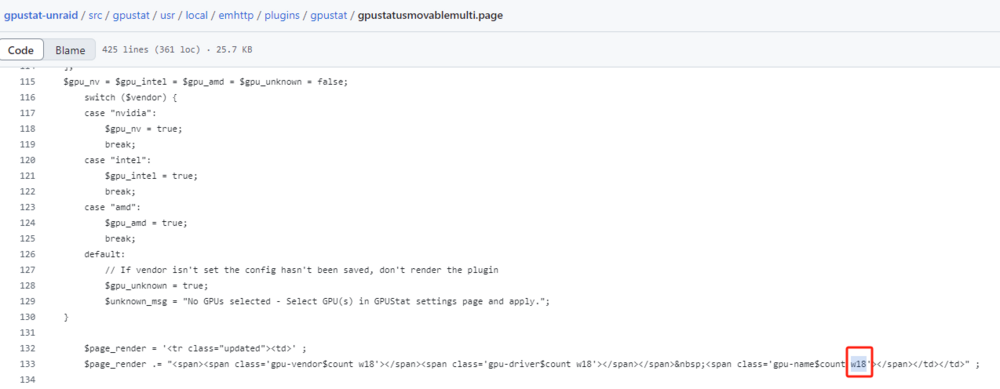
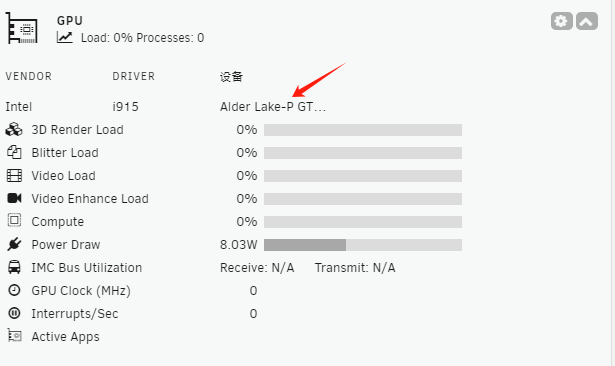
  1. In the default state, the device name is not fully displayed; it only shows in its entirety when the mouse hovers over it. Replacing w18 with w44 can resolve this issue.
  2. 刚刚测试了下,正常,不过和设备没在一起,只是看了下驱动可以正常启用,回头插上网线再试下
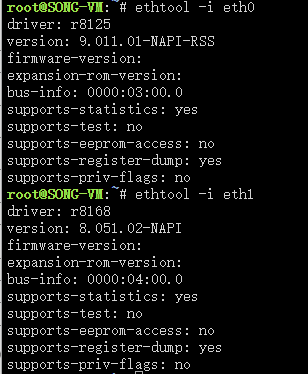
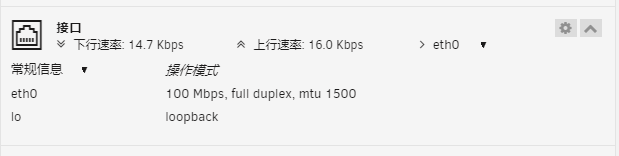
  3. 回头我重新找个网线试试,按道理这个网线再另一台电脑上可以到1000M,因为我的路由是1000M的, 第二个问题是我主板有两个网口,能再搞一个8111的驱动插件吗?您的 8125插件贼好用
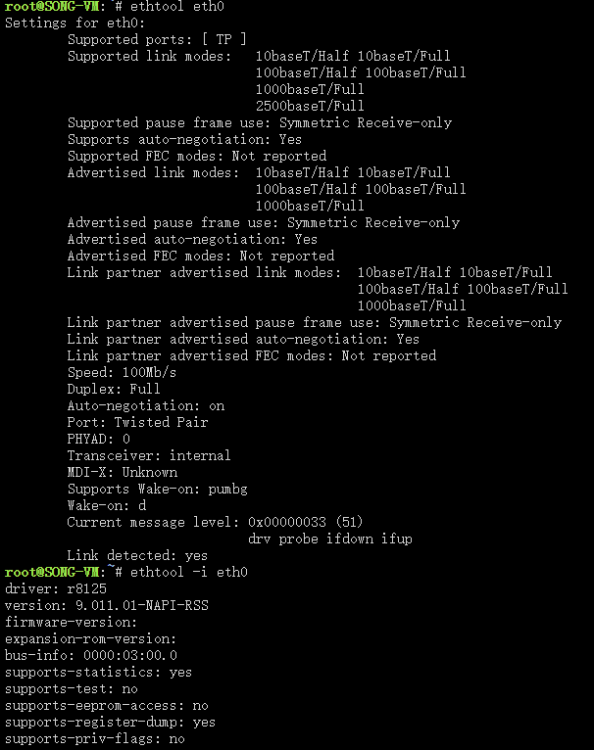
  4. 你好,6.12.2版本,主板自带 r8125和r8111各一个网口,装上插件以后 r8111 不能使用了,请问怎么处理呢, 还有一个问题是,装上r8125插件后 网络协商带宽还是 100M,实际传输也是11M/S,也就是 100M的带宽 本人完全是一个小白...特来求助,谢谢 song-vm-diagnostics-20230713-1343.zip
Account

Navigation

Search

Search

Configure browser push notifications

Chrome (Android)
  1. Tap the lock icon next to the address bar.
  2. Tap Permissions → Notifications.
  3. Adjust your preference.
Chrome (Desktop)
  1. Click the padlock icon in the address bar.
  2. Select Site settings.
  3. Find Notifications and adjust your preference.