





svartpest
Members
-
Joined
-
Last visited
-
Thanks for taking a look. After seeing your comment, I removed the container and added it back, which allowed me to see the log. The issue was IP was already in use by another container set to autostart. I stopped that other container, and was able to start postgres. I feel dumb, but everything is working now. Thanks again for checking.
-
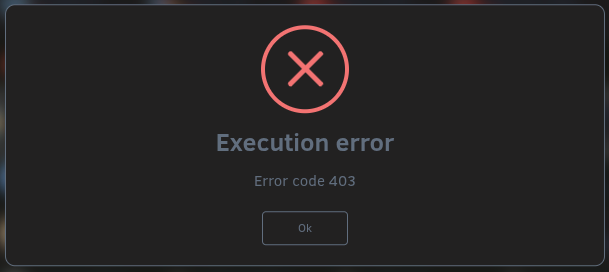
Hi, I received a warning that /var/log was full in the Fix Common Problems plugin. I did as it suggested and rebooted. I saw in another thread that the full log can be caused by a known bug in Unraid 7.3.2 when a docker container with the ? icon is removed. The post said a fix will be included in Unraid 7.3.3. I beleive this is what caused my problem, so I just shut down my containers, stopped my array and rebooted. The server hung at shutdown, with the last three lines saying something to the effect of stopping flash backup, stopping unraid API, stopping unraid API service. I waited a fair amount of time, but ultimately pulled the plug and did a hard reboot. After rebooting, I started the array and went to manually start my postgres container. Now I see the following error: Other contianers are able to start, though I've not tried all of them. The postgres container is required by many of them. I did confirm that no other containers are using the postgres port. I searched the forum but was unable to find any threads related to the this error that had resolutions, so posting my diagnostics below in hopes someone can point me to where the issue is. Thanks in advance for your help
-
Thank you for this. Removing dashes from the password in my paperless connect string worked for me.
-
I also have this problem on 6.12.4 and it seems to affect random containers. I don't see any difference based on what network the container uses or actual update availability. Search has turned up very few mentions of this problem since 6.12.0 became available. Only solution I've found personally is to delete each affected container when this happens and reinstall. Has anyone found a better solution?
