





Kayn
Members
-
Joined
-
Last visited
-
Everything is perfectly visible now, thanks. I got you're more comfortable on GitHub so I'm gonna report the bugs there if I'll have some new ones. Thanks
-
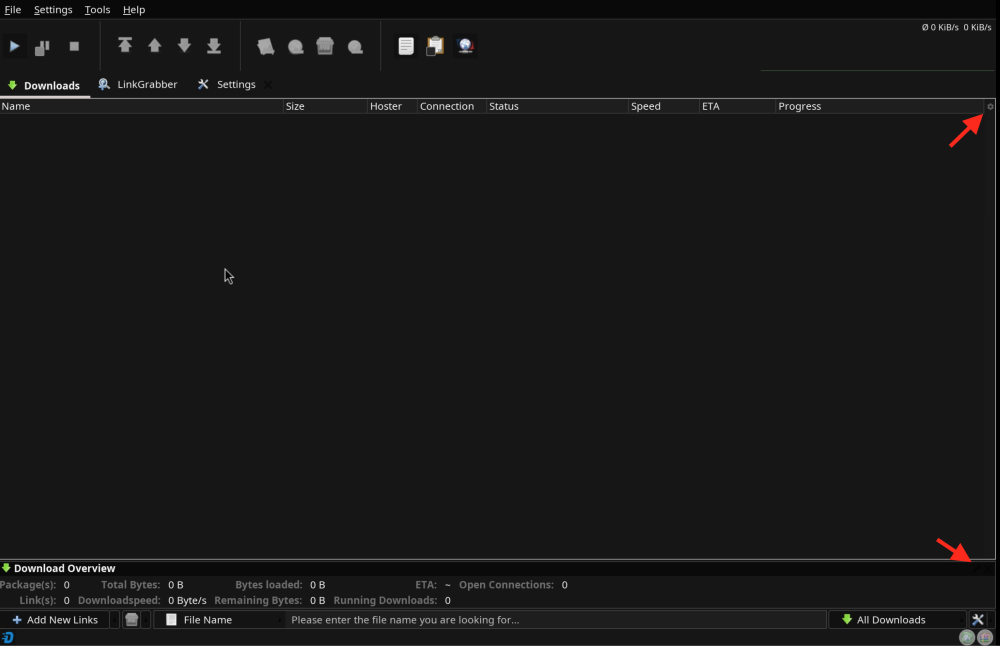
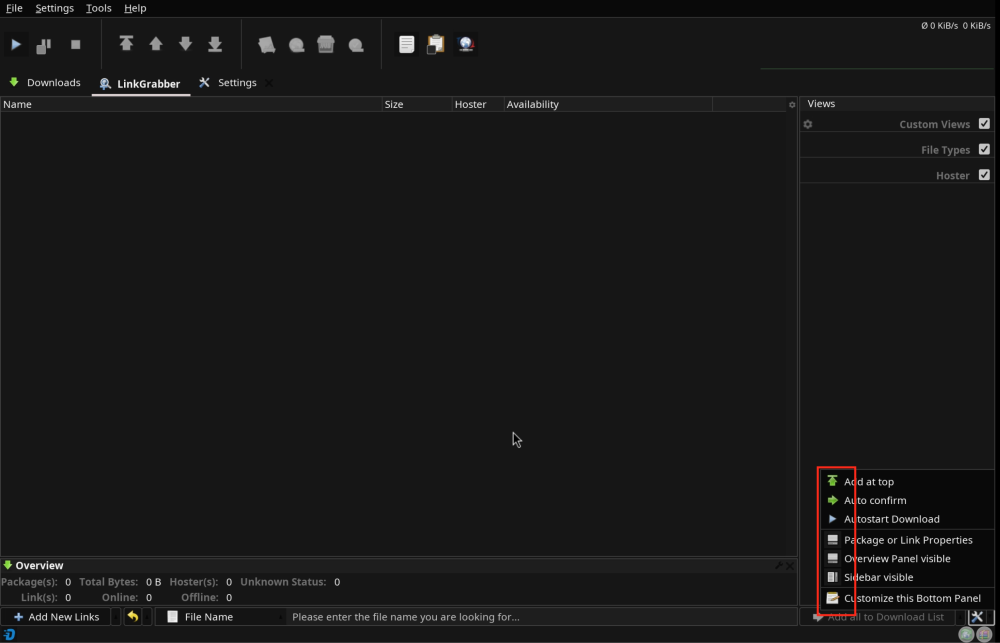
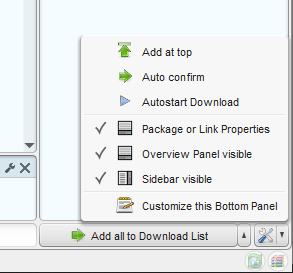
Many thanks, the JD_UI_SCALE is super useful. I set that to 2 and now I've a perfectly clear and defined text. I've never had a so cool looking JD 😎 I've just noticed other two little things; maybe have a look in your spare time, these are not issues just minor things: 1) The JD download tab has a bottom option panel that has a gear and a X in the right corner. Here it's missing, it should looks like the one on the upper corner, which frankly is not that visible either 😅 2) The linkgrabber tab has a settings menu in which the selections are not visible, if you compare it with a standard JD you'll get what I mean
-
Thank you for your work. Now everything is back to normal. 😁 Just wanna ask you one thing: is there something that could be done for the text blurriness ? I've tried everything. Higher resolutions, which have clearer text, get badly zoomed at 200% and at 100% get the text too little; on the other hand lower resolutions fit better the screen, but are very blurry, so there's no way to get the best of both words 😅
-
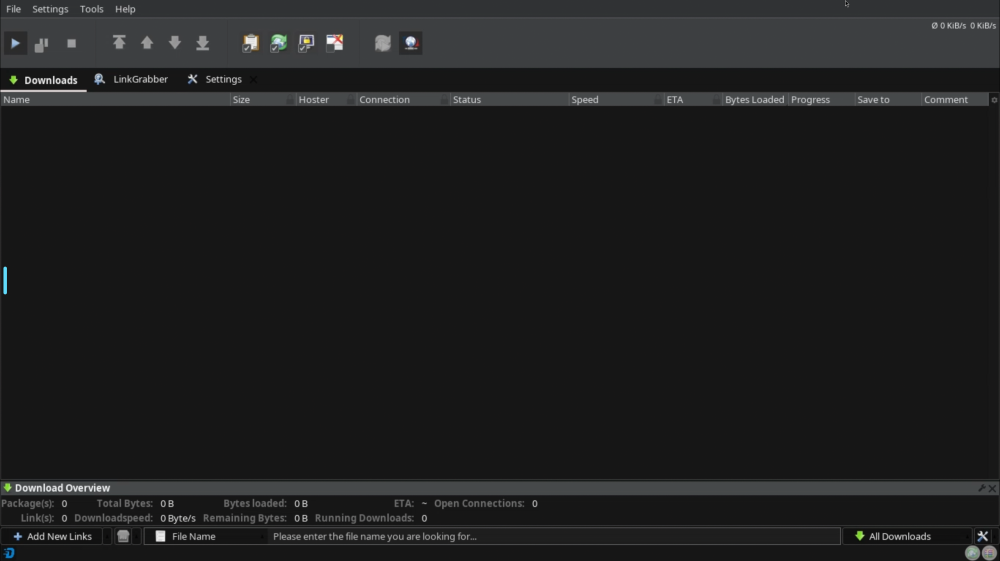
Hi, everything seems ok now, thanks. However few moments ago I had to reboot the NAS and now I have a different dark theme applied, it's more like a grey than a dark one 😅 I attached a screenshot, so you can see what I mean. I already tried to reboot again and to stop/start the container, but no luck.
-
Just did a fresh install and everything is back to normal, thanks. However I found another issue, but this time it's not related to the dark theme. I'm trying to add a script in the Event scripter, but when I click on "edit" nothing happens; so basically it's impossible to add any scrip. Please check it out. Then I noticed 3 visual bugs: the checkboxes, when they aren't checked, are barely visible, the expansion "+" next to the package icon is black, so not visible at all and finally if you open the package and scroll the files list the download progress bars have a weird behavior because some of them grey out.
-
Hi, after the latest update the UI disappeared now I only get a black screen. I tried a fresh install but doesn't work I get this log going on in loop: Log
-
Everything's gone flawlessly this time. In a minute it was perfectly up and running with a sleek and cool dark theme 😎 By the way, you read my mind because my next step, after having all running, would have been to ask you 3 things. First to add the option to stop the clipboard side popup that goes on every time the UI is opened, I find that very annoying and useless. Second to prevent the clipboard indicator from overlaying the JD space, because it covers the words if you have a long downloads list. Third to add the option to resize the UI. You did it all in one update by yourself without any prompt and now it's spot on, if you ask me. That's my new favorite JD docker image, by far 😁 Thanks for the support and for the commitment.
-
Nope, it doesn't work. The GUI remains white. Also "docker logs JDownloader > jd.log 2>&1" doesn't output anything...
-
Thank you for your passionate work. I did a fresh install and I got this error 2 times: Error log I got the banner, but then the process repeats itself like 3 times and finally I never got the banner another time. Now the process is stuck since like 20 minutes, so I doubt it will end up somewhere. Log
-
Adding infos: Unraid version: 7.3.2 Image tag: latest Browser and OS: Brave - macOS Changed the host path of /config and /downloads Log:
-
Hi, I've tried 2 clean install. Every time I got the banner, but then the GUI remains white. When I open the WebUI for the first time I see the message: "you have change the JD look and feel to flatlaf dark..." I don't know if that's normal, I didn't read this step in the guide... I tried to restart and also to change the docker variable to white than back to dark, nothing worked. Any tip? Thanks
-
Updating to 6.12.13 fixed the issue, at least for me. The only drawback now is that the percentage of the fan speed is not shown in the GUI anymore; it stays always at 0%... P.S. I've reinstalled the Dynamix System Autofan plugin and this fixed the fan percentage issue which I was talking about before...
-
I'm in the same situation. Right after the Unraid update Dynamix Fan Control has started reading the disks temp wrongly as 0°....
-
Is there any chance to stop the clipboard sidebar sliding everytime I open the GUI ? 🤔 I find this very annoying...
-
Hi everyone, I'm wondering if someone could help with a script to solve a problem. I'm running aMule inside a docker container, everything works exept for amuleweb that stops working at random. The problem is know, but since the dovelopers of aMule are not so active at this time there's no solution. My idea is to have a script that runs in backgruond and checks if amuleweb is running and restarts that in case it's not working. At the moment I'm resatrting it manually running "amuleweb --amule-config-file=/home/amule/.aMule/amule.conf"; I just want to automate the process... Any help would be very apprectaied. Thanks




