timomatrixer
Members
-
Joined
-
Last visited
Everything posted by timomatrixer
-
Hey @Cupra-Bo ich wollte mal fragen, ob du das Problem lösen konntest und wenn ja wie? Ich hatte diesen crash auch oft und habe nun erstmal den USB Stick getauscht. Allerdings mit dem Verfahren Copy und Paste von alt auf neu und dann key in unraid neu zugewiesen. Ging problemlos.
-
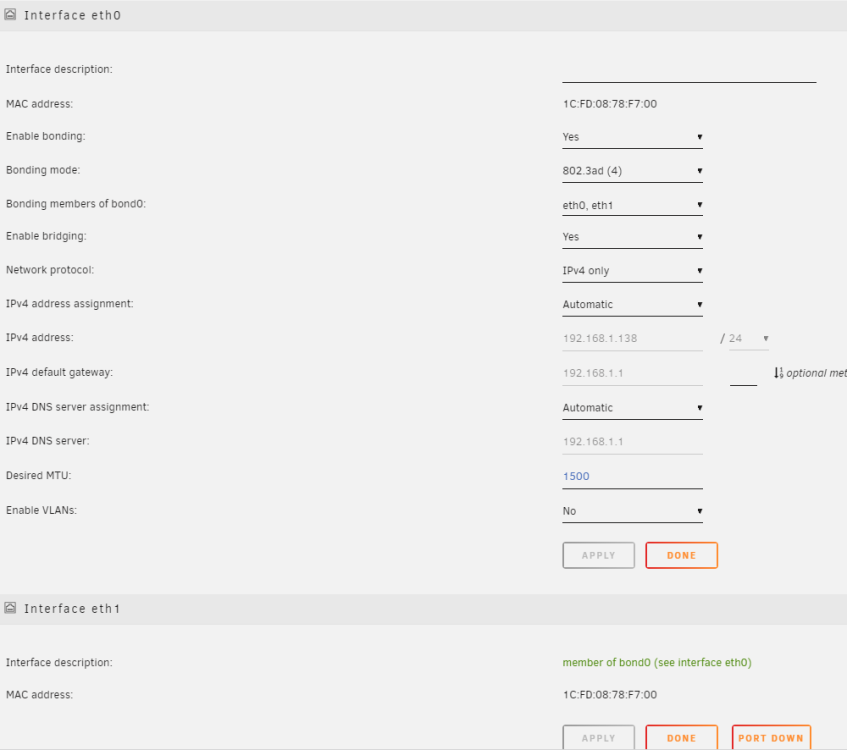
Oh my g, I misunderstood the interface areas... I thought "Interface eth0" und "Interface eth1" are physical ports of PCIe card and they have to be linked into an extra bond. Thank you a lot @MAM59
-
Ok, I understood. But how do I do that? The cat command does not work via console input. What am I doing wrong? Do I have to do the following steps? https://www.cyberciti.biz/faq/ubuntu-setup-a-bonding-device-and-enslave-two-real-ethernet-devices/ Or is there a simple unraid solution?
-
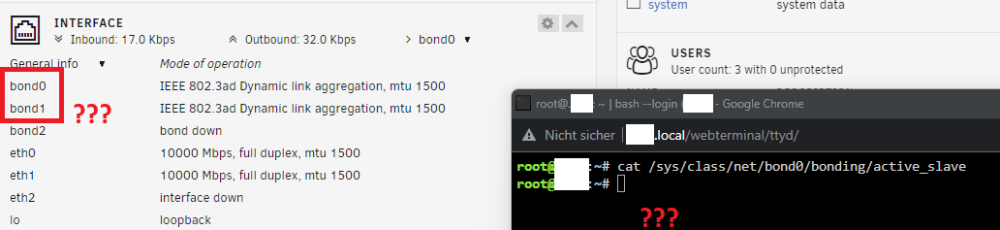
Ok, after I disconnected the cable from Motherboard ethernet port and restarted the USW Aggregation Switch, my 802.3ad connection worked. But in different bonds.... When I tried to see actual interface state with cmd "cat /sys/class/net/bond0/bonding/active_slave" nothing happen. Is there something wrong with my system? I have to set both sfp+ Ports (802.3ad) in the same bond0 right?
-
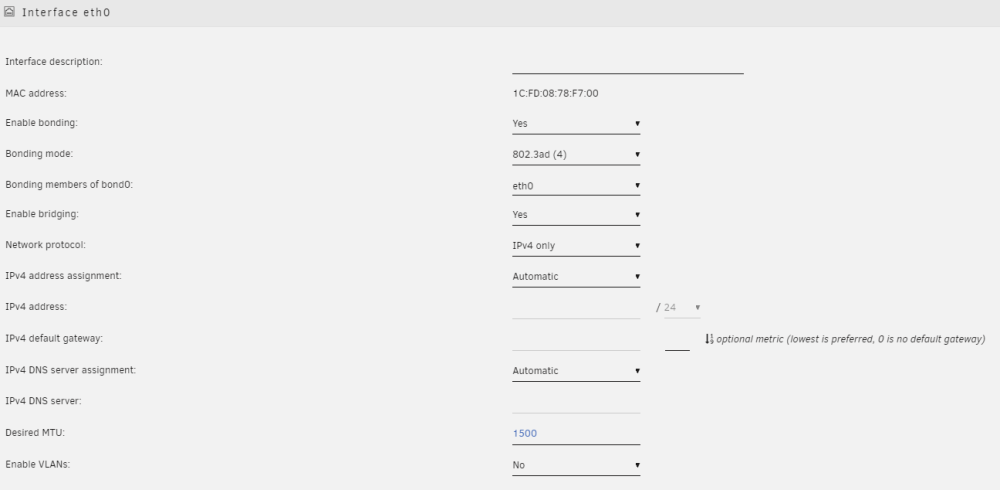
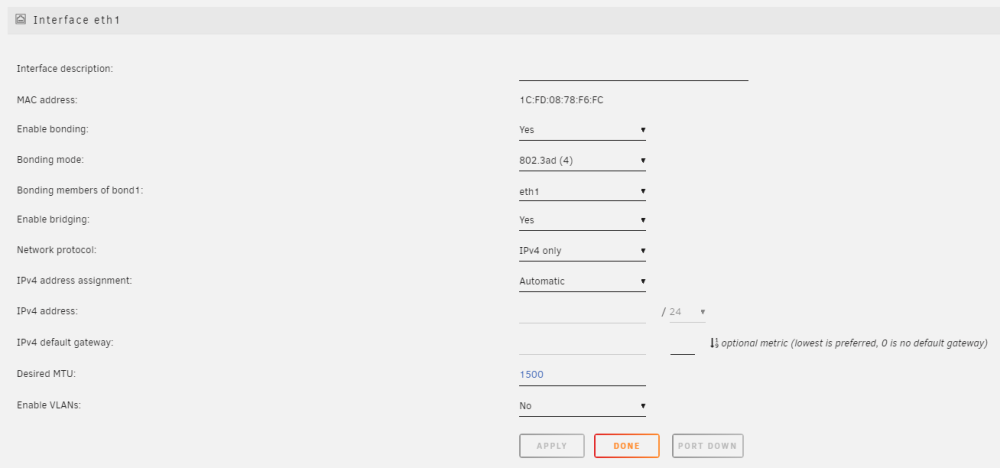
Thank you very much for reply. I remapped the eth0 to SFP(Port1) und eth1 to SFP(Port2) but if I dismount the cable from motherboard eth, it isn't working at all. ubiquiti USW Aggregation say's now aggregation between this two ports is working but with no linkspeed. any suggestions?
-
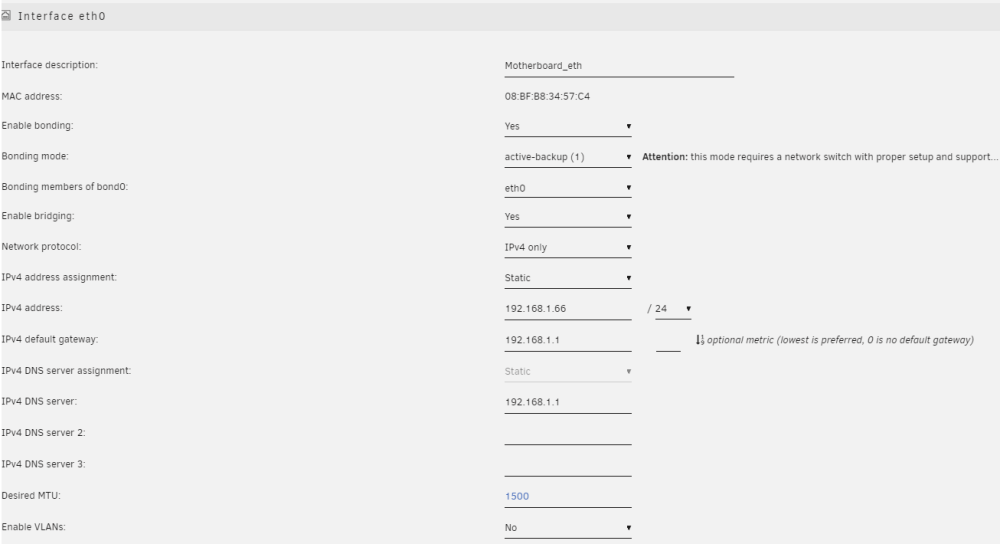
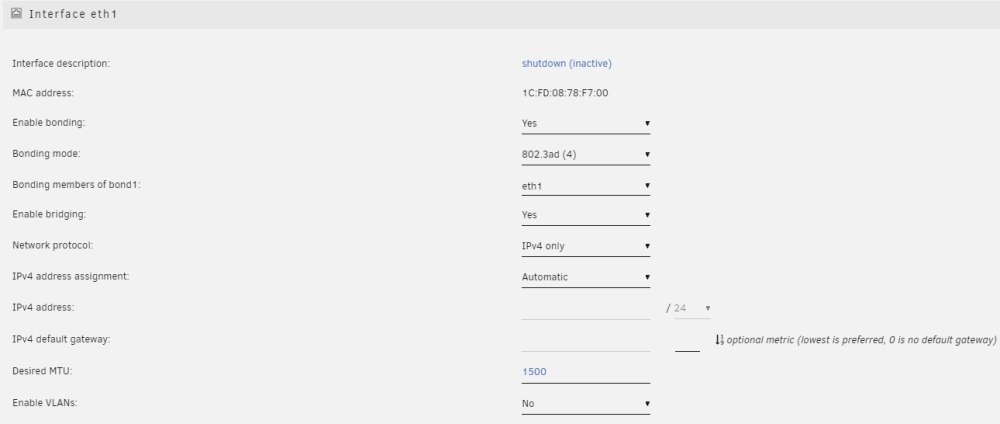
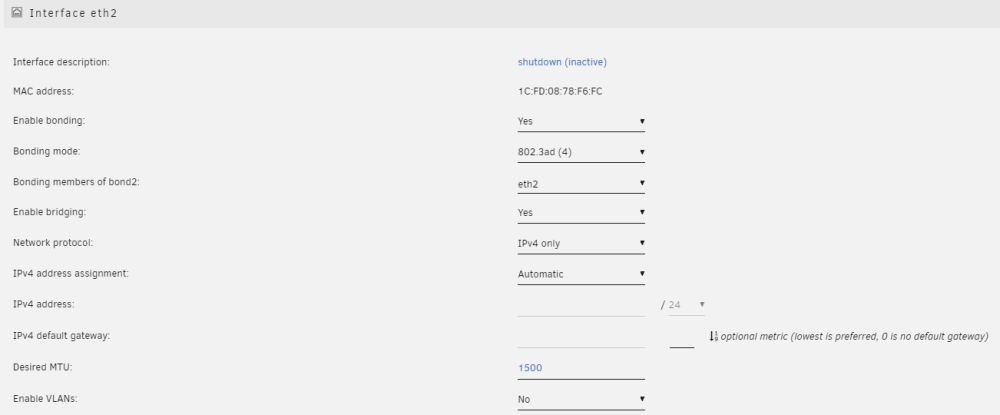
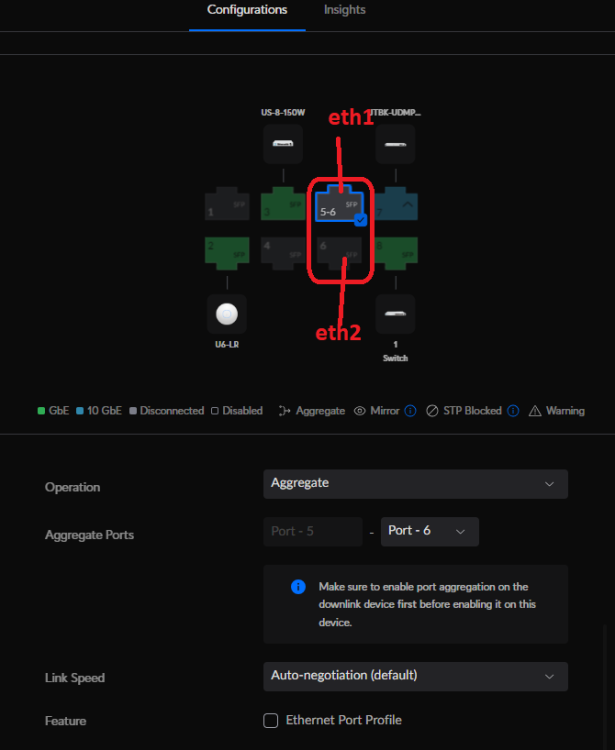
Dear Community, I would like to know how I setup my network settings if I have the following in mind: PCIe card with 2x 10GbE connected as aggregation pair to my Ubiquiti USW Aggregation Switch for main connectin with max possible bandwidth. (eth1 and eth2) Motherboard 1x 1GbE connected as failover / active-backup to my Ubiquiti UDM Pro. Just when Switch, PCIe Card or cable is broken. (eth0) In the screenshot you can see my current settings, which don't work. How do I set this up correctly? I would be really happy for your help.