





edival
Members
-
Joined
-
Last visited
-
I just installed the Recycle Bin plugin by dlandon and the .Recycle-Bin folders are created but no files are being added there after delete. I've even stopped and started the main array which made no difference. Any ideas what's happening? This is a super useful feature. I'm running Unraid 7.1.2 currently and my array is xfs while my cache pool is zfs.
-
This fixed my SMART error! Fantastic, looks like everything is good to go now. All my tabs seem to work too.
-
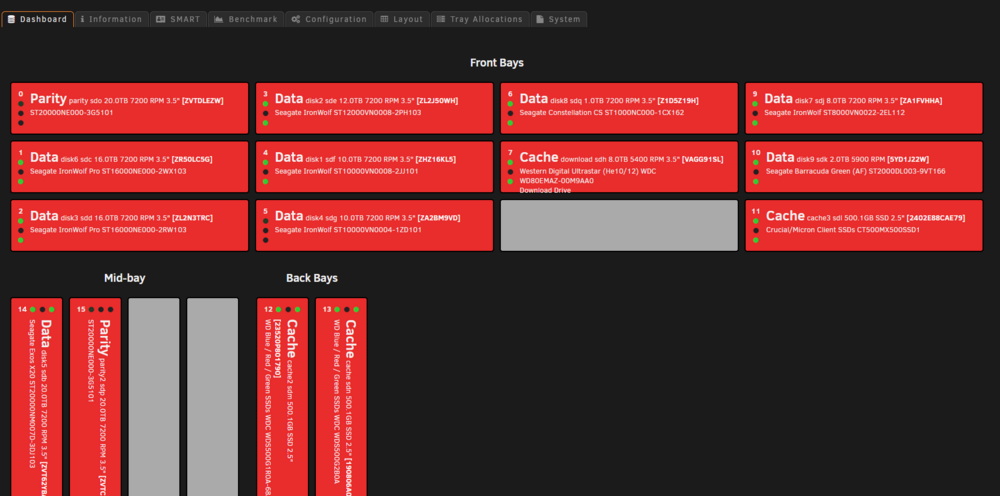
I'm seeing this too. I'm getting everything flashing red with a "S.M.A.R.T. FAILED!" error for every drive (when SMART passes them all perfectly.
-
So, I'm curious how it's possible to protect the array while doing a parity sync after doing a New Config update (after removing a drive). I have dual parity, but from the looks of it, this is irrelevant during this process. Thoughts? I'm not sure if the dev team could set it up to split the parity sync to do one parity drive first, then the second parity drive during this process? Regards! :)
-
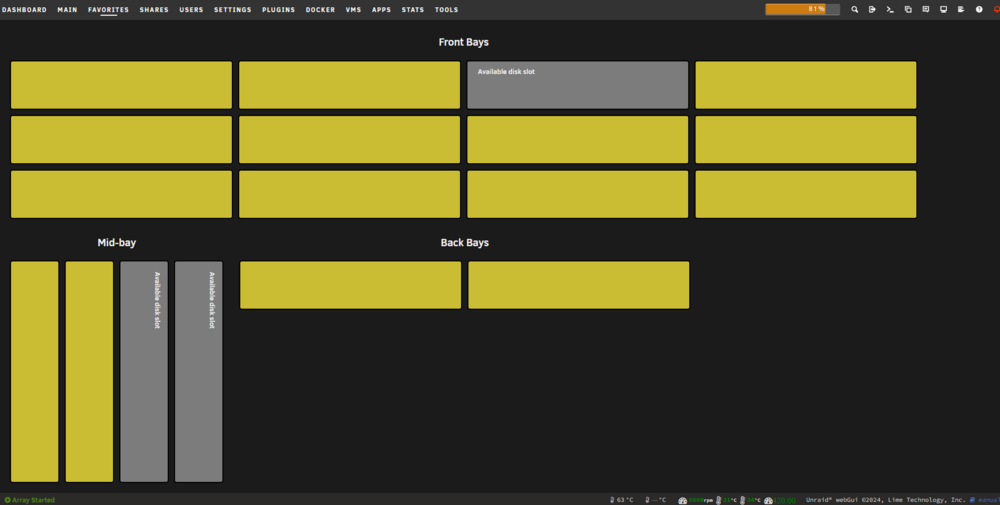
Does anyone know what happened? I added a drive and everything went blank like it reset to default. Then I updated to the latest version (apparently out today), re-added all my drives and this is what I have now. All the details are gone.
-
Hi, I was a dumb-ass and clicked before reading and understanding, and now I've hidden a drive in Disk Location, permanently. I assumed the — in History would undo/move it back to where I could re-add it to my drives. It hid it permanently. I saw you mention that it's a manual task that needs to be done in the database, which is fine, I'm comfortable working in the database but 1) I have zero clue where to access the Unraid database 2) I have no idea where to access that drive and switch the hidden flag. Can you help?
-
I saw that. I suppose increasing to 60 seconds and seeing if that will work is worth a try I'll need to wait until no one is using the system first.
-
Good day, New question: Regarding Unassigned Devices to mount remote shares. I have a Drobo that I backup files from Unraid to nightly. When I turn on the Unraid after powering it off or rebooting it, the shares don't automatically mount. The option is greyed out until I ping the IP of the Drobo. Is there a way to run a startup script to ping the Drobo or run it before trying to mount the drives so they will seamlessly automount? This seems to be a weird situation and I couldn't find anyone else with the same issue. Thanks!
-
Yes I am. Thanks, I'll ask there.
-
Good day, I have a Drobo that I backup files from Unraid to nightly. When I turn on the Unraid after powering it off or rebooting it, the shares don't automatically mount. The option is greyed out until I ping the IP of the Drobo. Is there a way to run a startup ping to the Drobo or run it before trying to mount the drives so they will seamlessly automount? This seems to be a weird situation and I couldn't find anyone else with the same issue. Thanks!



