





bradstoltz
Members
-
Joined
-
Last visited
-
Found my way here when having a similar issue with the creator. What fixed it for me was, when creating the USB, do not use a USB Hub, plug it directly in to the back\front of the PC you are running creator on.
-
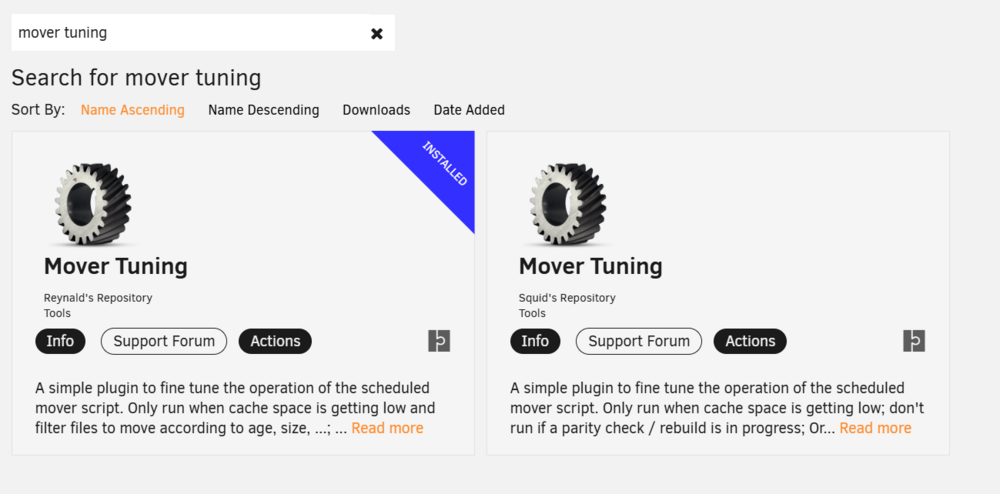
So, I was also having issues with compatability with unraid 7 betas and the release candidate Just checked the community apps, and there appear to be 2 different versions of this plugin, both of which point back to this same support thread. The one from "Squid's" repository does not appear to have been updated since December 2023 (this is the one I had), and the new one from "Reynald's" repository has only been created July this year, and has been updated much more recently, and it does include support for 7 and some additional features. No idea if there has been an "official" change to the new plugin, but now that I know what to search the thread for I was able to find a few people saying pretty much the same thing. long story short, I had to uninstall the old plugin (take a screenshot of your config so its easier to set up the new one, settings to not transfer across) and then install the new plugin, then reconfigure, and boom, shes all good again.
-
I also thought the link was dead, but I logged in (to reply saying samesies for me) and when i refreshed the page the link was not dead. so make sure you are logged in to download!

