Braus
Members
-
Joined
-
Last visited
-
Hi, the pal world docker container is unplayable since the recent pal world core game updated. When trying to connect to the docker container the core says the game version is incompatible and wont allow the connection. I have since: restarted (several times) deleted the docker and reinstalled. Deleted my core game and reinstalled as well! This stinks! I was really excited to play my game on my server and now i cant The dev: thijsvanloef has the up-to-date docker for pal world but the issue with it is that it writes over the palworldsettings.ini file on each boot......
-
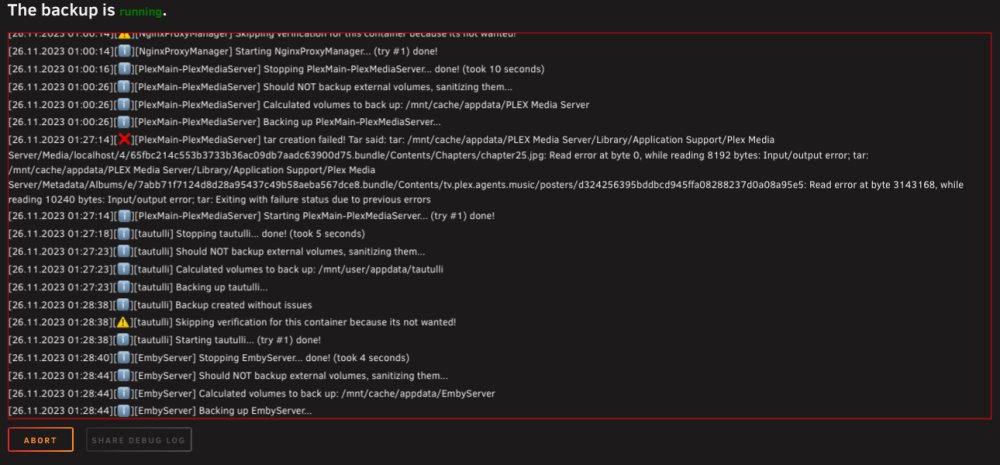
Getting “Should backup external volumes, sanitizing them…”. The only thing that is being backed up is the templates and flash drive. The plugin is broken I believe. I have tried drives in the array, different share folders, verified permissions, etc…
-
I actually resolved this. I deleted the ENTIRE directory that was “meta data” and re ran plex and let it rebuild the data. After some time I re-ran the app backup plugin and the issue was resolved. I did notice what the issue was though. Turns out, it was permission issues. Some files in that directory had re-wrote permission for ALL, whereas others had permission for no one. APP BACKUP could backup ones that had permission for ALL but not for NONE.
-
c99df03c-b3c1-4def-82c5-f2164db468d5 @KluthRthis is what it gave me when I shared it. c99df03c-b3c1-4def-82c5-f2164db468d5
-
I have this issue and it prevents me from backing up plex on a weekly basis. How to I downgrade to your previous plugin? I can provide a debug if I run it again but if this is going to take a long time ( weeks or months ) then I have no protection for plex and given my luck I will have a failed drive and be screwed! lol.