





JaviPas
Members
-
Joined
-
Last visited
Everything posted by JaviPas
-
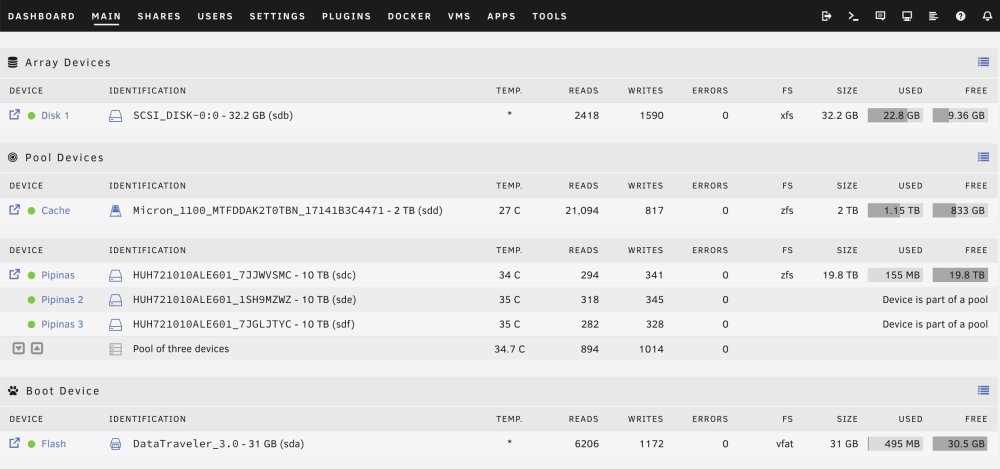
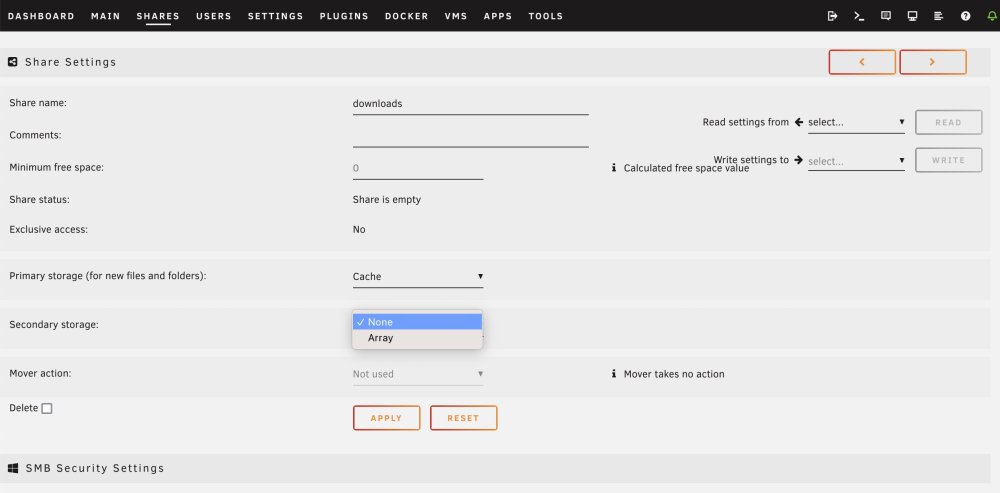
Hi I'm trying to understand the new shares and cache behaviour in Unraid 6.12.x. This reddit post and the corresponding video are quite useful and I thought it was clear enough for me but I'm trying to make just some tests on my brand new Unraid system and I'm confused. On my system I've got (see image): 1. Array -> A 32GB USB drive that is there just because I wanted to configure my HDDs as a RAIDz1 array. 2. Cache -> A 2 TB SATA SSD that I want to use for docker, VMs and some frequently accessed files 3. Pipinas -> The storage pool with three 10TB HDDs configured in RAIDz1, so 20TB available and 1 drive fault tolerant. I just wanted to create a new share called 'downloads' that uses cache as primary storage but the Pipinas (the RAIDz1 ZFS pool) as secondary, and then mover could move the data from cache to the pool when needed. It only shows the 'Array' as option, but 'Pipinas' isn't there (see image). So I can't never select my Pipinas RAIDz1 array as secondary storage, and I don't really understand why. Can somebody explain me this? Thank you
-
Yay! That was the exactly the problem, I didn't see that mentioned anywhere, thank you Jorgeb (¡mais uma vez obrigado!) 😀
-
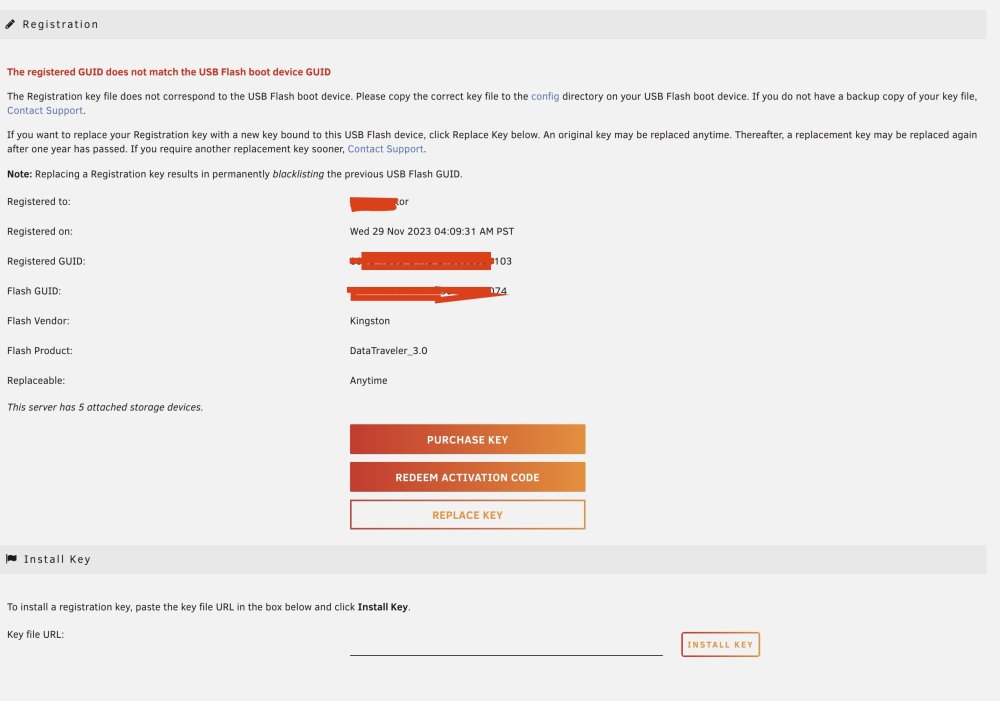
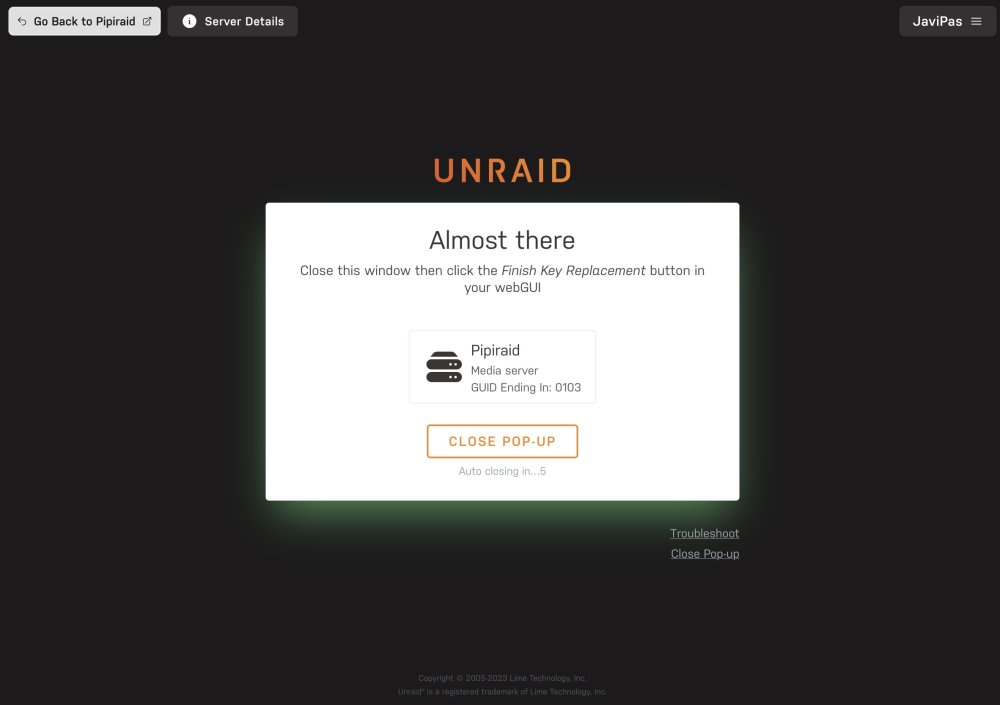
I've tried to follow the steps in the guide. When I try to register the key I get this screen and if I click on Replace Key a popup seems to show that after closing it I'll get the "Finish Key Replacement" button but it never shows up. I've also copied the URL to install the key on the lower part, and it does it but seems to be not useful. The only thing I think could be a problem is that I've used the same name for the server and the same password I was using for the root account, I guessed it wouldn't be that important.
-
Thank you too @foo_fighter, I have read something about that, I'll test it too with that subset @Frank1940talked about. Cheers
-
Thank you @Frank1940, I was thinking about that option too, but I thought there was maybe a chance to test others without messing with the library. It seems a good idea, so unless someone can clarify if my first idea could work, I'll go that way and work with a subset of my library. Regards!
-
In the past I was using Synology Photo to manage my photo library, but I've made the jump to Unraid and one of the goals is try different apps to manage my personal photos/videos and see what works best for me. I've seen several apps easily available (Photoprism and Photostructure are candidates) and I'd like to know if I could copy my photos to my Unraid system —on some folder such as (/mnt/user/)data/media/photos — and use that folder as the "container path" for both PhotoPrism and Photostructure (and others) or I will be messing all of it doing this. I guess each platform has it's own way to organize and manage files, but if keeping just one folder/copy of my photos would be great at least for testing purposes.
-
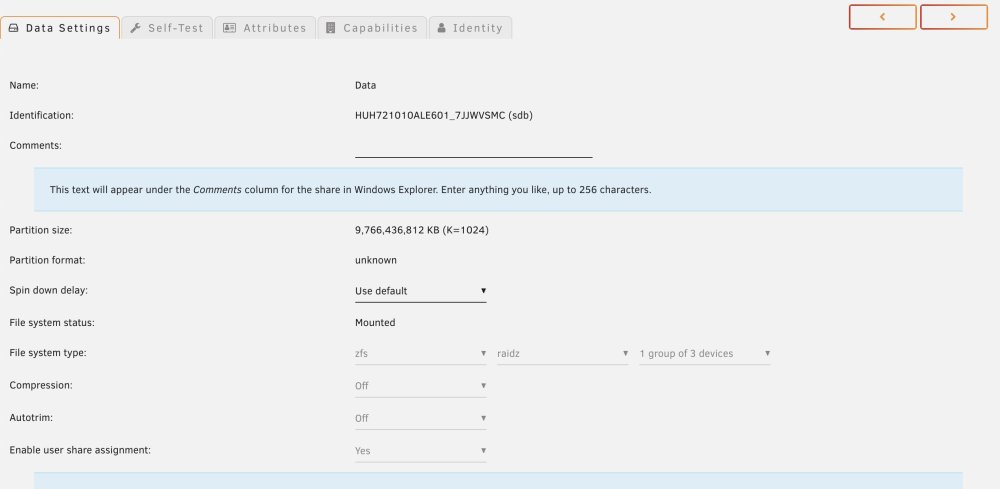
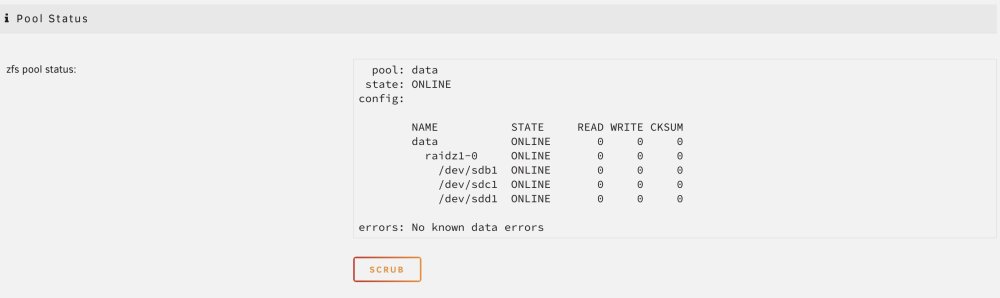
I see. You're right, on the first part of data settings it shows "raidz", and then, down there, the pool status shows that "raidz1-0", so everything seems perfect. Obrigado, Jorge!
-
Thanks (¿Gracias? Por tu nombre pareces español ) Yes, I've done that and the new pool seems to be exactly what I was looking for. There's not much details about that: it shows that the pool with three 10TB drives has an available storage of 19.8TB, zfs filesystem and three drives, so I guess it's running with RAIDz1 as I wanted.

-
I've just built my little homelab with three 10TB SATA drives and I'm new to Unraid. I know there's already support for ZFS and I'd like to setup the drives with RAIDz1 but afaik I can't do it from the GUI. I've just setting up everything, so... is it possible to configure my system with that RAIDz1 config? (two drives usable, one for fault tolerance). I think I must do it from the terminal but... how? are there any guides on this?





