





mikonas
Members
-
Joined
-
Last visited
Everything posted by mikonas
-
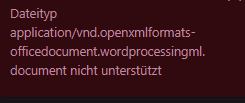
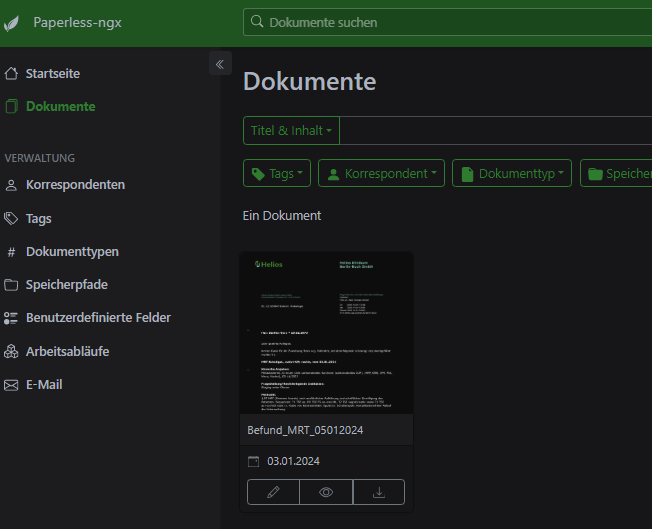
Und hier noch die Fehlermeldung die ich in Paperless bekomme wenn ich eine Wordfile aufnehmen möchste:
-
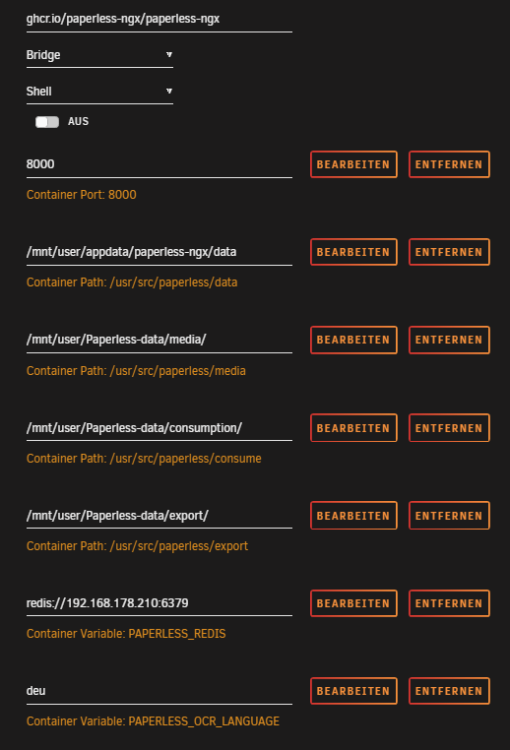
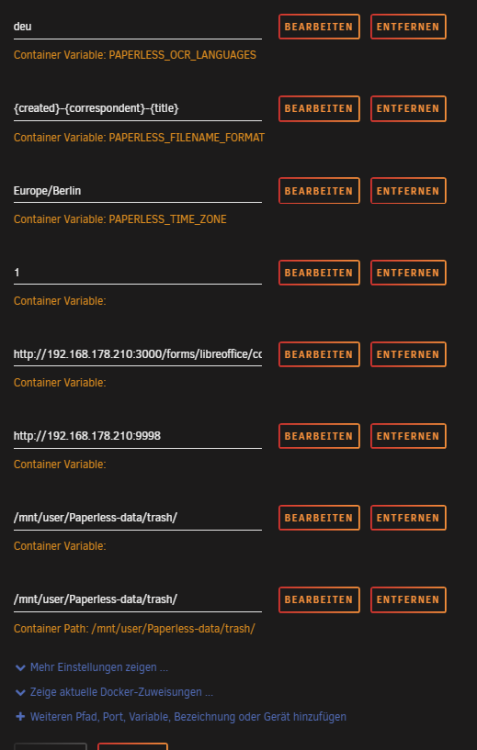
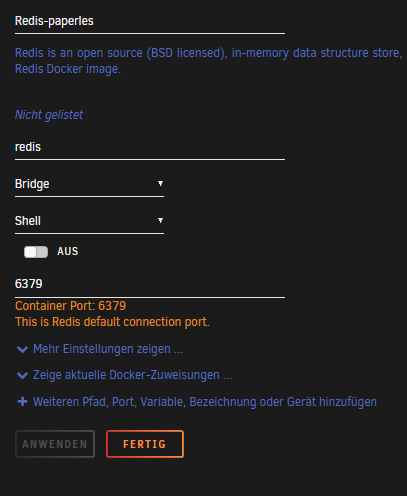
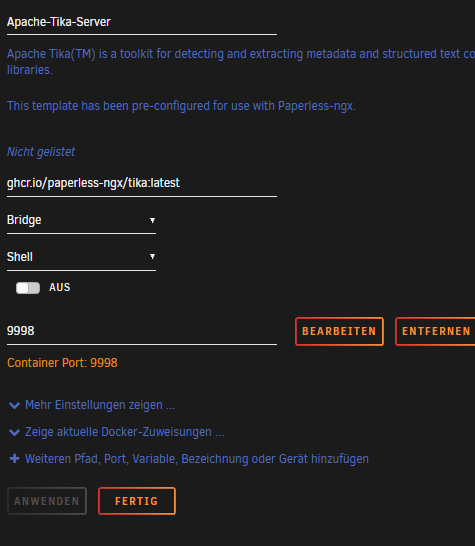
Servus cz13, Danke für Deine Antwort und schnelle Hilfe. Anbei die Sreenshots: Paperless läuft aber soweit. DANEK schon einmal 🙂
-
Hi zusammen, ich habe genau das gleich Problem. @My Unraid World: Hast Du eine Lösung gefunden die Du gern teilen möchtest?
-
Hallo zusammen, ich möchte ganz freundlich um Hilfestellung fragen, da ich mich bereits eine sehr lange Zeit mit der Frage auseinandersetze wie ich nicht nur PDF's in Paperless einfügen kann. Ich habe einen Neu aufgesetzen Sever mit Unraid und lasse dort im Docker Paperless laufen. Anbei sind meine Logfiles. Hat jemand eine Idee? Oder eine Anleitung? DANKE _Redis-paperles_logs.txt _paperless-ngx_logs.txt _Apache-Tika-Server_logs.txt _gotenberg_logs.txt
-
Dear Jeorge and dear trurl! Thanks a lot for your quick respoose. My question is resolved than I have use a other usb stick. With this change I have reach a clear installation from unraid. Thank again and best wishes, Michael
-
Dear forum, new I have the following small problem with the installation of Unraid on my new server. I have been searching through all possible help positions and instructions for two days now, but unfortunately I have failed so far. After flashing a USB stick and copying the Unraid data, booting works fine so far. I can boot in the selection without GUI or with safe mode etc. Tried everything... Unfortunately, I cannot access the configuration interface (in the GUI). In my FRITZ!Box I cannot find a new device in the network settings, which for me means that the server does not get an IP address from the box via DHCP. DHCP is set to "yes" in the configuration. Even if I set an IP address / DNS and Netmask in the Network.cfg it does not work. Furthermore, it is not possible to boot into GUi mode, as the screen goes black and a cursor flashes after booting. Does anyone else have any ideas of what I could try to enable a start? Thanks in advance for your help. Why do I think it is not due to my hardware or network configuration? I have FreeNAS running on the same system and it starts without any problems including loading an IP address automatically.
-
Dear forum, I have the following small problem with the installation of Unraid on my new server. I have been searching through all possible help positions and instructions for two days now, but unfortunately I have failed so far. After flashing a USB stick and copying the Unraid data, booting works fine so far. I can boot in the selection without GUI or with safe mode etc. Tried everything... Unfortunately, I cannot access the configuration interface (in the GUI). In my FRITZ!Box I cannot find a new device in the network settings, which for me means that the server does not get an IP address from the box via DHCP. DHCP is set to "yes" in the configuration. Even if I set an IP address / DNS and Netmask in the Network.cfg it does not work. Furthermore, it is not possible to boot into GUi mode, as the screen goes black and a cursor flashes after booting. Does anyone else have any ideas of what I could try to enable a start? Thanks in advance for your help. What can in do? Why do I think it is not due to my hardware or network configuration? I have FreeNAS running on the same system and it starts without any problems including loading an IP address automatically.


