





ceverson
Members
-
Joined
-
Last visited
Everything posted by ceverson
-
At this point I have no idea so i attached my log file. Nginx is configured right but unsure why apache keeps coming up Logfile
-
I was going to share the chat with you but for the br2 one thats a bug as of right now i applied a workaround i found on nextclouds site but honestly that probably made things worse The http that wasnt the error i had but you may need some advanced setup in nginx for that the phone error is a config file line if you care about fixing that error memcache you need to install redis and add a line to point to redis in the config file email, just add email settings Honestly though i havent made it far and to add clarification if i login as the default admin user i created at startup i can add folders etc but if i add in as anyone else the option to add folders or create files doesnt show in a browser I would very much be willing to start over
-
I was able to get rid of all those errors thanks to chat gpt ill see if I can share what I did need to review but I wasn’t able to create new folders
-
New to Lidarr and been trying but struggling to find the information I think i created a tag to exclude vinyl. However i also see the setting to score exclude vinyl, but when i look at my already owned material after changing that score it scores at that number. Is the exclude vinyl number actually mean non-vinyls score this? My goal is to set lidarr up to only look for flacs both regular and 24 bit but am struggling to accomplish this. I also tried to delete the any profile but it won't let me delete but i can't find anything associated to it
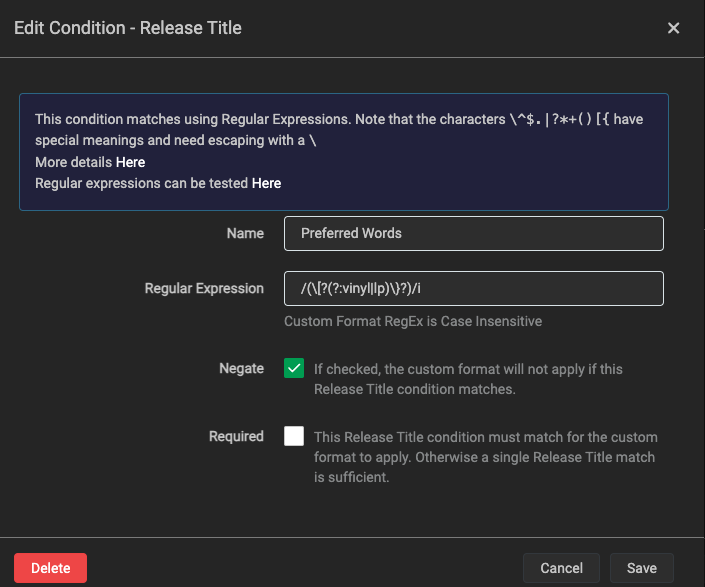
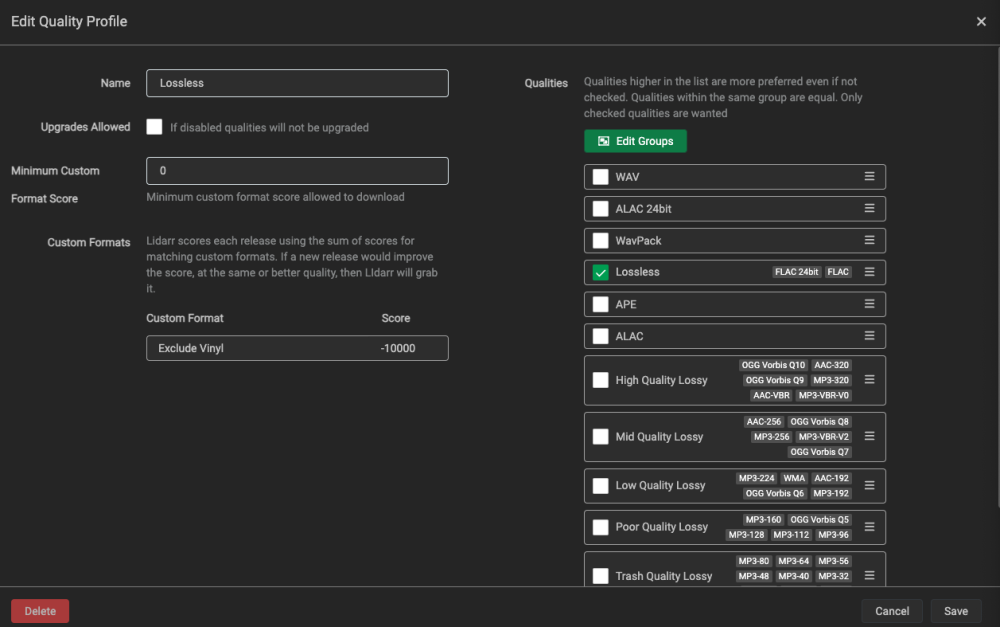
-
I am having other issues there so not going to continue with that one. some seem similar but have issues for sure that are actually worse lol
-
I will try that in the meantime
-
can this be configured with Postgres?
-
Hello so i installed the container for nextcloud and CRON jobs but i can't create folders. I am using NGINX Proxy Manager. However what seems to be occuring is in the Nextcloud docker container it is using Apache and Apache restarts when I restart the container. I tried disabling Apache in the container itself but that shut the container down. How do I make Nextcloud fully use NGinx. The reason I say fully is I worked through all the other NGinx based errors last night and they took affect so I believe my issue is strictly Apache is enabled and getting in the way
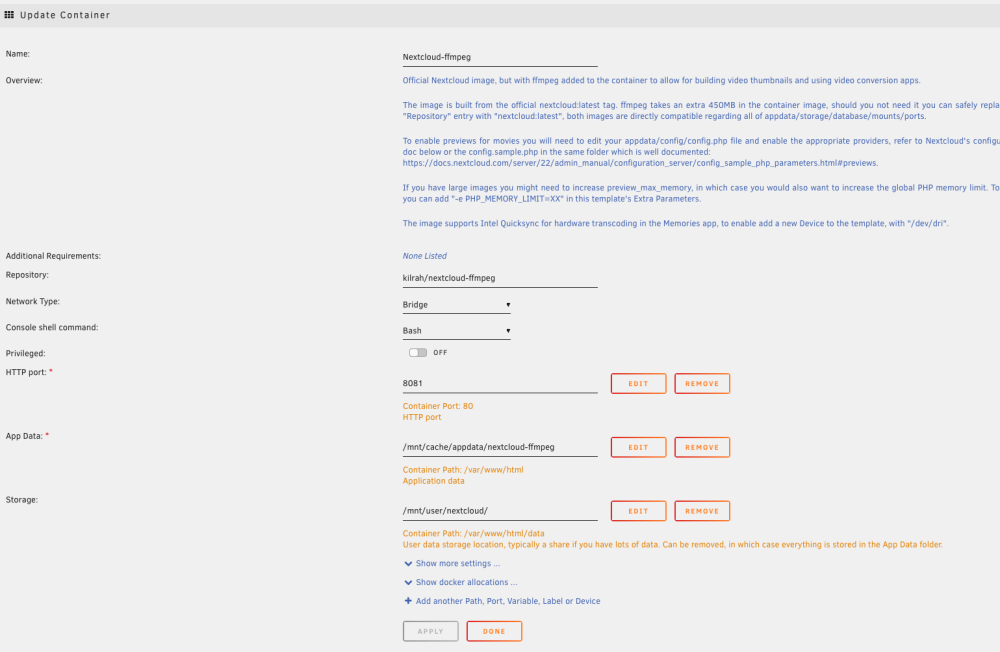
-
Has anyone been successful with this, if so what am I missing this is my docker setup I ran this command prior to the setup: docker run --rm -it --mount type=bind,source=/mnt/user/appdata/ocis/ocis-config,target=/etc/ocis owncloud/ocis init, nginx proxy says it's up but can't get it running
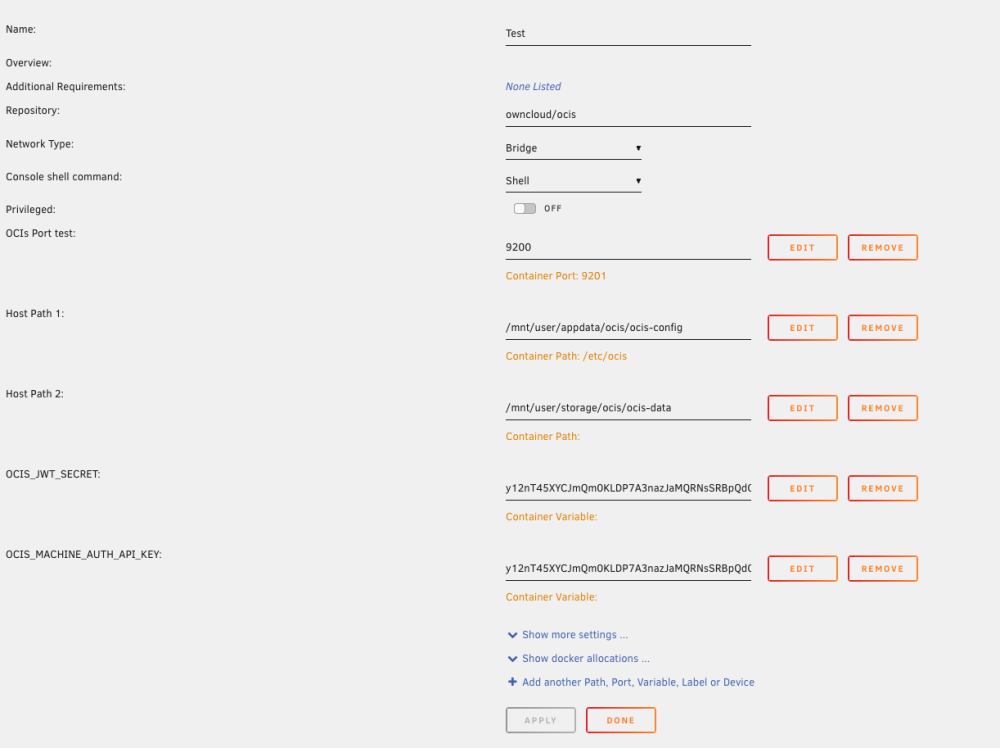

-
I was able to get this to work. What you need to do is delete the FOUNDRY VERSION variable and update it. When the variable is present it is required but when removed it goes off the repository


