CopesaCola
Members
-
Joined
-
Last visited
Everything posted by CopesaCola
-
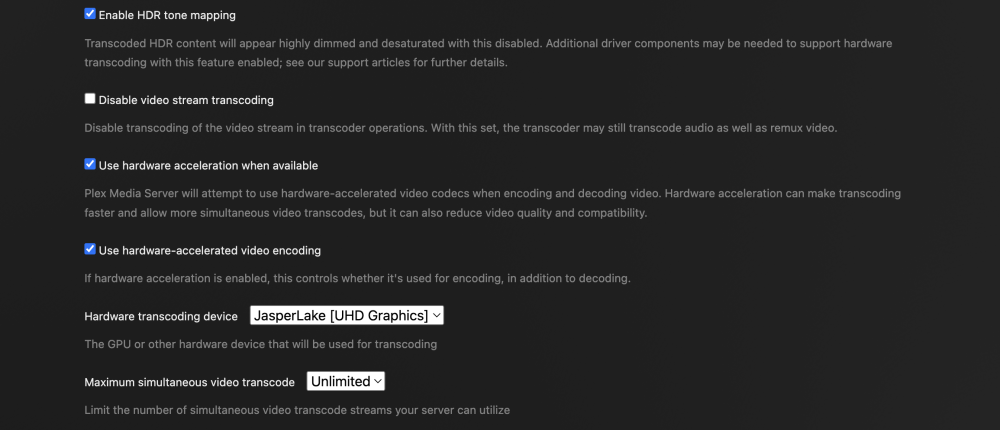
I'm pretty sure it's Intel, I'm running a TerraMaster F2-223 if that helps
-
I am having trouble hardware transcoding, I just bought a plex pass and am not sure what I am doing wrong.
-
Update fixed it! Thanks so much
-
I just tried this from above, but now it's 'refused to connect'. I see you're about to fix the update so I'll try again then!
-
Still nothing TerraNAS-tailscale-diag-20240123-224324.zip
-
Will do, I hit restart and it didn't look like anything happened. I'll send back in a few if nothing changes though.
-
-
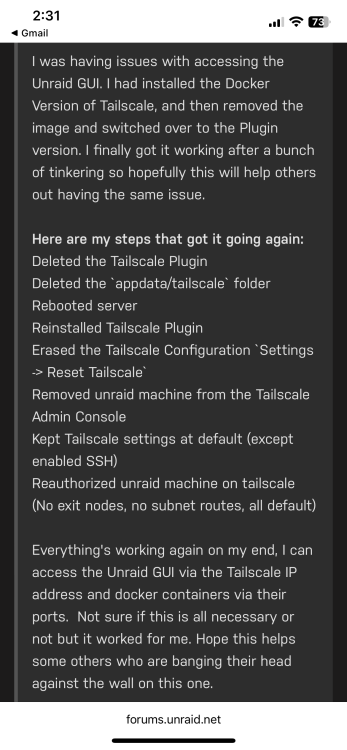
Just set up tailscale on all of my devices, tried to remote into the unraid WebGUI from my iPhone and am getting a 'took too long to respond' error. I attached the diagnostic TerraNAS-tailscale-diag-20240123-222334.zip
-
Hey guys, just getting started with unraid and loving it so far! I've set up my domain, cloudflare, and nginx up properly to use http for all of my dockers (I've also created SSL certificates for each of them from the SSL tab). What I am trying to do now is change them to https, the issue is that whenever I update the "scheme" from http to https, the site gives me a "too many redirects" error. I have a feeling that there is something else I should be doing, but I have no clue where to start. Any help would be appreciated!
-
So it seems that at some point during my troubleshooting I reset the port forwarding rules in my router... after resetting those rules with the right ports everything works perfectly. The WAN address from https://whatismyipaddress.com/ would've been all I needed if I hadn't overlooked that. Thank you for all your help!
-
Set this up and the ip is auto pulled by cloudflare, but in the video space invader's IP for his main domain is different from the IP for his 'dynamic' subdomain whereas both of my IPs are the same The IP from this site is the same that cloudflare DDNS picked up, but the webpage keeps timing out
-
Does 24.221 sound right? I got that to proxy through cloudflare, but the webpage says gives a 522 error (connection timeout)
-
My router ip is 192.168, does this mean I can't use DNS?
-
How would I go about setting up Cloudflare DDNS?
-
Hey guys, let me know if there is a better forum for this. I am trying setup DNS with cloudflare, but it tells me that the ipv4 that I use to access unraid and all other dockers cant be proxied. When I continue without proxy and set everything up with Nginx, the web page says that DNS points to local or disallowed IP. Any ideas?
-
Honestly I was just following a YouTube tutorial for most of the setup, I don’t think I need a custom network if bridge mode will work. Will try when I’m home
-
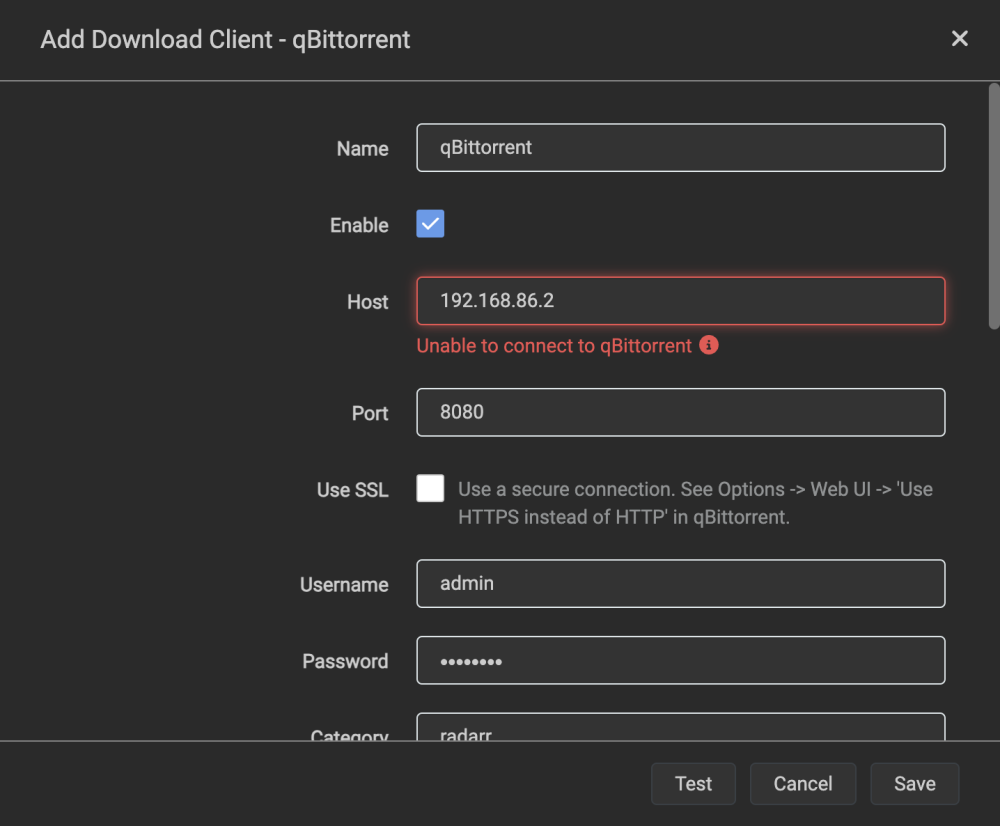
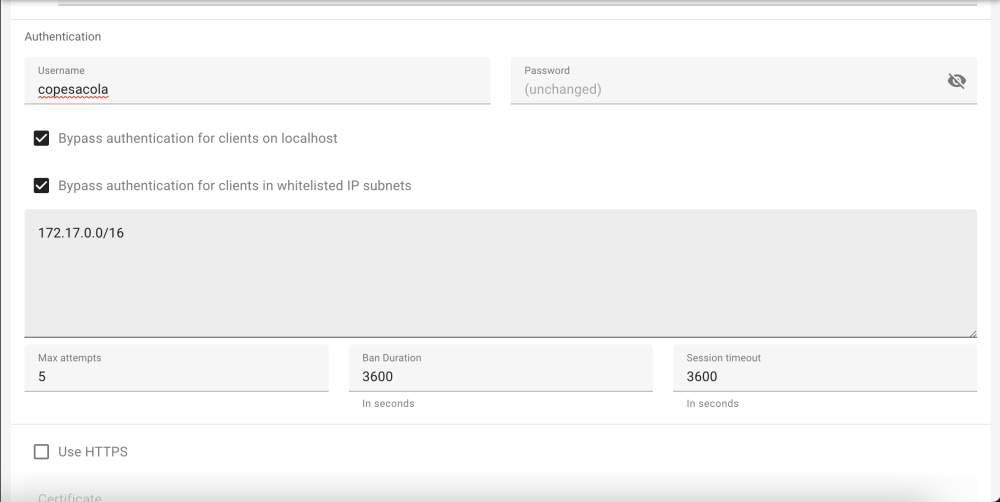
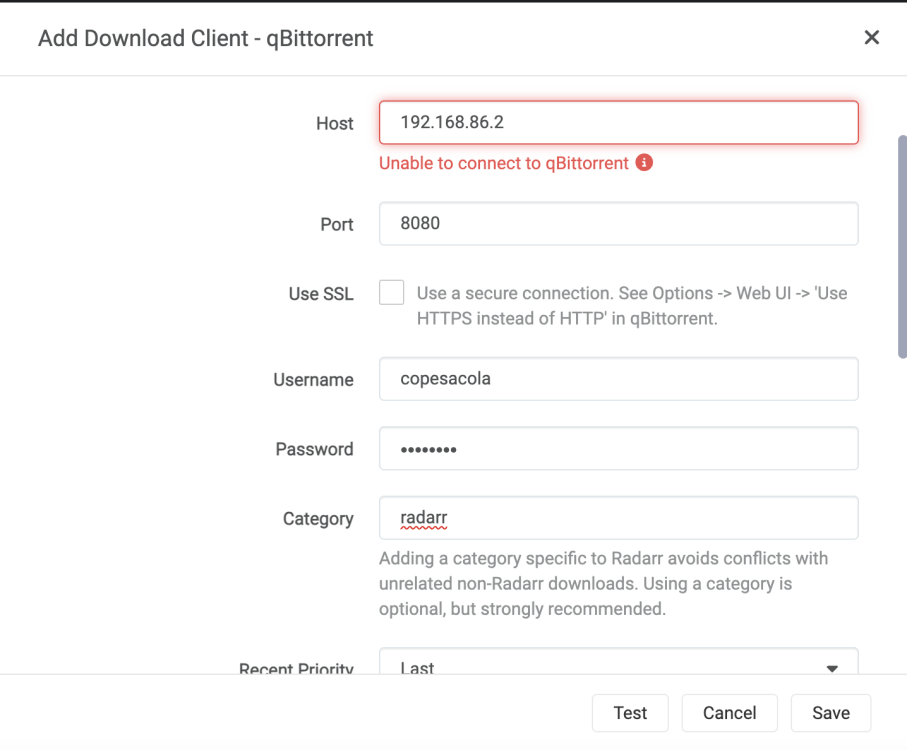
That is the docker0 assignment. Do you mean changing the host IP in radarr/sonarr to 172? If so that also does not work. I have the Network Type in the docker settings set to custom: br0 if that matters
-
No dice
-
Adding this as the host ip for qBit in radarr didn't work, did you mean to put it elsewhere?
-
Hey guys, just starting with unraid and have everything set up with binhex (plex, radarr, sonarr, qbittorrentvpn). I got through the qBit password issue just fine but I can't get radarr and sonarr to connect to qBit, am I doing anything wrong on my end? Thanks in advance!