sentient-russ
Members
-
Joined
-
Last visited
Everything posted by sentient-russ
-
That clears things up a bit, thank you. I’m still confused at to why I still had config files with the domain extension in the tags and why it was just now an issue when it hasn’t been one in past. I have had auto plugin updates enabled, if anything this should have come up prior or been corrected by a past update if I’m understanding you correctly. I have not restored any back ups of the file, nor have I edited it. This is strange. You also mention setting TLD to KNET, mine is set to “knet” already unless caps matters here. This is the first time I have updated the configuration files directly, everything else I have done in the UI for the reasons you mention. The only reason I did it this way was to preserve the individual login credentials to each share as I don’t have all of the passwords saved and I didn’t want to take the time to go into the other servers and reset several passwords. I will add that this server has been in service for many years (4-6). and these shares were set up at least a year ago. Maybe something has fallen through the cracks. I plan to restructure my network and change up my NAS systems and take advantage of AD Domain for my share users/passwords between machines eventually. when I do I will absolutely wipe the remote shares from the UI and provision them fresh from the UI, this was a stop gap as it came up when I didn’t have the time to fix unexpected issues seemingly unrelated to the immediate changes I made. Thank you for the info, I will be sure to post my diag next time to avoid confusion.
-
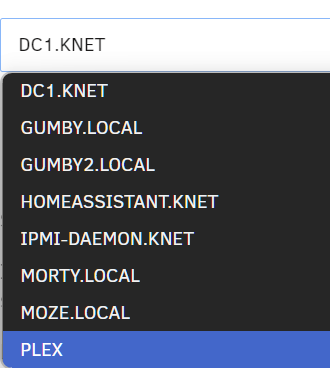
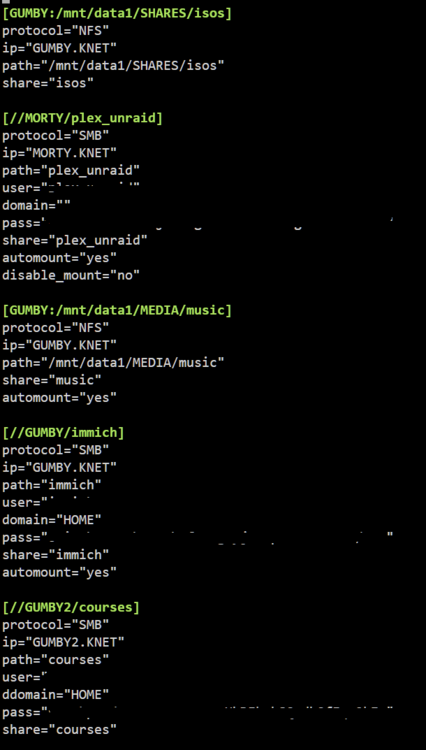
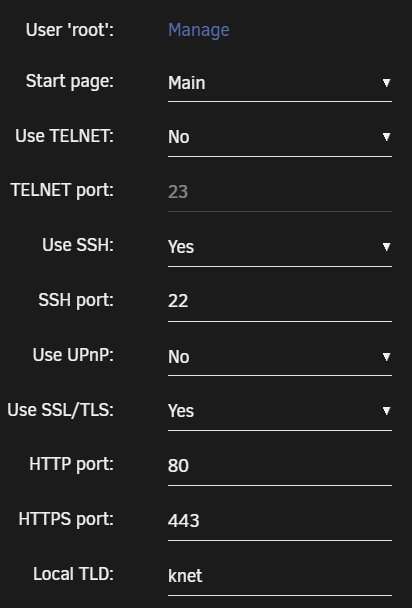
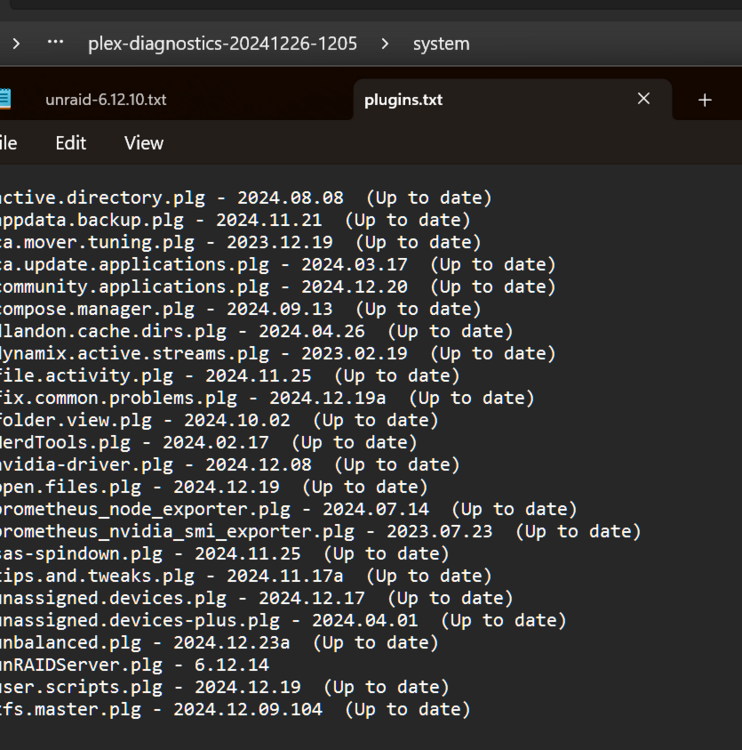
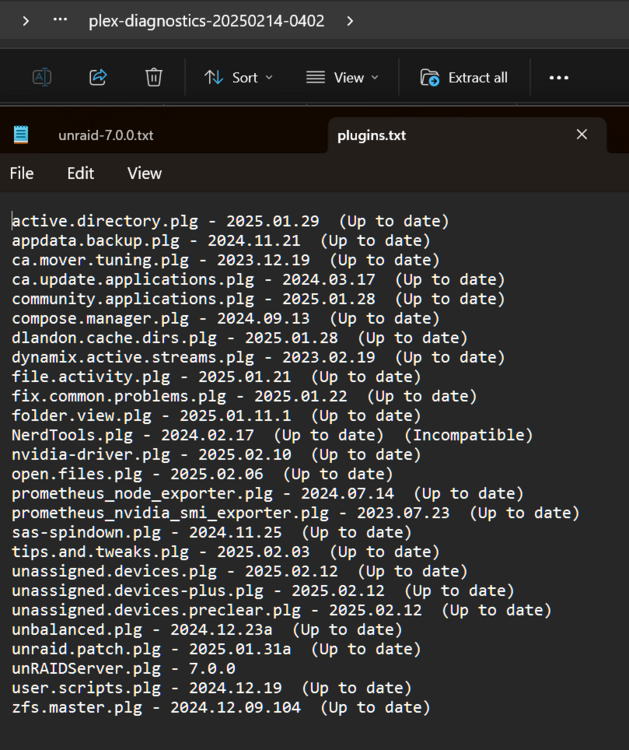
The bold assumption that I haven't been updating my plugins irritated me, so I dug into my server and sure enough I have the CA Auto Update app installed from day one with daily 2am checks.... I am not sure when "a long time ago" is, but I dug up an old diag from December 2024 on the server with dates and plugin versions. Everything was working as expected then, and yesterday morning before making the changes I explain below ( I run plexamp for music every morning on my way to work which depends on the music remote share (nfs) that also had a broken config after recent updates/changes )... All of that aside, I had this issue. I corrected it without deleting my shares and wanted to share that info on here for anyone experiencing the same problem while bringing attention to the issue to you as the maintainer. I am not blaming the UD plugin, as I also made other changes. I recently enabled IPv6, and installed the Limetech Unraid Patch plugin. I am using an Active Directory Domain configured in the SMB settings, it was active ( "Joined" ) at the time of the issue. Here is the new samba_shares.conf after I changed the share tags from [//GUMBY.KNET/immich] -> [//GUMBY/immich], etc. and left the ip="GUMBY.KNET" and everything else under the tags alone: Here is the TLD settings under Managment which has been the same for years: And here is a current listing of servers when adding a new remote share under UD and clicking Search: I am unsure why some are listed as .local as they all have their TLD set to knet, maybe mDNS is taking priority, maybe with recently enabling IPv6 Unraid is trying to query the IPv6 DNS which does not have the servers hostname registered under the knet domain for its IPv6 address. If I am doing something stupid please correct me but please don't assume I haven't updated and write this off as that. I hope this information helps, as that was the intention of the original post to begin with - I had already rectified the issue and wanted to post it up here as I did not see any recent posts about this problem and have had everything up to date DAILY ( I don't want to play server admin every day, I just want my servers to run and hop on to fix anything that breaks with updates to my network or from auto updates ) If you decide there may be something going on outside of operator error and need more diagnostic info let me know and I will gladly post it.

-
I’m certain I updated all of my plugins when I upgraded to 7.0 which was released in the beginning of January. My TLD is not set to local, I was using .local as an example. All I know is that all my remote shares said that their configs were invalid and removing the .TLD from the share tags solved the issue. I can’t log into my server without a banner asking me to update UD which I always do. Not sure where this is going. Have a good one.
-
I have been keeping it up to date regularly. However I just installed Limetech's 'Unraid Patch' plugin, which installed patches and claimed to have a conflict with some other plugins and asked me to reboot. The problem came up after the reboot. I am running Unraid 7.0... This could be the catalyst here.
-
After updating UD to latest release, my network share configs all broke ( "-- Invalid configuration - remove and re-add --" or something to that effect ) Turns out UD no longer likes config entries with a '.' ( ie: '[SERVER.LOCAL:/share_name]' ) I was able to solve this issue without removing all of the shares and re-adding ( and specifying all of the credential information again ) : 1) Open the Terminal on the Unraid server. 2) Open '/boot/config/unassigned.devices/samba_mount.cfg' in nano ( or your choice of text editors ) 3) Remove '.'s from [ ] entries only. Mine were '[GUMBY.KNET:/share_name]' which becomes '[GUMBY:/share_name]' 4) Save file and exit editor. 5) In the "Main" tab of Unraid, next to Unassigned Devices click the Refresh Disks and Configuration button ( refresh icon next to settings icon ) and click Proceed. 6) Any containers/VMs that reference these mount points will also need their paths updated to reflect the name change on the remote shares. I have several network shares set up and this saved me having to manually remove and re-add them. Hope this helps someone.
-
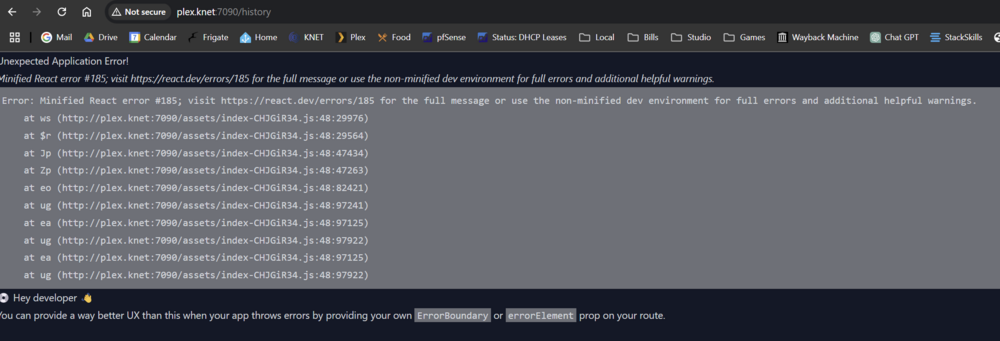
Having an issue with the History Tab this morning. I tried moving the unbalanced.hist file to unbalanced.hist.old - no difference. Other tabs seem to work fine. I am moving data off of a parity emulated drive that took a crap on me, using rsync directly for time being so I can have some history to know what I still need to transfer (basically up arrow console history to review what commands I have run already).
-
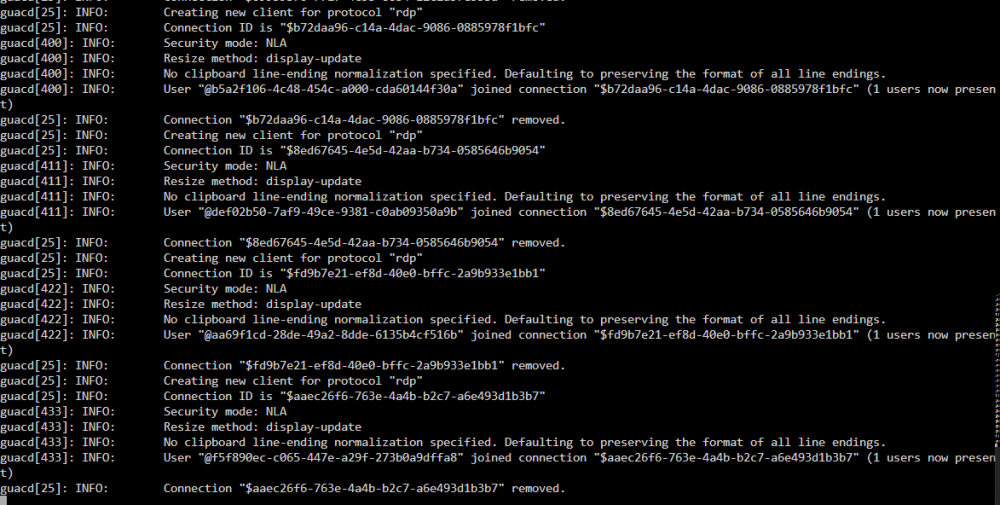
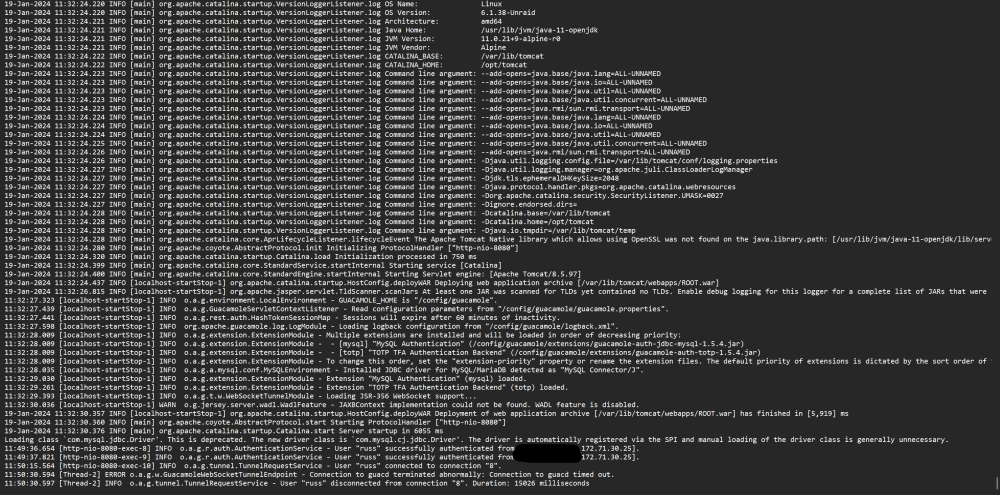
Went up to 1.5.3, works fine. Went back up to :latest, same error. Removed container from unraid and removed image, reinstalled from template, same error. EDIT: I am running the container as custom on br0, with a static IP. Docker is set to IPvlan. Using NPM as a reverse proxy. Not sure if that makes any difference in regard to the 1.5.4 update. Here is my catalina.out after startup, and failed connection:
-
I've been having issues connecting to a Windows box via RDP since the latest update ( 1.5.4 ). I can ping the host from the docker console fine, I can connect to the Windows machine via other RDP services fine ( RD ios app, windows Remote Desktop ). No guac setting or network changes have been made. I've tried restarting the docker image. Not sure where to go from here. UPDATE: rolled back image with :1.5.2 tag and its back up and running for me.