





bohdalb
Members
-
Joined
-
Last visited
-
ok danke für den tip ja manchmal habe ich mehr als 1tb zum übertragen und dann wird der chache voll leider aber stündlich ist eine gute idee bzw das andere muss ich mich ein lesen dann a noch gehört habe ich schon mal davon
-
ok danke für die tips dann weis ich wie ich es machen kann bzw suchen kann mal
-
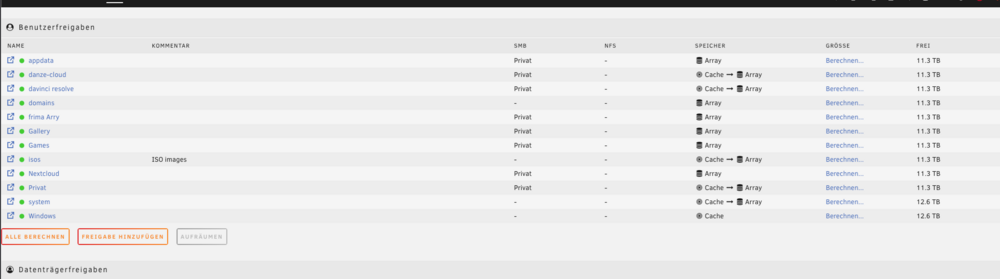
so hab jetzt alles wieder geschaft aber eine frage hätt eich jetzt noch bzw 2 gg 1 frage wie kann ich das machen das mein freigabe Firma con chache auf Arry geht aber wenn der chache jetzt voll ist das er automatisch dann ins arry geht geht das irgendwie und frage 2 kann ich mein firma feigabe die daten was im arry sind zb einmal in der woche auf eine externe festplatte automatisch moven lasen als backup?
-
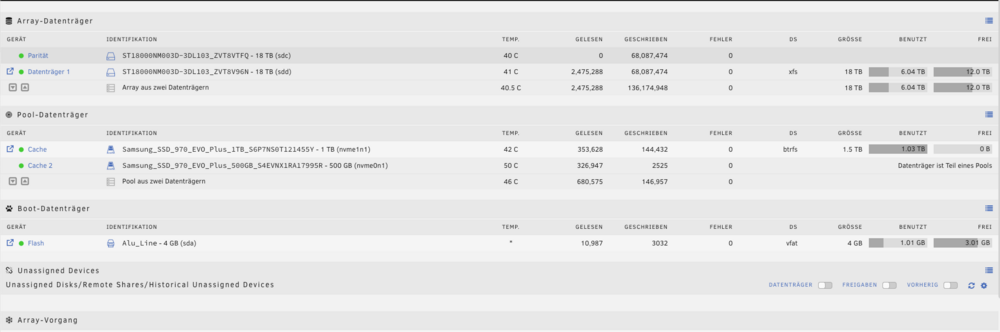
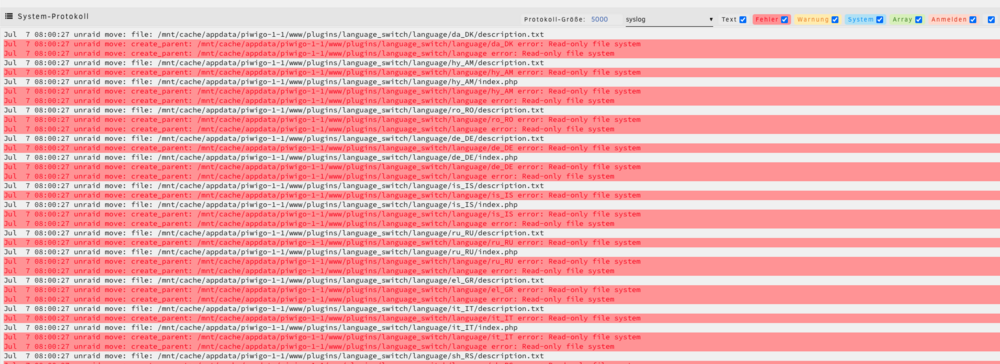
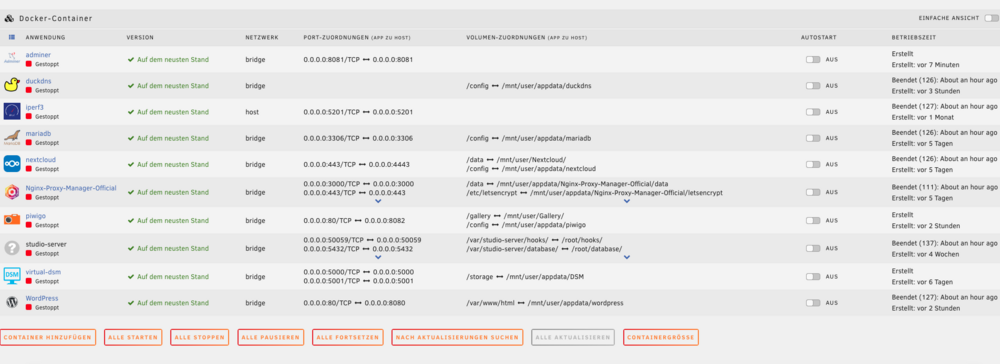
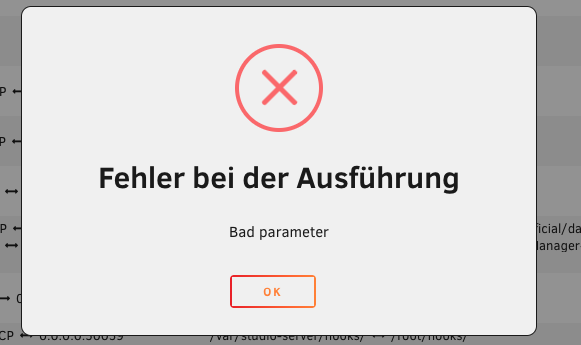
hallo ich habe irgendwie mein unraid kaput gemacht bis jetzt ist alles immer gegangen aber heute wollte ich von eine extere festplatte wo einige daten drauf siind auf den server übertragen hat ja auch geklapt bis der chache voll war. dann habe ich gedacht dann starte ich manule den mover mal aber da tut sich nichts. dann wollte ich schauen ob die daten alle oben sind über mein Macbook aber das hat mir sie nicht korekt angezeigt und dann wollte ich einfach was über mac auf den server ziehn und dann stand ich habe keine berechtigung bzw die festplatte ist scheibgeschützt. dann habe ic mir gedacht ist starte mal den server neu vl ist das ein bug oder so und jetzt gehn keine docker mehr und so weiter und kann auch nichts rauf schieben mehr. dann habe ich versucht es manull zu verschieben aber das war keine gute idee wie es auschaut, kann mir wer helfen das wieder zurichten bitte mfg ben
-
Probleme lag am neues Router der hatte ein defekt
-
update die vm habe ich wieder zum laufen gebracht war doch im bios was umgestellt warum auch immer das so war auf einmal aber das andere ist leider noch immer das gleich problem versteh das aber auch nicht warum es so ist
-
ja ist bei mir auf disabel weis aber nicht warum ich schau grade im bios nach ob ich was finde warum
-
Hi eigentlich habe ich im BIOS nichts umgestellt und sollte eigentlich alle so eingestellt sein, Und nein es wurde nur der Router getauscht sonst nichts und vorher war auch ein 5g Router da hat alles super geklappt
-
aber das muss man ja zahlen oder seh ich das falsch?
-
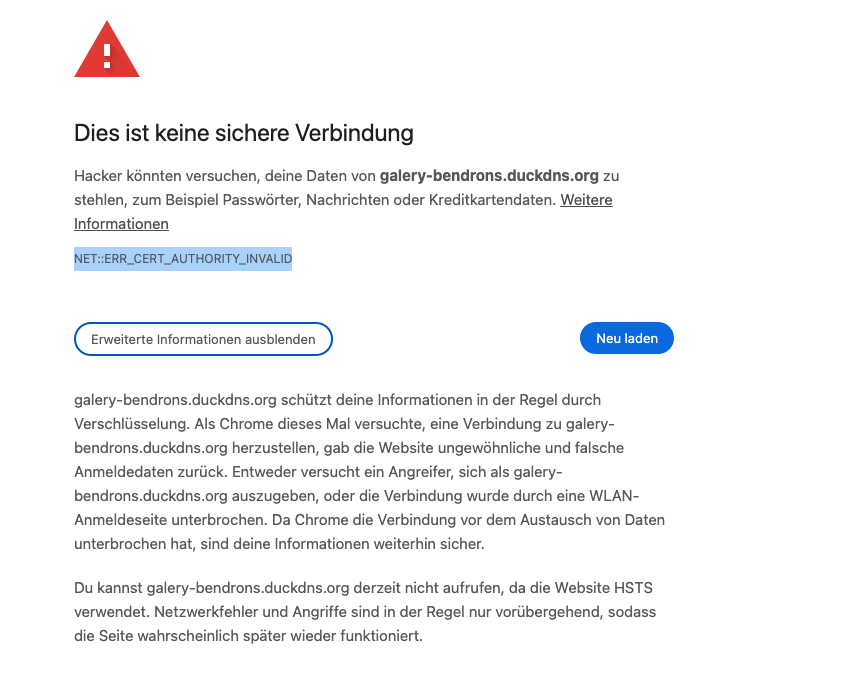
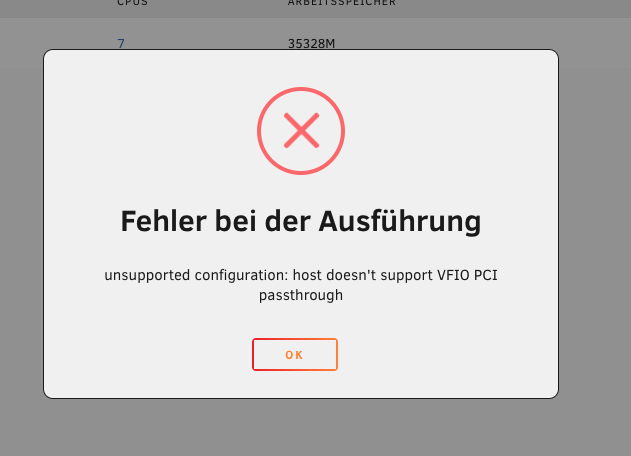
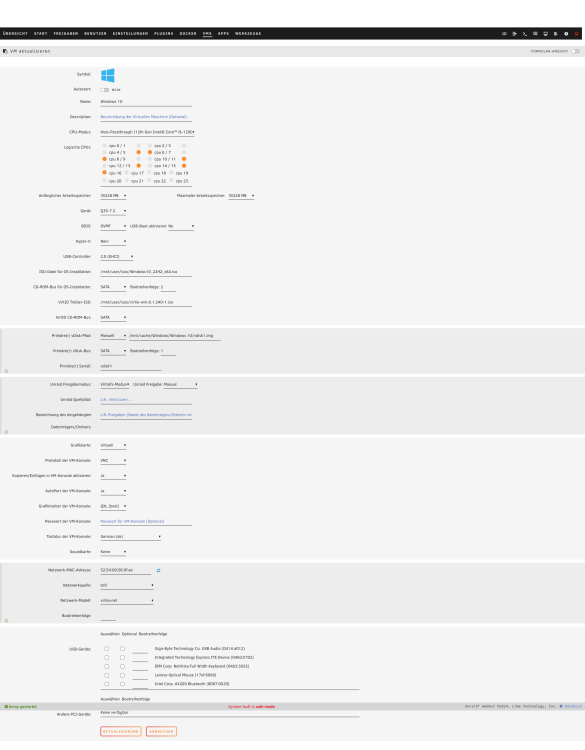
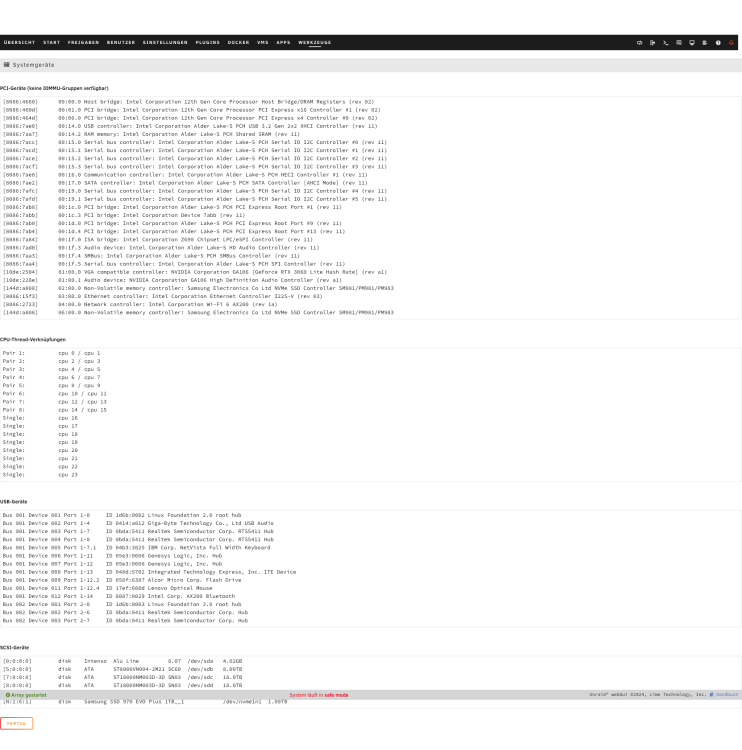
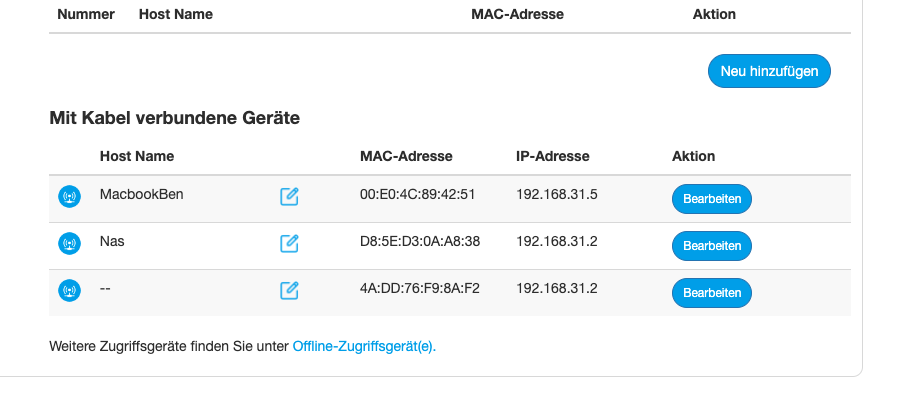
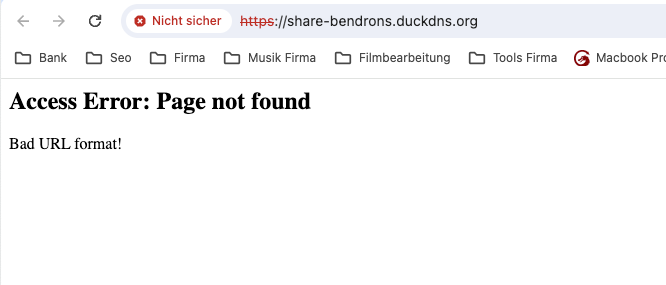
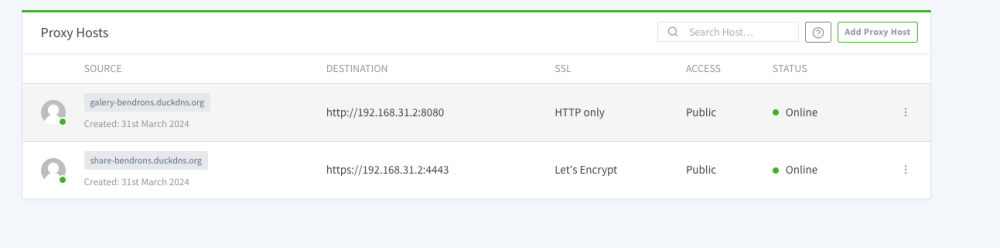
hallo ich habe leider aus Technischen gründen ein neuen Router bekommen von meinen anbieter leider ist es ein ander und habe da einige probleme gehabt aleine mal die Ip adrese zuzuweisen war schon eine granf aber habe alles zum laufen bekommen aber leider habe ich noch paar fehler vl könnt ihr mir dabei helfen ich finde keine lösung dazu. Router:ZTE MC888 - 5G Router Fehler 01: (Gelöst) mein Nextcloud Läuft aber ist im wartungmodus aber nur wenn ich im Wlan oder im netzwerk bin sonst ist es normal erreichbar. Fehler 02 Mein wordpress bzw Ngnix lauft ist auch erreichpaar von ausen aber im netzwerk wieder das gleiche problem nicht erreichpar im anhank schicke ich dazu die bilder (fehlercode: NET::ERR_CERT_AUTHORITY_INVALID) Fehler 03 (Gelöst) meine Win 10 vm wo meine Grafikarte durch gereicht wurde geht aufeinmal auch nicht mehr nach einen neustart. fehler 04 beim rozer werden irgendwie zwei mal die gleich Ip angezegt einmal ist das der nas selbst und das 2 mal weis ich nicht was es sein kann vermute ein doker aber wenn ich den docker Ngnix die ip ändern will lässt er mich das nicht ich hoffe ihr könnt mir daweiter helfen lg ben
-
ja e aber videos geht irgendwie nicht leider
-
ja habe ich auch grade zum laufe gebracht aber finde das auch nicht so einfach das ganze
-
ja das mit Nextcloud ware eine idee hatte ich auch schon im kopf aber da hatte man ja nicht wirllich eine galler wo man durch sliden kann bzw klicken kann. oder würde das gehn. müsste da mich ein wenig mehr einlessen ein Nextcloud server habe ich schon mal.
-
Ich bin ein Hochzeitsfotograf und -videograf und suche nach einer Möglichkeit, meinen Kunden personalisierte und sichere Galerien ihrer Fotos und Videos anzubieten. Meine bisherige Überlegung war die Nutzung von WordPress auf einem eigenen Server, allerdings habe ich bisher kein Plugin gefunden, das meinen Anforderungen entspricht. Daher erwäge ich jetzt die Möglichkeit, eine Lösung über Docker zu implementieren. Die wichtigsten Funktionen, die ich benötige, sind: Passwortschutz für jede Galerie, um die Privatsphäre der Brautpaare zu gewährleisten. Die Möglichkeit, für jedes Brautpaar eine individuelle Galerie zu erstellen. Eine einfache Option für das Brautpaar, Fotos und Videos aus ihrer Galerie herunterzuladen. Ich würde mich über Empfehlungen oder Hinweise zu Docker-Containern oder anderen Technologien freuen, die diese Anforderungen erfüllen könnten. Gibt es spezielle Software oder Projekte, die für solche Zwecke genutzt werden können? Ebenso bin ich offen für Tipps und Ressourcen, die mir beim Einstieg helfen könnten.
-
danke das war der fehler das ich es nicht einteln eingegeben habe jetzt hat es geklappt und wieder was neues dazu gelernt danke euch ihr seits die besten


