






Sargent_-_Merkie
Members
-
Joined
-
Last visited
Everything posted by Sargent_-_Merkie
-
Hi all So I have just started using the array again with a few Samsung 3.84tb SAS ssds and noticed none of them are spinning down seen this plugin on community apps but it still doesn't seem to be spinning them down happy to provide any further information if needed. Drives are MZILT3T8HBLS_007 Iv also got a load of NVME disks U.2 Micron_7300_MTFDHBE7T6TDF these don't look to be spinning down either any suggestions would me much appreciated!
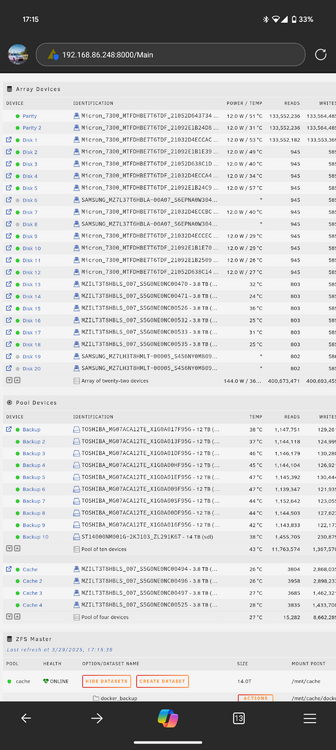
-
Okay so this is my docker pool that i run all my containers from and any other system bits, i only rebooted as Plex had hung been having an issue with it for a little while now . It basically crashes but states it is running then i try and reboot the container but get a system error pop up. I have tried deleting the container and recreating it but this dosnt seem to resolve it mainly happens after it has been updated. I also haven't upgraded the docker pool since moving to version 7.0.
-
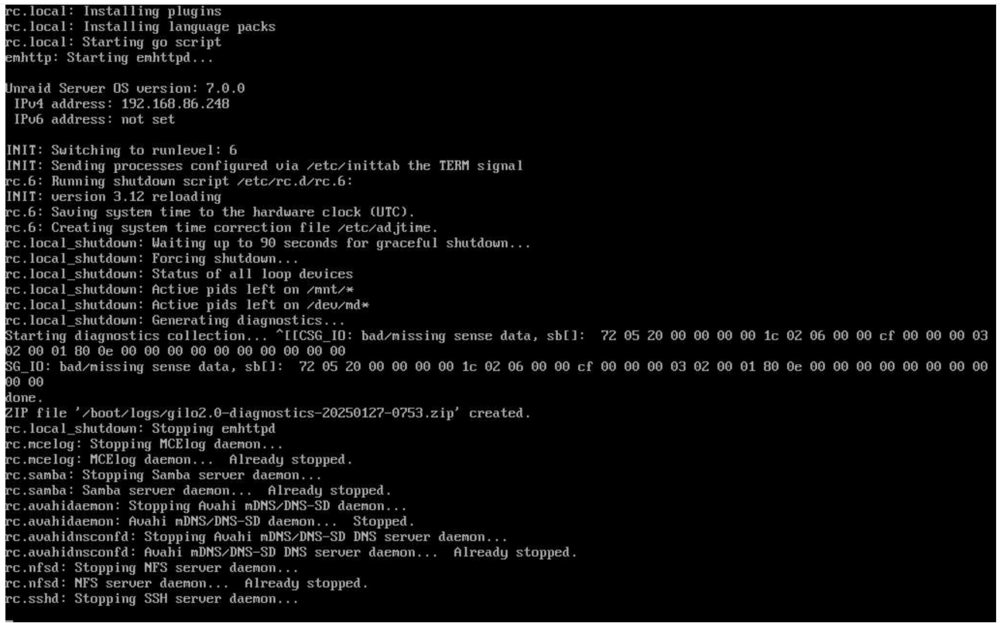
diagnostics attached from that shutdown. I found a post about SAS disks being unable to spin the disks down, I do have SAS SSDs installed but not sure if this is still relevant or not. gilo2.0-diagnostics-20250127-0753.zip
-
So finally had to do a reboot as plex stopped working...... I had no consoles open and I got the below during shut down.
-
humm i didn't think about that! on my next scheduled reboot ill check iv closed them all.
-
Upgraded from 6.13.0 to 7.0 I migrated away from the array to a full blow ZFS pool listed below which im still copying 77TB of data over from my backup btrfs pool but when i go to shut down or reboot the system it keeps getting stuck on unmounting shares and looks like it forces it to shutdown/reboot and then generate a diag every time i will post one here. Wondering if i have miss configured something or its a bug. New ZFS pool main-storage 28 disks wtih 4 Vdevs using RIADz2 (moved to a full NVME/SAS SSD setup from HDDS) 2 Vdevs using 7 x 7.68TB NVME SSDs per dev 2 Vdevs using 7 x SAS 3.84TB SSDs per dev gilo2.0-diagnostics-20250117-0826.zip
-
So this issue is back again after a couple of reboots on 6.12.14.... will try to reapply the update files to my USB and see if it restores the main/dashboard pages.
-
Upgraded back to 6.12.14 and everything looks good still will be doing some data moving and swapping some disks out over next couple of weeks so a few reboots and see how it goes.
-
okay so I have now fixed the issue by reapplying the 6.12.13 original files to my USB drive from here https://docs.unraid.net/unraid-os/download_list/ kept my config folder intact and has booted up with both the main and dashboard pages working as expected. Still like to know what happened though, am also tempted to now reapply the 6.12.14 update and see if it still works.
-
safe mode has resolved the diagnostic issues worked instantly...... gilo2.0-diagnostics-20241204-1139.zip
-
not able to get diagnostics from the GUI just sits there doing nothing. rebooting into safe mode to see if I can get that to generate the diag. Also no Realtek drivers or plugins being used for connectivity. (Mellanox Connect x 5 dual 25Gb ports)
-
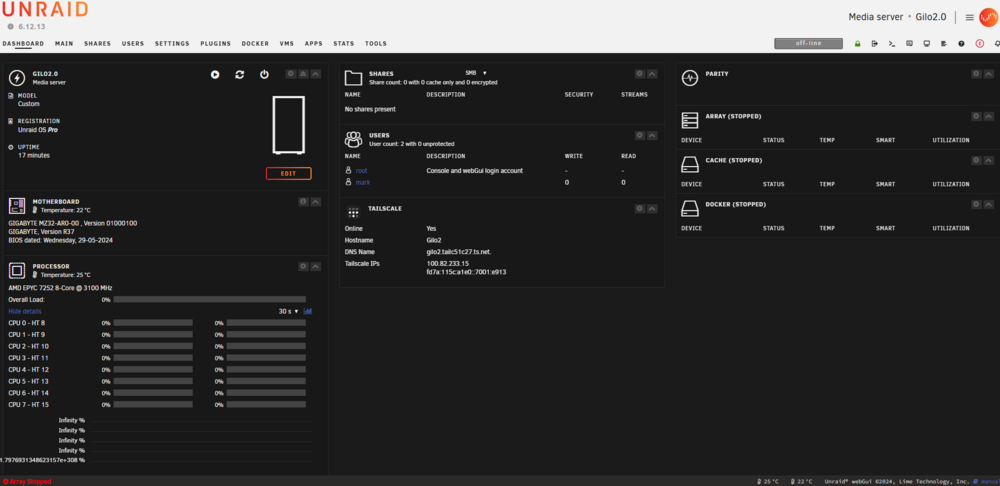
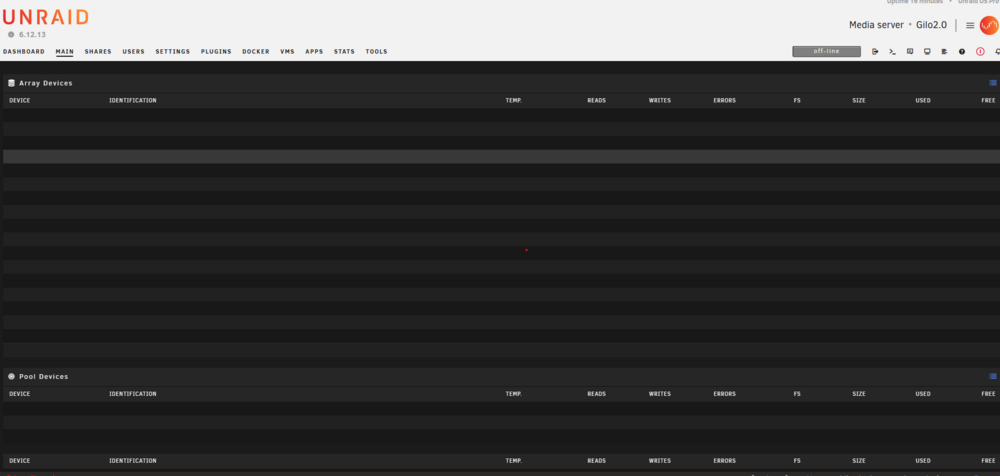
Hi all got a strange issue that has happened this week. Upgrade to 6.12.14 which had no issues. Replaced a faulty SSD in a BTRFS pool and booted up fine during rebuild second SSD failed but he GUI was working fine. Replace it again (intel DC SSDs) once booted back up the Main page and dashboard page are blank or showing no stats at all. I have tired edge, chrome and Firefox all the same tried 3 devices 2 PCs and my phone all the same also tried clearing the cache and an incognito window all same result. Booted into safe mode and was able to get the BTRFS pool sorted and the GUI was working fine as normal. BTRFS pool issues resolved but no GUI I then proceeded to downgrade back to 6.12.13. thinking it was a bug but its now booted back up and I have the same issue. no other changes have been made to the server. Diagnostics pulling down now taking its time. Am I missing something obvious here?
-
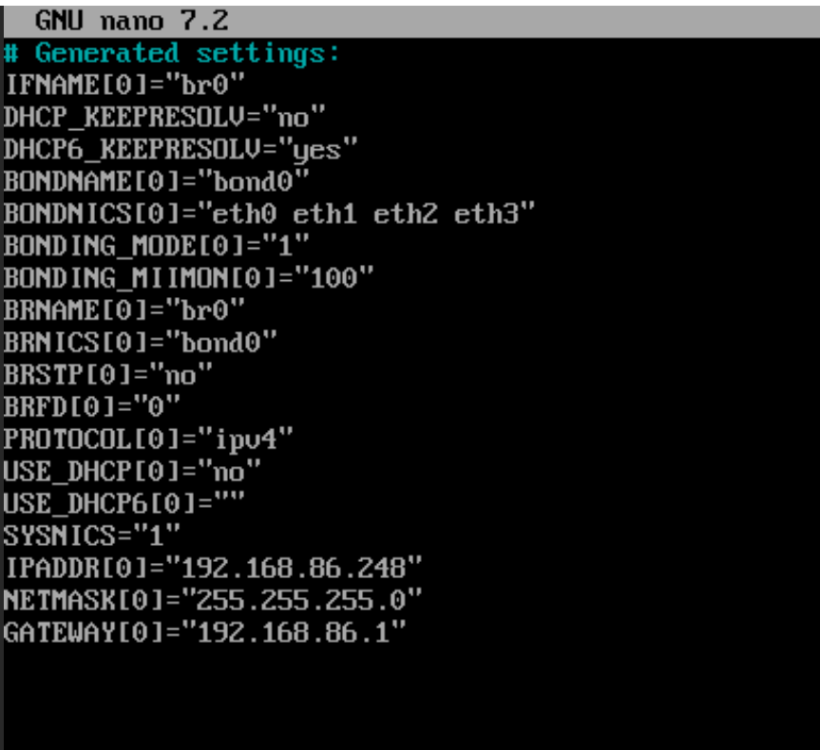
okay so i have added a static IP rebooted and now its working fine seems a bit odd to me especially since i didn't have this issue before upgrading to 6.12.8.
-
okay so reboot of router and server has made no difference at all this is odd as i have rebooted this server at least 4 times this morning with no issues at all when i had a DHCP reservation in place (now removed) before upgrading to 6.12.8 coming from 6.12.6. if i was to statically set an IP is this on the eth0 or br0?
-
yes so 2 x 1GB on board nics and eth0 is the one i want to use and is up. Odd as i have made no changes with the DHCP settings i did have a reservation in place for this but i removed it while fault finding. Ill give my google nest router a reboot see if that fixes it thanks ill come back and confirm.
-
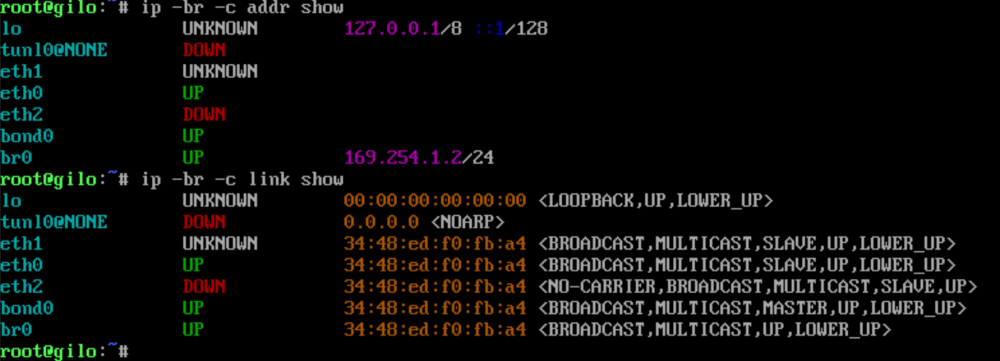
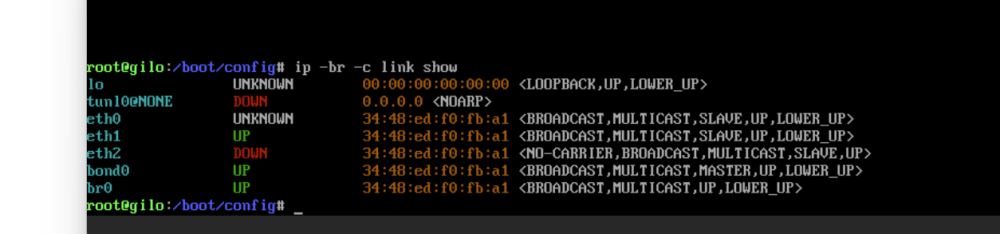
finally remembered the command i used to find which link as was up details below the server only has 2 x 1GB nics and only one of them is plugged in and this shows that my nics are configured right in the network.cfg i think the unknown one is the micro USB i believe (not plugged in).
-
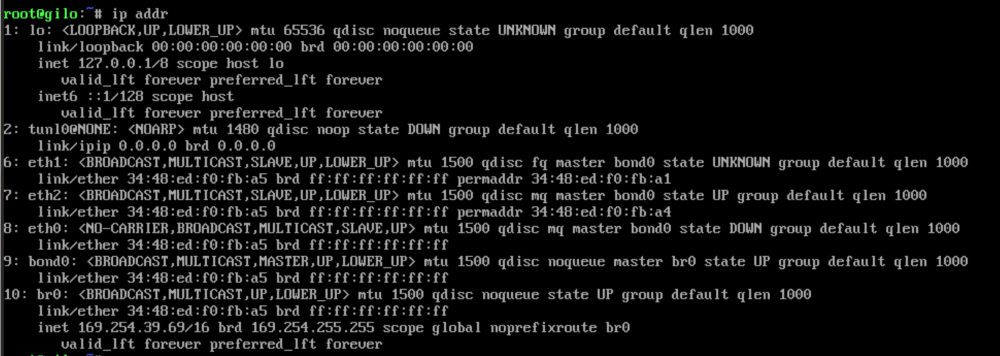
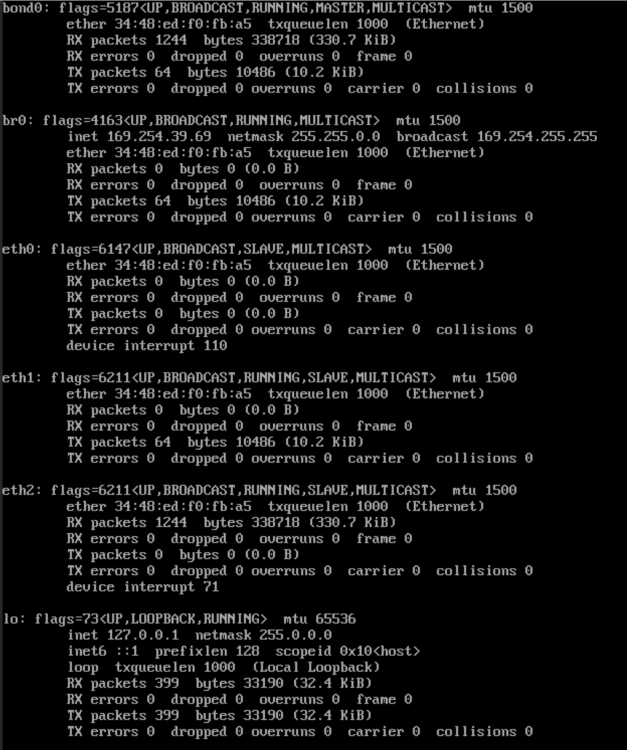
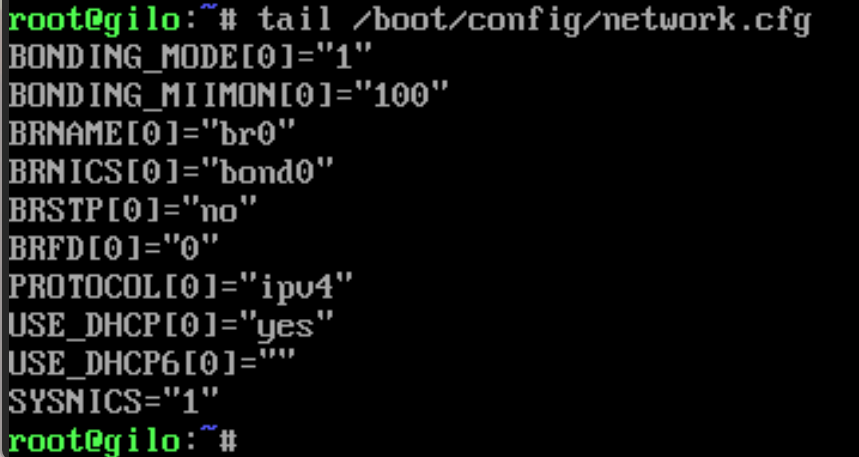
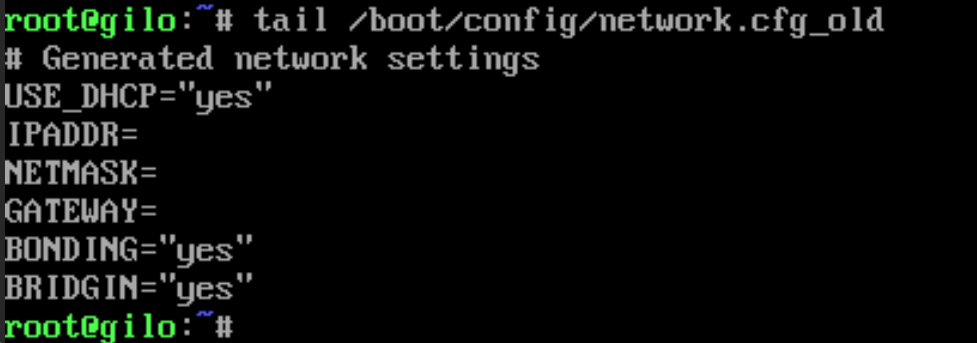
Couple of extra photos. new network.cfg on 6.12.8 old network.cfg 6.12.6
-
attached i think im just unlucky with this just as i have been making progress over the weekend....... gilo-diagnostics-20240219-1541.zip
-
back again.... so i upgraded to 6.12.8 and its now broken my networking, im not connected via micro usb for the iDRAC going over the LAN for it now i got that configured. I again have tried renaming the network.conf and network-rules.cfg to _old and recreate new ones still nothing it seems to be getting a 169 ip as if its not able to get a DHCP IP. Iv noticed that there are new lines in the network.cfg file since the upgrade. doing and ifconfig shows that the bond nic has the 169 IP is this right? i have also tried changing the ether numbers around and rebooting after each change nothing seems to be working. I also cant boot into GUI mode either still even after the upgrade.
-
hi thanks for the response so i worked out the problem it was the way i was connecting to the iDRAC (micro usb on these new dells on front panel) which was then being seen as eth0 by unraid only took me 2 hours to work this out!! once i unplugged that and rebooted the server worked straight away! Now i have the decisions on the best way to make use of the 22 x 10TB 8 x 16TB disks as well as 4 x 256GB SSDs and 2 x 3.84TB SSDs. I was using the array with a cache drive in front to start with but I'm finding with multiple users streaming via plex is not the best experience. I have been looking at ZFS but I'm not sure what is the best way to set this up as I don't want to have large vdevs as means expanding it makes it a pain but then having multiple vdev groups of 4-5 drives in raidz-1/2 is a waste of space.... if only i could have a write cache on the unraid array as i really like the idea of being able to mix drives but then it does present the issue that it can only have 30 disks and i have a large 60 bay JBOD. I know isn't relevant to my original issue but would love some suggestions from people!
-
just noticed the eth0 says unknown this is due to me disabling it in the iDRAC if I enable it it will show as up.
-
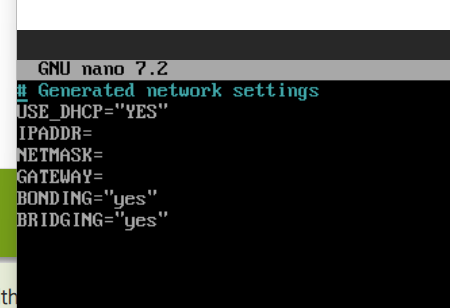
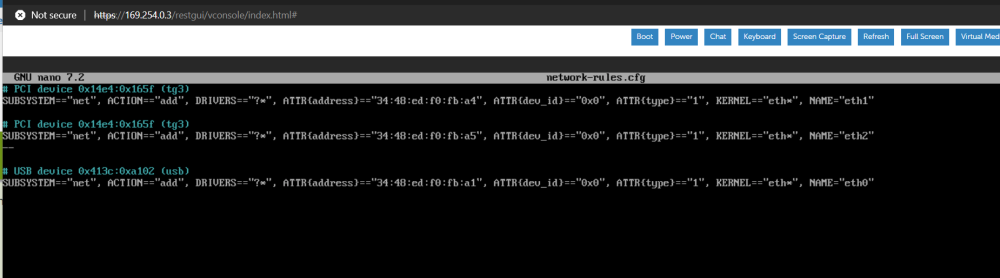
Hi first post for me so please be kind! I have just moved my unraid server from an AMD tower to a newish Dell R6515 1U AMD server i also have a 60 bay JBOD with the disks in from my old setup. Now when iv booted up for the first time on the new r6515 its not grabbed an IP from DHCP as this is how it was setup on the old AMD tower. I did have a DHCP reservation in place but for now i have removed this due new MAC. From what I can tell the iDRAC port is set as eth0 and the on board nics are eth1 and eth2, I have tried changing the nic names in the network-rules.cfg on eth0 and 1 by swapping them doesn't seem to have made any difference. I have also check the network.cfg file and it is still set to DHCP. i have also tried disabling the iDRAC nic in the bios hoping this would solve my problem which it didn't. Iv been unable to boot in to GUI mode I get just a black screen also tried in BIOS mode and UEFI same results. Am I missing something or being stupid only been using unraid for about a month or so now!
-
Bump on this I also have these drives and would love to use as a cache drive!! These drives are great even compared to the latest nvme drives!


