J4bber
Members
-
Joined
-
Last visited
Everything posted by J4bber
-
I disconnected and reconnected the USB, and this did not help NUT find it, but it was in the lsusb output. I reinstalled NUT, and it is working now. I'm not sure what exactly happened, but it's working now. Thanks for the help.
-
Hi all. unRAID 6.4.13. The NUT plugin has been working fine from what I can tell. Now, it will not start. I have removed and reinstalled all the versions on the dropdown, and none of them will start the pluging. I am attaching the debug for the 2.8.3 version, but I can also reinstall and grab the others if needed (2.7.4, 2.8.1, 2.8.2). Let me know if you need anything else. nut-debug-20250414114828.zip
-
Hi, I am not sure if I am checking this correctly or not. Does binhex-qbittorrentvpn support health checks? I am getting "null" when I check using the docker inspect command (docker inspect --format='{{json .State.Health}}' binhex-qbittorrentvpn). I want to trigger some other containers once it is healthy Thanks
-
After further testing this morning, I found that once I changed the WEBUI password on the second instance from the temporary credentials in the supervisord.log, the SIDs were different, and I could now open both at the same time. So, I guess this is either the fix or the workaround. Regardless, I'll let you decide if any code changes, etc., need to be made on the backend.
-
Ok, I see what's happening. The SID cookie is getting overwritten when the second one comes online. I am guessing this is what is causing the problem because it thinks they are the same instance when they are not. Before on 8080: open 18080 before login: Log into 18080 and the cookie for both changes:




-
Ok, that fixed the WebUI. Now for the second question. I figured out how to reproduce it. I cleared all cookies associated with my server. I then opened the webui for the second instance (18080). Everything works fine. No errors. While this one is open, I open the first instance (8080). The second instance gives the "can't connect" error when the first instance opens. Trying the about gives the popup.: I tested this on chrome and firefox with the same results. If the first instance (8080) is already open, and I open the second instance (18080) webui, the second instance has the error. The first instance seems always to be the priority.
-
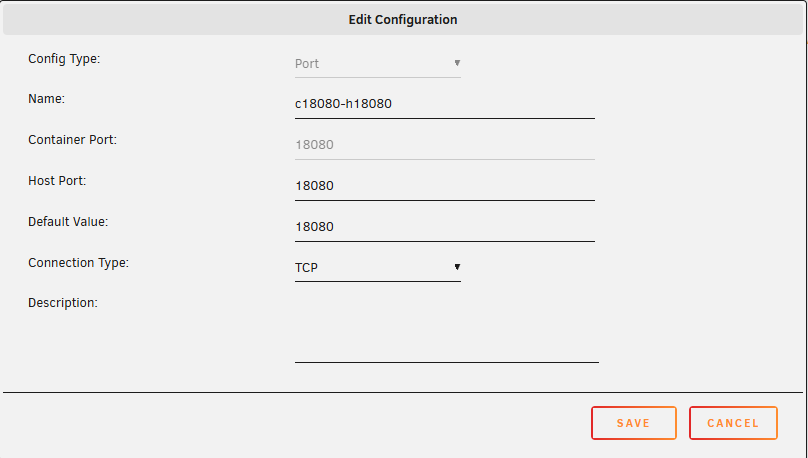
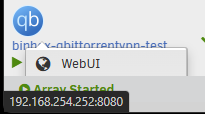
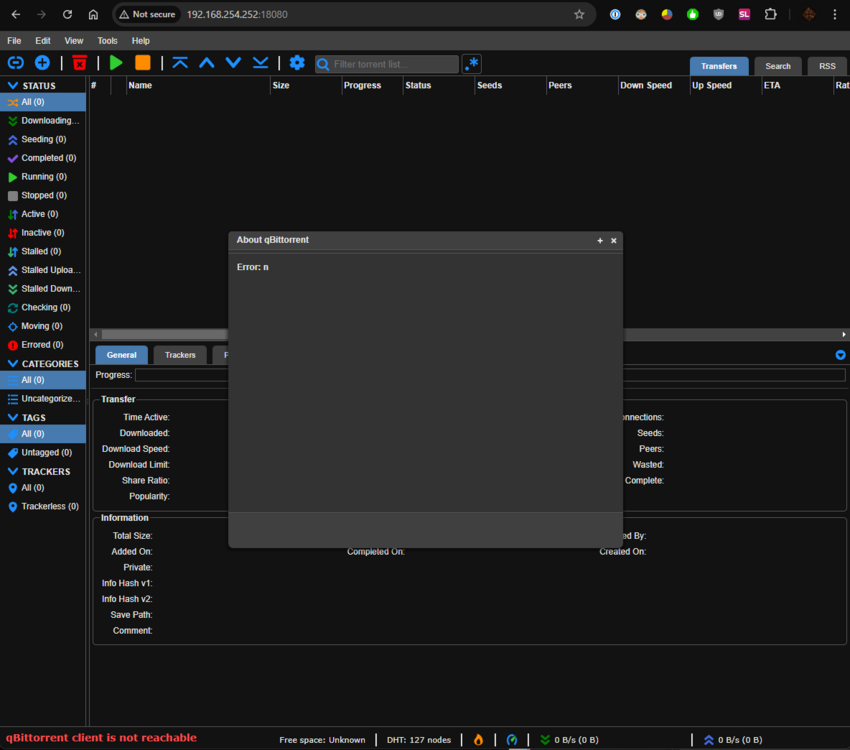
I can't get a second instance of the docker to work on unRAID. Since I am already running one instance of this docker, the new one would have conflicting port numbers. I decided to add a "1" in front of all of them since they are available. I added the same LAN_NETWORK subnets that are on my other one. I am using AirVPN, if that matters. I followed this guide (Q4); at least, I think I did it correctly. https://github.com/binhex/documentation/blob/master/docker/faq/qbittorrentvpn.md I removed "Port Web Interface" I changed "Variable: WEBUI_PORT:" to 18080 I added a port Container:18080 Host: 18080 I applied everything, put in the VPN info, and it started the docker. There are a couple of problems. 1. When you go under the icon on the docker page and hover over the "WebUI" the link is still to 8080 2. When I manually type IP:18080 in the browser, it goes to the login page. I use the default admin/pw, which shows me the qbittorrent screen. It immediately says "qbittorrent client is not reachable" on the bottom left. If go to the menu and select "about" and it gives a popup error window with "n". Any other menu selection I get the same error. One thing I did notice is this line when it created the docker. -l net.unraid.docker.webui='http://[IP]:[PORT:8080]' I'm not sure where it is getting that 8080 from, but I am betting wherever this is happening is the source of my issue. I'm not sure what else to try. This is with the latest version (5.0.1) as of today and unRAID version 6.12.13. docker run -d --name='binhex-qbittorrentvpn-test' --net='bridge' --pids-limit 2048 --privileged=true -e TZ="America/New_York" -e HOST_OS="Unraid" -e HOST_HOSTNAME="ByteBunker" -e HOST_CONTAINERNAME="binhex-qbittorrentvpn-test" -e 'VPN_ENABLED'='yes' -e 'VPN_USER'='[REMOVED]' -e 'VPN_PASS'='[REMOVED]' -e 'VPN_PROV'='airvpn' -e 'VPN_CLIENT'='openvpn' -e 'STRICT_PORT_FORWARD'='yes' -e 'ENABLE_PRIVOXY'='no' -e 'ENABLE_SOCKS'='no' -e 'SOCKS_USER'='admin' -e 'SOCKS_PASS'='socks' -e 'LAN_NETWORK'='192.168.1.0/24,192.168.254.0/24,198.18.3.0/24' -e 'WEBUI_PORT'='18080' -e 'VPN_INPUT_PORTS'='' -e 'VPN_OUTPUT_PORTS'='' -e 'DEBUG'='true' -e 'VPN_OPTIONS'='' -e 'ENABLE_STARTUP_SCRIPTS'='no' -e 'USERSPACE_WIREGUARD'='no' -e 'NAME_SERVERS'='84.200.69.80,37.235.1.174,1.1.1.1,37.235.1.177,84.200.70.40,1.0.0.1' -e 'PUID'='99' -e 'PGID'='100' -e 'UMASK'='000' -l net.unraid.docker.managed=dockerman -l net.unraid.docker.webui='http://[IP]:[PORT:8080]' -l net.unraid.docker.icon='https://raw.githubusercontent.com/binhex/docker-templates/master/binhex/images/qbittorrent-icon.png' -p '18118:8118/tcp' -p '19118:9118/tcp' -p '18080:18080/tcp' -p '58946:58946/tcp' -p '58946:58946/udp' -v '/mnt/user/appdata/binhex-qbittorrentvpn-test':'/config':'rw' -v '/mnt/user/data/':'/data':'rw' -v 'binhex-shared':'/shared':'rw' --sysctl="net.ipv4.conf.all.src_valid_mark=1" 'binhex/arch-qbittorrentvpn' 5d99a8d48703316dcb96b47d5ff355466dc5501d74b47210f6895d97ee5833d7 The command finished successfully! supervisord.log