





SpinCykle
Members
-
Joined
-
Last visited
-
Are you talking about the logs when viewed from unraid by left clicking on the docker image for nextcloud? Or the nextcloud logs located at /mnt/user/appdata/nexcloud/data/nextcloud.log ? Does this mean anything to you? It's the log from right clicking on the docker image after start up. The container being on a bridge network was an oversight. I've changed it but nothing has changed, unfortunately. I truly think I have the proxy setup correct.... It's the nextcloud config,php/internal (LAN) config that's wrong. How and what I have set wrong, I have no clue.

-
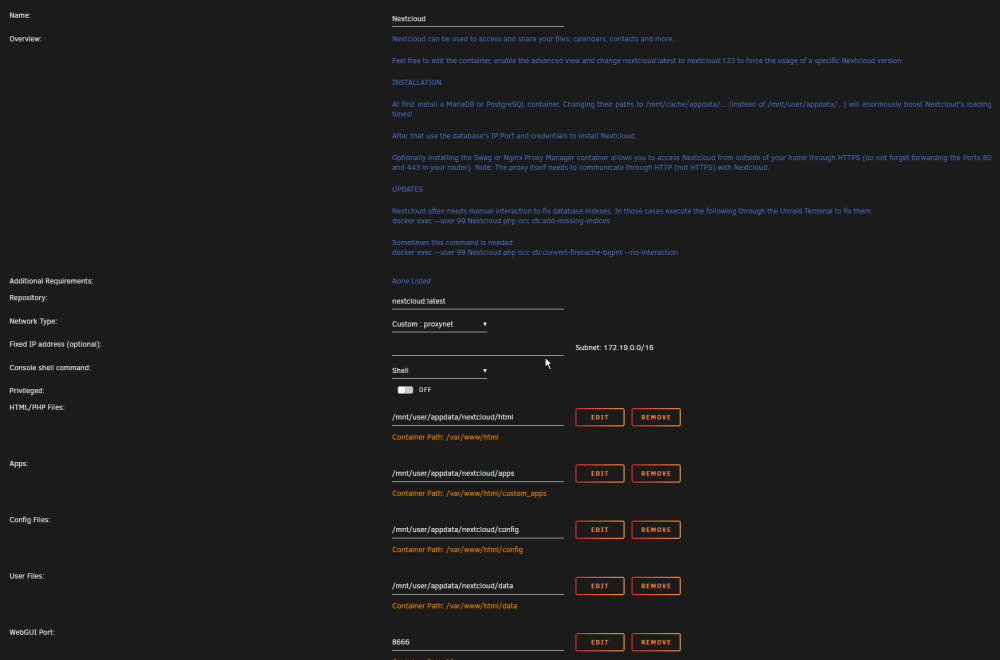
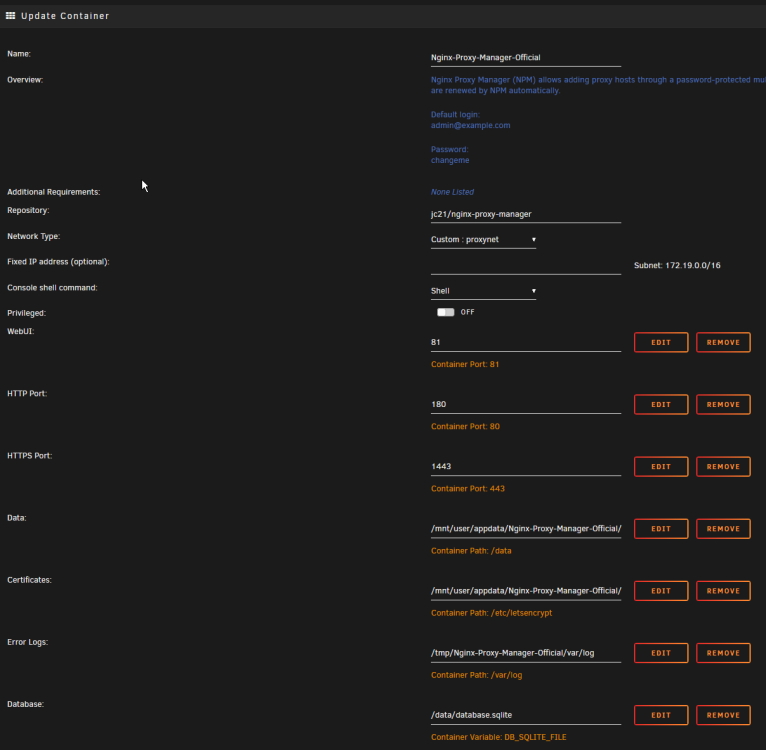
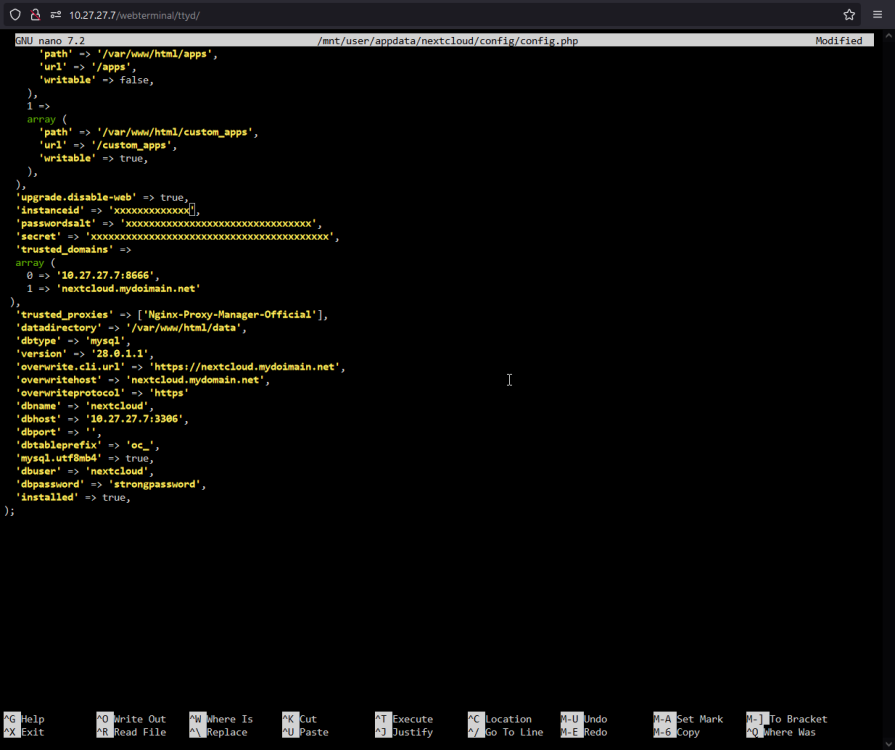
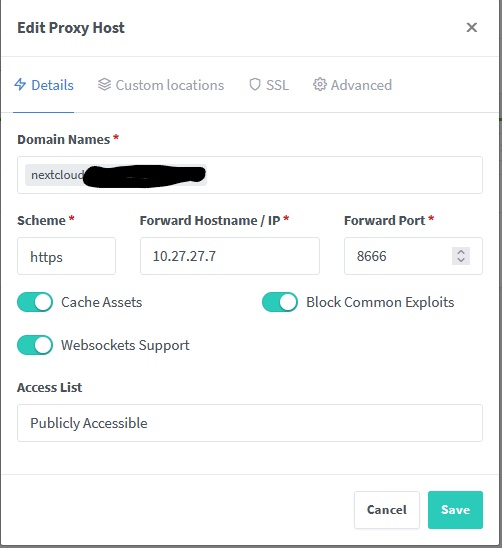
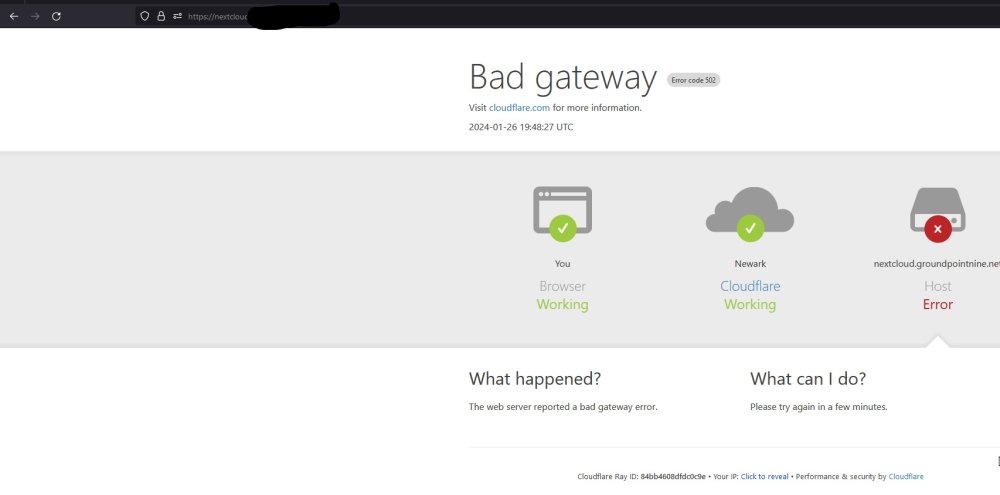
I give up trying to setup nextclould, cloudflare, reverse proxy w/ NPM and this docker container. No matter what I do, I just can't figure it out. Sure I can access the local http server but as soon as I do anything releated to the revers proxy and https, it's all FUBAR'd. If anyone wants to hold my hand through the process? Beers and coffee are on me! Main Docker config: Nextcloud Docker Setup: NPM Official Docker Setup: NPM proxy host setup: Ping of my domain for cloudflare functionality: nextcloud config.php setup: Router Config (Port Foward/Opening): Results:
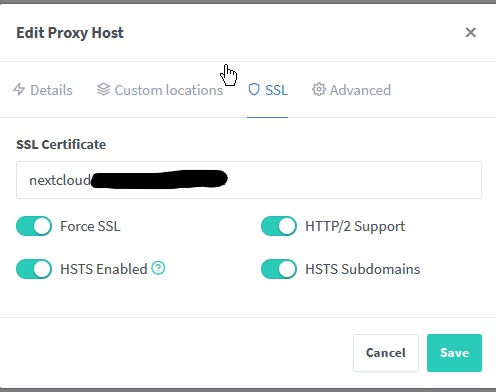
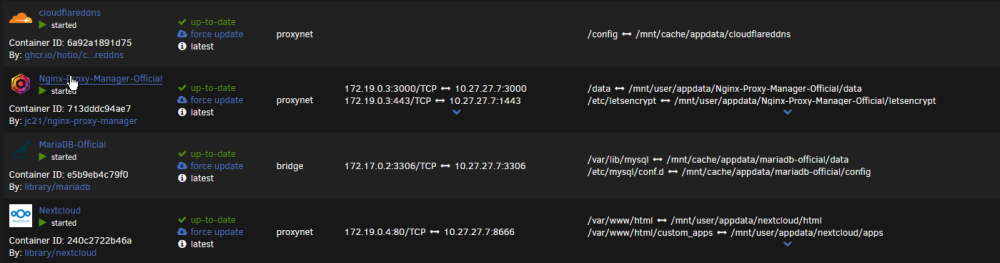


.jpg.93ad91060bb37294cace71bb42985da1.jpg)
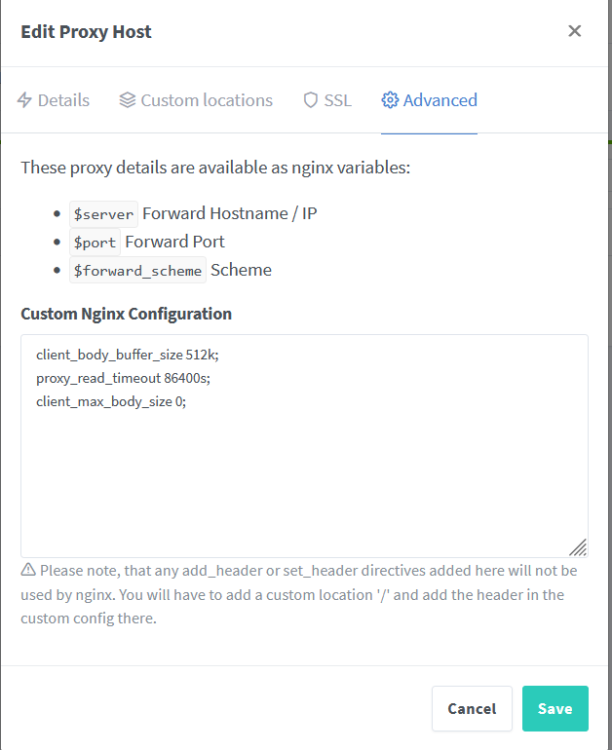
-
Good day gentlemen! I recently built a new server with this board (12600k, 64 gb ddr5 4800 ecc mems, LSI 9300 16i) and I’ve been getting post code FF after booting into unRaid. I’m on the latest BIOS/Intel ME firmware. Is anyone else getting this q code error. I've removed all none essential hardware (LSI card, IPMI card, ect.) and FF is always displayed after boot/POST to unRaid. The logs are clean and the system appears to be functioning correctly..... Thoughts?


.jpg.93ad91060bb37294cace71bb42985da1.jpg)
