





RobAinscough
Members
-
Joined
-
Last visited
-
@MowMdown Maybe, how would I know? This issue started very recently and I've been using Malwarebytes for several years. Did something change with APPS control/content?
-
As soon as I click on "APPS" and do NOTHING else, don't click anywhere else just loads the APPS tab/page: I get this warning from Malwarebytes: Which is owned by DigitalOcean LLC: So what and why is the content panel (APPS) immediately communicating with DigitalOcean server? This didn't used to be the case until recently? Rob.
-
Excellent, thank you!
-
Limetech Tools. When I click install I get a dialog/window and "Install Plugin - In Progress" and nothing ... never completes. Running Unraid 7.3.2. Community Center 2026.07.14 Suggestions? Rob.
-
Ok, followed the nVidia driver setup and plex check and all seems to be working. So now I'll try 7.2.5 to 7.3.1 and see how that goes.
-
Does anyone know if the nVidia Driver issue was resovled in Unraid 7.3.1? I'm running an nVidia RTX4060 I reviewed your link and that seems like A LOT of risky work just to make Unraid 7.2.5+ work ... hoping I don't have to do that with 7.3.1?
-
So why does 7.2.4 work with my existing nVidia driver? So 7.2.5 broke some compatibility with nVidia driver? So I don’t really understand your statement as it seems more “defensive” than “proactive”.
-
As per my other thread, reverting back to 7.2.4 has resolve the issue with my Plex Media Server.
-
Sure, when I attempt to play an TV show or Movie on my TV using Plex Client app, where Plex media server is installed on UnRaid as Docker app, I got long pauses during viewing. The movie would play for about 1 minute, pause (the Plex rotating circle) for about 30 seconds, then play for about 1 min, then pause again ... making it impossible to view a movie on my Plex server. This issue started to happen AFTER upgrading UnRaid from 7.2.4 to 7.2.5. The solution to downgrade back to 7.2.4 has worked. So it seems there is some incompatibility issue in 7.2.5 with Plex Media server.
-
I’m encountering a lot of issues with 7.2.5 that didn’t exist prior to my upgrade. Is it possible to downgrade back to 7.2.4?
-
Hmmm … ok, I think there is definitely a problem with UnRaid 7.2.5. Last night, Plex decide to play for 1 min, pause for 30 seconds, play for 1 min, pause for 30 seconds … continuously. So I checked it was a wifi issue or problem with my network … tested NetFlix, Prime, YouTube and all were working well … just Plex on my UnRaid. The only “change” has been upgrading UnRaid to 7.2.5. Anyone else having issues with Plex on UnRaid 7.2.5?
-
After a lot of research, the easiest solution was to revert to a backup of the two Plex database files. I tried downloading the Plex DBRepair.sh script and attempted to run that but got a message it’s not supported the flavor of Linux UnRaid use … or I just could figure out how to execute it in a docker container? Anyway, I’m back up and running by simple rename of corrupted database files and rename of good backup files and then just do a Library Scan again. I think how the Plex database got corrupted was related to a Movie (Mad Max 2 - The Road Warrior) as it has two different IMDB codes since the movie was renamed to just “The Road Warrior” … I changed the IMDB code and re-scanned and then did a Meta update … this is when things went south. I’m not a big Linux guy, so if someone knows how to run a script (with pathing) in a the Plex Docker Container, please let me know. Under Plex Docker Service, I did right click to open console but no attempt worked to run the Plex provided DBRepair.sh. That’s what I hate about linux, so many command lines for performing the most basic and simple of tasks, and I still couldn’t figure it out.
-
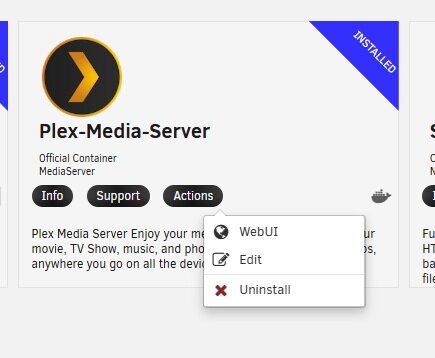
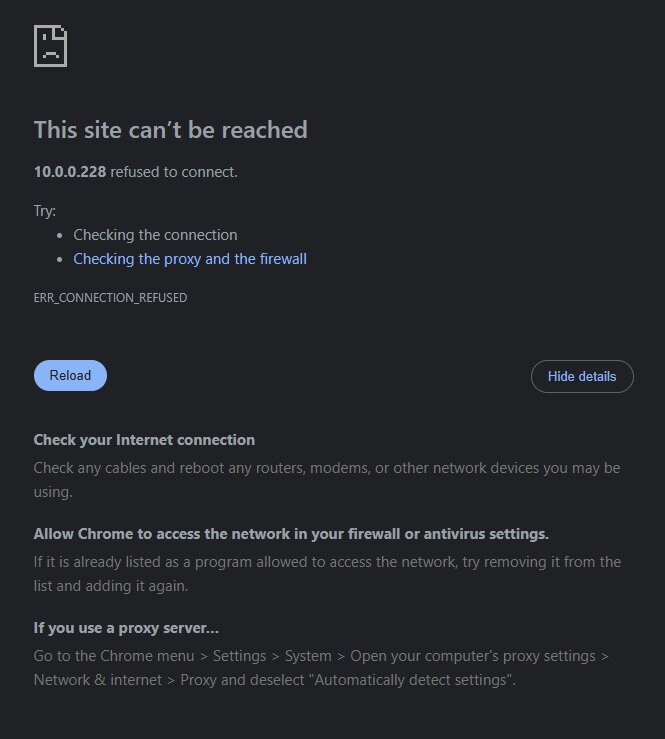
I'm running 7.2.5 Unraid. I started a Meta data library update via the docker Plex App (Web GUI) last night and it was taking A LONG time so I left it and returned the following morning. I was able to access an movie/tv show on my plex server, whenever I clicked on the movie to play it I got an "access error"? Then I navigated to Apps, Installed Apps, and under Plex I selected Web GUI and got this error: So I keep trying to access my Plex Server via the Web GUI and once (only once) I got this message: Odd? So I went looking at the Plex logs and found this information suggesting the Plex Database is corrupted? Opening 2 database sessions to library (com.plexapp.plugins.library.blobs), SQLite 3.39.4, threadsafe=1May 03, 2026 15:34:41.667 [22679620614800] INFO - Running migrations. (EPG 0)May 03, 2026 15:34:41.667 [22679620614800] DEBUG - Captured session 0.May 03, 2026 15:34:41.667 [22679620614800] DEBUG - Captured session 1.May 03, 2026 15:34:41.698 [22679620614800] ERROR - SQLITE3:0x80000001, 11, database corruption at line 72267 of [a29f994989]May 03, 2026 15:34:41.698 [22679620614800] ERROR - SQLITE3:0x80000001, 11, statement aborts at 51: [INSERT INTO metadata_agent_providers (identifier,title,uri,agent_type,metadata_types,online,created_at,updated_at,extra_data) VALUES (:U1,:U2,:U3,:U4,:U5,:U6,:U7,:U8,:U9)] database disk image is malformedMay 03, 2026 15:34:41.698 [22679620614800] ERROR - Error: Unable to set up server: std::exception (N2DB9ExceptionE)May 03, 2026 15:34:41.698 [22679620614800] DEBUG - [JobRunner] Job running: /usr/lib/plexmediaserver/CrashUploader --sessionStatus=abnormal --sessionStart=1777847681 --sessionDuration=0 --version=1.43.1.10611-1e34174b1 [email protected] --sentryUrl=https://o17675.ingest.sentry.io/api/1233455/ --sentryKey=xxxxxxxxxxxxxxxxxxxxxxxxxxxxxxxxMay 03, 2026 15:34:41.698 [22679620614800] DEBUG - [JobRunner] Jobs: Starting child process with pid 16013 No idea how it's database got corrupted? And even less of an idea how to fix this issue (if it is fixable)? I've posted on the Plex forums asking for help also and figured I'd try here since UnRaid and Plex are a common combo. Any thoughts or suggestions? Rob. PlexLog1.txt


-
Can you fill me in on ZFS RAIDZ pool? Implications for my existing setup? Quick read and it seems I need to format the new ZFS RAIDZ pool ... no ability to migrate all my existing 67TB of data? Benefits? Limitations? Thanks, Rob.
-
Ok, the issues seems to be that the share I’m copying my large files to isn’t setup for Cache to Array. And I’m starting to recall why it is setup that way … I read somewhere that Plex Server (which I have installed) needs to point to an Array share and NOT a Cache to Array share. I vaguely remember setting the share (that Plex uses for all the movies/music etc.) to Cache to Array and Plex lost all context of what I had setup and showed me an empty Plex library when I brought up the Web UI. In fact, as I recall, it was a complete disaster and I ended up re-installing plex after I set the share back to just Array. Copy of medias-diagnostics-20260212-2046.zip Anyway, diagnostic files.

