






Bob-omb
Members
-
Joined
-
Last visited
-
root@example:~# tail -300 /var/log/nginx/error.log 2026/07/23 09:29:33 [error] 24016#24016: *4041444 open() "/usr/local/emhttp/plugins/dynamix.docker.manager/images/question.png" failed (2: No such file or directory) while sending to client, client: 100.32.174.2, server: example.example.ts.net, request: "GET /plugins/dynamix.docker.manager/images/question.png HTTP/2.0", host: "example.example.ts.net", referrer: "https://example.example.ts.net/Docker" 2026/07/23 09:29:33 [error] 24016#24016: *4041444 open() "/usr/local/emhttp/plugins/dynamix.docker.manager/images/question.png" failed (2: No such file or directory) while sending to client, client: 100.32.174.2, server: example.example.ts.net, request: "GET /plugins/dynamix.docker.manager/images/question.png HTTP/2.0", host: "example.example.ts.net", referrer: "https://example.example.ts.net/Docker" 2026/07/23 09:29:33 [error] 24016#24016: *4041444 open() "/usr/local/emhttp/plugins/dynamix.docker.manager/images/question.png" failed (2: No such file or directory) while sending to client, client: 100.32.174.2, server: example.example.ts.net, request: "GET /plugins/dynamix.docker.manager/images/question.png HTTP/2.0", host: "example.example.ts.net", referrer: "https://example.example.ts.net/Docker" 2026/07/23 09:29:33 [error] 24016#24016: *4041444 open() "/usr/local/emhttp/plugins/dynamix.docker.manager/images/question.png" failed (2: No such file or directory) while sending to client, client: 100.32.174.2, server: example.example.ts.net, request: "GET /plugins/dynamix.docker.manager/images/question.png HTTP/2.0", host: "example.example.ts.net", referrer: "https://example.example.ts.net/Docker" 2026/07/23 09:29:33 [error] 24016#24016: *4041444 open() "/usr/local/emhttp/plugins/dynamix.docker.manager/images/question.png" failed (2: No such file or directory) while sending to client, client: 100.32.174.2, server: example.example.ts.net, request: "GET /plugins/dynamix.docker.manager/images/question.png HTTP/2.0", host: "example.example.ts.net", referrer: "https://example.example.ts.net/Docker" 2026/07/23 09:29:33 [error] 24016#24016: *4041444 open() "/usr/local/emhttp/plugins/dynamix.docker.manager/images/question.png" failed (2: No such file or directory) while sending to client, client: 100.32.174.2, server: example.example.ts.net, request: "GET /plugins/dynamix.docker.manager/images/question.png HTTP/2.0", host: "example.example.ts.net", referrer: "https://example.example.ts.net/Docker" 2026/07/23 09:29:33 [error] 24016#24016: *4041444 open() "/usr/local/emhttp/plugins/dynamix.docker.manager/images/question.png" failed (2: No such file or directory) while sending to client, client: 100.32.174.2, server: example.example.ts.net, request: "GET /plugins/dynamix.docker.manager/images/question.png HTTP/2.0", host: "example.example.ts.net", referrer: "https://example.example.ts.net/Docker" 2026/07/23 09:29:33 [error] 24016#24016: *4041444 open() "/usr/local/emhttp/plugins/dynamix.docker.manager/images/question.png" failed (2: No such file or directory) while sending to client, client: 100.32.174.2, server: example.example.ts.net, request: "GET /plugins/dynamix.docker.manager/images/question.png HTTP/2.0", host: "example.example.ts.net", referrer: "https://example.example.ts.net/Docker" 2026/07/23 09:29:33 [error] 24016#24016: *4041444 open() "/usr/local/emhttp/plugins/dynamix.docker.manager/images/question.png" failed (2: No such file or directory) while sending to client, client: 100.32.174.2, server: example.example.ts.net, request: "GET /plugins/dynamix.docker.manager/images/question.png HTTP/2.0", host: "example.example.ts.net", referrer: "https://example.example.ts.net/Docker" 2026/07/23 09:29:33 [error] 24016#24016: *4041444 open() "/usr/local/emhttp/plugins/dynamix.docker.manager/images/question.png" failed (2: No such file or directory) while sending to client, client: 100.32.174.2, server: example.example.ts.net, request: "GET /plugins/dynamix.docker.manager/images/question.png HTTP/2.0", host: "example.example.ts.net", referrer: "https://example.example.ts.net/Docker" 2026/07/23 09:29:33 [error] 24016#24016: *4041444 open() "/usr/local/emhttp/plugins/dynamix.docker.manager/images/question.png" failed (2: No such file or directory) while sending to client, client: 100.32.174.2, server: example.example.ts.net, request: "GET /plugins/dynamix.docker.manager/images/question.png HTTP/2.0", host: "example.example.ts.net", referrer: "https://example.example.ts.net/Docker" 2026/07/23 09:29:33 [error] 24016#24016: *4041444 open() "/usr/local/emhttp/plugins/dynamix.docker.manager/images/question.png" failed (2: No such file or directory) while sending to client, client: 100.32.174.2, server: example.example.ts.net, request: "GET /plugins/dynamix.docker.manager/images/question.png HTTP/2.0", host: "example.example.ts.net", referrer: "https://example.example.ts.net/Docker" 2026/07/23 09:29:33 [error] 24016#24016: *4041444 open() "/usr/local/emhttp/plugins/dynamix.docker.manager/images/question.png" failed (2: No such file or directory) while sending to client, client: 100.32.174.2, server: example.example.ts.net, request: "GET /plugins/dynamix.docker.manager/images/question.png HTTP/2.0", host: "example.example.ts.net", referrer: "https://example.example.ts.net/Docker" 2026/07/23 09:29:33 [error] 24016#24016: *4041444 open() "/usr/local/emhttp/plugins/dynamix.docker.manager/images/question.png" failed (2: No such file or directory) while sending to client, client: 100.32.174.2, server: example.example.ts.net, request: "GET /plugins/dynamix.docker.manager/images/question.png HTTP/2.0", host: "example.example.ts.net", referrer: "https://example.example.ts.net/Docker" 2026/07/23 09:29:33 [error] 24016#24016: *4041444 open() "/usr/local/emhttp/plugins/dynamix.docker.manager/images/question.png" failed (2: No such file or directory) while sending to client, client: 100.32.174.2, server: example.example.ts.net, request: "GET /plugins/dynamix.docker.manager/images/question.png HTTP/2.0", host: "example.example.ts.net", referrer: "https://example.example.ts.net/Docker" 2026/07/23 09:29:33 [error] 24016#24016: *4041444 open() "/usr/local/emhttp/plugins/dynamix.docker.manager/images/question.png" failed (2: No such file or directory) while sending to client, client: 100.32.174.2, server: example.example.ts.net, request: "GET /plugins/dynamix.docker.manager/images/question.png HTTP/2.0", host: "example.example.ts.net", referrer: "https://example.example.ts.net/Docker" 2026/07/23 09:29:33 [error] 24016#24016: *4041444 open() "/usr/local/emhttp/plugins/dynamix.docker.manager/images/question.png" failed (2: No such file or directory) while sending to client, client: 100.32.174.2, server: example.example.ts.net, request: "GET /plugins/dynamix.docker.manager/images/question.png HTTP/2.0", host: "example.example.ts.net", referrer: "https://example.example.ts.net/Docker" 2026/07/23 09:29:33 [error] 24016#24016: *4041444 open() "/usr/local/emhttp/plugins/dynamix.docker.manager/images/question.png" failed (2: No such file or directory) while sending to client, client: 100.32.174.2, server: example.example.ts.net, request: "GET /plugins/dynamix.docker.manager/images/question.png HTTP/2.0", host: "example.example.ts.net", referrer: "https://example.example.ts.net/Docker" 2026/07/23 09:29:33 [error] 24016#24016: *4041444 open() "/usr/local/emhttp/plugins/dynamix.docker.manager/images/question.png" failed (2: No such file or directory) while sending to client, client: 100.32.174.2, server: example.example.ts.net, request: "GET /plugins/dynamix.docker.manager/images/question.png HTTP/2.0", host: "example.example.ts.net", referrer: "https://example.example.ts.net/Docker" 2026/07/23 09:29:33 [error] 24016#24016: *4041444 open() "/usr/local/emhttp/plugins/dynamix.docker.manager/images/question.png" failed (2: No such file or directory) while sending to client, client: 100.32.174.2, server: example.example.ts.net, request: "GET /plugins/dynamix.docker.manager/images/question.png HTTP/2.0", host: "example.example.ts.net", referrer: "https://example.example.ts.net/Docker" 2026/07/23 09:29:33 [error] 24016#24016: *4041444 open() "/usr/local/emhttp/plugins/dynamix.docker.manager/images/question.png" failed (2: No such file or directory) while sending to client, client: 100.32.174.2, server: example.example.ts.net, request: "GET /plugins/dynamix.docker.manager/images/question.png HTTP/2.0", host: "example.example.ts.net", referrer: "https://example.example.ts.net/Docker" 2026/07/23 09:29:33 [error] 24016#24016: *4041444 open() "/usr/local/emhttp/plugins/dynamix.docker.manager/images/question.png" failed (2: No such file or directory) while sending to client, client: 100.32.174.2, server: example.example.ts.net, request: "GET /plugins/dynamix.docker.manager/images/question.png HTTP/2.0", host: "example.example.ts.net", referrer: "https://example.example.ts.net/Docker" 2026/07/23 09:29:33 [error] 24016#24016: *4041444 open() "/usr/local/emhttp/plugins/dynamix.docker.manager/images/question.png" failed (2: No such file or directory) while sending to client, client: 100.32.174.2, server: example.example.ts.net, request: "GET /plugins/dynamix.docker.manager/images/question.png HTTP/2.0", host: "example.example.ts.net", referrer: "https://example.example.ts.net/Docker" 2026/07/23 09:29:33 [error] 24016#24016: *4041444 open() "/usr/local/emhttp/plugins/dynamix.docker.manager/images/question.png" failed (2: No such file or directory) while sending to client, client: 100.32.174.2, server: example.example.ts.net, request: "GET /plugins/dynamix.docker.manager/images/question.png HTTP/2.0", host: "example.example.ts.net", referrer: "https://example.example.ts.net/Docker" 2026/07/23 09:29:33 [error] 24016#24016: *4041444 open() "/usr/local/emhttp/plugins/dynamix.docker.manager/images/question.png" failed (2: No such file or directory) while sending to client, client: 100.32.174.2, server: example.example.ts.net, request: "GET /plugins/dynamix.docker.manager/images/question.png HTTP/2.0", host: "example.example.ts.net", referrer: "https://example.example.ts.net/Docker" 2026/07/23 09:29:33 [error] 24016#24016: *4041444 open() "/usr/local/emhttp/plugins/dynamix.docker.manager/images/question.png" failed (2: No such file or directory) while sending to client, client: 100.32.174.2, server: example.example.ts.net, request: "GET /plugins/dynamix.docker.manager/images/question.png HTTP/2.0", host: "example.example.ts.net", referrer: "https://example.example.ts.net/Docker" 2026/07/23 09:29:33 [error] 24016#24016: *4041444 open() "/usr/local/emhttp/plugins/dynamix.docker.manager/images/question.png" failed (2: No such file or directory) while sending to client, client: 100.32.174.2, server: example.example.ts.net, request: "GET /plugins/dynamix.docker.manager/images/question.png HTTP/2.0", host: "example.example.ts.net", referrer: "https://example.example.ts.net/Docker" 2026/07/23 09:29:33 [error] 24016#24016: *4041444 open() "/usr/local/emhttp/plugins/dynamix.docker.manager/images/question.png" failed (2: No such file or directory) while sending to client, client: 100.32.174.2, server: example.example.ts.net, request: "GET /plugins/dynamix.docker.manager/images/question.png HTTP/2.0", host: "example.example.ts.net", referrer: "https://example.example.ts.net/Docker" 2026/07/23 09:29:33 [error] 24016#24016: *4041444 open() "/usr/local/emhttp/plugins/dynamix.docker.manager/images/question.png" failed (2: No such file or directory) while sending to client, client: 100.32.174.2, server: example.example.ts.net, request: "GET /plugins/dynamix.docker.manager/images/question.png HTTP/2.0", host: "example.example.ts.net", referrer: "https://example.example.ts.net/Docker" 2026/07/23 09:29:33 [error] 24016#24016: *4041444 open() "/usr/local/emhttp/plugins/dynamix.docker.manager/images/question.png" failed (2: No such file or directory) while sending to client, client: 100.32.174.2, server: example.example.ts.net, request: "GET /plugins/dynamix.docker.manager/images/question.png HTTP/2.0", host: "example.example.ts.net", referrer: "https://example.example.ts.net/Docker" 2026/07/23 09:29:33 [error] 24016#24016: *4041444 open() "/usr/local/emhttp/plugins/dynamix.docker.manager/images/question.png" failed (2: No such file or directory) while sending to client, client: 100.32.174.2, server: example.example.ts.net, request: "GET /plugins/dynamix.docker.manager/images/question.png HTTP/2.0", host: "example.example.ts.net", referrer: "https://example.example.ts.net/Docker" 2026/07/23 09:29:33 [error] 24016#24016: *4041444 open() "/usr/local/emhttp/plugins/dynamix.docker.manager/images/question.png" failed (2: No such file or directory) while sending to client, client: 100.32.174.2, server: example.example.ts.net, request: "GET /plugins/dynamix.docker.manager/images/question.png HTTP/2.0", host: "example.example.ts.net", referrer: "https://example.example.ts.net/Docker" 2026/07/23 09:29:33 [error] 24016#24016: *4041444 open() "/usr/local/emhttp/plugins/dynamix.docker.manager/images/question.png" failed (2: No such file or directory) while sending to client, client: 100.32.174.2, server: example.example.ts.net, request: "GET /plugins/dynamix.docker.manager/images/question.png HTTP/2.0", host: "example.example.ts.net", referrer: "https://example.example.ts.net/Docker" 2026/07/23 09:29:33 [error] 24016#24016: *4041444 open() "/usr/local/emhttp/plugins/dynamix.docker.manager/images/question.png" failed (2: No such file or directory) while sending to client, client: 100.32.174.2, server: example.example.ts.net, request: "GET /plugins/dynamix.docker.manager/images/question.png HTTP/2.0", host: "example.example.ts.net", referrer: "https://example.example.ts.net/Docker" 2026/07/23 09:29:33 [error] 24016#24016: *4041444 open() "/usr/local/emhttp/plugins/dynamix.docker.manager/images/question.png" failed (2: No such file or directory) while sending to client, client: 100.32.174.2, server: example.example.ts.net, request: "GET /plugins/dynamix.docker.manager/images/question.png HTTP/2.0", host: "example.example.ts.net", referrer: "https://example.example.ts.net/Docker" 2026/07/23 09:29:33 [error] 24016#24016: *4041444 open() "/usr/local/emhttp/plugins/dynamix.docker.manager/images/question.png" failed (2: No such file or directory) while sending to client, client: 100.32.174.2, server: example.example.ts.net, request: "GET /plugins/dynamix.docker.manager/images/question.png HTTP/2.0", host: "example.example.ts.net", referrer: "https://example.example.ts.net/Docker" 2026/07/23 09:29:33 [error] 24016#24016: *4041444 open() "/usr/local/emhttp/plugins/dynamix.docker.manager/images/question.png" failed (2: No such file or directory) while sending to client, client: 100.32.174.2, server: example.example.ts.net, request: "GET /plugins/dynamix.docker.manager/images/question.png HTTP/2.0", host: "example.example.ts.net", referrer: "https://example.example.ts.net/Docker"
-
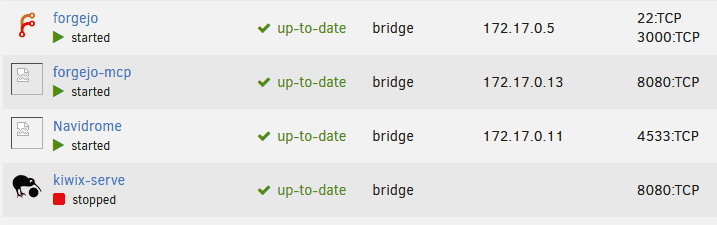
After updating to 7.3.2 missing docker icons frequently attempts to load but fails. This causes /var/log/nginx/error.log to fill up and in turn makes my VMs unable to startup with the error Unable to write to file /var/log/libvirt/qemu/KS.log: No space left on device
-
Just checked. It's not.
-
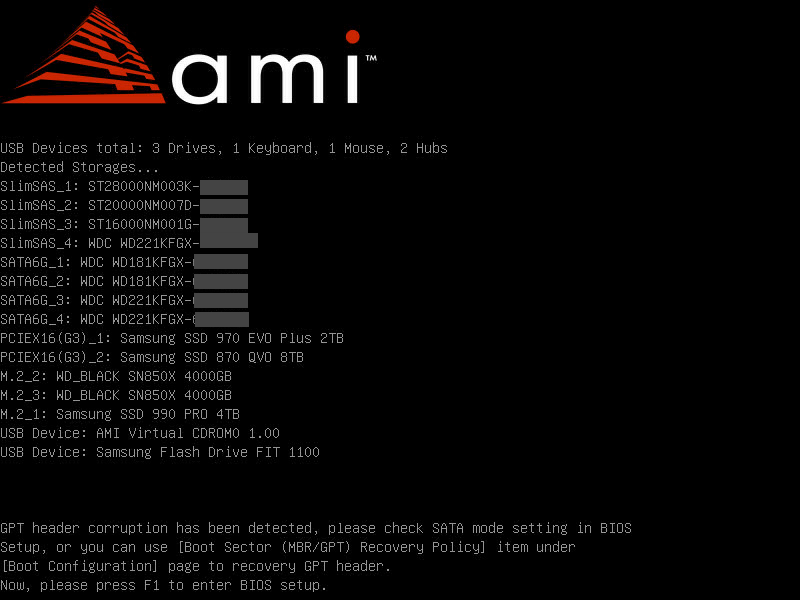
After preclearing a new disk in Unraid booting the PC shows this: This has never happened before. Then again, I don't think I have ever done a full preclear before either.
-
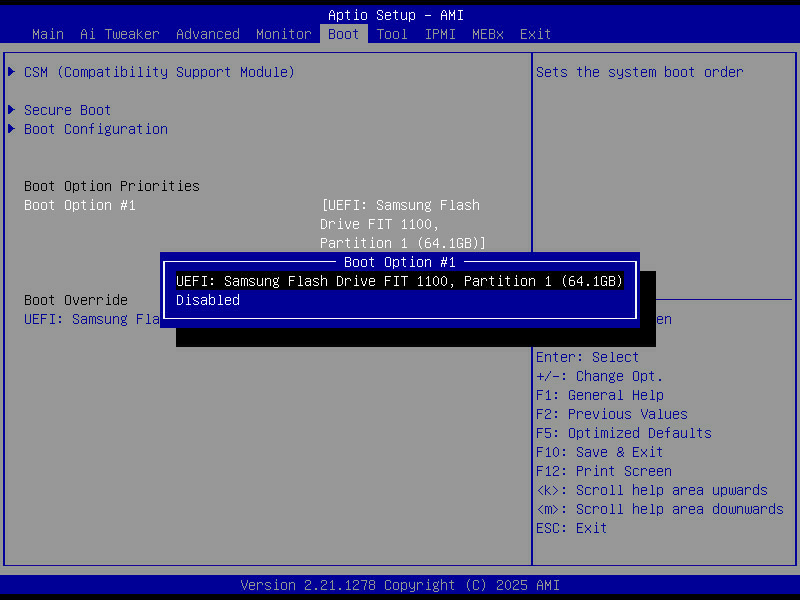
I noticed that in BIOS the flash drive was not available as a boot device. Kind of strange. Another reboot seems to have solved the issue.
-
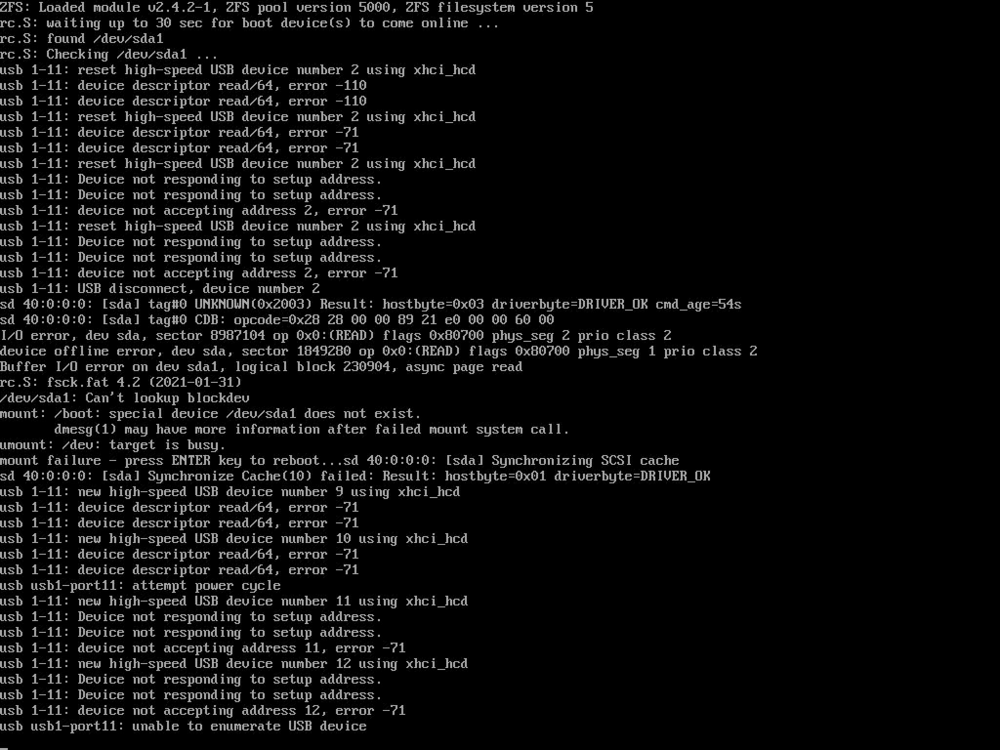
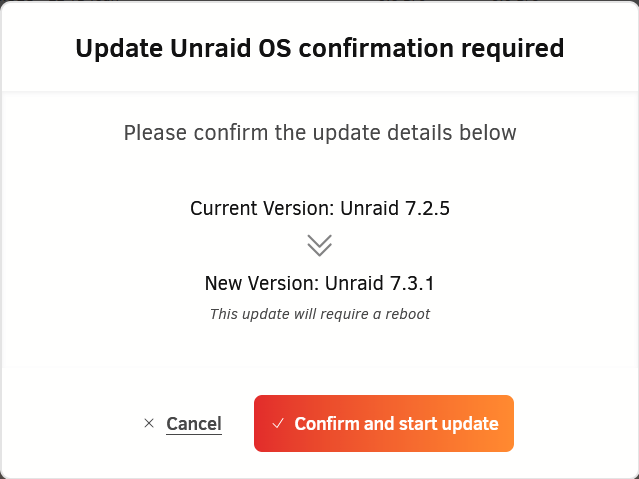
Upgrading from 7.2.5 to 7.3.1: After a reboot: Now what?
-
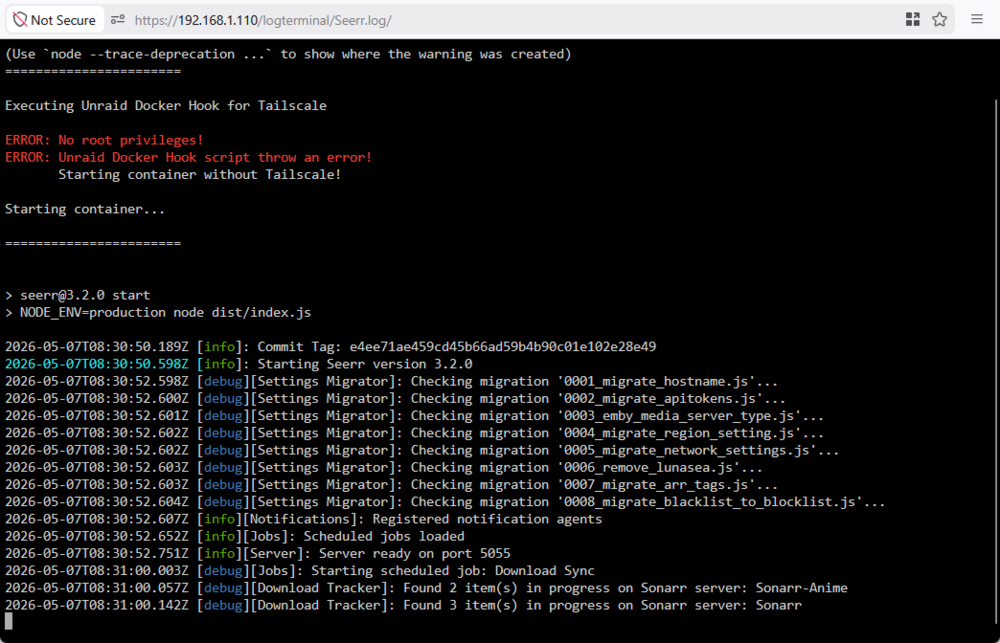
Is there a guide for how to configure this? I can install Tailscale-Docker but I have no idea how to set it.
-
I also have this problem. Any advice would be great.
-
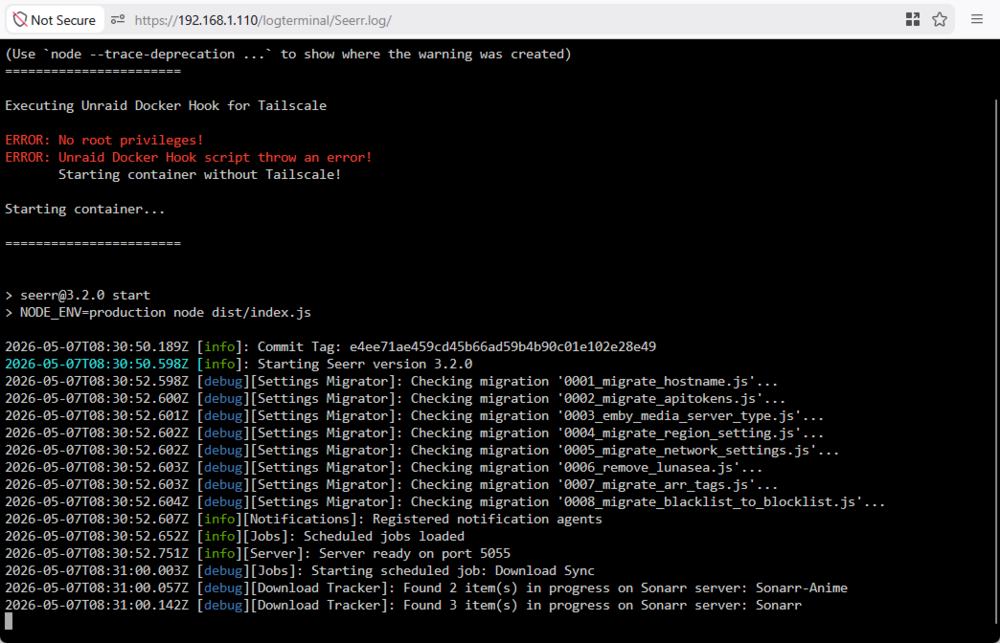
I also have this problem and I have no idea how to configure Tailscale Services.
-
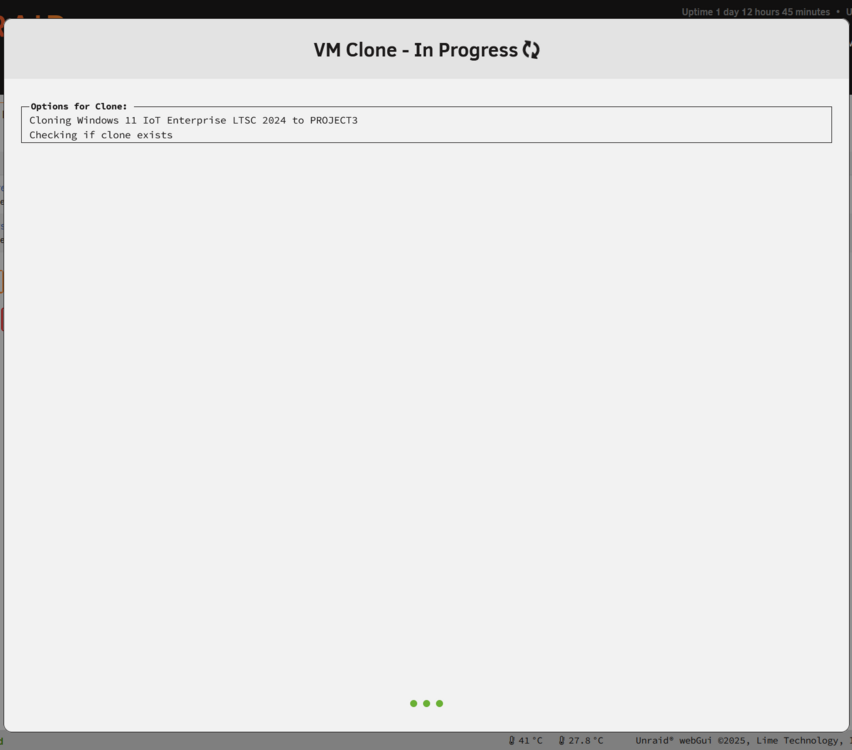
Cloning VM is stuck. Syslog shows nothing. Seems like the GUI doesn't even reach the cloning phase. It’s stuck before execution.
-
I assume this has to with Unraid 7.2.5 upgrading Docker to version 29, but I am not sure. Seems like there might be two solutions here. Solution 1: Use container networks Set the network type to Container and use the container that has VPN as the "Container Network". In this case you don't have to use --net=container:<YOUR_CONTAINER_NAME> Solution 2: Remove port mappings Remove all port mappings from the routed container. Add those ports to the VPN container instead. For example: add SABnzbd’s 8080 WebUI port to the VPN container and remove the port from the SABnzbd container. Make sure not to use The important part is that the routed container must not have both --net=container:<VPN_CONTAINER_NAME> together with any Docker network attachment or port publishing.

-
After upgrading to version 7.2.5 Unraid fails to start some containers. Here is an example: docker start binhex-sabnzbd Error response from daemon: failed to set up container networking: container sharing network namespace with another container or host cannot be connected to any other network failed to start containers: binhex-sabnzbdNote that this only happens for containers that I have routed through a VPN container with the --net=container:<YOUR_CONTAINER_NAME>. What should I do? I still want to use VPN for the container.
-
Nevermind. Seems to work again after another reboot. Strange...
-
The flash disk is simply not available as a boot drive after upgrading to version 7.2.5 and restarting. If I add the flash drive to my Windows computer I can navigate the directories on the flash drive. Seems like something broke. Where should I begin?
-
In that case it is definitely not working for me. If I click START ALL only some containers will start. The containers that does not start doesn't have any errors. Manually starting them through the WebGUI works so I am not sure why.


