





killua
Members
-
Joined
-
Last visited
-
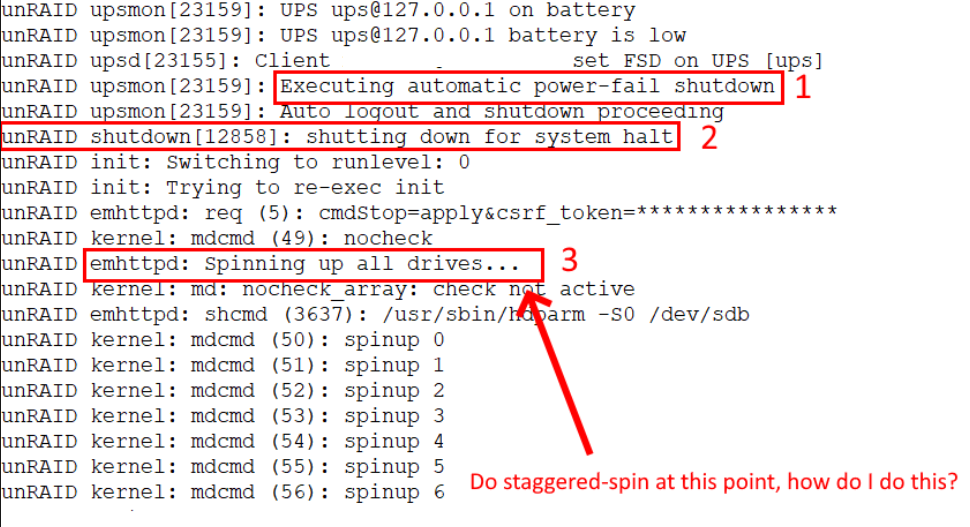
I don't see how this is possible, when power goes out, unraid instantly does these 3 processes. So there's no "unexpected spin up". Its all expected. How do i change "emttpd: Spinning up all drives" to "emttpd: Spinning drives 1 by 1". Or better yet have Unraid kernel mdcmd spinup with a 30 second delay. I think I know what's the issue here, GEL BATTERY. My UPS uses Gel battery instead of lead-acid. It has long shelf life, 10-20 years vs 5 years (lead-acid) but with the cost of having low "SURGE" current. Please do an option (staggered spinup) for us that uses Gel batteries!!
-
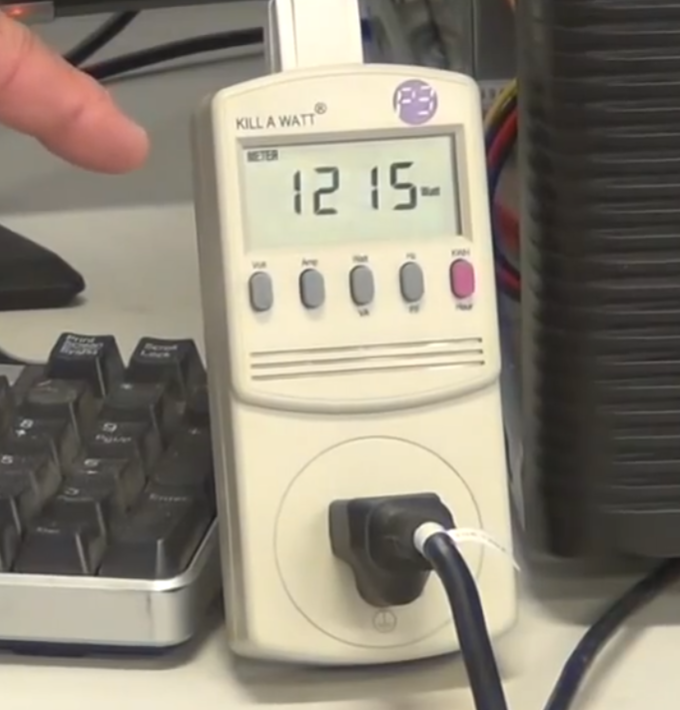
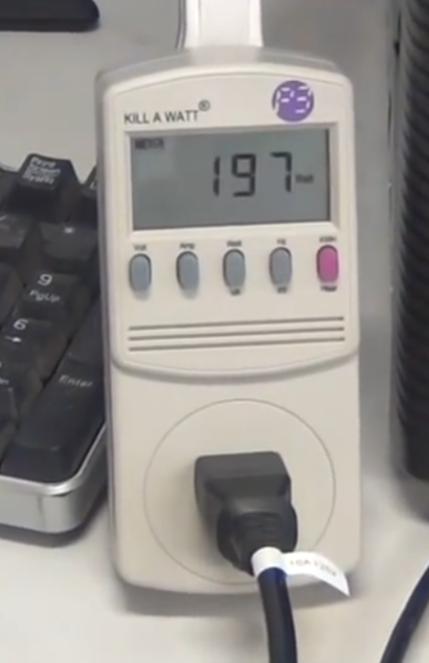
Hmm, let me help you make some sense to it. When HDD spins up it takes 2A each for about 30 seconds. After spinning, it runs 0.1A-0.3A. That 30 seconds is the main problem. This video sums it up, All drives spin up at THE SAME TIME 1215W for a split second. Staggered spin up doesn't exceed 200W As you can see, my UPS can't handle that much current even for a split second. BUT it can sustain loads for long periods. I.e like this example, the 200W "staggered" spin up can sustain 20 mins for 50% no problems. But when there's large current draw for a split second, UPS says NOPE and just dies. I'd like to remind you, booting from wall power from cold boot isn't an issue since there's plenty of power from MAINS, its the UPS battery/inverter that can't handle that much surge of current. This bandaid you speak of, how do I do that? Could you please please understand, that 20 minutes test already SPUN UP, ALL DISK ARE SPINNING when I unplug wall power. There's no spin up surge anymore, disk are already spinning, means each disk only takes 0.3A max. So there's no problems there. The only problem I'm highlighting that you seem to not understand is when all disk are IDLE/SPUN DOWN when UPS is triggered. Full disk spin-up ALWAYS happen before shutdown when the disk is originally spun down.
-
I've tested plugging out wall power when all 12 drives are in "SPUN UP" state. It ran for 20 minutes and 50% of the UPS's power before I plugged it back in. So its definitely the spike in power that's causing my UPS to trip. Anyway to have custom shutdown sequence? This is not true, tested fine when I unplug wall power when 12 disks were in "SPUN UP" state for 20 minutes and it only took 50% of the UPS's power. So the batteries are fine, its the sudden surge of current that's causing it to fail (12 hdd spun up at once) I tested my ups by unplugging it while 12 disk were in "SPUN UP" state for 20 minutes, disabled spin down. 20 Minutes only took 50% of the UPS capacity. So 6 minutes is nothing to wait for every disk to spin up. Do you have an unraid plugin or something to change the shutdown script? I want to turn it on 1 by 1
-
@Rysz Can we have a setting to spin up drives 1 by 1 rather than the whole array? In a way do a "simulated" staggered spinup by reading each disk when UPS battery powered is activated. Like how plex only spins up the video file on that 1 particular disk and not the whole array. Current problem, 12 drives spun DOWN Power goes out UPS Online and now array uses battery powered Shutdown initiated [PROBLEM HERE!!] All 12 disk spins up all AT THE SAME TIME UPS chokes due to high power spike and shuts down the server prematurely RIP A mini heart attack followed by praying my data is all fine As you can see this can be avoided by spinning up the disks 1 by 1, it doesn't take long at all probably 30 seconds per drive to be safe WHEN SHUTDOWN IS INITIATED. Please incorporate this!!
-
You should mod the bios on your motherboard to disable Multi-VC. "In your BIOS: Advanced -> Admin -> Chipset->System Agent(SA) configuration->PCI Express Configuration Set Multi-VC to Disabled on both of PCIE Root Port 1 & PCIE Root Port 2." https://community.intel.com/t5/Embedded-Connectivity/Using-x16-pcie-slot-disables-low-package-c-states-ASPM-Alderlake/td-p/1555031 Setting Multi-VC to Disabled could help reaching C10, meanwhile, by being enabled, the system can only reach C3.
