





nocternal
Members
-
Joined
-
Last visited
-
Sorry for the delay in replying. @itimpi - I'll need to checkout the parity check tuning plugin! Would be nice to get as much details as possible on CLI. I don't run a parity check too often (and my disks have been stable for several years - so no data rebuilds required). My parity drives are fairly large - so nice to keep an eye on parity check when I do. Let me know if you need any help/testing any changes. I have a second backup unraid box (with all my older drives in it) I can run tests on.
-
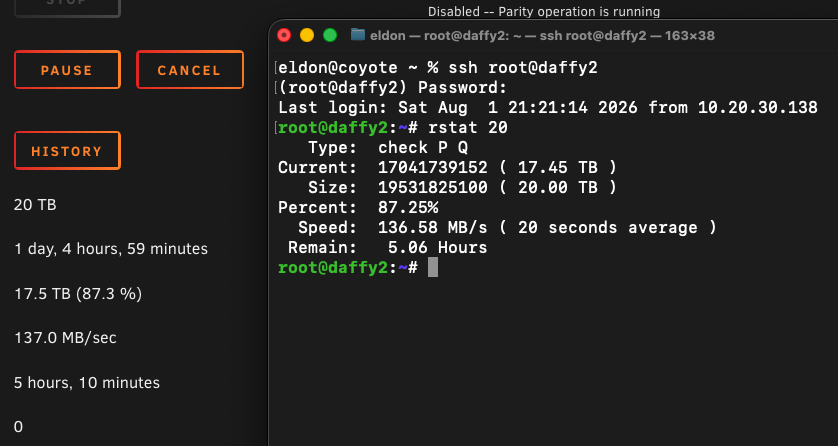
Not sure if anything like this exists already - never found anything in my brief searches a few years ago. Decided to post what I built - using info I scoured on these forums and elsewhere. Just wanted to share what I had - in case this helps anyone else. The script uses information Unraid provides as updates in /var/local/emhttp/var.ini. The script is by now means complete and clean - but it gives me a fairly good idea of time to parity check/rebuild completion and/or current status. There's no clear error-checking either - consider this beta code at best. It does not write any data to any partitions - the worst it will do is provide inaccurate data. Script execution The script can be run on its own to show current status of data/parity check/rebuild. root@daffy2:~# rstat Type: check P Q Current: 17125324848 ( 17.54 TB ) Size: 19531825100 ( 20.00 TB ) Percent: 87.68% If you pass a numeric value it will estimate the current speed and show a completion time - based on that speed. root@daffy2:~# rstat 20 Type: check P Q Current: 17041739152 ( 17.45 TB ) Size: 19531825100 ( 20.00 TB ) Percent: 87.25% Speed: 136.58 MB/s ( 20 seconds average ) Remain: 5.06 Hours Edit - The attached .txz places the script, named rstat, in /usr/loca/bin. I placed this file in /boot/extra/ so it is loaded into Unraid filesystem upon each boot. Not sure if this is the best approach. I'm open to ideas - but this seems to work great for me. rstat-0.8.5-custom.txz
-
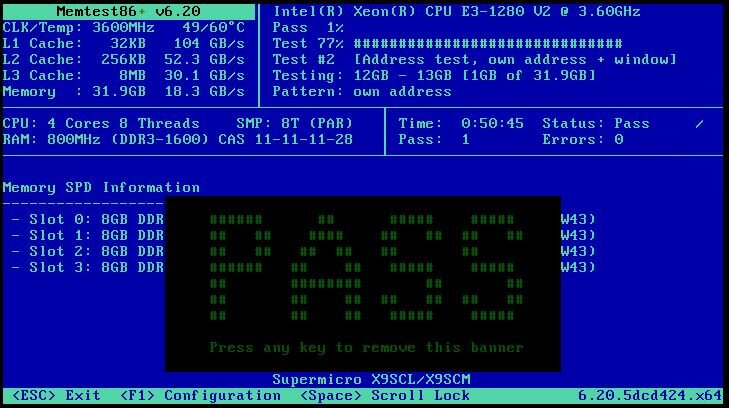
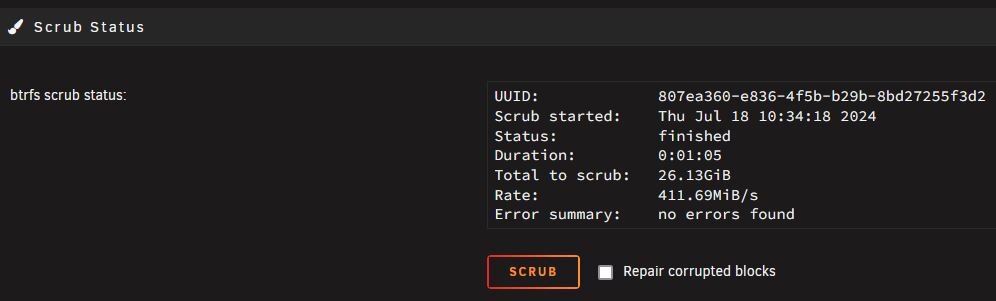
@JorgeB - Not seeing any errors when running either. Also attaching an updated diagnostics file. daffy2-diagnostics-20240718-1141.zip
-
@JorgeB - sorry for the delay - was off on holidays for a few days. I restarted the Unraid host, started array, and grabbed another diagnostics file. Uptime at time of diagnostics output was ~11 minutes. daffy2-diagnostics-20240715-1438.zip
-
I rebooted Unraid lafter generating the above information. I tried the many fixes that were mentioned in this, and other, threads. None of them worked. Always got the same error message as mentioned above. As epxected - a reboot solved the issue. Unraid has been up for 2+ days now. See new diagnostics ZIP file attached. daffy2-diagnostics-20240705-0820.zip
-
I've been searching the forums over and over trying to find a solution to this exact issue. I found this thread while searching and seems to be the exact same issue I am having. I first notice this issue when attempting to update/restart/deploy a new docker container. All other filesystems are fine - but I see the same kind of message in the syslog file as others here: Jul 2 15:38:54 daffy2 rc.docker: tautulli: Error response from daemon: failed to create task for container: failed to create shim task: OCI runtime create failed: runc create failed: unable to start container process: unable to apply cgroup configuration: mkdir /sys/fs/cgroup/docker/8e65c2d7c8f33a906a14852bf24ecad30d096c75c5fcfe0a00452116c5021e04: no space left on device: unknown This is definitely related to the /sys/fs/cgroup file ystem. Even though doing a 'df -h' or 'df -i' shows nothing: root@daffy2:/# df -i /sys/fs/cgroup Filesystem Inodes IUsed IFree IUse% Mounted on cgroup2 0 0 0 - /sys/fs/cgroup root@daffy2:/# df -h /sys/fs/cgroup Filesystem Size Used Avail Use% Mounted on cgroup2 0 0 0 - /sys/fs/cgroup ***when you enter /sys/fs/cgroup and do a listing... it looks much more interesting. There are ~65536 ./c?????/ folders in there! I think somehow we are exhausting the maximum structure of some file system here? I am attaching my diagnostics file and my output of 'ls -l /sys/fs/cgroup/'. The directory listing alone is 3MB in text! root@daffy2:/sys/fs/cgroup# ls -l > /tmp/cgroup.txt root@daffy2:/sys/fs/cgroup# zip /tmp/daffy2-sys-fs-cgroup-listing.zip /tmp/cgroup.txt adding: tmp/cgroup.txt (deflated 94%) ***and like countless others here... doing a reboot of Unraid resolves the issue. There's also no ./c?????/ folders within /sys/fs/cgroup/ either! daffy2-sys-fs-cgroup-listing.zip daffy2-diagnostics-20240702-1545.zip
