





tjockis
Members
-
Joined
-
Last visited
-
try to remove the port. it's not needed. you also need the PUID and PGID This is what mine looks like, and it works great!
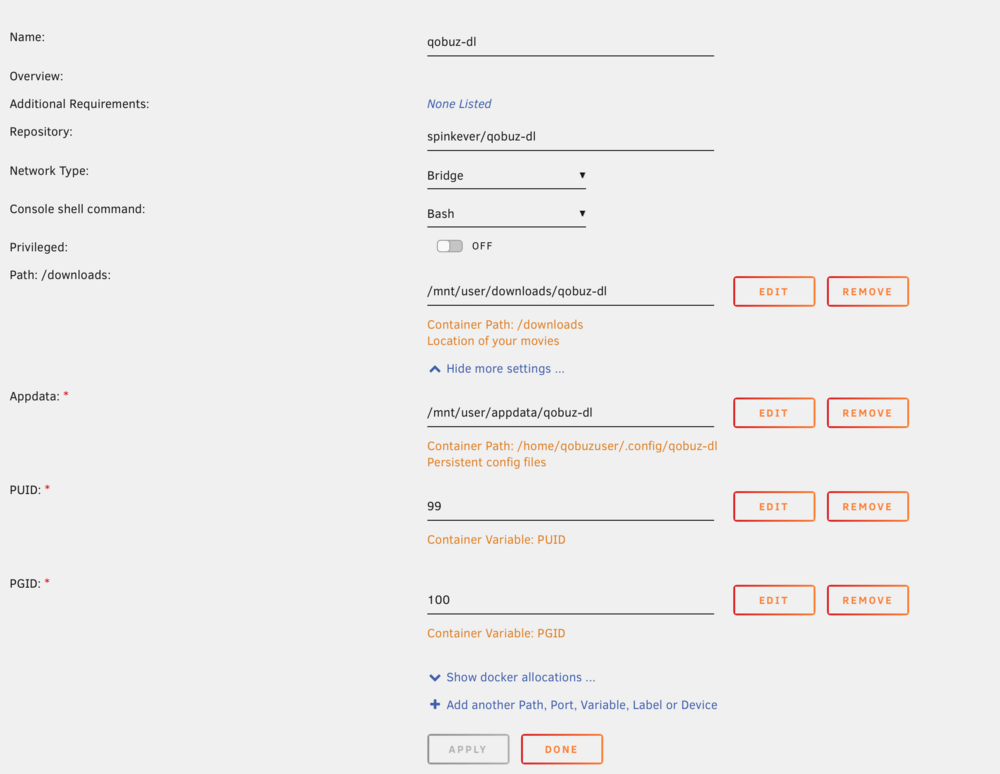
-
Writing in case someone stumbles upon this like I just did. I had this problem as well, and found a solution. My docker was getting way oversized, which led to crashes. Turns out that for some reason my NZBGet container lost its path to the data folder. First I checked the container sizes and saw that nzbget was way too big (should be ~130MB). I just went in on that containers settings and fixed the path. After a restart everything working great again. Now it could be that I forgot to fill it in, but I am most certain that I did fill it in and that it got lost during some reboot. Some other settings got changed during the same time (my array auto-start on startup stopped. my containers that I selected to auto-start also stopped doing so). Not sure what can cause settings to disappear like this, but at least the fix was easy.
