



Skip to content
View in the app

A better way to browse. Learn more.

Unraid

A full-screen app on your home screen with push notifications, badges and more.

To install this app on iOS and iPadOS
  1. Tap the Share icon in Safari
  2. Scroll the menu and tap Add to Home Screen.
  3. Tap Add in the top-right corner.
To install this app on Android
  1. Tap the 3-dot menu (⋮) in the top-right corner of the browser.
  2. Tap Add to Home screen or Install app.
  3. Confirm by tapping Install.

Actane727

Members
  • Joined

  • Last visited

  1. I have had this plugin installed for 3 years and it has only ever connected to my server once. I am on Unraid 7.0.0. I too, have trouble where it only searches for my server and does not find it. If I type in the IP of my server in the custom field, then it still does nothing.
  2. Did we ever figure out why this plugin is not seeing servers? Mine has been doing the same thing. 6.12.10
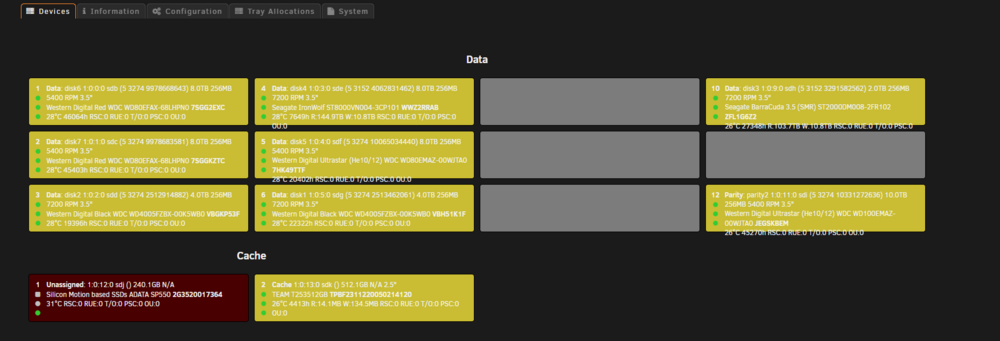
  3. Just verify no errors on disk and that SMART info is being read outside of plug-in. Then tried to update devices in plug-in a couple times.
  4. My unassigned drive is showing as not present and no SMART data. Not sure what to do.
Account

Navigation

Search

Search

Configure browser push notifications

Chrome (Android)
  1. Tap the lock icon next to the address bar.
  2. Tap Permissions → Notifications.
  3. Adjust your preference.
Chrome (Desktop)
  1. Click the padlock icon in the address bar.
  2. Select Site settings.
  3. Find Notifications and adjust your preference.