




Skip to content
View in the app

A better way to browse. Learn more.

Unraid

A full-screen app on your home screen with push notifications, badges and more.

To install this app on iOS and iPadOS
  1. Tap the Share icon in Safari
  2. Scroll the menu and tap Add to Home Screen.
  3. Tap Add in the top-right corner.
To install this app on Android
  1. Tap the 3-dot menu (⋮) in the top-right corner of the browser.
  2. Tap Add to Home screen or Install app.
  3. Confirm by tapping Install.

Tommi Grönlund

Members
  • Joined

  • Last visited

Everything posted by Tommi Grönlund

  1. Had same problem with 7.1.3 and solved by removing IPMI Tools, Unassigned devices and Unassigned devices plus plugins. After reboot the array started normally.
  2. After updating to version 7.1.3 2025-06-04 I got this with my pass-through Ryzen 9 3900X (not migratable, no hyper-v) when booting to Windows Server 2025. Super annoying as even booting in Safe Mode doesn't work and if I change the processor to QEMU doesn't start the boot loading at all :(
  3. This would be so useful if you could provide a web ui for this plugin
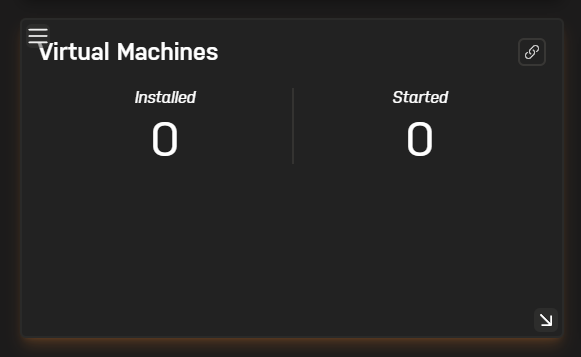
  4. When viewing my server's properties from Unraid Connect, I get 0 servers installed, 0 started. There are actually four (4) servers installed but none started.

Account

Navigation

Search

Search

Configure browser push notifications

Chrome (Android)
  1. Tap the lock icon next to the address bar.
  2. Tap Permissions → Notifications.
  3. Adjust your preference.
Chrome (Desktop)
  1. Click the padlock icon in the address bar.
  2. Select Site settings.
  3. Find Notifications and adjust your preference.